
TaskBlips
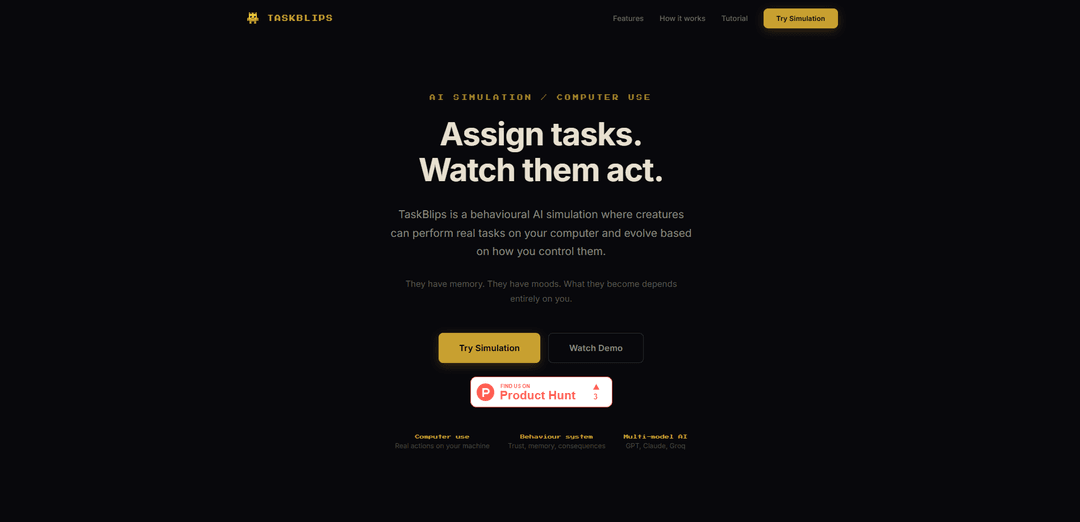
TaskBlips is a behavioral AI simulation where autonomous creatures can perform real tasks on your computer, featuring memory, moods, and evolutionary behavior based on user interactions.
https://www.taskblips.com/?ref=producthunt
Product Information
Updated:Apr 15, 2026
What is TaskBlips
TaskBlips is an innovative AI simulation platform that brings virtual creatures called 'Blips' to life on your computer. These AI-powered entities exist within a live pixel-based environment where they can execute real tasks on your machine, from opening applications and creating files to browsing the web and searching for information. Each Blip possesses its own internal state including trust levels, suspicion, stability, and memory that evolve based on how users interact with them. Powered by multiple AI models including GPT, Claude, and Groq, TaskBlips creates a unique experience where users can assign tasks through natural language commands and watch as their Blips plan, request permission, and execute actions in real-time. The simulation requires no login and comes with a default API key to get started immediately, though users can bring their own keys for uninterrupted access.
Key Features of TaskBlips
TaskBlips is a behavioral AI simulation platform where AI creatures called 'Blips' can perform real tasks on your computer while evolving based on user interactions. These creatures have memory, moods, and internal states like trust and suspicion that shift based on how they're treated. Blips can execute actual computer actions such as opening apps, creating files, and browsing the web—all requiring user permission. The system supports multiple AI models (GPT, Claude, Groq) and operates within a live pixel-based simulation environment where creatures must be kept alive through care while they complete assigned tasks.
Real Computer Execution: Blips can perform actual tasks on your machine including opening applications, creating files, browsing the web, and running commands—all through a permission-gated system that requires user approval for every action.
Behavioral Evolution System: Each Blip has internal states including trust, suspicion, stability, and persistent memory that evolve based on user interactions, creating unique personalities and response patterns over time with real consequences for neglect or mistreatment.
Multi-Model AI Support: Blips can run on different AI models including GPT, Claude, and Groq, with each model providing distinct personality and execution styles, plus automatic fallback between providers if rate limits are reached.
Live Simulation Environment: Everything happens inside a real-time pixel-based world where Blips move, interact, work, and evolve on a shared map, requiring care through feeding, petting, and bathing to maintain their survival and willingness to work.
Natural Language Task Assignment: Users can assign tasks using natural language chat or special !do commands for computer actions, with quick action buttons available for common tasks like gathering food, exploring, or executing computer commands.
Secure API Key Management: Users can bring their own API keys with AES-256-GCM encryption, local-only storage, and direct-to-provider transmission ensuring keys never reach external servers or logs, with one-click removal available.
Use Cases of TaskBlips
Automated File Management: Use Blips to organize desktop files, create folder structures, and manage documents through natural language commands while observing how the AI creature learns your organizational preferences over time.
Web Research Assistance: Assign Blips to search Google, open browsers, and gather information on specific topics, with the behavioral system ensuring the creature becomes more efficient as trust builds through successful task completions.
AI Behavior Research: Researchers and developers can study emergent AI behavior patterns, trust dynamics, and consequence-based learning in a controlled simulation environment where actions have real computational outcomes.
Educational AI Interaction: Students and educators can learn about AI agents, computer automation, and behavioral systems through hands-on interaction with creatures that demonstrate cause-and-effect relationships between treatment and performance.
Personal Productivity Experiments: Individuals can explore gamified task automation by maintaining virtual creatures that execute real computer tasks, creating an engaging alternative to traditional productivity tools with behavioral consequences.
Computer Task Automation Testing: Developers can test and prototype computer automation workflows using different AI models, observing how various LLMs approach task planning and execution in a safe, permission-gated environment.
Pros
Real computer execution with comprehensive safety controls through permission-gated actions
Unique behavioral evolution system creates engaging, consequence-driven interactions
Multi-model AI support with automatic fallback provides flexibility and reliability
No login required and comes with default API key for immediate use
Cons
Requires constant care and maintenance of Blips to keep them functional and willing to work
May hit API rate limits with default key, requiring users to provide their own keys for uninterrupted use
No traditional win state or clear productivity metrics for goal-oriented users
Computer execution capabilities may pose security concerns if permissions are granted carelessly
How to Use TaskBlips
1. Enter the simulation: Click the Play button to enter the TaskBlips simulation world. You will see a pixel-based environment with a map where your Blip will live.
2. Hatch your first Blip: You'll see an egg on the screen. Click a tile on the map to place the egg. The egg will wobble, crack, and hatch into your first Blip creature. This marks the beginning of your simulation.
3. Select and view your Blip: Click on your newly hatched Blip to select it. The left panel will display its stats including hunger, happiness, and health levels. These stats are crucial for keeping your Blip alive and willing to work.
4. Care for your Blip: Use the buttons at the bottom of the left panel to feed, pet, or bathe your Blip. Keep it alive by maintaining its stats. A starving or unhappy Blip will refuse to work and may become unresponsive.
5. Chat with your Blip: Type a message in the right panel chat box and hit Send. Your Blip will respond in character. You can ask questions, give simple tasks like 'gather food' or 'sing a song'. The Blip will accept or refuse based on its current mood and stats.
6. Assign computer tasks: Type '!do' followed by a command to make your Blip perform real actions on your computer. Examples: '!do open Chrome', '!do create a file called notes.txt on Desktop', '!do search Google for weather', '!do list Desktop files'.
7. Grant permission: After entering a !do command, a permission dialog will appear. Click 'Allow' to let the Blip execute the task on your computer. Every action requires your explicit permission for security.
8. Watch execution in real time: Once permission is granted, the Blip will plan and execute the task. You'll see every step in the chat: what it's opening, what commands it's running, and whether it succeeded. The actions are real - Chrome actually opens, files actually get created.
9. Use quick actions (optional): Instead of typing, you can use the quick action buttons below the chat panel. Options include 'Gather food', 'Explore area', 'Sing a song', or computer tasks like '!do open Chrome' and '!do create file on Desktop'. One click to assign these tasks.
10. Add your own API key (optional): TaskBlips comes with a default Groq API key, but if it hits the daily limit, you can add your own. Click the gear icon in the chat panel and paste your API key from Groq (console.groq.com), OpenAI (platform.openai.com), or Anthropic (console.anthropic.com).
11. Monitor behavior changes: Observe how your Blip's behavior evolves over time. Every interaction shapes the Blip - trust builds, suspicion grows, and memory accumulates. The same Blip will respond differently to the same command based on your treatment history.
12. Manage consequences: Be aware that neglect has consequences. At high debt levels, Blips become slower, more suspicious, and more resistant. Push them too far and they may start acting on their own. The simulation has no win state - it runs as long as the Blips survive.
TaskBlips FAQs
TaskBlips is a behavioral AI simulation where AI creatures called Blips can perform real tasks on your computer and evolve based on how you control them. They have memory, moods, and their behavior changes depending on your interactions with them.
TaskBlips Video
Popular Articles

Vosko AI: Localize and Dub Videos for Global Audiences
Oct 15, 2026

Atoms: A Multi-Agent AI Platform That Transforms Ideas into Launch-Ready Products
Oct 13, 2026

Nano Banana SBTI: What It Is, How It Works, and How to Use It in 2026
Apr 15, 2026

Atoms Review — The AI Product Builder Redefining Digital Creation in 2026
Apr 10, 2026
Latest AI Tools Similar to TaskBlips

Inbox AI
Inbox AI is a privacy-focused MacOS productivity app that combines voice-driven AI automation with email management capabilities, allowing users to create custom workflows and commands while offering both cloud-based and on-device AI options.

Cart.ai
Cart.ai is an AI-powered service platform that provides comprehensive business automation solutions including coding, customer relations management, video editing, e-commerce setup, and custom AI development with 24/7 support.

Hiyllo Work
Hiyllo Work is an all-in-one team workspace platform that combines chat, project management, calendar, email, file storage and video meetings in a single integrated environment.

MailSense
MailSense is an AI-powered email assistant that filters, summarizes, and generates replies to emails through a Telegram bot interface to help users manage their inbox more efficiently.
Popular AI Tools Like TaskBlips

Magentic-UI
Magentic-UI is an open-source, human-centered web agent prototype by Microsoft Research that enables collaborative planning and execution of complex web-based tasks through transparent interaction between humans and AI agents.

Microsoft Copilot Cowork
Microsoft Copilot Cowork is an AI-powered assistant that turns user intent into actionable plans and autonomously executes multi-step tasks across Microsoft 365 apps while keeping users in control through checkpoints and approvals.

Upsonic
Upsonic is a reliability-focused AI agent framework with dockerized server-client architecture that enables trusted agent workflows through advanced features like verification layers, triangular architecture, and Model Context Protocol (MCP) integration.

CampEd Hire
CampEd Hire is a powerful Chrome extension that streamlines recruitment by automatically collecting and organizing job applicant data from LinkedIn job posts, with features like automated data collection, CSV export, and batch resume downloads.