
Stitch by Google
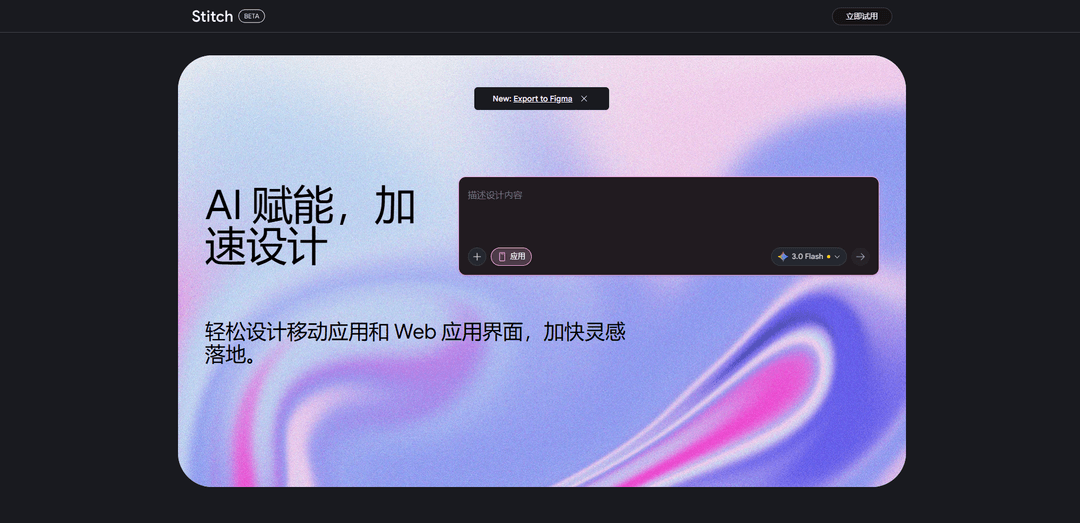
Stitch is an AI-powered UI design tool from Google Labs that transforms text prompts and image inputs into responsive user interfaces and frontend code for web and mobile applications.
https://stitch.withgoogle.com/?ref=producthunt
Product Information
Updated:Mar 8, 2026
What is Stitch by Google
Introduced at Google I/O 2025, Stitch by Google is an experimental design tool that aims to bridge the gap between design and development. Built on Google's Gemini 2.5 Pro models, it allows users to quickly generate UI designs and production-ready frontend code from simple text prompts or image inputs. The tool is currently available for free through Google Labs and can be accessed at stitch.withgoogle.com with a Google account.
Key Features of Stitch by Google
Stitch by Google is an AI-powered UI design tool that converts text prompts and image inputs into responsive user interfaces and front-end code for web and mobile applications. It leverages Gemini 2.5 models (Flash and Pro) to enable rapid design iteration, offers seamless integration with Figma, and generates production-ready HTML/CSS code. The tool includes interactive features like chat, theme selectors, and multi-screen prototyping capabilities, making the design-to-development workflow faster and more connected.
Dual Mode Operation: Standard Mode uses Gemini 2.5 Flash for quick layouts and basic edits, while Experimental Mode powered by Gemini 2.5 Pro offers higher-fidelity results and image input capability
Figma Integration: Direct export of designs to Figma as editable layers, allowing for further refinement and brand alignment in a professional design environment
Code Generation: Automatically generates clean, structured HTML and CSS code that follows modern web standards and best practices for maintainability
Multi-screen Design: Supports creation and management of multiple screens with batch editing capabilities and prototyping features to connect different screens
Use Cases of Stitch by Google
Rapid Prototyping: Quickly generate and iterate on UI concepts for startups and product teams needing to validate ideas quickly
Design System Development: Create consistent UI components and layouts across multiple screens for building comprehensive design systems
Frontend Development Acceleration: Speed up the development process by generating production-ready code from design concepts
Design Exploration: Test multiple design variations and themes quickly for client presentations or internal reviews
Pros
Free to use as part of Google Labs
Seamless integration with Figma
Quick turnaround from concept to code
Cons
Limited to HTML/TailwindCSS output without other tech stack options
No support for animations or advanced interactions
Output quality heavily dependent on prompt clarity
How to Use Stitch by Google
Access Stitch: Navigate to stitch.withgoogle.com and sign in with your Google account
Choose Mode: Select between Standard Mode (text-based prompts) or Experimental Mode (for image/wireframe uploads). Standard Mode uses Gemini 2.5 Flash and is faster, while Experimental Mode uses Gemini 2.5 Pro for more refined layouts
Write Your Prompt: Create a detailed prompt explaining your UI needs. Use the Zoom-Out-Zoom-In framework: Start with context and target users, then specify screen layout, hierarchy and design constraints
Generate UI Design: Submit your prompt and Stitch will generate UI mockups based on your description. For image inputs in Experimental Mode, upload your sketch/wireframe
Refine Design: Use the interactive chat to iterate and refine your design. You can modify colors, layouts, and other elements through conversational prompts
Export Options: Choose to export your design as HTML/CSS code or copy directly to Figma (Standard Mode only) for further refinement. You can export the entire archive with code and image assets
Multi-Screen Design: For complex apps, use multi-select feature by holding Shift to select multiple screens and apply consistent changes. You can branch off from any screen to create variations
Final Development: Use the exported production-ready code to implement your design, or continue refining in Figma before development
Stitch by Google FAQs
Google Stitch is an AI-powered UI design tool developed by Google Labs that transforms text prompts or uploaded wireframes into mobile and web user interface designs, complete with front-end code.
Stitch by Google Video
Popular Articles

Atoms: A Multi-Agent AI Platform That Transforms Ideas into Launch-Ready Products
May 22, 2026

Nano Banana SBTI: What It Is, How It Works, and How to Use It in 2026
Apr 15, 2026

Atoms Review — The AI Product Builder Redefining Digital Creation in 2026
Apr 10, 2026

Kilo Claw: How to Deploy and Use a True "Do‑It‑For‑You" AI Agent(2026 Update)
Apr 3, 2026
Latest AI Tools Similar to Stitch by Google
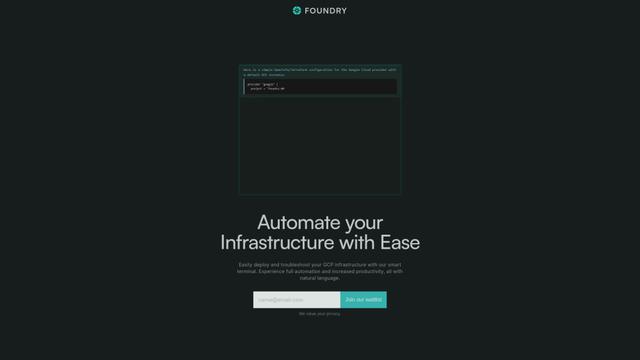
Foundry
Foundry is a versatile platform that exists in multiple forms - as a smart contract development toolchain, a virtual tabletop gaming software, and a traditional metal casting facility - each offering specialized features for their respective domains.
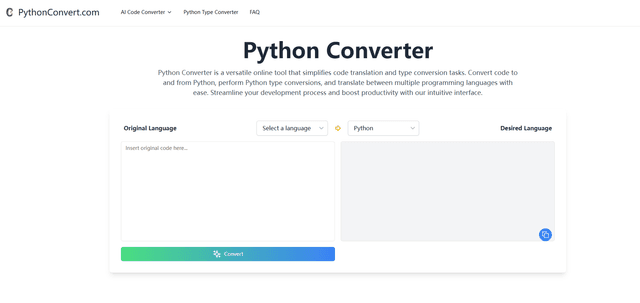
PythonConvert.com
PythonConvert.com is a free web-based tool that provides AI-powered code translation between Python and other programming languages as well as Python type conversion capabilities.

Softgen
Softgen.ai is an AI-powered full-stack project generator platform that enables users to transform their ideas into functional web applications without coding requirements.
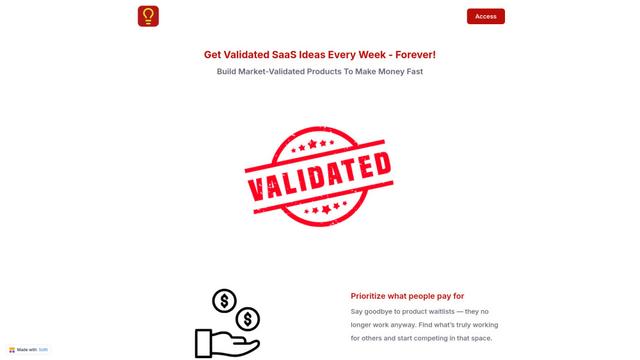
Micro SaaS Ideas
Micro SaaS Ideas are small-scale, niche-focused software solutions that target specific problems or markets, offering entrepreneurs a way to build profitable businesses with minimal resources and complexity.
Popular AI Tools Like Stitch by Google

GitHub Copilot Chat
GitHub Copilot Chat is an AI-powered coding assistant that provides natural language interactions, real-time code suggestions, and contextual support directly within supported IDEs and GitHub.com.

CopilotForXcode
CopilotForXcode is an Xcode Source Editor Extension that integrates GitHub Copilot, Codeium, and ChatGPT to provide AI-powered code suggestions, chat assistance, and prompt-to-code functionality within Xcode.

OpenAI Codex CLI
OpenAI Codex CLI is a lightweight, open-source coding agent that runs in your terminal, enabling developers to translate natural language into code execution while providing ChatGPT-level reasoning with the ability to run code, manipulate files, and iterate under version control.

GoCodeo SaaS Builder
GoCodeo SaaS Builder is an AI-native framework that automatically generates production-ready full-stack SaaS applications using autonomous AI agents, complete with authentication, real-time features, and TypeScript integration.