
Rectify
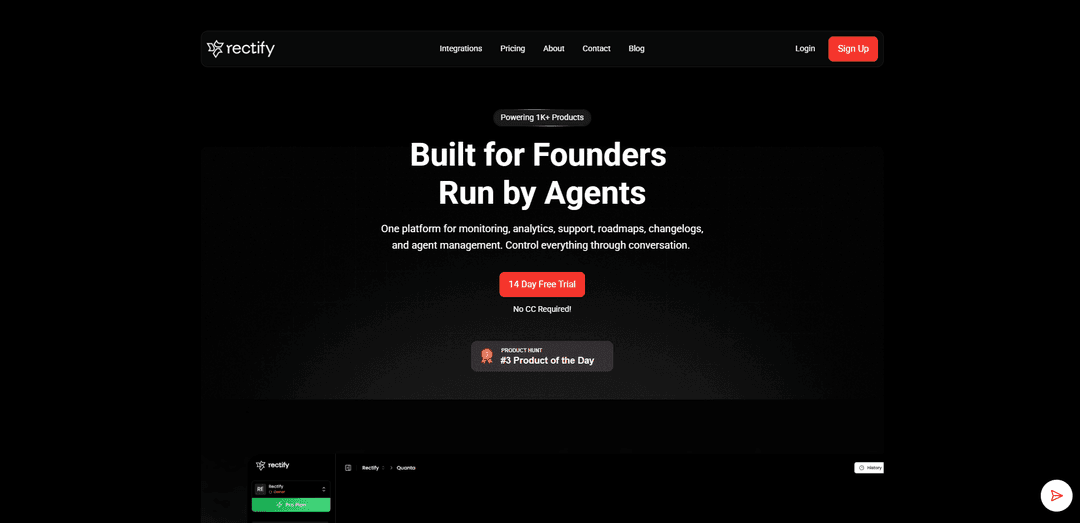
Rectify is an AI-powered operations platform that unifies monitoring, analytics, support, roadmaps, and changelogs into one conversational workspace, featuring Quanta, an AI agent that handles debugging, customer support, and product operations through natural language.
https://www.rectify.so/?ref=producthunt
Product Information
Updated:Apr 10, 2026
What is Rectify
Rectify is a comprehensive platform built for founders and run by AI agents, designed to bridge the gap between user frustration and developer solutions. At its core is Quanta, an AI operations agent that allows teams to control their entire product infrastructure through conversation. The platform consolidates essential tools including uptime monitoring, session replay, bug reporting, code scanning, customer support inbox, roadmaps, and changelogs into a single unified workspace. Currently powering over 1,000 products and having eliminated 50,000+ bugs, Rectify transforms vague user complaints into actionable fixes by capturing annotated screenshots, Loom recordings, console logs, network requests, and browser details automatically. The platform integrates seamlessly with popular tools like Slack, Discord, GitHub, Linear, and Jira, while offering a browser extension that brings debugging capabilities directly into AI coding assistants like Lovable, Bolt, Replit, and v0.
Key Features of Rectify
Rectify is an all-in-one operations platform for SaaS businesses that combines monitoring, analytics, support, roadmaps, changelogs, and AI agent management into a single visual platform. Built for the AI coding era, it features Quanta, an AI operations agent that handles tasks through natural conversation, eliminating the need for complex configurations. The platform offers AI-powered session replays, uptime monitoring, code scanning, bug reporting, automated workflows, and a unified support inbox, all designed to bridge the gap between user frustration and developer solutions by transforming vague complaints into actionable fixes.
Quanta AI Operations Agent: A conversational AI agent that handles operations through natural language commands, including session replay analysis, support ticket drafting, code scan reports, uptime checks, changelog generation, and roadmap management without requiring filters or complex queries.
AI-Powered Session Replays: Visual debugging tool that captures exactly what users experienced, automatically surfaces rage clicks, errors, and drop-off patterns, and provides intelligent fix suggestions through AI analysis with full console logs, network requests, and browser details.
Comprehensive Uptime Monitoring: Infrastructure monitoring across HTTP/HTTPS, TCP, DNS, and ICMP protocols with instant alerts via Slack, Discord, email, or webhooks, branded status pages, automatic MTTR calculations, and SSL certificate monitoring.
Automated Code Scanning: On-demand GitHub repository scanning with enterprise-grade static analysis that flags bugs, security vulnerabilities, and code smells with A-E ratings, providing exact file locations, line numbers, and fix recommendations for maintainability and security issues.
Browser Extension for Developers: Chrome extension that brings debugging and documentation tools directly into the browser, featuring session recording with annotations, PRD/project requirement prompt generator for AI coding assistants, smart code snippets, and seamless integration with AI tools like Lovable, Bolt, Replit, and v0.
Automated Workflows: Trigger-based automation system that works across Feedback, Roadmap, Code Scans, Monitoring, Inbox, and Changelog events with detailed execution logging and run history, eliminating manual repetitive tasks.
Use Cases of Rectify
AI-Assisted Development Teams: Development teams using AI coding assistants like Claude, Cursor, or Copilot can leverage Rectify's MCP Server integration and browser extension to maintain debugging speed that matches their AI-accelerated feature development, converting user feedback into fixes without breaking flow state.
SaaS Customer Support Operations: SaaS companies can streamline support operations by using Quanta's AI-first inbox that drafts contextual replies, pulls relevant feedback, and escalates to humans only when needed, reducing response times while maintaining quality across three modes: AI-first, AI-only, or human-only.
Product Development and Roadmap Planning: Product teams can collect and prioritize feature requests through user voting, track technical debt via code scans, monitor infrastructure health, and automatically generate professional changelogs from commits, creating a transparent development process that keeps stakeholders informed.
Bug Tracking and Resolution: Engineering teams can transform vague user complaints into actionable tickets with annotated screenshots, Loom recordings, automatic technical data capture, and AI-analyzed session replays that show exact user experiences, console errors, and network issues for faster debugging.
Startup Operations Management: Early-stage startups and solo founders can manage their entire operations stack through one platform with cost-effective pricing using their own API keys, eliminating the need for multiple tools while maintaining enterprise-grade monitoring, support, and analytics capabilities.
Continuous Integration and Deployment: DevOps teams can integrate automated code quality checks, uptime monitoring with instant alerts across multiple channels, SSL certificate tracking, and automated changelog generation into their CI/CD pipeline, ensuring code quality and system reliability before and after deployment.
Pros
All-in-one platform that consolidates multiple tools (monitoring, support, roadmap, changelogs, session replay, code scanning) into a single interface, reducing tool sprawl and context switching
AI-powered automation through Quanta agent enables natural language operations and intelligent analysis, significantly reducing manual configuration and speeding up debugging workflows
Cost-effective pricing model that allows users to bring their own API keys with zero markup, making enterprise-grade features accessible to startups and small businesses
Seamless integration with AI coding assistants and modern development tools through MCP Server and browser extension, designed specifically for the AI coding era
Cons
Small team of just three people (founder and two developers) may limit support capacity and feature development speed compared to larger competitors
Relatively new platform that may still be evolving features and stability compared to established specialized tools in each category
Heavy reliance on AI features means users need to manage their own API keys and costs, which could become unpredictable with high usage
Learning curve associated with adopting an all-in-one platform and understanding how to leverage the conversational AI agent effectively across multiple operational areas
How to Use Rectify
1. Sign Up for Rectify: Visit rectify.so and click 'Sign Up' to create an account. A 14-day free trial is available with no credit card required.
2. Install the Rectify Widget: Add the Rectify widget to your website or application to enable user feedback collection, bug reporting, and session recording capabilities.
3. Install the Browser Extension (Optional): Download the Rectify Chrome Extension from the Chrome Web Store to access debugging tools, session recording, code snippets, and PRD generation directly in your browser.
4. Configure Integrations: Connect Rectify with your existing tools like GitHub, Slack, Discord, Linear, Jira, and other platforms to centralize your workflow.
5. Set Up Uptime Monitoring: Configure monitors for your infrastructure using HTTP/HTTPS, TCP, DNS, or ICMP protocols. Set up alert channels via Slack, Discord, email, or webhooks to receive instant notifications when issues occur.
6. Enable Code Scanning: Connect your GitHub repositories to run on-demand static code analysis. Review bugs, security vulnerabilities, and code smells with detailed file paths and fix recommendations.
7. Interact with Quanta AI Agent: Use natural language to ask Quanta to find specific user sessions, draft support replies, pull code scan reports, check uptime, generate changelogs, or move roadmap cards without manual configuration.
8. Review Session Replays: Watch recorded user sessions to see exactly what users experienced. Use Quanta to automatically surface rage clicks, errors, and drop-off patterns, or ask questions in plain English to find specific issues.
9. Manage Bug Reports and Feedback: Review incoming bug reports with annotated screenshots, Loom recordings, console logs, network requests, and browser details. Use the AI-powered support inbox to draft responses or let Quanta handle them automatically.
10. Create and Manage Roadmap: Collect feature requests from users, enable voting to prioritize features, and organize your product roadmap based on community insights.
11. Set Up Workflows and Automation: Create automated workflows triggered by events across Feedback, Roadmap, Code Scans, Monitoring, Inbox, and Changelog modules. Review execution logs to track automation performance.
12. Generate Changelogs: Ask Quanta to transform your git commits into polished, professional release notes using simple natural language prompts.
13. Build Status Pages: Create branded status pages to keep customers informed about system status, incidents, and maintenance. Track MTTR (Mean Time To Resolution) automatically.
14. Connect MCP Server (Optional): Integrate Claude, Cursor, or other MCP-compatible IDEs with Rectify using token-based authentication to enable AI-assisted code analysis with real-time access to your project data.
15. Monitor and Optimize: Use the unified dashboard to track bugs eliminated, user feedback, roadmap suggestions, and overall product health. Pull cross-platform reports through Quanta to identify patterns and areas for improvement.
Rectify FAQs
Rectify is an all-in-one platform for monitoring, analytics, support, roadmaps, changelogs, and AI agent management. It's designed for founders to manage their entire product operations through conversation with their AI agent, Quanta.
Rectify Video
Popular Articles

Atoms: A Multi-Agent AI Platform That Transforms Ideas into Launch-Ready Products
May 22, 2026

Nano Banana SBTI: What It Is, How It Works, and How to Use It in 2026
Apr 15, 2026

Atoms Review — The AI Product Builder Redefining Digital Creation in 2026
Apr 10, 2026

Kilo Claw: How to Deploy and Use a True "Do‑It‑For‑You" AI Agent(2026 Update)
Apr 3, 2026
Latest AI Tools Similar to Rectify

Hapticlabs
Hapticlabs is a no-code toolkit that enables designers, developers and researchers to easily design, prototype and deploy immersive haptic interactions across devices without coding.

Deployo.ai
Deployo.ai is a comprehensive AI deployment platform that enables seamless model deployment, monitoring, and scaling with built-in ethical AI frameworks and cross-cloud compatibility.

CloudSoul
CloudSoul is an AI-powered SaaS platform that enables users to instantly deploy and manage cloud infrastructure through natural language conversations, making AWS resource management more accessible and efficient.

Devozy.ai
Devozy.ai is an AI-powered developer self-service platform that combines Agile project management, DevSecOps, multi-cloud infrastructure management, and IT service management into a unified solution for accelerating software delivery.
Popular AI Tools Like Rectify

A2A Protocol
A2A (Agent2Agent) Protocol is an open interoperability protocol developed by Google that enables seamless communication and collaboration between AI agents across different frameworks and vendors, regardless of their underlying architecture.

VoltOps
VoltOps is a framework-agnostic LLM observability platform that provides real-time visual monitoring, debugging, and optimization tools for AI agents across any technology stack.

Chaterm
Chaterm is an open-source AI-native terminal and SRE copilot that enables engineers to manage complex infrastructure through natural language, automating deployment, troubleshooting, and operations without memorizing commands.

Open Browser Use
Open Browser Use is an open-source, agent-runtime-neutral browser automation layer that pairs a Chrome extension with a CLI/SDK/MCP to enable DOM-aware, CDP-powered tab control, navigation, and actions across different AI agent tools.