
PlugThis
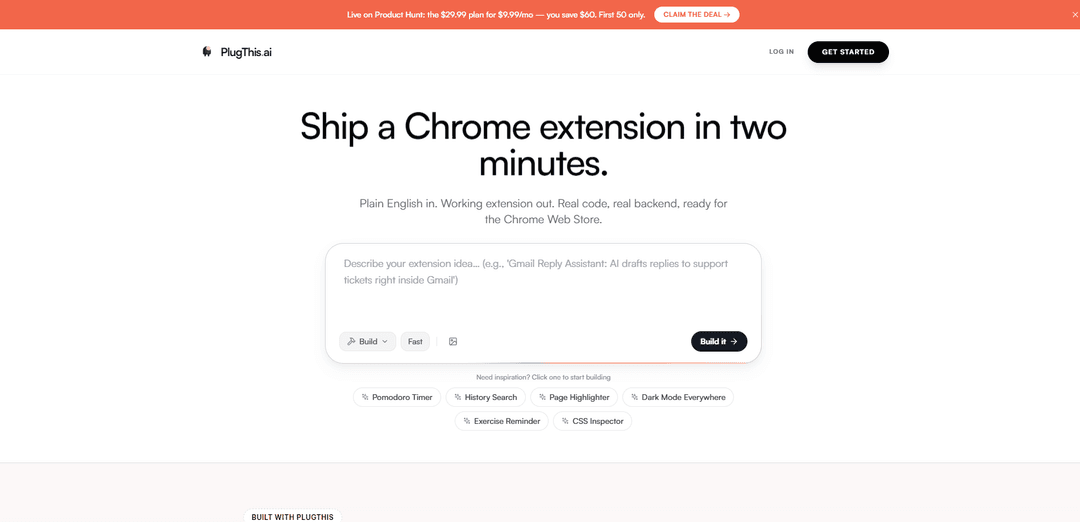
PlugThis는 일반 영어 프롬프트를 완전한 Manifest v3 확장 프로그램 패키지(코드, 매니페스트, UI 및 선택적 Supabase 백엔드)로 몇 분 만에 변환하는 AI 기반 Chrome 확장 프로그램 빌더이며, 전체 소스 코드 소유권을 제공합니다.
https://plugthis.ai/?ref=producthunt&utm_source=aipure
제품 정보
업데이트됨:Jul 15, 2026
PlugThis이란?
PlugThis는 일반적인 웹 앱 스캐폴딩이 아닌 Chrome의 실제 확장 프로그램 아키텍처를 기반으로 설계된 Chrome 확장 프로그램 제작을 위한 전용 AI 빌더입니다. 확장 프로그램이 수행해야 할 작업에 대한 간단한 설명만으로 올바른 파일 구조, 권한, 팝업 UI 및 지정된 사이트에서 실행하는 데 필요한 스크립트를 포함한 작동하는 Manifest v3 프로젝트를 생성하므로 즉시 Chrome에 로드하거나 Chrome 웹 스토어용으로 패키징할 수 있습니다. 또한 자체 모델 API 키(예: OpenAI 또는 Gemini)를 사용하여 AI 기반 확장 프로그램 사용 사례를 지원하며, 다운로드 가능한 소스를 통해 "내 코드, 영원히" 소유권을 강조합니다.
PlugThis의 주요 기능
PlugThis는 인공지능 기반의 Chrome 확장 프로그램 빌더로, 일반적인 영어 설명을 몇 분 만에 작동하는 Manifest v3 확장 프로그램으로 전환합니다. 완전한 설치 가능 패키지(매니페스트, 콘텐츠 스크립트, 백그라운드 서비스 워커, 팝업 UI, 아이콘, 메시지 전달 및 권한과 같은 연결)를 생성하며, AI 모델(OpenAI/Gemini 키를 통해) 및 실제 백엔드(예: 인증, 데이터베이스 및 서버 로직을 위한 Supabase)에 대한 선택적 통합을 제공합니다. 완전한 소스 코드를 설치/내보내기 가능한 폴더/zip으로 다운로드하고, 완전한 소유권을 유지하며, 추가 프롬프트로 빠르게 반복하고, Chrome 웹 스토어에 게시할 수 있습니다.
일반 영어 → 완전한 Manifest v3 확장 프로그램: 원하는 것을 설명하면 PlugThis는 Chrome 확장 프로그램 아키텍처 지식 없이도 완전한 MV3 호환 코드베이스(manifest.json, 콘텐츠 스크립트, 백그라운드 서비스 워커, 팝업 UI)를 생성합니다.
자동 Chrome 특정 아키텍처 및 연결: 확장 프로그램 파일 구조, 권한, 콘텐츠 스크립트의 URL 일치, 메시지 전달 및 패키징을 처리하여 결과가 Chrome 내에서 실행되도록 합니다(일반 웹 앱 코드가 아님).
완전한 코드 소유권으로 원클릭 내보내기: 전체 소스 코드가 포함된 전체 확장 프로그램 폴더/zip을 다운로드합니다. 아무것도 잠겨 있지 않으며 확장 프로그램을 게시, 수정 또는 판매할 수 있습니다.
자체 API 키를 통한 AI 모델 지원: 독점 모델 레이어를 번들링하지 않고도 OpenAI 또는 Gemini 키를 연결하여 AI 기반 확장 프로그램(작성, 요약, 번역, 회신)을 구축합니다.
Supabase를 통한 실제 백엔드 지원: 확장 프로그램에 로그인, 데이터베이스 저장소 또는 서버 로직이 필요한 경우 Supabase를 연결할 수 있으며 PlugThis는 해당 기능을 지원하는 백엔드 코드를 생성합니다.
빠른 반복 루프: 반복적인 프롬프트를 통해 동작을 개선하고, 기능을 추가하고(예: 다크 모드, CSV 내보내기), 엣지 케이스를 수정하며, 일반적으로 반복당 몇 분이 소요됩니다.
PlugThis의 사용 사례
SaaS 팀을 위한 SEO 및 연구 캡처: 콘텐츠, SEO 및 제품 마케팅을 지원하기 위해 AI 엔진 또는 웹사이트 전반에 걸쳐 연구를 수집하고 정리하는 확장 프로그램을 구축합니다(예: 스니펫/메모를 중앙 워크플로에 저장).
영업/지원팀을 위한 AI 글쓰기 도우미: 팀의 모델 API 키를 사용하여 웹 텍스트 필드(CRM, 이메일, 헬프데스크) 내에서 직접 초안 작성, 재작성, 요약, 번역 또는 회신 생성을 수행하는 브라우저 내 도구를 만듭니다.
개인을 위한 생산성 및 집중 도구: 특정 사이트에서 실행되고 기본 설정을 로컬 또는 백엔드에 저장하는 탭 관리자, 사이트 차단기, 읽기/요약 오버레이 및 워크플로 도우미를 제공합니다.
전자상거래 운영 및 모니터링: 경쟁사/제품 페이지에서 실행되는 가격 추적기, 페이지 변경 모니터 및 데이터 수집기를 구축하고, 선택적으로 보고를 위해 결과를 데이터베이스에 저장합니다.
운영/재무/HR 포털을 위한 내부 도구: 반복적인 양식 작성을 자동화하고, 단축키를 추가하고, 데이터 입력을 검증하거나, 백엔드를 통해 내부 서비스와 통합하기 위해 내부 웹 앱에 UI를 삽입하는 확장 프로그램을 만듭니다.
창업자 주도 배포 실험: 수요를 검증하고, 여러 도구의 기능을 번들링하거나, 유료 Chrome 웹 스토어 제품을 출시하기 위해 작고 집중적인 확장 프로그램(리믹스할 수 있는 템플릿 포함)을 신속하게 프로토타입화하고 제공합니다.
장점
올바른 구조, 권한 및 스크립트가 자동으로 생성되는 Chrome 확장 프로그램(MV3)용으로 특별히 제작되었습니다.
프롬프트를 통한 빠른 작동 확장 프로그램 및 빠른 반복(몇 시간/며칠 대신 몇 분).
전체 소스 코드 내보내기 및 소유권; Chrome 웹 스토어에 게시 가능.
사소하지 않은 확장 프로그램을 위해 실제 백엔드(Supabase) 및 AI 통합(OpenAI/Gemini 키)을 지원합니다.
단점
AI 기능은 자체 모델 API 키를 제공하고 관리해야 합니다(비용, 속도 제한, 보안 고려 사항).
게시하려면 여전히 Chrome 웹 스토어 규정 준수/검토 및 올바른 권한 범위 지정이 필요하며, 이는 생성 외에 상당한 작업을 추가할 수 있습니다.
백엔드 지원 확장 프로그램은 코드가 생성되더라도 운영 복잡성(Supabase 설정, 인증, 데이터 정책)을 추가합니다.
PlugThis 사용 방법
1) PlugThis에 가입하고 엽니다.: https://plugthis.ai/로 이동하여 계정을 만드세요. 빌더에 접속한 후 새 확장 프로그램 프로젝트를 시작하세요.
2) 확장 프로그램을 일반 영어로 설명합니다.: 확장 프로그램이 수행해야 할 작업, 실행되어야 할 위치(사이트/URL), 표시해야 할 UI(팝업/사이드바/옵션), 기억해야 할 데이터를 작성합니다. PlugThis는 전체 Manifest v3 확장 프로그램 패키지(manifest.json, 콘텐츠 스크립트, 백그라운드 서비스 워커, UI 및 자산)를 생성합니다.
3) 템플릿 선택 (선택 사항): 더 빠른 시작 지점을 원하면 템플릿 페이지에서 바로 사용할 수 있는 템플릿을 선택하고 변경 사항을 설명하여 사용자 지정합니다(예: "사이드바를 더 넓게 만들기", "다크 모드 추가", "CSV로 내보내기").
4) AI 기능 추가 (선택 사항): 확장 프로그램에 요약, 작성, 번역 또는 답장 초안 작성이 필요한 경우 자체 OpenAI 또는 Gemini API 키를 연결합니다. PlugThis는 AI 기능에 필요한 프롬프트 및 스트리밍 채팅/사이드바 동작을 연결합니다.
5) Supabase로 백엔드 연결 (선택 사항): 확장 프로그램에 로그인, 데이터베이스, 스토리지 또는 서버 로직이 필요한 경우 Supabase 계정을 연결합니다. PlugThis는 영구 데이터가 필요할 때 백엔드 코드를 생성하고 테이블/인증/스토리지를 설정할 수 있습니다.
6) 확장 프로그램 출력 생성 및 검토: PlugThis가 전체 코드베이스를 생성하도록 합니다. 필요한 경우 생성된 파일(매니페스트, 스크립트, UI)을 검토합니다. 코드는 다운로드 가능하며 잠겨 있지 않습니다.
7) 확장 프로그램을 설치 준비된 패키지로 내보내기: 생성된 확장 프로그램 폴더/zip을 다운로드합니다. PlugThis는 Chrome에 로드하거나 Chrome 웹 스토어에 제출할 수 있는 완전하고 패키징 가능한 출력을 제공합니다.
8) Chrome에 확장 프로그램 로드 (개발자 모드): Chrome → 확장 프로그램 → 개발자 모드 활성화 → "압축 해제된 확장 프로그램 로드" 클릭 → 다운로드한 확장 프로그램 폴더 선택을 엽니다. 대상 웹 사이트에서 확장 프로그램을 테스트하고 필요한 경우 설명을 업데이트하고 다시 생성하여 반복합니다.
9) 빠르게 반복: 수정해야 할 사항(권한, UI, 동작, 예외 상황)이 있는 경우 일반 영어 지침을 업데이트하고 다시 생성합니다. 각 반복은 빠르게(몇 분) 진행되도록 설계되었으며 확장 프로그램이 Manifest v3를 준수하도록 유지합니다.
10) Chrome 웹 스토어에 게시 (선택 사항): 제출을 위해 확장 프로그램을 압축하고, 일회성 Chrome 개발자 수수료를 지불하고, Chrome 웹 스토어 개발자 대시보드에 업로드하고, 목록 세부 정보를 작성하고, 검토를 위해 제출합니다.
PlugThis 자주 묻는 질문
PlugThis는 매니페스트, 스크립트, 팝업 UI, 아이콘, 패키징/내보내기 파일을 포함하여 작동하는 Chrome 확장 프로그램(Manifest v3)을 위한 완전한 코드 패키지를 생성하는 AI Chrome 확장 프로그램 빌더입니다.




PlugThis와(과) 유사한 최신 AI 도구
Foundry
파운드리는 스마트 계약 개발 도구 체인, 가상 테이블탑 게임 소프트웨어 및 전통적인 금속 주조 시설 등 여러 형태로 존재하는 다목적 플랫폼으로, 각 도메인에 맞는 전문 기능을 제공합니다.
PythonConvert.com
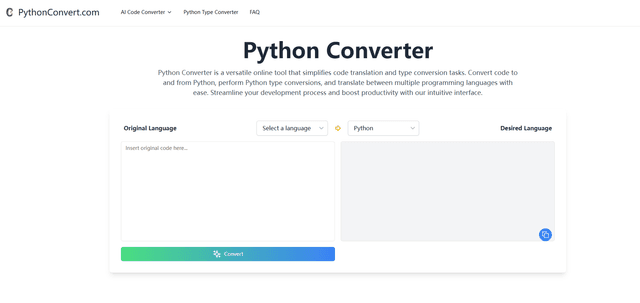
PythonConvert.com은 Python과 다른 프로그래밍 언어 간의 AI 기반 코드 번역과 Python 유형 변환 기능을 제공하는 무료 웹 기반 도구입니다.
Softgen
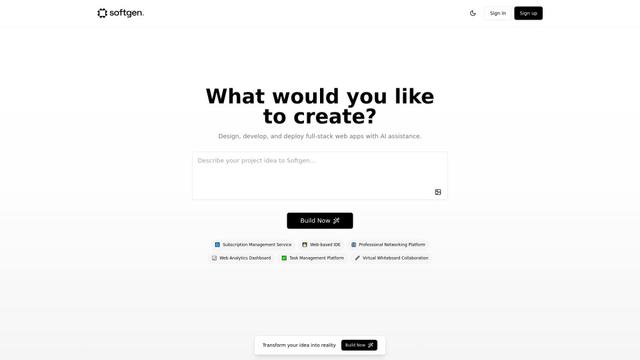
Softgen.ai는 사용자가 코딩 요구 사항 없이 아이디어를 기능적인 웹 애플리케이션으로 변환할 수 있도록 하는 AI 기반 풀스택 프로젝트 생성 플랫폼입니다.
Micro SaaS Ideas
마이크로 SaaS 아이디어는 특정 문제나 시장을 목표로 하는 소규모, 틈새 중심의 소프트웨어 솔루션으로, 기업가에게 최소한의 자원과 복잡성으로 수익성 있는 비즈니스를 구축할 수 있는 방법을 제공합니다.
PlugThis와(과) 유사한 인기 AI 도구

GitHub Copilot Chat
GitHub Copilot Chat은 자연어 상호작용, 실시간 코드 제안 및 지원되는 IDE와 GitHub.com 내에서 직접 제공되는 맥락 지원을 제공하는 AI 기반 코딩 도우미입니다.

CopilotForXcode
CopilotForXcode는 Xcode 내에서 AI 기반 코드 제안, 채팅 지원 및 프롬프트-투-코드 기능을 제공하기 위해 GitHub Copilot, Codeium 및 ChatGPT를 통합한 Xcode 소스 편집기 확장입니다.

OpenAI Codex CLI
OpenAI Codex CLI는 터미널에서 실행되는 경량 오픈 소스 코딩 에이전트로, 개발자가 자연어를 코드 실행으로 변환하고 코드 실행, 파일 조작, 버전 제어 하에서 반복 작업을 수행할 수 있는 ChatGPT 수준의 추론 기능을 제공합니다.
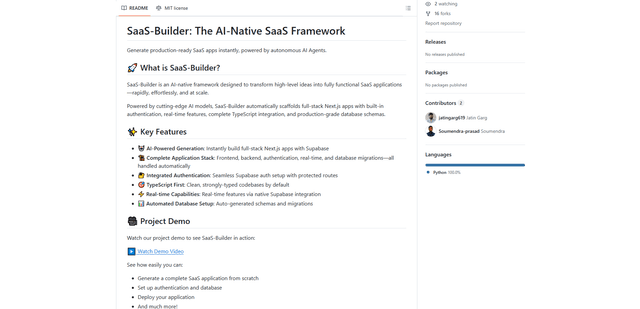
GoCodeo SaaS Builder
GoCodeo SaaS Builder는 자율 AI 에이전트를 사용하여 인증, 실시간 기능 및 TypeScript 통합이 완료된 프로덕션 준비가 완료된 풀 스택 SaaS 애플리케이션을 자동으로 생성하는 AI 기본 프레임워크입니다.