
Nut Studio
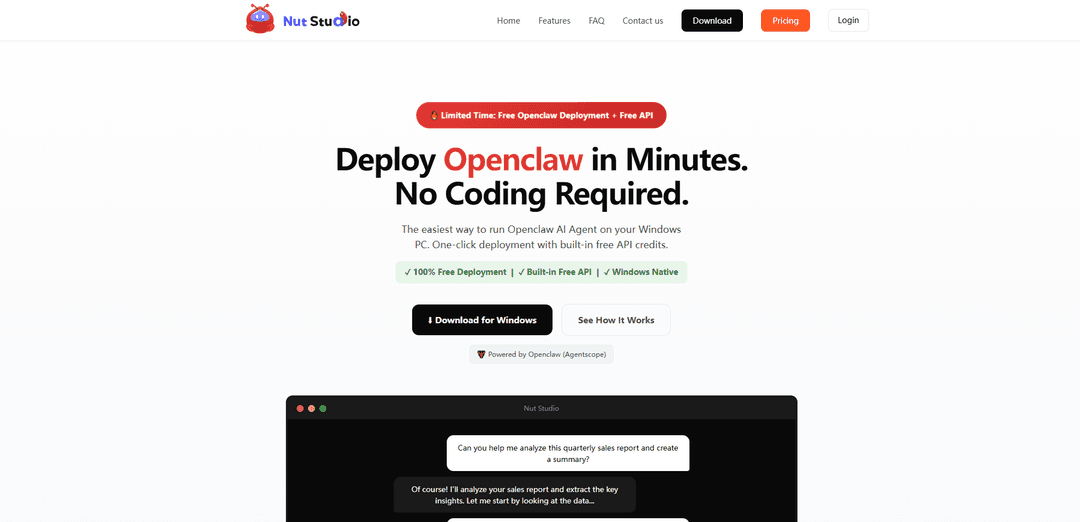
Nut Studio \u00e8 un'applicazione desktop AI all-in-one gratuita che consente l'implementazione locale con un clic di oltre 20 modelli AI e agenti AI Openclaw su Windows, con protezione della privacy integrata e senza necessit\u00e0 di codifica.
https://www.nutstudio.ai/?ref=producthunt&utm_source=aipure
Informazioni sul Prodotto
Aggiornato:Apr 15, 2026
Cos'è Nut Studio
Nut Studio, sviluppato da iMyFone e lanciato ufficialmente a maggio 2025, \u00e8 un'innovativa applicazione desktop progettata per rendere l'intelligenza artificiale accessibile a tutti senza competenze di programmazione o competenze tecniche. Funge sia da piattaforma completa per la creazione di intelligenza artificiale sia da strumento di implementazione semplificato per il framework Openclaw AI Agent. Il software consente agli utenti di eseguire modelli linguistici di grandi dimensioni (LLM) completamente offline sui propri computer Windows, garantendo la massima privacy, sicurezza e prestazioni. Con funzionalit\u00e0 che vanno dall'implementazione locale di modelli di intelligenza artificiale a strumenti creativi basati su cloud, Nut Studio elimina la complessit\u00e0 tradizionalmente associata alla configurazione dell'intelligenza artificiale fornendo al contempo l'accesso immediato a potenti funzionalit\u00e0 di intelligenza artificiale attraverso un'interfaccia intuitiva. La piattaforma offre anche una versione web (V1.0.0) che unifica l'ideazione, lo sviluppo di prompt, la creazione visiva e i flussi di lavoro di produttivit\u00e0 all'interno di un unico ambiente coeso.
Caratteristiche principali di Nut Studio
Nut Studio è una piattaforma AI versatile disponibile sia in versione desktop che web, progettata per rendere l'AI accessibile senza competenze tecniche. L'applicazione desktop consente l'implementazione locale con un clic di oltre 20 modelli linguistici di grandi dimensioni (LLM) per una completa funzionalità offline e la massima privacy, supportando anche l'implementazione del framework Openclaw AI Agent. La versione web (V1.0.0) funge da piattaforma creativa all-in-one che integra strumenti di generazione di immagini AI, creazione di video, scrittura, traduzione e presentazione. Una caratteristica distintiva è il suo assistente AI a livello di desktop che funziona in qualsiasi applicazione tramite scorciatoie da tastiera, eliminando la necessità di passare da uno strumento all'altro e consentendo azioni di testo istantanee, spiegazioni e generazione di contenuti direttamente all'interno del flusso di lavoro.
Implementazione AI locale con un clic: Installa ed esegui localmente oltre 20 modelli AI sul tuo PC Windows con un solo clic, senza richiedere competenze di codifica o configurazioni complesse. Garantisce una completa funzionalità offline con la massima privacy e sicurezza dei dati.
Assistente AI a livello di desktop: Si integra direttamente nel tuo sistema operativo, consentendoti di evidenziare il testo in qualsiasi applicazione e ottenere aiuto AI istantaneo tramite scorciatoie da tastiera senza cambiare finestre o schede, riducendo il cambio di contesto e mantenendo la concentrazione.
Framework Openclaw AI Agent: Implementazione semplificata di agenti AI autonomi Openclaw che possono automatizzare i flussi di lavoro, interagire con gli strumenti, coordinare più azioni ed eseguire una pianificazione complessa delle attività con crediti API gratuiti integrati.
Studio creativo all-in-one: Piattaforma unificata che combina generazione di immagini AI, creazione di video da script, assistenza alla scrittura, traduzione e strumenti di presentazione, eliminando la necessità di destreggiarsi tra più abbonamenti e schede del browser.
Architettura incentrata sulla privacy: Funziona interamente sulla tua macchina locale senza dipendenza dal cloud, garantendo che i tuoi dati, conversazioni e file rimangano completamente privati e sotto il tuo controllo.
Crediti giornalieri gratuiti: Ogni utente registrato riceve 30 crediti gratuiti al giorno con accesso API integrato, consentendo l'uso immediato delle funzionalità AI di livello GPT senza richiedere una carta di credito o un abbonamento a pagamento.
Casi d'uso di Nut Studio
Creazione di contenuti e marketing: Genera intestazioni di blog, immagini in evidenza, elementi visivi per i social media, materiali di marketing e contenuti di lunga durata con strumenti di scrittura e generazione di immagini basati sull'AI, il tutto all'interno di un'unica piattaforma senza passare da una applicazione all'altra.
Sviluppo software e programmazione: Utilizza assistenti di codifica AI per scrivere codice, correggere errori, ottenere revisioni del codice, spiegare algoritmi e ricevere assistenza per la programmazione con il supporto di modelli come Claude Opus e GPT Codex, il tutto mantenendo la privacy con l'implementazione locale.
Ricerca e apprendimento: Evidenzia il testo in PDF o documenti per ottenere spiegazioni istantanee, argomenti di ricerca, ricevere tutoraggio su concetti complessi e creare piani di studio senza uscire dal tuo ambiente di lettura.
Automazione del flusso di lavoro aziendale: Implementa agenti Openclaw AI per automatizzare le attività sul posto di lavoro, tra cui la pianificazione di riunioni, la stesura di e-mail, l'analisi dei rapporti di vendita, la gestione del calendario e la raccolta di informazioni con una configurazione tecnica minima.
Produzione di video e animazioni: Trasforma automaticamente script, storie e idee in video completamente animati utilizzando l'integrazione Novi AI, eliminando la necessità di studi di animazione professionali o competenze di editing video.
Comunicazione multilingue: Sfrutta le funzionalità di traduzione AI per la creazione di contenuti multilingue rapidi e naturali e l'assistenza di viaggio, con supporto per la traduzione in tempo reale e le attività relative alla lingua.
Vantaggi
Completa privacy e sicurezza con l'implementazione AI locale che funziona interamente offline senza dipendenza dal cloud
Elimina l'attrito e il cambio di contesto con l'integrazione a livello di desktop che funziona in qualsiasi applicazione tramite scorciatoie da tastiera
Gratuito per iniziare con 30 crediti giornalieri e nessuna competenza di codifica richiesta, rendendo l'AI avanzata accessibile a tutti
Piattaforma all-in-one che consolida più strumenti AI (chat, immagini, video, scrittura, traduzione) in un'unica interfaccia, riducendo i costi di abbonamento
Svantaggi
Attualmente supporta solo i sistemi operativi Windows, limitando l'accessibilità per gli utenti Mac e Linux
Le funzionalità avanzate limitate e le opzioni di personalizzazione si rivolgono principalmente ai principianti, il che potrebbe non soddisfare le esigenze degli sviluppatori esperti per progetti complessi
La versione web offre meno modelli e funzionalità rispetto all'applicazione desktop, risultando più simile ai tradizionali strumenti AI online
Le limitazioni di integrazione con altri strumenti e piattaforme aziendali possono ostacolare flussi di lavoro fluidi all'interno di ecosistemi aziendali consolidati
Come usare Nut Studio
1: Scarica Nut Studio dal sito web ufficiale all'indirizzo https://nutstudio.imyfone.com/ o https://www.nutstudio.ai/. Fai clic sul pulsante di download per ottenere il programma di installazione di Windows.
2: Installa l'applicazione eseguendo il programma di installazione scaricato. Il processo di installazione \u00e8 automatico e non richiede competenze di codifica o configurazioni complesse.
3: Registrati e accedi per ricevere 30 crediti API gratuiti al giorno che vengono forniti automaticamente a ogni utente registrato.
4: Scegli il tuo modello di intelligenza artificiale preferito. Esplora l'elenco dei modelli e seleziona tra oltre 20 modelli di intelligenza artificiale disponibili (tra cui ChatGPT, Llama 3, DeepSeek, Mistral, Gemini, Claude, ecc.). Fai clic su Installa per implementare il modello con un clic.
5: Accedi all'assistente AI utilizzando uno dei tre metodi: (1) Fai clic sul pulsante mobile nell'angolo in basso a destra del desktop, (2) Premi la scorciatoia da tastiera Alt + Spazio (o Ctrl+Maiusc+N) per aprire la casella di input AI oppure (3) Evidenzia qualsiasi testo sullo schermo per attivare la barra delle azioni AI automatica.
6: Inizia a chattare con l'intelligenza artificiale digitando la tua domanda nella casella di input nella parte inferiore dell'interfaccia principale, quindi premi Invio o fai clic sul pulsante di invio.
7: Utilizza le funzionalit\u00e0 di selezione del testo evidenziando qualsiasi testo sullo schermo. La barra delle azioni AI apparir\u00e0 automaticamente, consentendoti di tradurre, riassumere, spiegare, riscrivere o eseguire la ricerca AI sul contenuto selezionato.
8: Esplora funzionalit\u00e0 aggiuntive come i bot AI (oltre 100 bot predefiniti per la scrittura, la traduzione, la codifica, la creativit\u00e0), la generazione di video AI (utilizzando modelli come Veo, PixVerse, Vidu), la generazione di immagini AI e l'automazione del flusso di lavoro.
9: Per l'implementazione di Openclaw AI Agent: \u00c8 sufficiente installare Nut Studio e il framework Openclaw verr\u00e0 implementato automaticamente. Utilizzalo per l'automazione delle attivit\u00e0, la ricerca, la gestione del flusso di lavoro e le integrazioni di strumenti senza comandi del terminale o Docker.
10: Facoltativo: collega le tue chiavi API se preferisci utilizzare altri fornitori di modelli anzich\u00e9 i crediti gratuiti integrati. Configura competenze personalizzate e crea bot AI personalizzati in base alle tue esigenze specifiche.
11: Per l'uso offline: abilita l'implementazione locale del modello AI per eseguire l'intelligenza artificiale completamente offline senza connessione Internet, garantendo la massima privacy e sicurezza dei dati sul tuo dispositivo.
FAQ di Nut Studio
Nut Studio è un software desktop di assistenza AI semplice e intuitivo per Windows che supporta la rapida implementazione locale di modelli AI. È un'applicazione desktop Windows che consente di implementare ed eseguire rapidamente Openclaw AI Agents sul computer locale con un semplice processo di installazione e configurazione, senza complicate configurazioni.
Articoli Popolari

Atoms: Una Piattaforma AI Multi-Agente Che Trasforma le Idee in Prodotti Pronti al Lancio
May 22, 2026

Nano Banana SBTI: Cos'è, come funziona e come usarlo nel 2026
Apr 15, 2026

Recensione di Atoms — Il builder di prodotti AI che ridefinisce la creazione digitale nel 2026
Apr 10, 2026

Kilo Claw: Come Distribuire e Utilizzare un Vero Agente AI "Fai-da-Te" (Aggiornamento 2026)
Apr 3, 2026
Ultimi Strumenti AI Simili a Nut Studio

Athena AI
Athena AI is a versatile AI-powered platform offering personalized study assistance, business solutions, and life coaching through features like document analysis, quiz generation, flashcards, and interactive chat capabilities.
Aguru AI
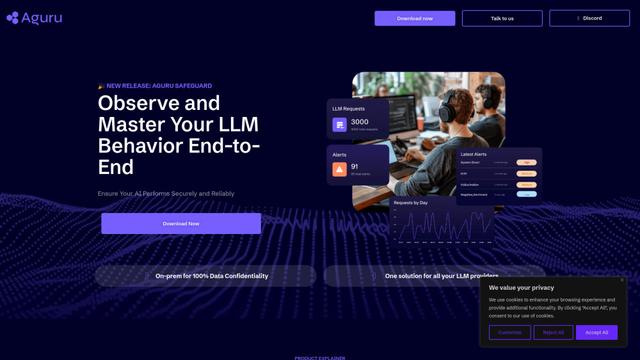
Aguru AI è una soluzione software on-premises che fornisce strumenti completi di monitoraggio, sicurezza e ottimizzazione per applicazioni basate su LLM con funzionalità come tracciamento del comportamento, rilevamento delle anomalie e ottimizzazione delle prestazioni.
GOAT AI
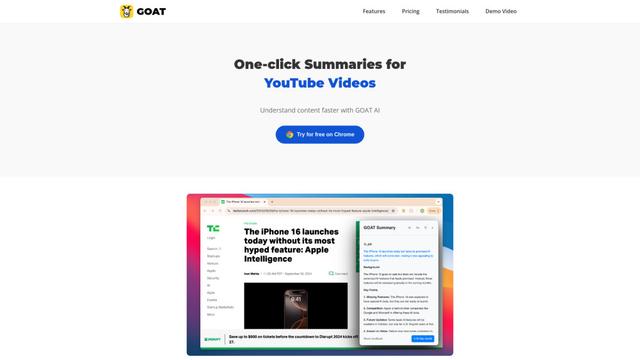
GOAT AI è una piattaforma potenziata dall'AI che fornisce capacità di sintesi con un clic per vari tipi di contenuto, tra cui articoli di notizie, documenti di ricerca e video, offrendo anche un'orchestrazione avanzata degli agenti AI per compiti specifici del dominio.
GiGOS
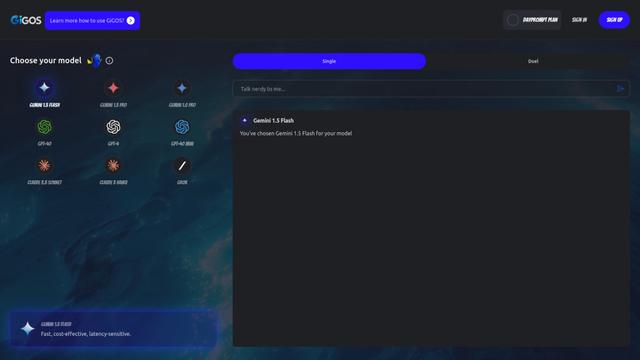
GiGOS è una piattaforma di IA che fornisce accesso a più modelli di linguaggio avanzati come Gemini, GPT-4, Claude e Grok con un'interfaccia intuitiva per gli utenti per interagire e confrontare diversi modelli di IA.
Strumenti AI Popolari Come Nut Studio

GPT‑5.5 | ChatGPT Official
GPT-5.5 in ChatGPT è l'ultimo modello di OpenAI incentrato sul lavoro, progettato per comprendere obiettivi complessi, utilizzare strumenti in modo efficace, controllare il proprio lavoro e portare a termine compiti a più fasi (codifica, ricerca, documenti, fogli di calcolo) con salvaguardie più robuste.
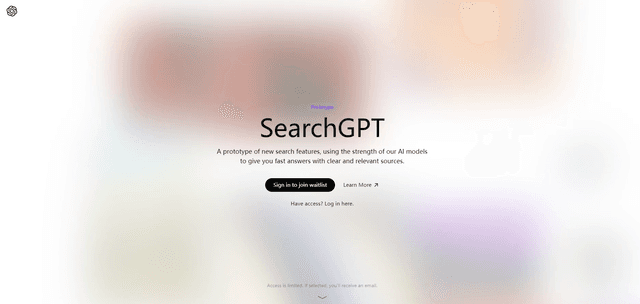
SearchGPT
SearchGPT è un prototipo di ricerca alimentato dall'IA di OpenAI che fornisce risposte rapide e conversazionali con fonti chiare utilizzando modelli GPT.
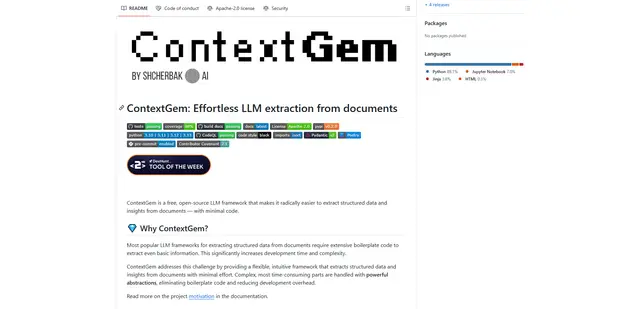
ContextGem
ContextGem è un framework LLM gratuito e open-source che semplifica l'estrazione di dati strutturati e approfondimenti dai documenti con codice minimo attraverso potenti astrazioni integrate e funzionalità automatizzate.
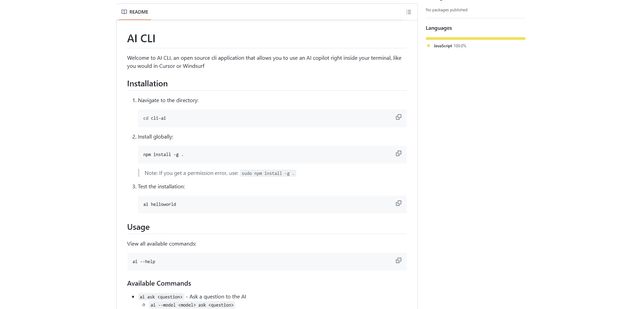
AI CLI
AI CLI è uno strumento open-source da riga di comando che porta le capacità dell'AI direttamente nel tuo terminale, consentendoti di interagire con vari modelli di AI come GPT di OpenAI e Claude di Anthropic tramite semplici comandi.