
NocoBase
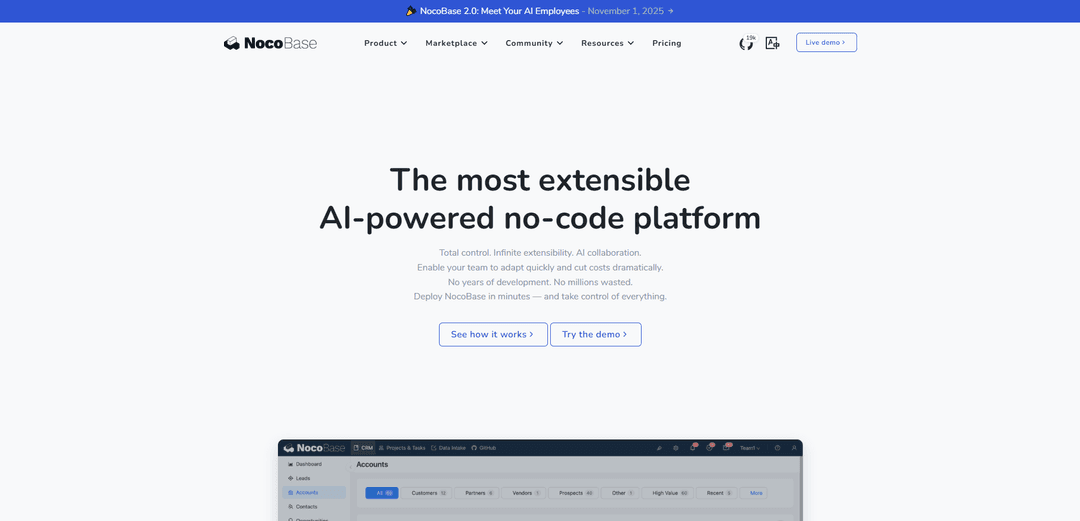
NocoBase là một nền tảng phát triển no-code/low-code mã nguồn mở, được hỗ trợ bởi AI, cho phép xây dựng nhanh chóng các ứng dụng kinh doanh thông qua kiến trúc dựa trên mô hình dữ liệu, các plugin có thể mở rộng và tích hợp AI liền mạch.
https://www.nocobase.com/?ref=producthunt&utm_source=aipure
Thông tin Sản phẩm
Đã cập nhật:Nov 13, 2025
NocoBase là gì
NocoBase là một nền tảng phát triển no-code tự lưu trữ, nhẹ, được thiết kế để xây dựng các ứng dụng kinh doanh và giải pháp doanh nghiệp. Nó áp dụng một cách tiếp cận dựa trên mô hình dữ liệu độc đáo, tách biệt cấu trúc dữ liệu khỏi giao diện người dùng, cho phép tính linh hoạt tối đa trong phát triển ứng dụng. Là một nền tảng mã nguồn mở được xây dựng trên các ngăn xếp công nghệ chính thống như TypeScript, Node.js, React và Koa, NocoBase cung cấp một môi trường minh bạch và có thể kiểm soát cho các nhà phát triển, đồng thời duy trì khả năng truy cập cho người dùng không chuyên về kỹ thuật.
Các Tính năng Chính của NocoBase
NocoBase là một nền tảng phát triển no-code/low-code mã nguồn mở, được hỗ trợ bởi AI, cho phép các nhóm xây dựng các ứng dụng kinh doanh mà không cần viết code nhiều. Nó có cách tiếp cận dựa trên mô hình dữ liệu, tích hợp nhân viên AI, tự động hóa quy trình làm việc và quản lý quyền chi tiết. Nền tảng này nhấn mạnh khả năng mở rộng thông qua các plugin, hỗ trợ tự lưu trữ và cho phép tích hợp liền mạch với các hệ thống hiện có trong khi vẫn duy trì chủ quyền dữ liệu.
Tích hợp nhân viên AI: Nhân viên AI tích hợp hoặc tùy chỉnh có thể được nhúng liền mạch vào giao diện và quy trình làm việc để xử lý các tác vụ như dịch thuật, phân tích, nghiên cứu và xây dựng hệ thống, làm cho AI thực sự hữu ích trong các tình huống kinh doanh thực tế.
Kiến trúc hướng theo mô hình dữ liệu: Không giống như các nền tảng dựa trên biểu mẫu/bảng truyền thống, NocoBase tách biệt cấu trúc dữ liệu khỏi giao diện người dùng, hỗ trợ nhiều nguồn dữ liệu bao gồm cơ sở dữ liệu chính, cơ sở dữ liệu bên ngoài và API của bên thứ ba.
Khả năng mở rộng dựa trên plugin: Mọi thứ được triển khai dưới dạng plugin, cho phép dễ dàng cài đặt các tính năng mới và phát triển tùy chỉnh các plugin cho các nhu cầu kinh doanh cụ thể, tương tự như kiến trúc của WordPress.
Giao diện cấu hình trực quan: Cung cấp giao diện WYSIWYG với khả năng chuyển đổi bằng một cú nhấp chuột giữa chế độ sử dụng và cấu hình, giúp người dùng không chuyên về kỹ thuật có thể xây dựng các hệ thống kinh doanh phức tạp.
Các Trường hợp Sử dụng của NocoBase
Quản lý nhà máy thông minh: Triển khai quy trình bảo trì thiết bị và quản lý nhân sự trong môi trường sản xuất, với phản hồi dữ liệu theo thời gian thực và tích hợp với cơ sở hạ tầng 5G.
Vận hành dịch vụ khách hàng: Xây dựng hệ thống dịch vụ khách hàng với cấu trúc dữ liệu tích hợp để truy xuất thông tin người dùng hiệu quả và giải quyết vấn đề theo thời gian thực.
Phát triển hệ thống nhân sự: Tạo hệ thống quản lý nhân sự không cần giấy tờ bao gồm theo dõi chấm công và quy trình phê duyệt nghỉ phép để quản lý số lượng lớn nhân viên.
Quản lý dữ liệu ngành hóa chất: Phát triển hệ thống quản lý dữ liệu an toàn, tùy chỉnh đáp ứng các yêu cầu nghiêm ngặt của ngành hóa chất về bảo mật dữ liệu và thiết kế hệ thống.
Ưu điểm
Mã nguồn mở với mã nguồn minh bạch và hỗ trợ cộng đồng tích cực
Tùy chọn triển khai linh hoạt bao gồm tự lưu trữ và triển khai trên đám mây
Mô hình thanh toán một lần mà không có giới hạn về số lượng người dùng hoặc số lượng ứng dụng
Khả năng mở rộng mạnh mẽ thông qua kiến trúc plugin và các tùy chọn phát triển tùy chỉnh
Nhược điểm
Một số tính năng nâng cao yêu cầu plugin hoặc giấy phép thương mại
Đường cong học tập dốc hơn cho các tùy chỉnh và mở rộng phức tạp
Các phiên bản beta có thể chứa các vấn đề về tính ổn định
Cách Sử dụng NocoBase
Cài đặt: Chọn một trong các phương pháp cài đặt sau: 1) Docker (nhanh nhất và đơn giản nhất), 2) gói npm (dành cho nhà phát triển frontend) hoặc 3) Mã nguồn (để tùy chỉnh sâu). Đối với Docker, hãy tạo một thư mục, chuyển đến thư mục đó trong terminal và tạo một tệp docker compose.
Xác định Mô hình Dữ liệu: Bắt đầu với một ứng dụng trống và xác định cấu trúc dữ liệu của bạn. NocoBase sử dụng phương pháp tiếp cận dựa trên mô hình dữ liệu thay vì bị ràng buộc bởi các biểu mẫu/bảng. Tạo các bộ sưu tập và xác định mối quan hệ giữa chúng.
Tạo Khối: Thêm các khối để hiển thị dữ liệu từ các nguồn dữ liệu của bạn trên các trang. Các trang đóng vai trò như một canvas nơi bạn có thể sắp xếp nhiều khối và hành động. Bạn có thể tạo các khối tùy chỉnh và chọn các loại hiển thị khác nhau như bảng, biểu mẫu, biểu đồ, lịch, v.v.
Cấu hình Hành động: Thiết lập các hành động để xử lý dữ liệu - bao gồm tạo, đọc, cập nhật và xóa dữ liệu. Bạn cũng có thể tạo các hành động tùy chỉnh cho logic nghiệp vụ cụ thể.
Thiết lập Quy trình làm việc: Sử dụng tính năng quy trình làm việc để điều phối logic nghiệp vụ phức tạp và tự động hóa các quy trình. Thiết kế quy trình làm việc để xử lý các tác vụ tự động dựa trên các trình kích hoạt và điều kiện.
Cấu hình Quyền: Thiết lập kiểm soát truy cập dựa trên vai trò với các quyền chi tiết. Kiểm soát quyền truy cập ở cấp độ menu, dữ liệu và hành động. Gán quyền cho các nhóm thay vì người dùng cá nhân để quản lý dễ dàng hơn.
Thêm Khả năng AI: Tận dụng nhân viên AI tích hợp hoặc tùy chỉnh để xử lý các tác vụ khác nhau. AI có thể được nhúng liền mạch vào giao diện, quy trình làm việc và ngữ cảnh dữ liệu cho các tình huống kinh doanh thực tế.
Mở rộng Chức năng: Thêm nhiều tính năng hơn thông qua các plugin, tập lệnh tùy chỉnh hoặc tích hợp với các ứng dụng khác. Tất cả các chức năng trong NocoBase đều dựa trên plugin, tương tự như WordPress.
Câu hỏi Thường gặp về NocoBase
NocoBase là một nền tảng phát triển no-code/low-code mã nguồn mở, tự lưu trữ, được hỗ trợ bởi AI. Nó cho phép người dùng xây dựng các ứng dụng kinh doanh mà không cần kiến thức lập trình sâu rộng, đồng thời cung cấp sự linh hoạt để phát triển tùy chỉnh khi cần.
Video NocoBase
Bài viết phổ biến

Vosko AI: Bản địa hóa và Lồng tiếng Video cho Khán giả Toàn cầu
Oct 15, 2026

Atoms: Nền tảng AI đa tác nhân biến ý tưởng thành sản phẩm sẵn sàng ra mắt
May 22, 2026

Nano Banana SBTI: Nó là gì, Cách thức hoạt động và Cách sử dụng nó vào năm 2026
Apr 15, 2026

Đánh giá Atoms — Trình tạo sản phẩm AI định nghĩa lại việc tạo nội dung số vào năm 2026
Apr 10, 2026
Công cụ AI Mới nhất Tương tự NocoBase

Hapticlabs
Hapticlabs là một bộ công cụ không mã cho phép các nhà thiết kế, nhà phát triển và nhà nghiên cứu dễ dàng thiết kế, tạo mẫu và triển khai các tương tác cảm giác sống động trên các thiết bị mà không cần lập trình.

Monyble
Monyble là một nền tảng AI không mã cho phép người dùng khởi động các công cụ và dự án AI trong vòng 60 giây mà không cần chuyên môn kỹ thuật.
Abyss
Abyss là một nền tảng dựa trên AI cho phép người dùng tạo, chia sẻ và chạy các Widget tự động hóa theo nhiệm vụ mà không cần kỹ năng kỹ thuật.
AppScape
AppScape là một nền tảng không mã cung cấp các ứng dụng sử dụng AI sẵn sàng và các giải pháp SaaS tùy chỉnh, cho phép triển khai nhanh chóng mà không cần chi phí phát triển truyền thống và chuyên môn kỹ thuật.
Công cụ AI Phổ biến Giống NocoBase
GitHub MCP Server
GitHub MCP Server là một máy chủ Giao thức ngữ cảnh mô hình cho phép tích hợp liền mạch giữa các mô hình AI và API GitHub, cung cấp các công cụ tiêu chuẩn để quản lý kho lưu trữ, theo dõi vấn đề và các thao tác mã.

GoCodeo SaaS Builder
GoCodeo SaaS Builder là một khung AI-native tự động tạo các ứng dụng SaaS full-stack sẵn sàng sản xuất bằng cách sử dụng các tác nhân AI tự động, hoàn chỉnh với xác thực, các tính năng thời gian thực và tích hợp TypeScript.

iBrowsy
iBrowsy là một trình duyệt web hiện đại, hỗ trợ AI dành cho macOS, kết hợp các tính năng thông minh, thiết kế ưu tiên quyền riêng tư và trải nghiệm người dùng liền mạch với hỗ trợ GPT-4 tích hợp.
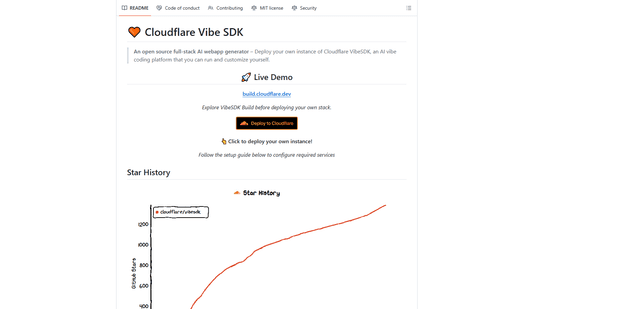
VibeSDK by CloudFlare
VibeSDK là một nền tảng mã nguồn mở hỗ trợ AI của Cloudflare, cho phép các nhà phát triển triển khai môi trường mã hóa vibe full-stack của riêng họ chỉ bằng một cú nhấp chuột, cho phép người dùng tạo và triển khai các ứng dụng thông qua các mô tả bằng ngôn ngữ tự nhiên.