nlsh
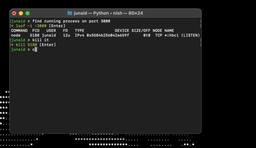
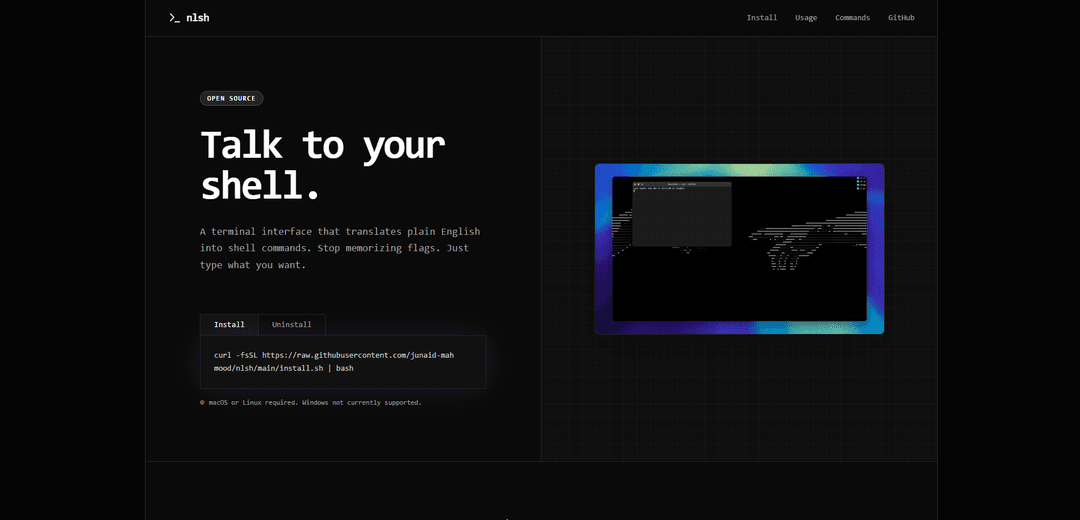
nlsh is an AI-powered command-line tool that converts natural language instructions into shell commands, allowing users to interact with their terminal using plain English instead of memorizing complex command syntax.
https://nlsh.dev/?ref=producthunt
Product Information
Updated:Feb 8, 2026
What is nlsh
Natural Language Shell (nlsh) is an open-source terminal interface that acts as a bridge between natural language and shell commands. It's designed for macOS and Linux systems, requiring Python 3.8+ to run. The tool integrates with various LLM (Large Language Model) providers, including OpenAI's GPT and Gemini, to process natural language inputs and generate appropriate shell commands. nlsh prioritizes user privacy by operating locally and only sending prompts to the chosen AI provider without storing command history.
Key Features of nlsh
nlsh (Neural Shell) is an AI-powered command-line tool that translates natural language instructions into shell commands. It acts as a bridge between plain English and complex command syntax, allowing users to describe their intended actions in natural language rather than memorizing specific command flags and syntax. The tool includes safety features, supports multiple AI models, and provides detailed reasoning and error recovery capabilities.
Natural Language Processing: Converts plain English descriptions into executable shell commands using AI language models like GPT and Gemini
Safety Controls: Includes configurable allowed and denied commands list, with mandatory confirmation steps to prevent accidental execution of harmful commands
Intelligent Error Recovery: Analyzes error outputs and exit codes to suggest corrected versions of failed commands while considering the original intent
Verbose Mode: Provides detailed reasoning and explanation of generated commands using -v flag, helping users understand complex command operations
Use Cases of nlsh
Developer Workflow: Simplifies common development tasks like git operations, file management, and docker container management without memorizing specific commands
System Administration: Helps system administrators manage processes, monitor system resources, and perform maintenance tasks using natural language instructions
Command Line Learning: Serves as a learning tool for beginners to understand command line operations by showing the relationship between natural language and actual commands
Pros
Reduces the cognitive load of remembering exact command syntax
Built-in safety features prevent dangerous operations
Open source and privacy-focused with local operation
Cons
Currently limited to macOS and Linux platforms
Requires Python 3.8+ runtime environment
Depends on external AI API services for command generation
How to Use nlsh
Install nlsh: Run the installation command in terminal: curl -fsSL https://raw.githubusercontent.com/junaid-mahmood/nlsh/main/install.sh | bash
Configure API Key: Use '!api' command to securely set up your LLM provider API key (Gemini supported)
Start nlsh: Type 'nlsh' in your terminal to start the natural language shell interface
Enter natural language commands: Type what you want to do in plain English (e.g., 'show me all hidden files', 'commit all changes with message update readme')
Review suggested command: nlsh will convert your natural language to a shell command and show it for your review
Execute or modify command: Use the following options when prompted: 'y' to execute, 'n' to cancel, 'e' to edit the command, 'r' to regenerate a different suggestion
Use special commands: !help - Show help menu and shortcuts, !cmd - Run raw shell commands directly, !api - Change API key settings
View reasoning (optional): Use the -v flag (e.g., 'nlsh -v find large files') to see the AI's reasoning behind the suggested command
nlsh FAQs
nlsh (Neural Shell) is a command-line tool that converts natural language instructions into shell commands using LLM models. It allows users to describe what they want to do in plain English instead of remembering exact command syntax.
Popular Articles

Vosko AI: Localize and Dub Videos for Global Audiences
Oct 15, 2026

Atoms: A Multi-Agent AI Platform That Transforms Ideas into Launch-Ready Products
Oct 13, 2026

Nano Banana SBTI: What It Is, How It Works, and How to Use It in 2026
Apr 15, 2026

Atoms Review — The AI Product Builder Redefining Digital Creation in 2026
Apr 10, 2026
Latest AI Tools Similar to nlsh

Gait
Gait is a collaboration tool that integrates AI-assisted code generation with version control, enabling teams to track, understand, and share AI-generated code context efficiently.

invoices.dev
invoices.dev is an automated invoicing platform that generates invoices directly from developers' Git commits, with integration capabilities for GitHub, Slack, Linear, and Google services.

EasyRFP
EasyRFP is an AI-powered edge computing toolkit that streamlines RFP (Request for Proposal) responses and enables real-time field phenotyping through deep learning technology.

Cart.ai
Cart.ai is an AI-powered service platform that provides comprehensive business automation solutions including coding, customer relations management, video editing, e-commerce setup, and custom AI development with 24/7 support.
Popular AI Tools Like nlsh

GitHub Copilot Chat
GitHub Copilot Chat is an AI-powered coding assistant that provides natural language interactions, real-time code suggestions, and contextual support directly within supported IDEs and GitHub.com.

CopilotForXcode
CopilotForXcode is an Xcode Source Editor Extension that integrates GitHub Copilot, Codeium, and ChatGPT to provide AI-powered code suggestions, chat assistance, and prompt-to-code functionality within Xcode.

BrowserAI
BrowserAI is an open-source library that enables running local Large Language Models (LLMs) directly in web browsers with WebGPU acceleration, offering privacy-focused AI capabilities without requiring server infrastructure.

OpenAI Codex CLI
OpenAI Codex CLI is a lightweight, open-source coding agent that runs in your terminal, enabling developers to translate natural language into code execution while providing ChatGPT-level reasoning with the ability to run code, manipulate files, and iterate under version control.