
NexaLibre
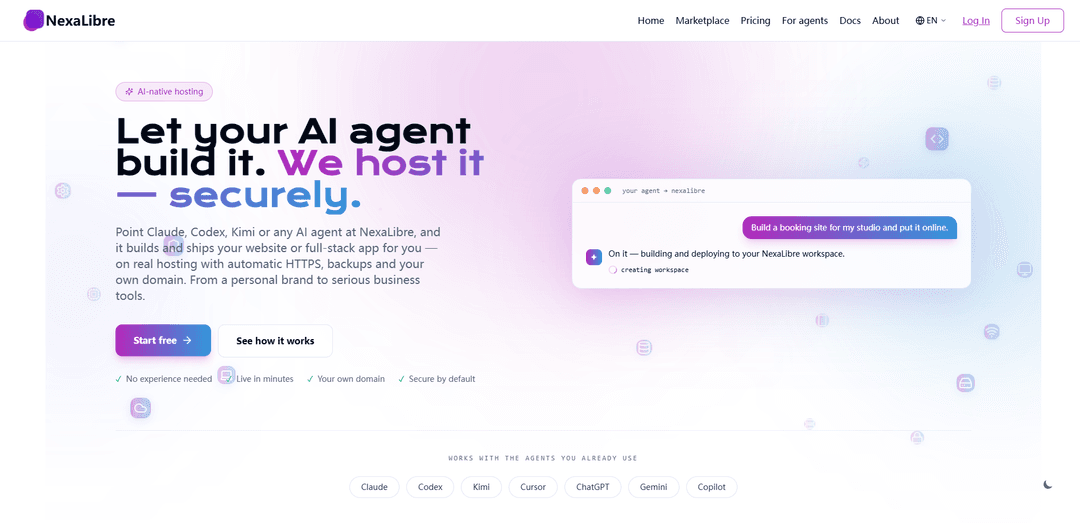
NexaLibre is an AI-native hosting platform that lets you deploy and run open-source websites and full‑stack apps in minutes—via one‑click app installs or by letting your AI agent build and ship—with automatic HTTPS, backups, and custom domains.
https://nexalibre.com/?ref=producthunt
Product Information
Updated:Aug 8, 2026
What is NexaLibre
NexaLibre is a managed hosting service designed to make open-source web apps and custom projects easy to launch without DevOps. Instead of stitching together multiple SaaS subscriptions or managing servers yourself, you can either pick from a large marketplace of 200+ open-source applications (e.g., WordPress, n8n, Supabase, Ghost, GitLab, Metabase, NocoDB) or describe what you want in plain language and have an AI agent build and deploy it for you. The platform emphasizes “secure by default” hosting with features like automatic HTTPS, backups, and support for your own domain, while keeping the experience accessible even for non-technical users.
Key Features of NexaLibre
NexaLibre is an AI-native hosting platform for deploying and running full, open-source applications (and custom full-stack apps) without DevOps. You can connect AI agents (e.g., Claude, Codex, Kimi, Cursor, ChatGPT) to build and ship sites or apps in minutes, or pick from 200+ one-click open-source tools like WordPress, n8n, Supabase, and Metabase. NexaLibre focuses on secure-by-default hosting with automatic HTTPS, isolated tenant networking, managed updates/patching, and backups you can restore/export—aiming to avoid restrictive SaaS tiers and plugin limits while keeping your domain and data portable.
AI-agent driven build & deploy: Connect MCP-capable agents (Claude, Codex, Kimi, Cursor, ChatGPT, etc.) and describe what you want in plain language; the agent can assemble the stack and deploy it to live hosting under boundaries you control.
200+ open-source apps, one click away: Instantly deploy full-featured open-source software (e.g., WordPress, n8n, Supabase, Ghost, GitLab, Metabase, NocoDB, Uptime Kuma) without “freemium” feature lockouts.
Secure-by-default managed hosting: Automatic HTTPS issuance/renewal, ongoing patching and updates, and infrastructure management handled for you—no servers, Docker, or DevOps workflows required.
Isolation and access controls for agents: Apps run in tenant-isolated environments; agent keys can be scoped to a workspace and restricted from billing, with one-click revocation to reduce risk.
Backups, restores, and data portability: Scheduled backups with restore capability plus data export options; runs on your own domain and open-source software so you can move away if needed.
Flat, accessible pricing options: Positioned as simple pricing (e.g., entry plans and a free start option) to avoid per-user/tiered SaaS penalties as teams grow.
Use Cases of NexaLibre
Marketing & personal branding sites: Launch portfolios, landing pages, blogs, or link-in-bio pages quickly—either generated by an AI agent or deployed via WordPress/Ghost—on a custom domain with HTTPS.
Small business websites with full WordPress flexibility: Run “real WordPress” with the ability to install any plugin/theme and integrate freely, avoiding the restrictions common in lower-tier WordPress.com plans.
Internal business operations tools: Deploy CRMs, knowledge bases, invoicing/ERP tools (e.g., Dolibarr, BookStack, Invoice Ninja) for freelancers and SMEs that want ownership and lower costs than traditional SaaS.
Automation and workflow orchestration: Use tools like n8n to automate lead capture, invoice reminders, reporting schedules, and cross-app workflows without stitching together multiple paid services.
Monitoring and reliability for web properties: Set up Uptime Kuma to monitor uptime/performance and get real-time visibility for websites and services, suitable for agencies or operators managing multiple sites.
Shipping custom full-stack apps from a repo: Deploy a full-stack application with a database (e.g., Postgres) and a live URL directly from source control, with managed HTTPS and backups for rapid iteration.
Pros
Combines AI-assisted building with real managed hosting (HTTPS, backups, patching) to minimize DevOps overhead.
Supports full open-source apps (not watered-down tiers), enabling deep customization—especially for WordPress plugins/themes.
Security controls like tenant isolation and scoped/revocable agent keys reduce risk when using AI agents.
Data/domain portability focus (export options, open-source foundations) helps avoid vendor lock-in.
Cons
Relying on AI agents to build/modify production systems can introduce mistakes; governance and review are still necessary.
App availability and platform capabilities depend on NexaLibre’s marketplace/support; niche stacks may not be first-class.
Some messaging indicates the product is evolving (“development still in progress”), so certain features may be unfinished or changing.
How to Use NexaLibre
1) Create your NexaLibre account: Go to https://nexalibre.com/register and sign up. You can start free (no credit card required per the site) and upgrade later (plans mentioned from ~$7/mo; some older materials mention $15/mo).
2) Create or choose a workspace: After logging in, create/select a workspace where your apps will live. This is the boundary you’ll later scope AI agent access to (so an agent can be limited to one workspace).
3) (Option A) Connect an AI agent (Claude/Codex/Kimi/Cursor/ChatGPT/Gemini/Copilot): In your NexaLibre dashboard, connect your preferred MCP-capable AI agent. When prompted, set permissions (scope the agent key to the workspace; optionally block billing access). Save the key/connection so your agent can deploy to NexaLibre.
4) Define what you want to build (plain language prompt): Tell your connected agent what you want in normal words (e.g., “Make me a portfolio site with my work and a contact form,” “Set up a CRM and a helpdesk for my team,” or “Deploy this repo with a Postgres database.”). The agent will choose a stack or pick from NexaLibre’s supported apps and prepare a deployment.
5) Review and approve what the agent will do: Before changes go live, confirm the actions the agent is about to take (deploying an app, creating a database, configuring a domain, etc.). NexaLibre emphasizes that you control boundaries and can revoke access anytime.
6) Go live with automatic HTTPS: Once deployed, NexaLibre publishes your site/app to a real URL and automatically provisions HTTPS certificates (issued and renewed for you).
7) Add your own domain: In the domain settings for your app/workspace, attach your custom domain. NexaLibre indicates this typically requires “two DNS records.” Update DNS at your domain registrar, then verify in NexaLibre until the domain is active with HTTPS.
8) (Option B) Skip building—deploy a ready-made open-source app from the marketplace: Open the marketplace (https://nexalibre.com/marketplace) and choose from 200+ one-click apps (examples mentioned: WordPress, n8n, Supabase, Ghost, GitLab, Metabase, NocoDB). Click deploy (or ask your agent to deploy it “in one sentence”).
9) Configure the app you deployed: Open the app’s admin/setup screen and complete initial configuration (admin user, organization/site settings, plugins/modules). For example: WordPress (theme + plugins), n8n (credentials + workflows), Metabase (connect data sources), GitLab (users/projects).
10) Set up automations (optional): Use an automation tool like n8n (available in the app catalog) and describe workflows to your agent (e.g., “Automate invoice reminders every Monday,” “Send new leads to my CRM,” “Generate weekly reports on schedule”). Deploy and test the workflow.
11) Manage security and access: Confirm your apps are isolated by tenant (NexaLibre states each customer runs on a private network). Rotate/revoke agent keys if needed, and keep permissions minimal (workspace-scoped; billing blocked if desired).
12) Use backups and restore/export when needed: Enable/confirm scheduled backups for your apps/data. If something breaks, restore from a backup. If you want to leave, export your data—NexaLibre emphasizes “your domain, your data” and no lock-in because apps are open-source.
13) Iterate: request changes and redeploy updates: Ask your agent for modifications (new pages, features, integrations, UI changes). The agent ships updates to the same hosted environment; you can keep iterating without managing servers or certificates.
14) Upgrade or cancel when ready: When you need more capacity/features, upgrade to a paid plan (site mentions pricing from ~$7/mo when ready). You can cancel anytime; keep your domain and export your data as needed.
NexaLibre FAQs
NexaLibre is an AI-native hosting platform where you can point an AI agent (e.g., Claude, Codex, Kimi, Cursor, ChatGPT, Gemini, Copilot) to build and deploy a website or full-stack app on real hosting with automatic HTTPS, backups, and support for your own domain.
NexaLibre Video
Popular Articles

Vosko AI: Localize and Dub Videos for Global Audiences
Oct 15, 2026

Atoms: A Multi-Agent AI Platform That Transforms Ideas into Launch-Ready Products
Oct 13, 2026

Nano Banana SBTI: What It Is, How It Works, and How to Use It in 2026
Apr 15, 2026

Atoms Review — The AI Product Builder Redefining Digital Creation in 2026
Apr 10, 2026
Latest AI Tools Similar to NexaLibre
Foundry
Foundry is a versatile platform that exists in multiple forms - as a smart contract development toolchain, a virtual tabletop gaming software, and a traditional metal casting facility - each offering specialized features for their respective domains.
PythonConvert.com
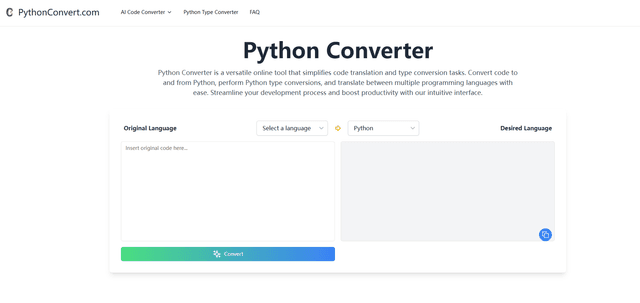
PythonConvert.com is a free web-based tool that provides AI-powered code translation between Python and other programming languages as well as Python type conversion capabilities.
Softgen
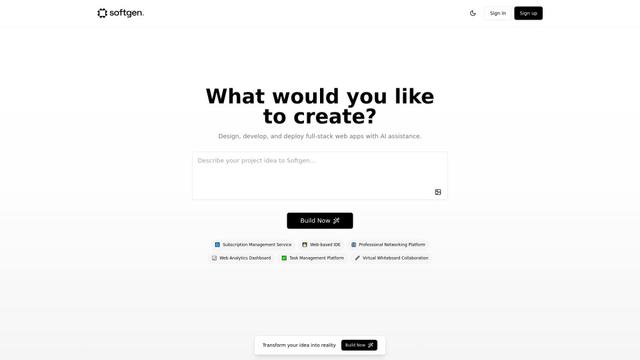
Softgen.ai is an AI-powered full-stack project generator platform that enables users to transform their ideas into functional web applications without coding requirements.
Micro SaaS Ideas
Micro SaaS Ideas are small-scale, niche-focused software solutions that target specific problems or markets, offering entrepreneurs a way to build profitable businesses with minimal resources and complexity.
Popular AI Tools Like NexaLibre

GitHub Copilot Chat
GitHub Copilot Chat is an AI-powered coding assistant that provides natural language interactions, real-time code suggestions, and contextual support directly within supported IDEs and GitHub.com.

CopilotForXcode
CopilotForXcode is an Xcode Source Editor Extension that integrates GitHub Copilot, Codeium, and ChatGPT to provide AI-powered code suggestions, chat assistance, and prompt-to-code functionality within Xcode.

OpenAI Codex CLI
OpenAI Codex CLI is a lightweight, open-source coding agent that runs in your terminal, enabling developers to translate natural language into code execution while providing ChatGPT-level reasoning with the ability to run code, manipulate files, and iterate under version control.
GoCodeo SaaS Builder
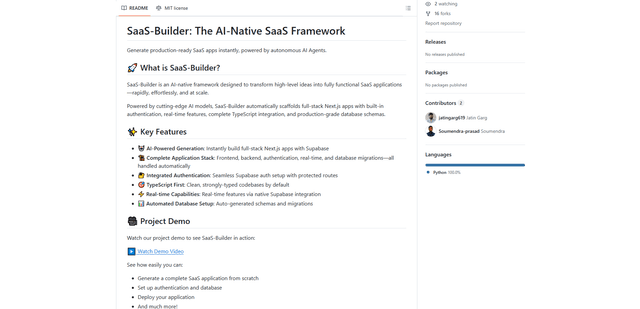
GoCodeo SaaS Builder is an AI-native framework that automatically generates production-ready full-stack SaaS applications using autonomous AI agents, complete with authentication, real-time features, and TypeScript integration.