
Mantle Chat
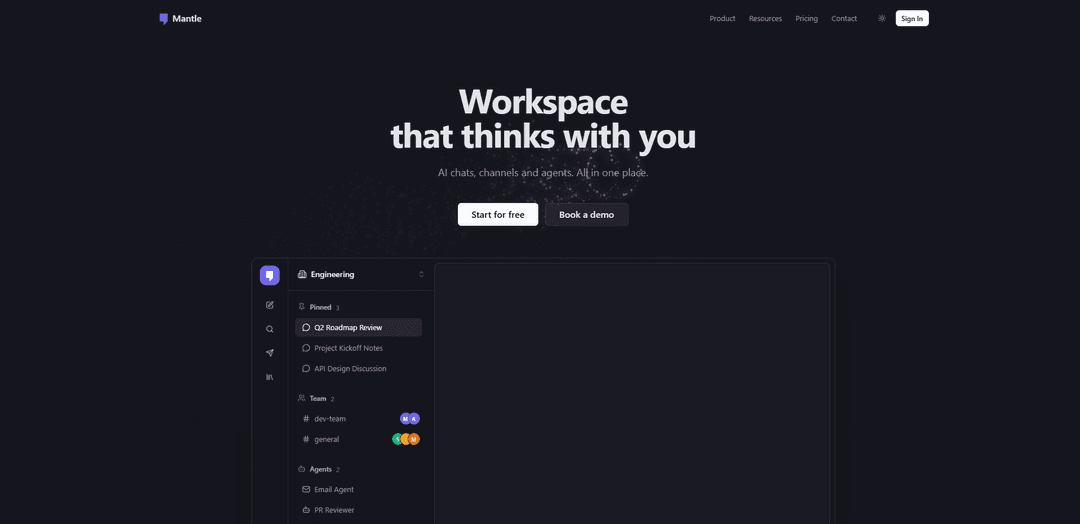
Mantle Chat is an AI-powered collaboration workspace that combines Slack/Discord-style channels with access to multiple leading AI models, plus agents, tasks, and 30+ tool integrations to help teams work faster together.
https://mantle.chat/?ref=producthunt
Product Information
Updated:Jun 8, 2026
What is Mantle Chat
Mantle Chat is a team-focused AI collaboration platform designed to make AI a natural part of day-to-day work. It brings real-time messaging, shared workspaces, and conversation history into one place, while providing access to multiple top AI models (including GPT, Claude, Gemini, Grok, and DeepSeek) under a single subscription. Built for individuals and teams—from productivity-focused users to fast-moving startups—Mantle Chat emphasizes shared context, easy collaboration, and AI-assisted workflows across projects.
Key Features of Mantle Chat
Mantle Chat is an AI-powered collaboration workspace that brings multiple leading AI models (GPT, Claude, Gemini, Grok, DeepSeek) into one subscription and wraps them in team-friendly features like Slack/Discord-style channels, shared workspaces, @mentions for AI help inside conversations, and built-in automation via agents, tasks, and integrations. It’s designed to help individuals and teams chat with different models, share context and outputs, automate multi-step workflows, and connect to the tools they already use—all from a single place.
Multi-model access in one app: Chat with top AI providers (GPT, Claude, Gemini, Grok, DeepSeek) from a single interface, choosing the best model for writing, coding, reasoning, research, or long-context work.
Channels + shared workspaces: Collaborate in real-time using Discord/Slack-style channels with shared chat history and context, making AI outputs visible and reusable across the team.
@mention AI in team conversations: Bring AI directly into ongoing discussions by mentioning agents/models when you need help, enabling faster decision-making and in-context assistance.
Custom AI agents: Build specialized agents with custom instructions, knowledge files, and tools (e.g., PR reviewer, research assistant, meeting notes, email agent) to standardize repeatable workflows.
Automated tasks and pipelines: Create multi-step automations that run manually, on schedules, or triggered by events—fetching data, processing it with AI, and delivering outputs to the right place.
30+ tool integrations: Connect common work tools (e.g., Notion, Linear, Slack, Gmail, Google Drive/Docs/Sheets, Jira, Figma, GitHub, HubSpot) so agents and tasks can operate on real business context.
Use Cases of Mantle Chat
Software engineering workflows: Use PR-review agents to check code quality and test coverage, generate boilerplate/scaffolding for new features, and discuss implementation options in shared channels.
Operations & reporting automation: Schedule weekly pipelines to fetch analytics, summarize with AI, generate a report, and post it to a team channel—reducing manual reporting overhead.
Customer support and inbox triage: Connect Gmail/helpdesk sources and use an email agent to draft replies, categorize incoming messages, and escalate issues into Slack-style channels for human review.
Marketing & content production: Draft blog posts, social copy, and campaign messaging with model choice flexibility, then collaborate on edits and approvals in shared workspaces.
Research and knowledge work: Run structured web research and long-document analysis via dedicated agents, sharing summaries and decisions with stakeholders in real-time channels.
Project management for startups/teams: Integrate Linear/Jira/Notion and use AI in channels to turn discussions into action items, summaries, and ticket drafts while keeping shared context.
Pros
One subscription for multiple top AI models, reducing the need to manage separate tools and logins.
Strong collaboration layer (channels, shared workspaces, @mentions) that makes AI usable in team workflows.
Automation via agents, tasks, and integrations enables repeatable, scalable processes across tools.
Cons
Image generation is not available in Mantle Chat even if some underlying models support it natively.
Premium usage is credit-based; if you run out, you must switch to standard models or wait for renewal.
Some advanced collaboration features (e.g., sharing workspaces) are tied to the Pro plan/trial model.
How to Use Mantle Chat
1) Create an account and open a workspace: Go to https://mantle.chat/ and sign up. Create or join a workspace (private for personal use, shared for team collaboration) so chats, channels, and agents can live in one place.
2) Start a chat and pick an AI model: Open a new chat and choose the model you want (e.g., GPT, Claude, Gemini, Grok, DeepSeek). Use the model that best fits the task (reasoning/coding, writing/analysis, long context, real-time info, etc.).
3) Switch models quickly while staying in the same workflow: Use Cmd/Ctrl + K to search and switch models without leaving your keyboard, so you can compare outputs or move to a model better suited to the next step.
4) Use channels for team-style collaboration: Create Discord/Slack-style channels for topics/projects. Keep discussions and AI outputs organized where your team already collaborates.
5) @mention AI models/agents inside conversations: In a channel or shared conversation, @mention an AI model or agent when you need help directly in the thread (e.g., ask for a summary, draft, code review, or research).
6) Build an Agent for repeatable workflows: Go to Agents and create a specialized agent by adding custom instructions, attaching knowledge files, and enabling tools. Example use cases include PR Reviewer, Research Assistant, Meeting Notes, Email Agent, and Content Writer.
7) Run Tasks manually, on a schedule, or via triggers: Go to Tasks and create an automation pipeline (e.g., fetch analytics → summarize with AI → generate a PDF → send to a Slack channel). Choose whether it runs on-demand, on a schedule, or triggered by an event.
8) Connect your existing tools with Integrations: Open Integrations and connect the apps your team already uses (e.g., Notion, Linear, Slack, Gmail, Google Drive/Docs/Sheets/Calendar, Jira, GitHub, PostHog, HubSpot, Discord, and more) to power agent/task workflows.
9) Organize and find information fast: Use Mantle Chat’s smart organization features: AI auto-sorts conversations into folders, and you can use full-text/semantic search to find past chats and outputs quickly.
10) Share and collaborate in real time: Share AI responses with teammates in shared workspaces, collaborate in channels, and use @mentions to bring AI into ongoing discussions so the team can iterate together.
11) Monitor usage and stay productive: Use built-in productivity tools like usage analytics and AI writing tools to keep track of activity and maintain consistent workflows across your workspace.
12) Choose a plan and manage credits: Pick Free (limited daily messages) or Pro (includes a trial and more credits). Use standard credits for most models and premium credits for advanced models (as available in your plan).
Mantle Chat FAQs
Mantle Chat is an AI-powered collaboration platform with private and shared workspaces, channels, and productivity tools built around AI to help teams adopt and use AI together.
Mantle Chat Video
Popular Articles

Atoms: A Multi-Agent AI Platform That Transforms Ideas into Launch-Ready Products
May 22, 2026

Nano Banana SBTI: What It Is, How It Works, and How to Use It in 2026
Apr 15, 2026

Atoms Review — The AI Product Builder Redefining Digital Creation in 2026
Apr 10, 2026

Kilo Claw: How to Deploy and Use a True "Do‑It‑For‑You" AI Agent(2026 Update)
Apr 3, 2026
Latest AI Tools Similar to Mantle Chat

Folderr
Folderr is a comprehensive AI platform that enables users to create custom AI assistants by uploading unlimited files, integrating with multiple language models, and automating workflows through a user-friendly interface.

Peache.ai
Peache.ai is an AI character chat playground that enables users to engage in flirty, witty, and daring conversations with diverse AI personalities through real-time interactions.

TalkPersona
TalkPersona is an AI-powered video chatbot that provides real-time human-like conversation through a virtual talking face with natural voice and lip-sync capabilities.

Thaly AI
Thaly AI is an AI-powered sales assistant that automates customer conversations and lead qualification to help businesses scale their sales operations while saving time.
Popular AI Tools Like Mantle Chat

GPT‑5.5 | ChatGPT Official
GPT‑5.5 in ChatGPT is OpenAI’s latest work-focused model designed to understand complex goals, use tools effectively, check its work, and carry multi-step tasks (coding, research, documents, spreadsheets) through to completion with stronger safeguards.

DuckDuckGo AI Chat
DuckDuckGo AI Chat is a free, anonymous way to access popular AI chatbots like GPT-3.5, Claude, and others while preserving user privacy.

Arch
Arch is an intelligent Layer 7 gateway built on Envoy Proxy that provides secure handling, robust observability, and seamless integration of prompts with APIs for building fast, robust, and personalized AI agents.

Off-grid LLM over Radio
A platform that integrates Large Language Models (LLMs) with Meshtastic mesh communication networks to enable off-grid AI interactions and automated task execution through radio communication.