
Luma Agents
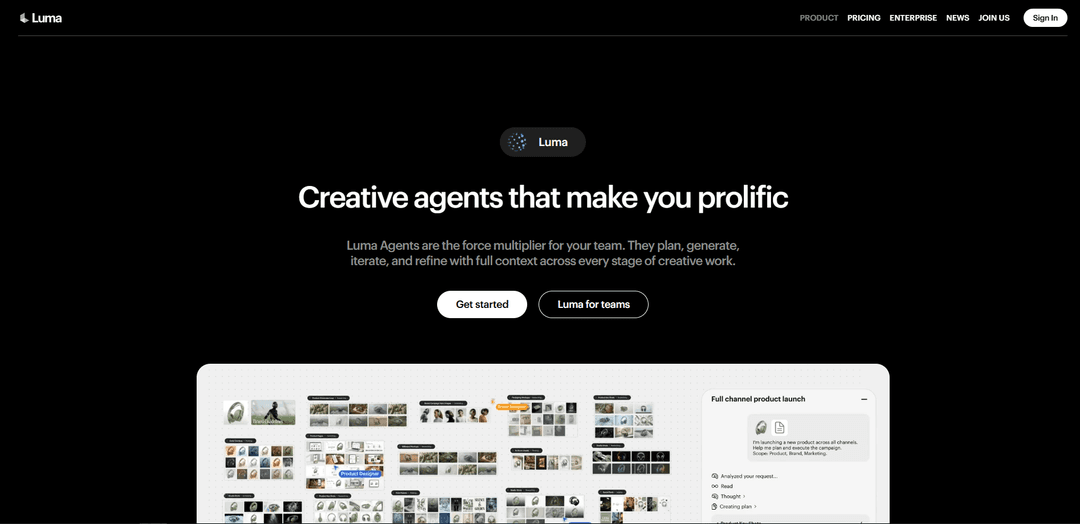
Luma Agents are AI-powered creative collaborators that execute end-to-end multimodal projects across text, image, video, and audio while maintaining shared context from initial brief to final delivery.
https://lumalabs.ai/app?ref=producthunt
Product Information
Updated:Apr 16, 2026
Luma Agents Monthly Traffic Trends
Luma Agents experienced a 1.5% decline in traffic, with 1.84M visits in the given month. Without any recent product updates or notable market activities, this slight decline likely reflects normal market fluctuations.
What is Luma Agents
Luma Agents represents a new class of AI creative assistants developed by Luma AI that transforms how teams produce professional creative work. Built on the company's Unified Intelligence architecture and UNI-1 model, Luma Agents operate as physically intelligent creative partners embedded directly into production workflows. Unlike traditional AI tools that specialize in single modalities or require manual orchestration between different systems, Luma Agents coordinate multiple industry-leading models—including Ray3.14, Veo 3, Sora 2, Kling 2.6, Nano Banana Pro, Seedream, GPT Image 1.5, and ElevenLabs—within a unified visual workspace. The platform is designed for agencies, marketing teams, studios, and enterprise organizations who need to scale creative output without sacrificing quality, enabling teams to move from concept to final delivery while maintaining brand consistency and shared project context across every stage.
Key Features of Luma Agents
Luma Agents are AI-powered creative collaborators that execute end-to-end creative work across text, image, video, and audio within a unified workspace. Built on the Uni-1 unified intelligence architecture, these agents maintain shared context throughout the entire creative process, from initial concept to final delivery. They automatically orchestrate multiple industry-leading AI models (including Ray3.14, Veo 3, Sora 2, Kling, ElevenLabs, and others), eliminating the need for manual tool-switching and technical orchestration. Luma Agents enable teams to scale creative production by working in parallel, preserving context across iterations, and maintaining brand consistency while reducing operational overhead through integrated editing and refinement capabilities.
Unified Multimodal Intelligence: Built on Uni-1 architecture that processes text, image, video, and audio as one interleaved sequence rather than separate pipelines, enabling better spatial reasoning and scene coherence across all creative outputs.
Automatic Model Orchestration: Agents automatically route tasks across proprietary and industry-leading models (Ray3.14, Veo 3, Sora 2, Kling, GPT Image 1.5, ElevenLabs, and more), selecting the most appropriate system for each stage without requiring manual configuration.
Persistent Shared Context: Maintains project context and memory across every stage of creative work, from planning through final assembly, ensuring brand consistency and eliminating the need for restarts when iterating.
Dual Mode Operation: Operates in Brainstorm Mode for ideation and exploration, and Create Mode for active generation of images, video, audio, and other media, providing flexibility across different creative phases.
Parallel Execution & Collaboration: Advances multiple creative directions simultaneously while teams collaborate in real-time, with semantic search to instantly locate assets, references, and iterations across spatial boards.
Natural Language Direction: Users provide direction through natural language or direct controls while agents handle model selection, parameter configuration, resolution, aspect ratio, and execution logic automatically.
Use Cases of Luma Agents
Multi-Channel Marketing Campaigns: Create complete brand campaigns with cohesive visuals, social media video ads, and variations across multiple platforms while maintaining consistent brand identity and messaging throughout all assets.
E-Commerce Product Visualization: Generate polished product photography from all angles, lifestyle shots, on-model imagery, and packaging mockups for e-commerce platforms, social media, and marketplaces without traditional photo shoots.
Content Localization at Scale: Translate and localize video content into multiple languages with natural voiceovers and synced visuals, enabling global reach while maintaining production quality and brand consistency.
Film & Entertainment Production: Develop characters, story arcs, storyboards, and cinematic trailers for books, games, or films, accelerating pre-production and creative exploration while maintaining narrative coherence.
Educational Content Creation: Build comprehensive lesson plans with supporting visuals, transform complex academic concepts into animated visualizations, and create engaging educational materials with labeled diagrams and explanations.
Real Estate Marketing: Create property storytelling content at scale, including virtual tours, lifestyle visualizations, and promotional videos that showcase properties across multiple formats and platforms.
Pros
Eliminates tool-switching by unifying multiple AI models and creative workflows into a single workspace with persistent context
Significantly increases creative throughput by enabling parallel execution of multiple directions while maintaining shared intelligence
Reduces operational overhead through automatic model orchestration and built-in editing, removing manual handoffs and technical complexity
Accessible to both beginners and professionals through natural language direction while maintaining production-ready output quality
Cons
Strict content moderation policy blocks all adult/NSFW content with zero tolerance, limiting use for certain creative industries
Full agent orchestration capabilities require paid subscription plans starting at $30/month, with free tier offering only basic features
Some users report technical issues including website accessibility problems, slow customer support response times, and occasional service disruptions
Pricing can become expensive for high-volume users, with Pro plan at $90/month and Ultra at $300/month for increased usage limits
How to Use Luma Agents
1. Sign up and access Luma Agents: Visit https://app.lumalabs.ai/ and create an account. You can start with free trial credits available on all plans (Plus, Pro, or Ultra).
2. Choose your working mode: Select between Brainstorm Mode (for ideation and exploration) or Create Mode (for production and execution). The agent will adapt its behavior based on your selected mode.
3. Create or open a board: Start a new board or open an existing one. Boards are visual workspaces where agents generate, iterate, and evolve assets across your project while maintaining shared context.
4. Provide your creative brief or prompt: Use natural language to describe what you want to create. You can provide text prompts, upload reference images or videos, or describe your requirements such as style, format, motion, or technical constraints.
5. Let the agent analyze and route tasks: Luma Agents automatically analyze your prompt, identify requirements, and select the most appropriate model(s) from Luma's own models (Ray3.14, Uni-1, etc.) or third-party models (Sora 2, Veo 3, GPT Image 1.5, ElevenLabs, etc.).
6. Review and iterate on generated assets: The agent will generate initial outputs across image, video, audio, and text as needed. Review the results on your board and provide feedback or request modifications using natural language.
7. Refine and edit within the same project: Use built-in editing and refinement tools coordinated by the agents. You can edit existing images or videos, generate multiple variations, add voiceovers, create videos from images, or apply lip sync—all without switching tools.
8. Collaborate with team members: Invite guest collaborators with edit access (on Plus plan and above). Teams can work in real time with agents advancing work alongside them, with semantic search to locate assets across the board.
9. Maintain consistency across iterations: Luma Agents carry context from planning through final assembly, ensuring brand and asset consistency throughout the project. The shared context moves through agents across teams.
10. Export and deliver final assets: Once satisfied with your creative work, export your final deliverables. Assets are production-ready and maintain consistency across all formats and variations you've created.
11. Manage credits and usage: Monitor your monthly credits from your account settings. If you run out mid-project, set an additional spending limit as needed. Luma pauses when you hit your limit. Check the pricing page for credit costs per generation type.
12. Explore advanced workflows: Visit the Learning Center at https://lumalabs.ai/learning-center to discover workflows, best practices, and new ways to bring ideas to life with the multimodal agents.
Luma Agents FAQs
Luma Agents are physically intelligent creative agents that work as force multipliers for teams. They plan, generate, iterate, and refine creative work with full context across every stage—from concept to final delivery. Unlike traditional AI tools that specialize in a single modality, Luma Agents are multimodal, working across image, video, audio, and text without requiring technical knowledge or manual workflow configuration.
Luma Agents Video
Popular Articles

Atoms: A Multi-Agent AI Platform That Transforms Ideas into Launch-Ready Products
May 22, 2026

Nano Banana SBTI: What It Is, How It Works, and How to Use It in 2026
Apr 15, 2026

Atoms Review — The AI Product Builder Redefining Digital Creation in 2026
Apr 10, 2026

Kilo Claw: How to Deploy and Use a True "Do‑It‑For‑You" AI Agent(2026 Update)
Apr 3, 2026
Analytics of Luma Agents Website
Luma Agents Traffic & Rankings
1.8M
Monthly Visits
#23038
Global Rank
#583
Category Rank
Traffic Trends: Nov 2024-Oct 2025
Luma Agents User Insights
00:04:16
Avg. Visit Duration
6.21
Pages Per Visit
36.55%
User Bounce Rate
Top Regions of Luma Agents
US: 13.63%
IN: 7.39%
RU: 5.62%
FR: 4.11%
JP: 3.76%
Others: 65.48%
Latest AI Tools Similar to Luma Agents

MultipleWords
MultipleWords is a comprehensive AI platform offering 16 powerful tools for content creation and manipulation across audio, video, and image editing with cross-platform accessibility.
AiTools.Ge
FreemiumMulti-purpose Tools
AiTools.Ge is an all-in-one AI content creation platform offering 70+ templates for generating text, images, voiceovers, code and more across multiple languages.
GiGOS
GiGOS is an AI platform that provides access to multiple advanced language models like Gemini, GPT-4, Claude, and Grok with an intuitive interface for users to interact with and compare different AI models.

Lynklet
Lynklet is an all-in-one social tool platform that combines bio link pages, URL shortening, QR code generation, digital business cards, and file hosting capabilities in one comprehensive solution.
Popular AI Tools Like Luma Agents

Off-grid LLM over Radio
A platform that integrates Large Language Models (LLMs) with Meshtastic mesh communication networks to enable off-grid AI interactions and automated task execution through radio communication.
Pixelagent
Pixelagent is a declarative Python framework for building custom AI agents that unifies LLM capabilities, storage, and orchestration with build-your-own functionality for memory, tool-calling, and multimodal data handling.

MulmoCast
MulmoCast is an AI-native multi-modal presentation tool that automatically generates videos, podcasts, slides, PDFs, and manga-style content from a single script using various AI technologies.
UTCP
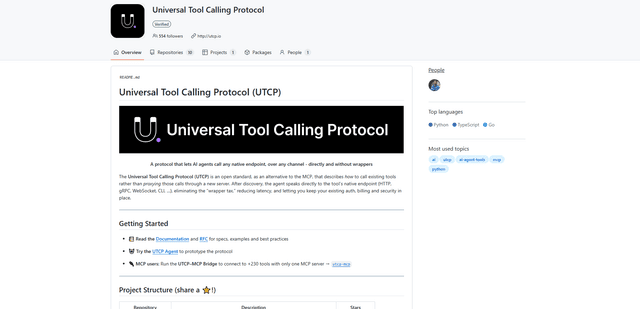
UTCP (Universal Tool Calling Protocol) is an open standard protocol that enables AI agents to directly call any native API endpoint across different communication protocols without requiring middleware or wrapper servers.