
Jinee AI
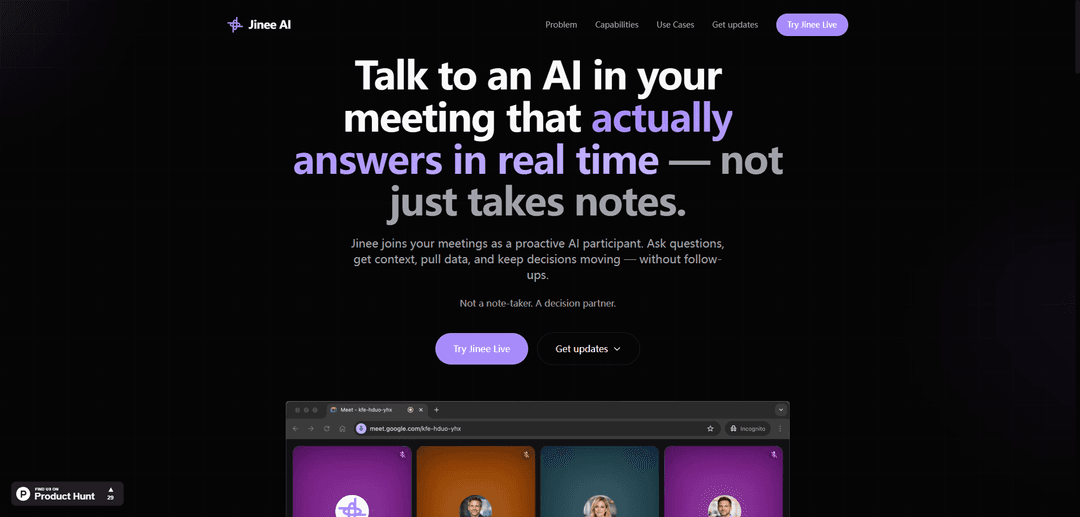
Jinee AI is an intelligent meeting assistant that actively participates in real-time conversations, providing instant answers, data, and context to facilitate faster decision-making during virtual meetings.
https://jinee-ai.com/?ref=producthunt
Product Information
Updated:Mar 8, 2026
What is Jinee AI
Jinee AI is a revolutionary fintech virtual assistant designed to transform how meetings are conducted across platforms like Google Meet, Zoom, and Microsoft Teams. Unlike traditional AI note-takers, Jinee functions as a proactive decision partner that joins meetings as an actual participant, capable of engaging in real-time discussions and providing immediate responses to queries.
Key Features of Jinee AI
Jinee AI is an intelligent virtual assistant designed to actively participate in meetings, offering real-time answers, data retrieval, and decision support. It integrates with various meeting platforms and knowledge bases, enabling teams to get instant access to information, clarify requirements, and make decisions without interrupting workflow or requiring post-meeting follow-ups.
Real-time Voice Interaction: Enables users to ask questions verbally during meetings and receive immediate responses from the AI
Data Integration & Retrieval: Connects with existing tools and databases to pull relevant information, charts, and metrics instantly during discussions
Multi-platform Support: Seamlessly integrates with major meeting platforms including Google Meet, Zoom, and Microsoft Teams
Interactive Screen Sharing: Can visually present data and information by sharing its screen during meetings
Use Cases of Jinee AI
Executive Reviews: Streamlines executive meetings by providing instant access to KPIs, trends, and performance metrics, reducing meeting time by up to 40%
Decision Making Sessions: Facilitates faster decision-making by providing immediate access to relevant data and context when needed
Requirements Clarification: Helps teams clarify project requirements and specifications by proactively asking questions and providing relevant context
Pros
Reduces meeting time and eliminates need for follow-ups
Provides immediate access to data without context switching
Integrates with existing meeting platforms and tools
Cons
May require initial learning curve for users
Requires active WhatsApp usage for some features
Limited customization options
How to Use Jinee AI
Step 1: Choose a Meeting Platform: Ensure you're using one of the supported meeting platforms: Google Meet, Zoom, or Microsoft Teams
Step 2: Add Jinee to Your Meeting: Invite Jinee AI as a participant to join your virtual meeting (specific integration method not detailed in sources)
Step 3: Start the Meeting: Begin your meeting as usual with Jinee AI present as an active participant
Step 4: Ask Questions Verbally: Simply ask Jinee questions out loud during the meeting when you need information or clarification
Step 5: Utilize Real-Time Features: Request data, visuals, or context from Jinee during discussions - it can pull up dashboards, share its screen, and provide immediate answers
Step 6: Get Clarification: If requirements are unclear, Jinee will proactively ask for clarification to ensure accurate information
Step 7: Make Decisions: Use Jinee's real-time insights and data to make informed decisions without leaving the meeting or scheduling follow-ups
Jinee AI FAQs
Jinee AI is an artificial intelligence tool that participates in meetings as a proactive AI participant. It's not just a note-taker, but a decision partner that can answer questions, provide context, pull data, and help keep decisions moving in real-time during meetings.
Jinee AI Video
Popular Articles

Atoms: A Multi-Agent AI Platform That Transforms Ideas into Launch-Ready Products
May 22, 2026

Nano Banana SBTI: What It Is, How It Works, and How to Use It in 2026
Apr 15, 2026

Atoms Review — The AI Product Builder Redefining Digital Creation in 2026
Apr 10, 2026

Kilo Claw: How to Deploy and Use a True "Do‑It‑For‑You" AI Agent(2026 Update)
Apr 3, 2026
Latest AI Tools Similar to Jinee AI

Ticknotes
Ticknotes is an AI-powered meeting assistant that automatically records, transcribes, and generates personalized meeting summaries, action items, and key insights from audio, video, and text content.

Feta
Feta is an AI-powered meeting tool that helps product and engineering teams run efficient meetings by capturing discussions, automating tasks, and providing actionable insights through smart summaries and integrations.

Aimeet
Aimeet is a comprehensive AI-powered communication platform that combines real-time translation, transcription, screen sharing, and unlimited meeting capabilities for effective virtual collaboration.

MinutesLink
MinutesLink is an advanced AI-powered note-taking assistant that automatically records, transcribes, summarizes and organizes virtual meetings while building personalized digital avatars from meeting data.
Popular AI Tools Like Jinee AI

Second Brain for AI
Second Brain for AI is a self-hosted, MCP-compatible persistent memory layer on Cloudflare that lets Claude, ChatGPT, Cursor, and other AI clients store and semantically recall shared context across sessions.

Slack
Slack is an AI-powered work platform that brings team communication, channels, files, automation, and app integrations into one conversational workspace.

24me Smart Personal Assistant
24me is an award-winning smart personal assistant app that combines calendar, to-do lists, notes, and personal accounts in one unified platform to help boost productivity and time management.

Granola for iOS
Granola for iOS is an AI-powered notepad app that helps users effortlessly capture, transcribe and summarize meeting conversations through intelligent note-taking and one-tap recording capabilities.