
Honen
Honen is an AI-powered learning infrastructure that turns your existing docs, videos, recordings, or even a topic into engaging, guided courses with interactive activities, built-in tutoring, and progress analytics.
https://honen.com/?ref=producthunt

Product Information
Updated:Jun 9, 2026
What is Honen
Honen is a course-creation and learning delivery platform designed for organizations, educators, and creators who need to teach skills efficiently at scale. It converts source materials—such as PDFs, slide decks, SOPs, call recordings, kickoff videos, links, or rough notes—into structured, learner-ready courses that people can actually finish. Beyond course generation, Honen includes a guided learner experience, multiple activity formats, and options to support use cases ranging from onboarding and sales enablement to compliance, technical training, and education programs.
Key Features of Honen
Honen is an AI-powered learning infrastructure platform that turns an organization’s existing materials (docs, PDFs, slide decks, links, audio/video recordings, images, or even a described topic) into complete, shareable courses with modules, lessons, practice activities, assessments, and an embedded live tutor. It supports multiple learning activity formats (e.g., readings, quizzes, flashcards, scenarios, podcasts) and provides analytics to track progress and outcomes, along with a knowledge base and LMS integrations. Honen is positioned to work across creators, educators, teams, schools, and enterprises, with enterprise-grade capabilities like SSO, role-based access, audit logs, and privacy controls.
AI course generation from your materials: Upload or link existing content (PDF/DOCX/MD/MP4/MP3/JPG, etc.) or describe a topic, and Honen drafts a structured course with modules and lessons.
Multi-activity learner experience: Courses include multiple activity types (e.g., readings, flashcards, quizzes, scenarios, podcasts/lecture-style content) so learners can choose formats that fit how they learn.
Assignments and auto-built assessments: Automatically generates quizzes, exercises, and graded assessments, and supports project-style work that can be graded against a rubric.
Live tutor (voice + chat) embedded in courses: A built-in tutor that “knows every lesson and every learner,” enabling learners to ask questions and get help while progressing through course content.
Analytics and progress tracking: Tracks completion, engagement, and mastery signals so managers/instructors can identify where learners struggle and follow up.
Org-ready platform: knowledge base + LMS + enterprise controls: Provides a searchable knowledge base, LMS syncing, and enterprise capabilities such as SSO, role-based access, audit logs, and workspace privacy walls.
Use Cases of Honen
New-hire onboarding for companies: Convert handbooks, SOPs, kickoff decks, and recorded trainings into an onboarding course with quizzes, scenarios, and a tutor to reduce ramp time.
Sales enablement and playbooks: Turn call recordings, sales playbooks, and product updates into structured training with practice activities and assessments to standardize messaging.
Compliance and policy training: Generate compliance courses from policy documents and updates, add graded checks for understanding, and track completion for reporting.
Education and classroom support (K-12 / higher ed): Teachers and institutions can package curriculum into interactive courses where every student has a tutor, with instructor visibility into progress.
Workforce development & trades pipeline programs: Create scalable pre-skilling and certification-aligned training for sector programs, unions, and workforce initiatives using existing materials.
Customer onboarding for SaaS and services: Transform product docs, FAQs, and walkthrough videos into customer training that improves adoption via guided learning and self-serve tutoring.
Pros
Fast course creation from existing assets (minutes to a first draft) without a traditional production cycle
Rich learning formats plus an embedded tutor can improve engagement and completion
Built for multiple contexts (creators, educators, teams, enterprise) with analytics and LMS integration options
Enterprise-ready controls and privacy walls for organizational content and learner data
Cons
Course quality may depend on the quality/clarity of the source materials and the review process
Some advanced enterprise features (e.g., SSO, audit logs) may require enterprise plans and sales engagement
Organizations may need governance to ensure generated content stays aligned with internal policy and brand voice
How to Use Honen
1) Create an account and open Honen: Go to https://honen.com/ and click “Sign up” (or “Log in” if you already have an account). Once inside, you’ll be in the workspace where you can create and manage courses.
2) Start a new course: Click “Try it” / “Start creating” to begin course creation. Honen is designed to generate a full draft quickly (the site claims your first course can be created in ~30 seconds).
3) Choose a course type (optional but recommended): Select a template aligned to your use case (examples shown: New-hire onboarding, Sales enablement, Compliance, Manager training, Customer onboarding, Field operations, Technical cert, Product launch). This helps Honen shape the structure and activities.
4) Provide your source material (or just a topic): Add what you already have: upload documents and media (examples shown: PDF, DOCX, MD, MP4, MP3, JPG), paste links, or enter rough notes. If you don’t have materials, you can describe the topic and desired outcomes.
5) Let the Course Assistant generate the course draft: Honen’s Course Assistant will read your sources, research best practices, draft the outline, generate activities, and render audio in real time. You can watch the course build as modules and lessons appear.
6) Review the generated modules and lessons: Open the draft course and scan the module/lesson flow. Honen produces a learner-ready course experience (modules, lessons, and an in-course tutor). Adjust depth and interactivity as needed during review.
7) Add or refine learning activities (multi-format): Ensure the course includes the activity types you want. The site highlights multiple formats such as readings, flashcards, quizzes, lectures, explainers, podcasts, and scenario-based practice so learners can choose what works best.
8) Add assignments/projects and grading expectations: Use Honen’s assignments/projects to create applied work. The platform advertises auto-built quizzes/exercises and rubric-based grading for projects, so learners can practice and be assessed against clear criteria.
9) Enable and use the in-course Live Tutor: Learners can use the built-in tutor (voice and chat) throughout the course. The tutor is described as knowing every lesson and supporting learners as they progress; it can answer questions based on the course materials.
10) Publish and share the course link: Once the course looks correct, publish it and share it with your audience. The site emphasizes that you can “send the link this afternoon,” indicating link-based distribution for quick rollout.
11) Assign learners (teams/classes) and organize access: For teams and institutions, set up rosters/libraries/workspaces as applicable. The site mentions course libraries, class rosters, instructor accounts, and role-based access controls for larger deployments.
12) Track progress with Analytics: Use the analytics dashboard to monitor completion, engagement, and mastery signals, and identify where learners struggle. This supports follow-up coaching and course iteration.
13) Use Workspace Assistant for nudges and reporting (teams): If you’re training a team, use the Workspace Assistant to handle reminders, nudges, and reports so learners stay on track and managers can see who is working on what.
14) (Optional) Connect your LMS: If your organization already uses an LMS, use Honen’s “Connect Your LMS” feature to sync with existing tools and systems (as advertised on the site).
15) Iterate: update materials and regenerate/adjust content: As your docs, policies, or playbooks change, re-upload or update source materials and revise the course. Honen’s value proposition emphasizes fast rebuild cycles so training doesn’t go stale.
Honen FAQs
Honen is an AI-powered learning infrastructure platform (by StudyFetch, Inc.) that turns your existing materials—or even just a topic—into complete, learner-ready courses.
Honen Video
Popular Articles

Atoms: A Multi-Agent AI Platform That Transforms Ideas into Launch-Ready Products
May 22, 2026

Nano Banana SBTI: What It Is, How It Works, and How to Use It in 2026
Apr 15, 2026

Atoms Review — The AI Product Builder Redefining Digital Creation in 2026
Apr 10, 2026

Kilo Claw: How to Deploy and Use a True "Do‑It‑For‑You" AI Agent(2026 Update)
Apr 3, 2026
Latest AI Tools Similar to Honen

SeekhoAI
SeekhoAI is an AI-driven upskilling and learning platform that transforms text content into podcasts in multiple languages while personalizing the learning experience.
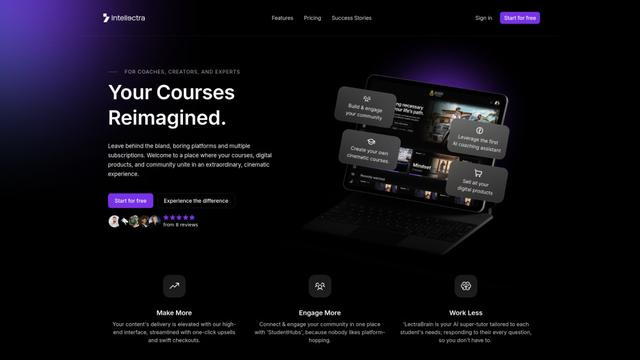
Intellectra
Intellectra is an innovative online platform that combines course hosting, digital product sales, and community engagement with AI-powered features in a cinematic, streaming-platform-inspired interface.
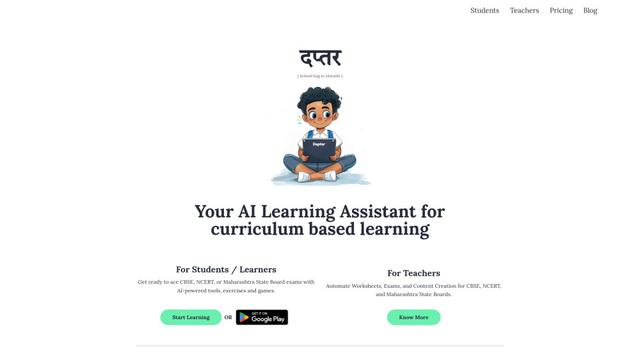
Daptar
Daptar is an AI-powered educational platform that provides personalized learning experiences and teaching tools aligned with major Indian curricula including CBSE, NCERT, and Maharashtra State Board.

Solis
Solis is a versatile brand offering multiple product lines including solar inverters, agricultural tractors, smart appliances, and educational technology solutions, with a focus on sustainability and innovation.
Popular AI Tools Like Honen
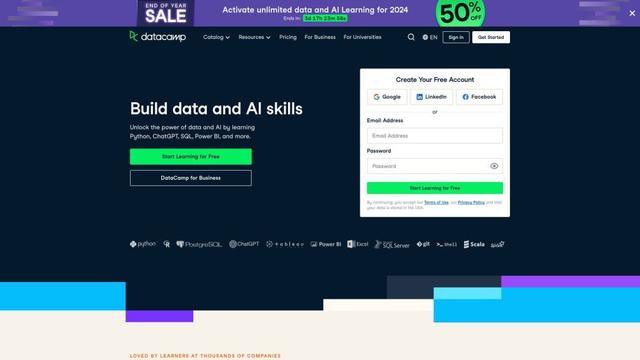
DataCamp
DataCamp is an online learning platform that offers interactive courses, projects, and certifications in data science, AI, and analytics using technologies like Python, R, SQL, and more.

Grow with Google
Grow with Google is a comprehensive initiative offering free online training, tools, and resources to help people grow their skills, advance their careers, or develop their businesses through Google's expertise in digital technology and AI.
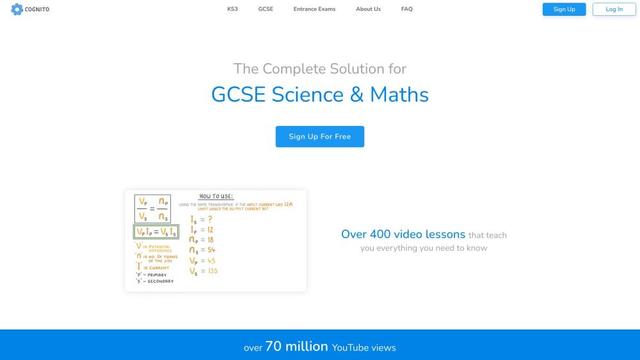
Cognito
Cognito is an AI-driven educational platform offering comprehensive courses and resources for students and educators.
DeepLearning.AI
DeepLearning.AI is an education technology company founded by Andrew Ng that offers world-class AI courses and resources to make AI education accessible to everyone.