
GrowthBook
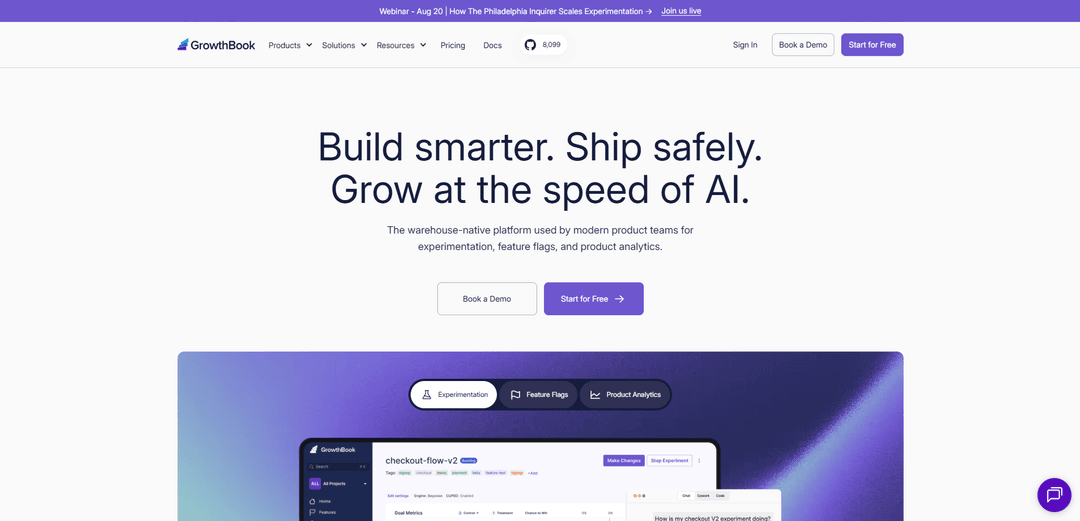
GrowthBook is a warehouse-native, open-source platform for feature flags, A/B testing/experimentation, and product analytics, designed for fast rollouts and rigorous measurement with privacy-first data control.
https://www.growthbook.io/?ref=producthunt
Product Information
Updated:Aug 8, 2026
What is GrowthBook
GrowthBook is an experimentation and release platform that helps product and engineering teams ship safely and learn faster through feature flagging, A/B tests, and analytics. It’s built to fit modern data stacks by connecting directly to your existing warehouse (or using a managed ClickHouse warehouse in GrowthBook Cloud), so you can analyze experiments where your data already lives. GrowthBook is open source (open core), can be self-hosted behind a firewall, and is designed with privacy and security in mind—no raw user-level events or PII need to be sent to GrowthBook for analysis.
Key Features of GrowthBook
GrowthBook is a warehouse-native platform that combines feature flag management, experimentation (A/B/n testing), and product analytics, designed to help teams ship safely and learn faster using their own data. It supports cloud and self-hosted deployments, integrates with many SDKs across server/client/mobile/edge, and emphasizes privacy by keeping raw user-level data and PII out of GrowthBook while querying results directly from your SQL warehouse. It also adds AI-assisted workflows (e.g., summarizing results, SQL help) and agent/tool integrations (e.g., MCP server) to accelerate experiment setup, analysis, and governance at scale.
Warehouse-native experimentation & analysis: Runs experiment analysis by querying your connected SQL data warehouse for raw experiment data and producing statistical reports—without sending raw user-level events or PII to GrowthBook.
Feature flags with safe rollout controls: Centralized feature flag management to turn features on/off without redeploys, with targeting rules and environments (dev/staging/prod) to support staged rollouts and operational safety.
Broad SDK coverage & high-performance delivery: Lightweight SDKs for popular stacks (server-side, client-side, mobile, and edge) including JavaScript/React, Node.js, Python, Java, Go, PHP, Flutter, iOS, and an HTML script tag option.
Product analytics connected to your data: Connects to product data so teams can understand user behavior, track trends, and identify opportunities, with options to explore data and ask an AI Analyst.
AI + agent integrations (MCP server): AI features can auto-summarize results, assist with SQL and hypotheses, and find similar past experiments; the MCP server enables AI coding tools/agents to create flags and experiments and automate cleanup/workflows.
Flexible deployment & open-source core: Available as managed GrowthBook Cloud or self-hosted (on your cloud or on-prem); open-core with a large MIT-licensed codebase plus enterprise-licensed components for advanced needs.
Use Cases of GrowthBook
SaaS feature rollouts with guardrails: Gradually release new UI or workflow changes (e.g., new dashboard design) using feature flags, target subsets of users by attributes/plan, and roll back quickly if metrics degrade.
E-commerce conversion optimization: Run A/B/n tests on checkout flows, pricing displays, or product page layouts and analyze results directly in the warehouse to improve conversion rate and revenue impact.
Media & content engagement experiments: Test recommendation modules, paywall variations, or content layouts and use product analytics to understand downstream engagement and retention effects.
Mobile app experimentation without app releases: Use mobile SDKs and remote configuration to launch experiments and feature changes without waiting for app store approvals, while still measuring impact rigorously.
GenAI product iteration and safety: A/B test AI features (e.g., tutoring, copilots, prompt changes) to validate whether users benefit, combining experimentation with fast rollout/rollback for risk control.
Enterprise governance & scale testing: Standardize experimentation across teams using shared metrics/workflows (where applicable), support high-volume feature evaluations, and keep data within regulated infrastructure via self-hosting.
Pros
Warehouse-native approach keeps data in your environment and enables analysis directly on your source-of-truth metrics.
Combines feature flags, experimentation, and product analytics in one platform with broad SDK support.
Flexible deployment (cloud or self-hosted) with an open-source core and a strong privacy posture (no raw user-level events/PII sent to GrowthBook).
AI and agent integrations (e.g., MCP server) can speed up experiment creation, analysis, and operational workflows.
Cons
Requires connection to a SQL data warehouse for experiment analysis, which adds dependency on warehouse modeling/instrumentation quality.
Some advanced capabilities are part of enterprise/commercial licensing (open-core), which may limit features for purely free/self-managed users.
To get full experiment reporting, you must implement tracking callbacks/event logging correctly; otherwise features can run but results won’t be analyzable in GrowthBook.
How to Use GrowthBook
1) Choose how you’ll run GrowthBook (Cloud or Self-Hosted): Decide between GrowthBook Cloud (fastest setup; free starter available) or Self-Hosted (run the same product on your own infrastructure). Cloud is ideal to start quickly; self-host is ideal for full control and running behind a firewall.
2) Create an account (Cloud) or deploy (Self-Hosted): Cloud: sign up and create your organization/workspace. Self-host: deploy GrowthBook using the official self-host instructions (commonly via Docker Compose for quick dev/staging or Helm chart for Kubernetes). For production, use a stable/scalable MongoDB-compatible solution rather than the default dev mongo container.
3) Organize your workspace (Organization → Projects → Environments): Create Projects to separate teams/products (e.g., “Web” and “Mobile”). Create Environments to separate deployments (e.g., dev, staging, production) so feature rules can differ by environment.
4) Create an SDK Connection and copy your Client Key: In GrowthBook, go to SDK Configuration, create a new SDK Connection, and copy the Client Key (typically starts with "sdk-"). You’ll use this key in your app to fetch the published feature definitions.
5) Create your first Feature Flag in the GrowthBook UI: Create a simple boolean feature flag (on/off). GrowthBook supports advanced targeting, rollouts, prerequisite features, JSON schema validation, and more, but start with a basic flag to validate end-to-end integration.
6) Publish features to your environment: GrowthBook packages all features for an environment into a single JSON payload that your SDK consumes. Ensure you’re editing/publishing in the correct environment (dev vs prod).
7) Install and initialize a GrowthBook SDK in your application (example: React): Install the React SDK and initialize it with apiHost and clientKey. Example commands: `npm install --save @growthbook/growthbook-react nanoid`. Example initialization pattern: create a GrowthBook instance with `apiHost: "https://cdn.growthbook.io"` and your `clientKey`, then call `loadFeatures()` (or `init`) on app start and wrap your app with `GrowthBookProvider`.
8) Pass user targeting attributes to the SDK: Provide attributes used for targeting and experiment assignment (commonly a stable user id). If you only have anonymous users, use a random id persisted in a cookie/localStorage. Be careful changing attributes at runtime since it can change assigned feature values.
9) Read the feature flag value in code and gate behavior: Use the SDK’s feature evaluation methods/hooks to check the boolean (or other typed) value and conditionally render UI or enable backend behavior. This is the core feature-flag workflow.
10) Add targeting rules and gradual rollouts (optional, recommended): In the feature’s rules, add: (a) Forced Value rules to target a subset of users based on attributes, and/or (b) Percentage Rollout rules to ramp exposure using random sampling. Use environments to ramp safely (dev → staging → prod).
11) Run an A/B test using a Feature Rule (server-side or client-side): Add an experiment rule to a feature so users are randomly assigned to variations based on a hash attribute (e.g., user id) and an experiment seed. GrowthBook assigns each variation a range (0–1) and deterministically buckets users.
12) Track “Experiment Viewed” (and other key events) for analysis: Implement a tracking callback (or use a plugin) to send exposure events when an experiment is viewed. This is required for reliable experiment analysis. You can also track business events (signup, purchase, conversion) in your existing analytics/event pipeline.
13) Connect GrowthBook to your data warehouse (or use the managed warehouse): To analyze experiments, connect GrowthBook to your SQL data warehouse (Snowflake, BigQuery, Databricks, Redshift, etc.) or use GrowthBook’s managed warehouse (ClickHouse) to ingest events via SDK/ingestion API.
14) Define Fact Tables in GrowthBook using SQL: Go to Metrics and Data → Fact Tables and create one or more Fact Tables that select raw events from your warehouse. Example pattern: an Orders fact table selecting `user_id`, `timestamp`, and revenue fields from an `orders` table.
15) Build Metrics on top of Fact Tables: Create metrics (conversion, revenue, engagement, etc.) based on your Fact Tables. These metrics become the outcomes you evaluate in experiment results.
16) Launch the experiment and monitor results: Start the experiment once targeting and tracking are correct. GrowthBook’s stats engine supports different approaches (e.g., Frequentist or Bayesian), plus options like sequential testing and CUPED to improve sensitivity. Review results in the GrowthBook UI.
17) Validate and debug feature/experiment behavior during development: Use GrowthBook’s tooling (e.g., DevTools browser extension) to inspect evaluated flags/variations and confirm targeting attributes and assignments are correct.
18) Scale safely: namespaces, governance, and multi-project structure (optional): If you need mutually exclusive experiments, use Namespaces and ensure experiments share the same hash/assignment attribute. As you scale, use Projects to keep teams organized and Environments/approval workflows (where applicable) to govern releases.
GrowthBook FAQs
GrowthBook is a warehouse-native platform for experimentation, feature flags, and product analytics, used by product teams to run tests, ship safely with controlled rollouts, and analyze results on their data.
GrowthBook Video
Popular Articles

Vosko AI: Localize and Dub Videos for Global Audiences
Oct 15, 2026

Atoms: A Multi-Agent AI Platform That Transforms Ideas into Launch-Ready Products
Oct 13, 2026

Nano Banana SBTI: What It Is, How It Works, and How to Use It in 2026
Apr 15, 2026

Atoms Review — The AI Product Builder Redefining Digital Creation in 2026
Apr 10, 2026
Latest AI Tools Similar to GrowthBook

Hapticlabs
Hapticlabs is a no-code toolkit that enables designers, developers and researchers to easily design, prototype and deploy immersive haptic interactions across devices without coding.
Deployo.ai
Deployo.ai is a comprehensive AI deployment platform that enables seamless model deployment, monitoring, and scaling with built-in ethical AI frameworks and cross-cloud compatibility.
CloudSoul
CloudSoul is an AI-powered SaaS platform that enables users to instantly deploy and manage cloud infrastructure through natural language conversations, making AWS resource management more accessible and efficient.

Devozy.ai
Devozy.ai is an AI-powered developer self-service platform that combines Agile project management, DevSecOps, multi-cloud infrastructure management, and IT service management into a unified solution for accelerating software delivery.
Popular AI Tools Like GrowthBook

A2A Protocol
A2A (Agent2Agent) Protocol is an open interoperability protocol developed by Google that enables seamless communication and collaboration between AI agents across different frameworks and vendors, regardless of their underlying architecture.
VoltOps
VoltOps is a framework-agnostic LLM observability platform that provides real-time visual monitoring, debugging, and optimization tools for AI agents across any technology stack.
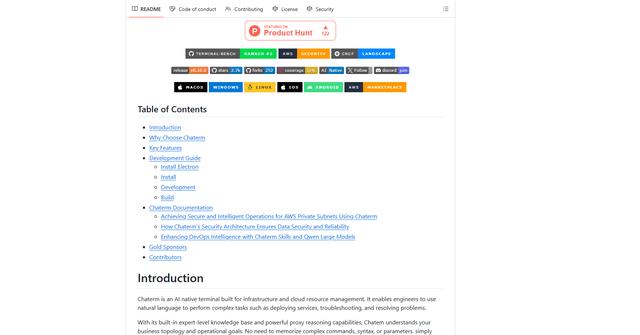
Chaterm
Chaterm is an open-source AI-native terminal and SRE copilot that enables engineers to manage complex infrastructure through natural language, automating deployment, troubleshooting, and operations without memorizing commands.
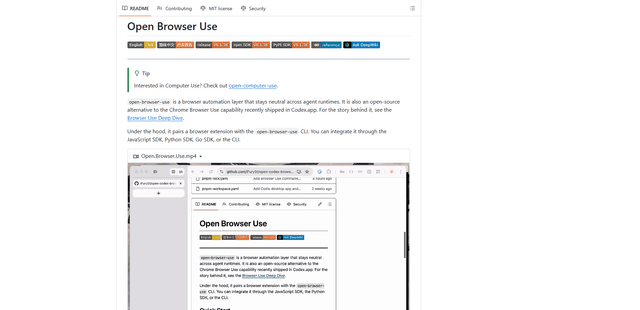
Open Browser Use
Open Browser Use is an open-source, agent-runtime-neutral browser automation layer that pairs a Chrome extension with a CLI/SDK/MCP to enable DOM-aware, CDP-powered tab control, navigation, and actions across different AI agent tools.