
grepai
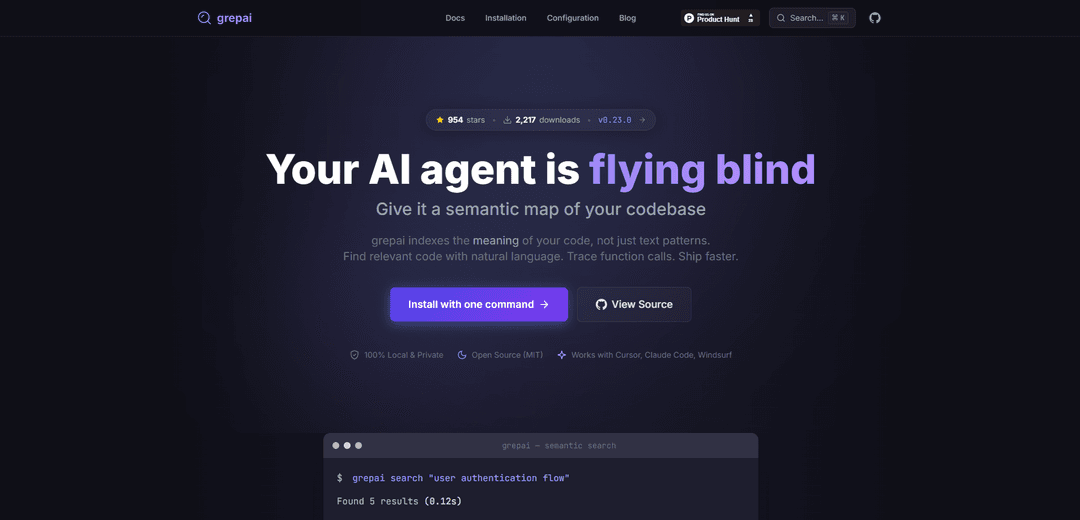
grepai è uno strumento CLI di ricerca semantica del codice che rispetta la privacy e consente la ricerca in linguaggio naturale attraverso le codebase comprendendo il significato del codice tramite embedding AI, rendendo più facile sia per gli sviluppatori che per gli agenti AI trovare istantaneamente il codice rilevante.
https://yoanbernabeu.github.io/grepai?ref=producthunt&utm_source=aipure
Informazioni sul Prodotto
Aggiornato:Feb 8, 2026
Cos'è grepai
grepai rappresenta la prossima evoluzione degli strumenti di ricerca del codice, progettato per l'era dell'IA come alternativa ai tradizionali strumenti di ricerca basati sul testo come grep. È uno strumento CLI open-source scritto in Go che crea una mappa semantica della tua codebase, consentendo agli sviluppatori e agli assistenti di codifica AI di cercare il codice in base al significato piuttosto che alle sole parole chiave. A differenza del suo predecessore grep del 1973, grepai introduce capacità di comprensione semantica mantenendo al contempo la completa privacy eseguendo al 100% localmente sulla tua macchina.
Caratteristiche principali di grepai
grepai è uno strumento CLI di ricerca semantica del codice che pone la privacy al primo posto e utilizza incorporamenti vettoriali per comprendere e indicizzare il significato del codice piuttosto che semplici modelli di testo. Consente ricerche in linguaggio naturale, indicizzazione del codice in tempo reale, analisi del grafo delle chiamate e integrazione perfetta con gli assistenti di codifica AI. Lo strumento viene eseguito localmente, supporta più linguaggi di programmazione e offre opzioni di incorporamento sia locali che basate su cloud, mantenendo la privacy del codice.
Ricerca semantica del codice: Utilizza incorporamenti vettoriali per comprendere il significato del codice, consentendo agli sviluppatori di cercare utilizzando query in linguaggio naturale anziché corrispondenze di testo esatte
Aggiornamenti dell'indice in tempo reale: Mantiene un indice live della tua codebase tramite un demone in background che monitora e aggiorna automaticamente quando i file cambiano
Analisi del grafo delle chiamate: Traccia le chiamate di funzione e le dipendenze attraverso la codebase, aiutando gli sviluppatori a comprendere le relazioni tra le diverse parti del codice
Supporto per l'integrazione dell'AI: Offre l'integrazione MCP nativa e il formato di output JSON per un'integrazione perfetta con assistenti di codifica AI come Cursor, Claude Code e Windsurf
Casi d'uso di grepai
Sviluppo assistito dall'AI: Fornisce agli assistenti di codifica AI un contesto semantico sulle basi di codice, riducendo l'utilizzo di token e migliorando l'accuratezza della risposta
Refactoring del codice: Aiuta gli sviluppatori a comprendere le dipendenze del codice e l'impatto prima di apportare modifiche, consentendo un refactoring sicuro
Navigazione di codebase di grandi dimensioni: Consente l'esplorazione e la comprensione efficiente di codebase di grandi dimensioni tramite query in linguaggio naturale e ricerca semantica
Vantaggi
Funzionamento locale al 100% con completa privacy
Supporta più linguaggi di programmazione
Facile integrazione con strumenti di codifica AI
Nessuna reindicizzazione manuale richiesta
Svantaggi
Richiede configurazione e impostazione iniziale
L'incorporamento locale potrebbe essere più lento delle opzioni cloud
Dipende da fornitori di incorporamento esterni (Ollama localmente o OpenAI nel cloud)
Come usare grepai
Installa grepai: Esegui il comando di installazione: 'curl -sSL https://raw.githubusercontent.com/yoanbernabeu/grepai/main/install.sh | sh'
Inizializza il progetto: Naviga nella directory del tuo progetto ed esegui 'grepai init' per creare la configurazione iniziale in .grepai/config.yaml
Configura l'embedder: Modifica .grepai/config.yaml per impostare l'embedder - locale (Ollama) o cloud (OpenAI). L'impostazione predefinita è Ollama con il modello nomic-embed-text
Avvia il demone di indicizzazione: Esegui 'grepai watch' per avviare il processo di indicizzazione in background che mantiene l'indice della codebase. Puoi usare il flag --background per la modalità demone
Cerca il codice semanticamente: Usa 'grepai search \"la tua query in linguaggio naturale\"' per trovare il codice rilevante. Sii descrittivo nelle query come 'flusso di autenticazione utente' piuttosto che solo 'auth'
Analizza i grafi delle chiamate: Usa i comandi trace per analizzare le relazioni tra le funzioni: 'grepai trace callers \"NomeFunzione\"' per trovare chi chiama una funzione, 'grepai trace callees' per vedere cosa chiama
Ottieni un output adatto all'AI: Aggiungi il flag --json per l'output JSON, --compact per ridurre l'utilizzo di token. Esempio: 'grepai search \"gestione degli errori\" --json --compact'
Integra con strumenti AI: Per l'integrazione AI, usa 'grepai mcp-serve' per eseguirlo come server MCP o configuralo in strumenti come Cursor, Claude Code o Windsurf
FAQ di grepai
grepai è uno strumento CLI incentrato sulla privacy per la ricerca semantica del codice che indicizza il significato del codice, non solo i modelli di testo. Consente agli sviluppatori di trovare codice pertinente utilizzando query in linguaggio naturale e di tracciare le chiamate di funzione.
Video di grepai
Articoli Popolari

Vosko AI: Localizza e doppia video per un pubblico globale
Oct 15, 2026

Atoms: Una Piattaforma AI Multi-Agente Che Trasforma le Idee in Prodotti Pronti al Lancio
May 22, 2026

Nano Banana SBTI: Cos'è, come funziona e come usarlo nel 2026
Apr 15, 2026

Recensione di Atoms — Il builder di prodotti AI che ridefinisce la creazione digitale nel 2026
Apr 10, 2026
Ultimi Strumenti AI Simili a grepai

Gait
Gait è uno strumento di collaborazione che integra la generazione di codice assistita dall'IA con il controllo delle versioni, consentendo ai team di tracciare, comprendere e condividere il contesto del codice generato dall'IA in modo efficiente.

invoices.dev
invoices.dev è una piattaforma di fatturazione automatizzata che genera fatture direttamente dai commit Git dei programmatori, con capacità di integrazione per i servizi GitHub, Slack, Linear e Google.

EasyRFP
EasyRFP è un toolkit di edge computing alimentato da AI che semplifica le risposte alle RFP (Richiesta di Proposta) e consente la fenotipizzazione sul campo in tempo reale attraverso la tecnologia di deep learning.

Cart.ai
Cart.ai è una piattaforma di servizi alimentata dall'IA che fornisce soluzioni complete di automazione aziendale, tra cui codifica, gestione delle relazioni con i clienti, editing video, configurazione e-commerce e sviluppo di AI personalizzata con supporto 24/7.
Strumenti AI Popolari Come grepai

GitHub Copilot Chat
GitHub Copilot Chat è un assistente di codifica alimentato dall'IA che fornisce interazioni in linguaggio naturale, suggerimenti di codice in tempo reale e supporto contestuale direttamente all'interno degli IDE supportati e di GitHub.com.

CopilotForXcode
CopilotForXcode è un'estensione dell'Editor di Codice Xcode che integra GitHub Copilot, Codeium e ChatGPT per fornire suggerimenti di codice alimentati dall'IA, assistenza in chat e funzionalità di prompt-to-code all'interno di Xcode.

BrowserAI
BrowserAI è una libreria open source che consente l'esecuzione di modelli linguistici di grandi dimensioni (LLM) locali direttamente nei browser web con accelerazione WebGPU, offrendo funzionalità di intelligenza artificiale incentrate sulla privacy senza richiedere infrastrutture server.

OpenAI Codex CLI
OpenAI Codex CLI è un agente di codifica open-source leggero che viene eseguito nel tuo terminale, consentendo agli sviluppatori di tradurre il linguaggio naturale in esecuzione di codice fornendo al contempo un ragionamento a livello di ChatGPT con la capacità di eseguire codice, manipolare file e iterare sotto controllo di versione.