
Glasp MCP Connector
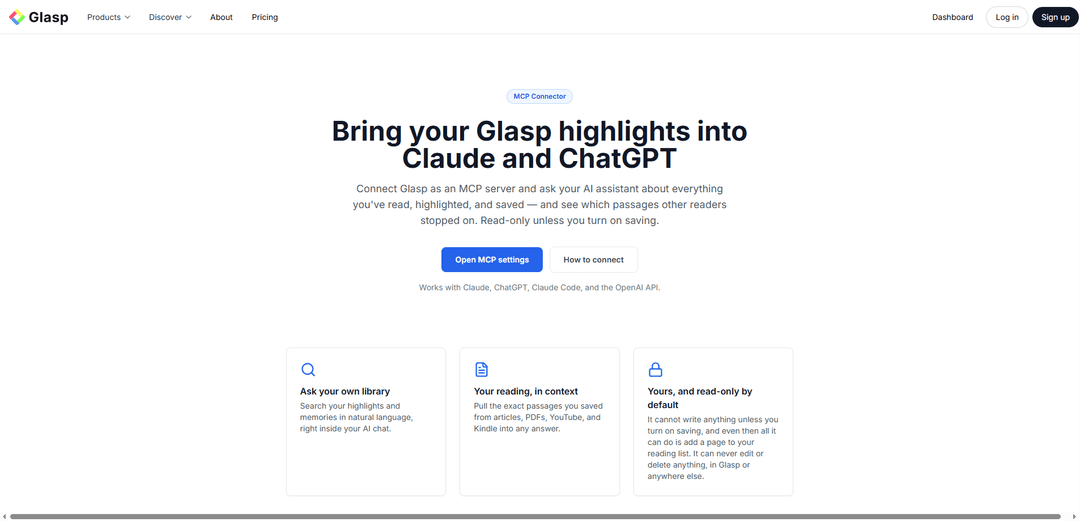
Glasp MCP Bağlayıcısı, Glasp'i Claude, ChatGPT, Claude Code ve OpenAI-API istemcilerine salt okunur bir MCP sunucusu olarak bağlamanıza olanak tanır, böylece kendi vurgularınızı, yer işaretlerinizi ve anılarınızı doğal dilde doğrudan yapay zeka sohbetinizin içinde arayabilir ve alıntılayabilirsiniz.
https://glasp.co/mcp?ref=producthunt&utm_source=aipure
Ürün Bilgisi
Güncellendi:Oct 9, 2026
Glasp MCP Connector Aylık Trafik Trendleri
Glasp'ın istikrarlı trafik artışı, Yapay zekâ destekli özelliklerin — yapay zekâ özetleri ve yapay zekâ klonları gibi — kullanıma sunulmasının yanı sıra Learning Insights aracının ve mobil için Glasp Reader'ın tanıtılmasıyla sağlanıyor. %4,4 büyümeyle aylık 1,6 milyon ziyarete ulaşan platformun Yanıt Motoru Optimizasyonu (AEO)'na yönelik stratejik odağı ve 3,5 milyon kullanıcı dönüm noktası da bu istikrarlı etkileşimi daha da destekledi.
Glasp MCP Connector Nedir
Glasp MCP Bağlayıcısı, Glasp kütüphanenizi – okuduğunuz, vurguladığınız, kaydettiğiniz ve özetlediğiniz her şeyi – MCP uyumlu yapay zeka asistanları içinde aranabilir bir bilgi tabanına dönüştüren bir entegrasyondur. Bağlandıktan sonra, asistanınıza okuma geçmişinizle ilgili sorular sorabilir ve web makaleleri, PDF'ler, YouTube ve Kindle gibi kaynaklardan vurguladığınız tam pasajları geri çekmesini sağlayabilirsiniz. Yalnızca kendi Glasp verilerinizi açığa çıkaracak ve kesinlikle salt okunur modda çalışacak şekilde özel ve hesap kapsamlı olarak tasarlanmıştır.
Glasp MCP Connector Temel Özellikleri
Glasp MCP Bağlayıcısı, Glasp hesabınızı bir MCP sunucusu olarak bağlamanıza olanak tanır, böylece yapay zeka asistanları (örn. Claude, ChatGPT, Claude Code ve OpenAI-API tabanlı istemciler) vurgularınızdan, notlarınızdan, yer işaretlerinizden, özetlerinizden ve yapay zeka tarafından oluşturulan anılarınızdan oluşan kişisel kütüphanenizde arama yapabilir ve alıntı yapabilir. Yalnızca okunur ve hesabınıza özel olacak şekilde tasarlanmıştır, web makaleleri, PDF'ler, YouTube ve Kindle gibi kaynaklardan okuduklarınızın doğal dilde alınmasını sağlarken, OAuth tabanlı erişim ve kolay iptal kontrolleri sunar.
Glasp kütüphaneniz için MCP sunucusu: Kendi Glasp vurgularınızı, yer işaretlerinizi, özetlerinizi ve anılarınızı tek bir MCP Sunucu URL'si (https://glasp.co/api/mcp) aracılığıyla MCP uyumlu yapay zeka araçlarına açın.
Okuma geçmişi genelinde doğal dilde arama: "Aralıklı tekrarlama hakkında ne vurguladım?" gibi sorular sorun ve ilgili kaydedilmiş pasajları doğrudan yapay zeka sohbetinizin içinde alın.
Tam pasaj alma (bağlam içinde alıntılar): Cevapları kaydettiklerinize dayandırmak için makalelerden, PDF'lerden, YouTube transkriptlerinden ve Kindle vurgularından vurguladığınız belirli alıntıları çekin.
Başlıca yapay zeka istemcileriyle çalışır: Claude, ChatGPT, Claude Code ve MCP veya OpenAI API aracı/bağlayıcı modelini destekleyen herhangi bir istemciyle çalışmak üzere tasarlanmıştır.
Tasarım gereği salt okunur: Glasp'te hiçbir şey oluşturamaz, düzenleyemez, yayınlayamaz veya silemezsiniz; yalnızca kendi verilerinizi okur, bu da kazara değişiklik riskini azaltır.
Gizlilik ve erişim kontrolleri: İstekler hesabınızla sınırlıdır, belirteçler hash olarak saklanır (gizli anahtar bir kez gösterilir) ve belirteçleri/uygulamaları Glasp ayarlarından istediğiniz zaman iptal edebilir/bağlantısını kesebilirsiniz.
Glasp MCP Connector Kullanım Alanları
Araştırma ve akademi bilgi geri çağırma: Araştırmacılar, literatür incelemeleri veya yazım için önceki kanıtları, alıntıları ve temaları hızlı bir şekilde bulmak amacıyla makaleler/web kaynakları genelindeki birikmiş vurgularını sorgulayabilir.
İçerik oluşturma ve gazetecilik kaynak bulma: Yazarlar, bir konu hakkında kaydettikleri tam alıntıları isteyebilir ve kişisel okuma arşivlerine dayalı taslaklar oluşturabilir (izlenebilir pasajlarla).
Profesyonel öğrenme ve İK geliştirme etkinleştirme: Bireyler veya ekipler, devam eden okumayı (makaleler, videolar, kitaplar) eğitim, işe alım ve beceri geliştirme süreçlerini desteklemek için aranabilir bir bilgi tabanına dönüştürebilir.
Ürün/UX ve pazar içgörüsü sentezi: Ürün yöneticileri, rakipler, kullanıcı araştırma yöntemleri veya yapay zeka ajanları hakkındaki son okumalarını özetleyebilir ve kararları bilgilendirmek için belirli kaydedilmiş içgörüleri çekebilir.
Mühendislik ve teknik dokümantasyon desteği: Geliştiriciler, MCP özellikli araçlarda kodlama yaparken önemli kod parçacıklarını, tanımları veya uygulama fikirlerini almak için kaydedilmiş teknik vurgularını ve notlarını sorgulayabilir.
Kişisel bilgi yönetimi (PKM) asistanı: Yapay zeka sohbetinizi "ikinci beyninizin" bir arayüzü olarak kullanın, daha sonra okumak için neyi yer imlerine eklediğinizi, geçen hafta neyi kaydettiğinizi veya bir tema hakkında ne öğrendiğinizi sorun.
Artıları
Salt okunur erişim, istenmeyen düzenlemeler veya veri kaybı riskini azaltır.
Doğal dilde arama ve tam pasaj alma ile kişisel vurgularınızı yapay zeka sohbetlerine getirir.
Web asistanları için basit OAuth kurulumu ile geniş uyumluluk (Claude, ChatGPT, Claude Code, OpenAI-API/MCP istemcileri).
Güçlü kullanıcı kontrolü: hesap kapsamlı erişim artı iptal/bağlantı kesme seçenekleri; hash olarak saklanan belirteçler.
Eksileri
Bir Glasp hesabı ve önceki kullanım gerektirir (değer, ne kadar vurguladığınıza/kaydettiğinize bağlıdır).
Salt okunur tasarım, Glasp'e özet/not yazamayacağı veya organizasyon eylemlerini otomatikleştiremeyeceği anlamına gelir.
Herhangi bir uzak MCP sunucusu kullanmak, bağlı yapay zeka araçları sorgulamanız durumunda hassas bağlam alabileceğinden güven/güvenlik konularını beraberinde getirir.
Glasp MCP Connector Nasıl Kullanılır
1. Glasp hesabınızı oluşturun/onaylayın: Glasp'e giriş yapın (bir Glasp hesabı gereklidir), böylece vurgularınız, notlarınız, yer işaretleriniz, özetleriniz ve anılarınız bağlayıcı aracılığıyla yapay zeka asistanınıza açılabilir.
2. Glasp MCP Bağlayıcı ayarlarını açın: Glasp'te Ayarlar'a gidin ve sol kenar çubuğunda "MCP Bağlayıcı"ya tıklayın (veya https://glasp.co/settings/mcp adresini açın). Burası bağlantıları yönetebileceğiniz ve daha sonra erişimi iptal edebileceğiniz yerdir.
3. Glasp MCP Sunucu URL'sini kopyalayın (veya not alın): Bu MCP sunucu URL'sini MCP istemcinizde kullanın: https://glasp.co/api/mcp
4. Claude'da (web) Bağlayıcıları açın: Claude Ayarları'nı açın, ardından "Bağlayıcılar"a gidin.
5. Glasp'i Claude'da özel bir bağlayıcı olarak ekleyin: "Özel bir bağlayıcı ekle"yi seçin ve Glasp MCP Sunucu URL'sini yapıştırın: https://glasp.co/api/mcp
6. Glasp'e giriş yapın ve salt okunur erişimi onaylayın (OAuth): OAuth akışını tamamlayın: Glasp ile giriş yapın ve erişimi onaylayın. Bu akış için belirteç kopyalama/yapıştırma gerekmez. Bağlayıcı tasarım gereği salt okunurdur (hiçbir şey oluşturamaz, düzenleyemez veya silemez).
7. Claude'a kütüphaneniz hakkında soru sorarak çalıştığını doğrulayın: Şu gibi istemleri deneyin: "Aralıklı tekrarlama hakkında ne vurguladım?", "Yapay zeka ajanları hakkındaki son okumamı özetle." veya "Derin çalışma hakkında kaydettiğim alıntıyı bul."
8. ChatGPT'de veya herhangi bir MCP özellikli istemcide kullanın (aynı sunucu URL'si): MCP özellikli istemcinizde, uzak bir MCP sunucusu/bağlayıcısı ekleyin ve aynı sunucu URL'sini (https://glasp.co/api/mcp) kullanın. Glasp verilerinize salt okunur erişim vermek için o istemcinin giriş/yetkilendirme adımlarını izleyin.
9. Cevaplara tam pasajları ve kaynakları çekin: Özel alma isteyin, örneğin: "Öğrenme hakkındaki o makaleden vurgularımı çekin", "Hangi Kindle kitaplarını vurguladım ve ana pasajlar nelerdi?" veya "Geçen hafta kaydettiğim videonun özetini gösterin."
10. Erişimi istediğiniz zaman iptal edin veya bağlantıyı kesin: Bağlı uygulamaların bağlantısını kesmek veya belirteçleri istediğiniz zaman iptal etmek için Glasp Ayarları → MCP Bağlayıcı (https://glasp.co/settings/mcp) bölümüne geri dönün.
Glasp MCP Connector SSS
Glasp'i bir MCP sunucusu olarak bağlamanıza olanak tanır, böylece yapay zeka asistanları (Claude ve ChatGPT gibi) sohbet içinde Glasp vurgularınızı, yer işaretlerinizi, özetlerinizi ve anılarınızı arayabilir ve kullanabilir. Bu, yalnızca okunabilir ve hesabınıza özeldir.
Popüler Makaleler

Vosko AI: Küresel Kitleler İçin Videoları Yerelleştirin ve Dublaj Yapın
Oct 15, 2026

Atoms: Fikirleri Lansmana Hazır Ürünlere Dönüştüren Çoklu Ajan Yapay Zeka Platformu
May 22, 2026

Nano Banana SBTI: Nedir, Nasıl Çalışır ve 2026'da Nasıl Kullanılır
Apr 15, 2026

Atoms İncelemesi — 2026'da Dijital Oluşumu Yeniden Tanımlayan Yapay Zeka Ürün Geliştiricisi
Apr 10, 2026
Glasp MCP Connector Web Sitesi Analitiği
Glasp MCP Connector Trafik ve Sıralamaları
1.6M
Aylık Ziyaretler
#37005
Küresel Sıralama
#4
Kategori Sıralaması
Trafik Trendleri: Nov 2024-Oct 2025
Glasp MCP Connector Kullanıcı İçgörüleri
00:01:15
Ort. Ziyaret Süresi
2.45
Ziyaret Başına Sayfa Sayısı
62.14%
Kullanıcı Hemen Çıkma Oranı
Glasp MCP Connector'in En Çok Kullanıldığı Bölgeler
TW: 28.82%
US: 10.87%
KR: 7.22%
IN: 5.64%
BR: 3.88%
Others: 43.56%
Glasp MCP Connector Benzer En Yeni Yapay Zeka Araçları
Snapmark
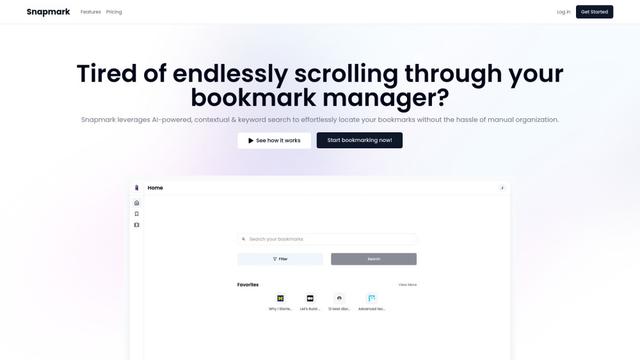
Snapmark, kullanıcıların manuel etiketleme veya kategorilendirme olmadan web sitelerini, resimleri ve metinleri kaydedip aramasını ve organize etmesini sağlayan AI destekli bir yer imi arama motorudur.
Uměl.cz
Uměl.cz, kullanıcı sorgularına akıllı ve bağlamsal yanıtlar sağlayan bir Çek AI destekli arama motorudur.
想读 (WantRead)
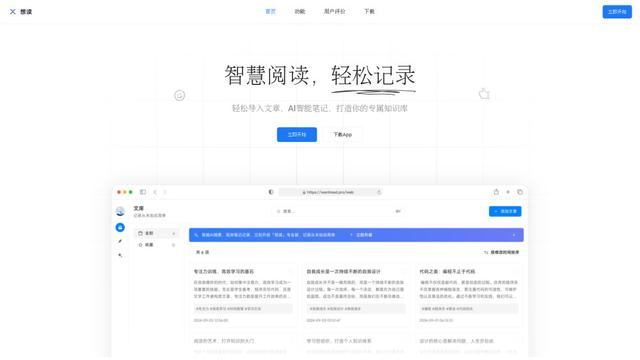
想读(WantRead), kullanıcıların kişisel bilgi tabanlarını kolayca içe aktarmasına, okumasına, not almasına ve oluşturmasına yardımcı olan yapay zeka destekli bir okuma ve not alma platformudur.
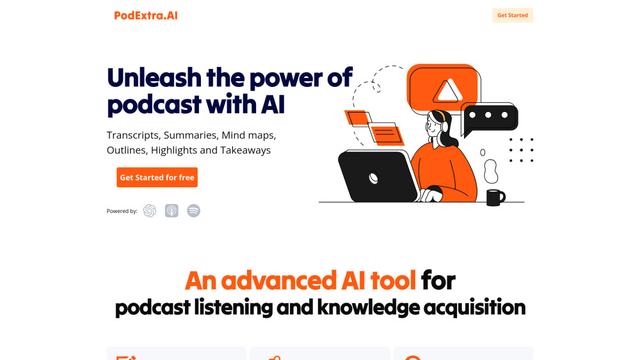
PodExtra AI
PodExtra AI, podcast içeriğini transkriptler, özetler, zihin haritaları, taslaklar, vurgular ve çıkarımlar aracılığıyla sindirilebilir formatlara dönüştüren gelişmiş bir yapay zeka destekli podcast aracıdır.
Glasp MCP Connector Gibi Popüler Yapay Zeka Araçları
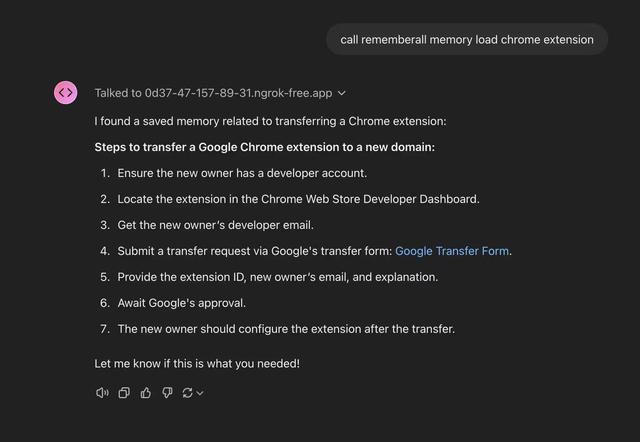
Rememberall
Rememberall, AI uygulamalarının ve GPT modellerinin, anlamsal arama ve vektör depolama yetenekleri aracılığıyla konuşmalar arasında kalıcı bellek sürdürmesini sağlayan güvenli, açık kaynaklı bir uzun vadeli bellek çözümüdür.
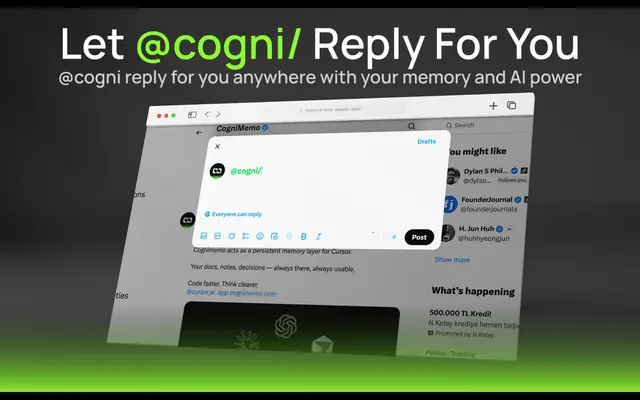
CogniMemo Extension
CogniMemo, kaydedilmiş notlar ve geçmiş sohbetler aracılığıyla bağlam odaklı konuşmaları ve bilgi yönetimini etkinleştirerek ChatGPT, Claude, Gemini ve DeepSeek gibi yapay zeka araçlarına uzun süreli hafıza yetenekleri ekleyen bir tarayıcı uzantısıdır.
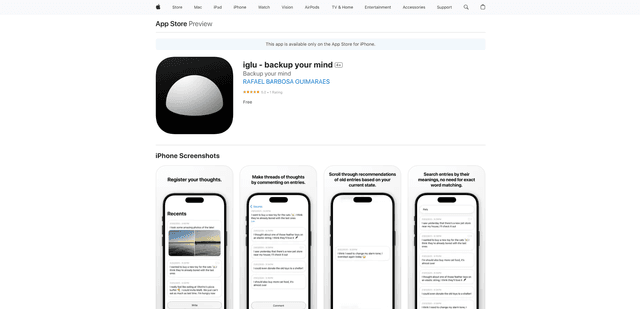
iglu
Iglu, akıllı arama ve öneri özellikleriyle metin ve medya girişleri aracılığıyla kullanıcıların düşüncelerini, anılarını ve fikirlerini kaydetmelerine, düzenlemelerine ve yeniden ziyaret etmelerine yardımcı olan özel, yapay zeka destekli bir mikro-günlük uygulamasıdır.
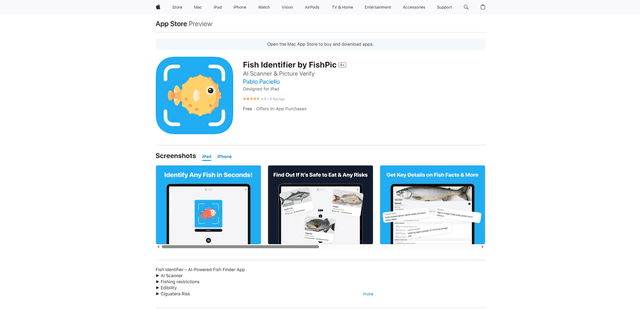
FishPic
FishPic, fotoğraflardan balık türlerini anında tanıyan ve yenilebilirlik, düzenlemeler ve tarifler hakkında kapsamlı bilgi sağlayan yapay zeka destekli bir balık tanımlama uygulamasıdır.