Gemini Omni
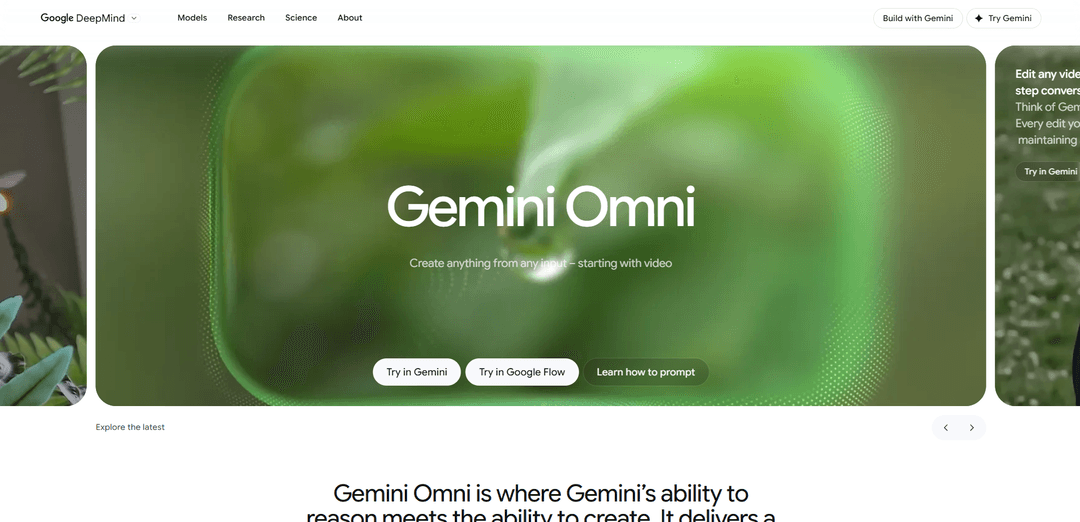
Gemini Omni is Google DeepMind’s native multimodal “any-to-any” model family that can create and conversationally edit coherent, physics-grounded videos from mixed inputs (text, images, audio, and video).
https://deepmind.google/models/gemini-omni?ref=producthunt
Product Information
Updated:Jun 8, 2026
Gemini Omni Monthly Traffic Trends
Gemini Omni received 4.9m visits last month, demonstrating a Slight Decline of -19.2%. Based on our analysis, this trend aligns with typical market dynamics in the AI tools sector.
View history trafficWhat is Gemini Omni
Gemini Omni is a next-generation AI system from Google DeepMind positioned as “create anything from any input — starting with video.” It fuses Gemini’s reasoning and world knowledge with generative media capabilities to generate high-quality video and to edit existing videos through natural, step-by-step conversation. The first released model in the family, Gemini Omni Flash, is rolling out in the Gemini app and Google Flow, and is also available in YouTube Shorts, with additional output modalities (like image and audio) planned over time.
Key Features of Gemini Omni
Gemini Omni is Google DeepMind’s natively multimodal “any-to-any” generative media model family designed to create and edit video from mixed inputs—text, images, video, and audio—through natural, multi-turn conversation. It emphasizes scene consistency across iterative edits, grounding in real-world knowledge and physics for more plausible motion and storytelling, and the ability to reference external assets (e.g., a character image, a style frame, or a motion clip) to control and unify outputs. Omni content created in Gemini, Google Flow, or YouTube includes provenance measures like SynthID watermarking and C2PA Content Credentials, and the initial Omni Flash rollout is positioned as fast, broadly accessible, and currently capped to short clips (e.g., ~10 seconds) as a deployment choice.
Any-to-any multimodal prompting: Accepts text, images, video, and audio together in a single prompt and reasons across them within one model to generate coherent video outputs (rather than stitching separate models/pipelines).
Conversational, multi-turn video editing: Supports step-by-step refinement (swap backgrounds, adjust lighting, change camera angles, remove objects) while keeping characters and prior edits consistent across turns—positioned as “Nano Banana, but for video.”
Reference-driven control: Uses reference inputs (e.g., a character image, an environment photo, a sketch, a style frame, or a motion clip) to guide identity, look-and-feel, motion transfer, and scene continuity.
World knowledge + physics grounding: Combines Gemini’s broad knowledge (history/science/culture) with an intuitive grasp of physical dynamics (gravity, kinetic motion, fluid-like effects) to produce more plausible actions and narratives.
Sync text and effects to on-screen action: Can time on-screen typography and visual/audio beats to events in the video (e.g., word-by-word animated text with rhythmic pacing; lights turning on in sync with music; sounds triggered by touches).
Built-in provenance and safety measures: Outputs created/edited with Omni in supported products include imperceptible SynthID watermarking and C2PA Content Credentials, alongside pre-release safety evaluations and red teaming aligned with Google policies.
Use Cases of Gemini Omni
Social and short-form content creation: Creators can remix existing clips, apply style transformations, add synchronized captions/kinetic text, and iterate via chat for YouTube Shorts and other social formats—optimized for fast, short clips.
Marketing and product sizzle reels: Teams can rapidly generate branded motion graphics and video variants (different styles, scenes, camera angles) and sync typography to beats for promos, launches, and ads.
Education and training explainers: Produces concept videos grounded in real-world knowledge (e.g., science explainers like protein folding) with coherent visuals and narration-style structure, useful for e-learning modules.
Pre-visualization for film, TV, and games: Directors and designers can prototype shots, camera moves, style shifts, and scene edits conversationally before committing to expensive production or 3D work.
Creative post-production and video editing: Editors can request targeted changes (swap objects/characters, alter environments, stabilize or reframe shots, remove passersby) through natural language instead of manual VFX workflows.
Trust, safety, and content provenance workflows: Organizations can leverage SynthID/C2PA signals to help verify whether media was generated/edited with Omni in supported surfaces, aiding moderation and authenticity checks.
Pros
Unified multimodal reasoning and generation: handles mixed inputs (text/image/video/audio) in one system and supports iterative edits without starting over.
Strong creative control via references and multi-turn consistency, enabling practical conversational video editing and style/motion transfer.
Provenance tooling (SynthID + C2PA) and documented safety processes improve transparency for AI-generated/edited media.
Cons
Short clip limits in early rollout (e.g., ~10 seconds for Omni Flash) can constrain longer-form storytelling and production use.
Perfect consistency across complex edits, complex motion, and perfectly accurate text rendering are still acknowledged challenges.
Availability and features depend on subscription tier and geography; some advanced audio/speech editing capabilities may be withheld or limited during testing.
How to Use Gemini Omni
1) Choose where to use Gemini Omni: Use one of the supported surfaces: Gemini app, Google Flow, or YouTube Shorts. (Gemini Omni Flash is rolling out there; availability varies by tier and geography and requires a Google AI subscription.)
2) Start a new Omni creation/edit session: Open the creation experience in your chosen product (Gemini app / Flow / Shorts) and start a new prompt or project for Gemini Omni video generation/editing.
3) Decide your starting input(s) (any-to-video): Pick what you’ll feed Omni: text only, or a combination of image(s), video clip(s), and/or audio (e.g., a voice reference). Omni is designed to turn these references into a single cohesive video output.
4) Provide your base media (optional but powerful): Upload or attach your reference assets: (a) an existing video to edit, (b) an image to guide character/object/style, and/or (c) audio to guide timing/beat or voice reference. Omni can also work from text alone.
5) Write a clear first prompt (what to make): Describe the scene you want and the outcome as a video. Include key constraints such as style (realistic/cinematic), framing (e.g., 16:9), and duration (Omni Flash clips are described as up to ~10 seconds).
6) Specify the “feel” and style without over-prescribing: Tell Omni the intended mood and aesthetic (e.g., grounded vs majestic; realistic vs cinematic). The product guidance emphasizes you don’t need to be overly prescriptive—state intent and let Omni fill in details.
7) Generate the first video output: Run the prompt to produce the initial clip. Omni’s current output is video (image/audio outputs are planned for the future).
8) Edit through multi-turn conversation (core workflow): Iterate by chatting: each new instruction builds on the previous result while aiming to keep the scene coherent and consistent. You can refine details without restarting from scratch.
9) Make targeted edits (objects/characters/details): Ask for specific replacements or transformations (e.g., “Change the ships to be made from white origami paper” or “Make the violin invisible”). Omni is positioned to maintain continuity across edits.
10) Change environment or camera while preserving continuity: Request scene-level changes like transporting a subject to a new environment or changing the camera angle (e.g., “Change the camera angle to be over the subject’s shoulder”), while keeping the rest consistent.
11) Use references to control consistency and style transfer: Add or swap in reference images/videos to guide motion, character appearance, or style (e.g., apply motion from a video to a character from an image; apply a style reference across the output).
12) Add synchronized audio or sound effects (when supported in-product): If your surface supports it, request audio behaviors tied to actions (e.g., “Add harp sounds synchronized to when I touch each leaf” or “Play the animal sound when the finger touches the toy”).
13) Create or sync on-screen text to action: When you need text, explicitly instruct timing/placement/behavior (e.g., word-by-word animated text synced to rhythm). The guidance highlights syncing text with visuals, not just rendering it.
14) Leverage real-world knowledge and physics in prompts: For more believable results, ask for physically plausible motion and/or accurate concepts (e.g., gravity/fluids/kinetics; historically/scientifically grounded scenes). Omni is described as combining physics intuition with Gemini’s world knowledge.
15) Export/share your final clip: Once satisfied, export or publish from your chosen surface (e.g., share from Gemini/Flow or post via YouTube Shorts).
16) Verify provenance when needed: Content created or edited with Omni in Gemini app, Google Flow, or YouTube includes SynthID watermarking and C2PA Content Credentials. Use available verification features in Gemini (and, per the source, coming to Chrome and Search) to check provenance.
Gemini Omni FAQs
Gemini Omni is a Google DeepMind Gemini-family model focused on creation from multimodal inputs—starting with video. It combines Gemini’s reasoning and world knowledge with the ability to generate and edit video through natural-language prompts and multi-turn conversations.
Gemini Omni Video
Popular Articles

Atoms: A Multi-Agent AI Platform That Transforms Ideas into Launch-Ready Products
May 22, 2026

Nano Banana SBTI: What It Is, How It Works, and How to Use It in 2026
Apr 15, 2026

Atoms Review — The AI Product Builder Redefining Digital Creation in 2026
Apr 10, 2026

Kilo Claw: How to Deploy and Use a True "Do‑It‑For‑You" AI Agent(2026 Update)
Apr 3, 2026
Analytics of Gemini Omni Website
Gemini Omni Traffic & Rankings
4.9M
Monthly Visits
#16454
Global Rank
#25
Category Rank
Traffic Trends: Nov 2024-Oct 2025
Gemini Omni User Insights
00:01:07
Avg. Visit Duration
1.61
Pages Per Visit
68.39%
User Bounce Rate
Top Regions of Gemini Omni
US: 20.59%
IN: 10.25%
GB: 4.26%
KR: 3.29%
CN: 2.9%
Others: 58.72%
Latest AI Tools Similar to Gemini Omni

Loud Fame
Loud Fame is an AI-powered video transformation tool that allows users to convert regular videos into anime-style animations and create AI-generated celebrity talking videos.

BizBoom.ai
BizBoom.ai is an AI-powered platform that automatically generates professional product videos from product links and images with 95% less cost.

EzVideos
EzVideos is an all-in-one video creation tool that helps users generate viral videos for social media platforms like Instagram, TikTok, and YouTube with automated editing features and built-in resources.

Illuminix
Illuminix is an AI-powered platform that empowers businesses with autonomous hyper-experts and specialized tools for automated business processes, data management, and video content creation.
Popular AI Tools Like Gemini Omni

HunyuanVideo-I2V
HunyuanVideo-I2V is an open-source AI framework developed by Tencent that transforms static images into high-quality, dynamic videos with customizable motion effects and exceptional visual consistency.

Google Veo 2
Veo 2 is Google DeepMind's state-of-the-art AI video generation model that can create high-quality videos up to 4K resolution with realistic motion, extensive camera controls, and improved physics simulation from text prompts.

Vibing
Vibing is an AI-powered dating app that helps users share authentic moments through video stories and make genuine connections based on personality matching and interactive features.

Edits, an Instagram app
Edits is Instagram's free video creation app that provides creators with professional editing tools, AI features, and analytics capabilities to create high-quality videos directly from their phones.