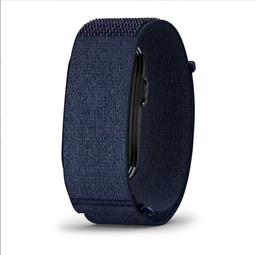
Garmin CIRQA™ Smart Band
WebsiteAppFree
Garmin CIRQA™ Smart Band is a screenless, subscription-free smart band that delivers 24/7 health monitoring, advanced sleep and recovery insights, automatic activity detection, and up to 10 days of battery life—all viewed in the Garmin Connect™ app.
https://www.garmin.com/en-US/p/1989182/?ref=producthunt
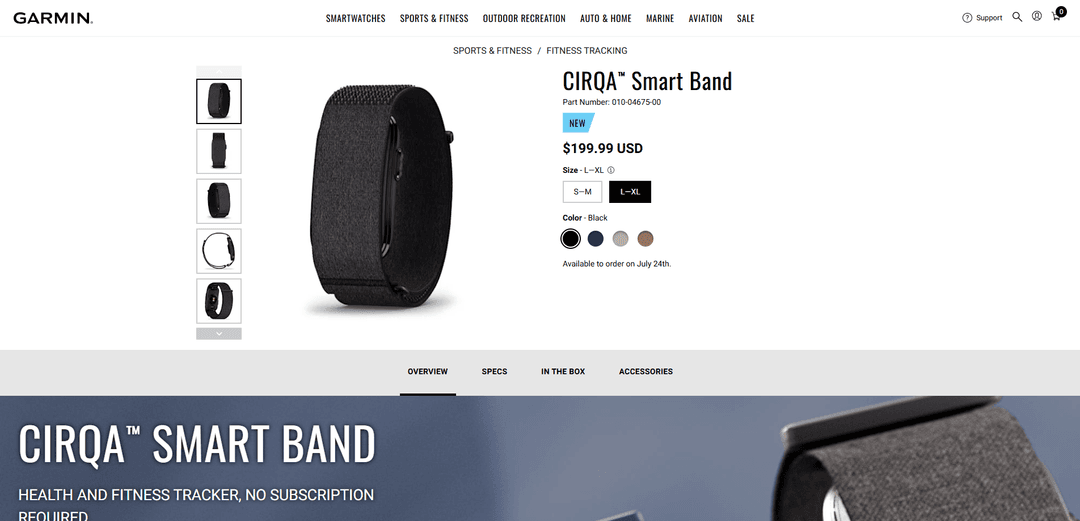
Product Information
Updated:Aug 8, 2026
What is Garmin CIRQA™ Smart Band
Garmin CIRQA™ Smart Band is Garmin’s first screen-free smart band, announced July 21, 2026 and available to order starting July 24, 2026, designed for people who want continuous health and fitness tracking without on-wrist distractions. Instead of a display, CIRQA focuses on around-the-clock monitoring—such as heart rate, stress, Body Battery™ energy monitoring, Pulse Ox, skin temperature, and sleep tracking—while keeping your results and trends in the Garmin Connect™ smartphone app. It’s positioned as a discreet companion to Garmin’s smartwatch ecosystem (and an alternative to subscription-centric screenless bands), offering core metrics and insights without requiring a subscription, with optional Garmin Connect+ available for premium features.
Key Features of Garmin CIRQA™ Smart Band
Garmin CIRQA™ Smart Band is Garmin’s first screen-free smart band designed for distraction-free, 24/7 wellness and fitness tracking with up to 10 days of battery life and no required subscription. It continuously monitors key health signals (wrist heart rate, Body Battery™, stress, Pulse Ox2, HRV status, skin temperature, sleep stages/score, naps and more) and routes insights into the Garmin Connect™ app, where users can review trends, coaching, and training metrics (e.g., Training Readiness, VO2 max, Training Status). It also supports manual tracking for 80+ activities, automatic activity detection with post-editing/confirmation in the app, connected GPS via phone for outdoor tracking, and can broadcast heart rate to compatible Garmin devices.
Screenless, distraction-free design: No display—data, trends, and coaching live in the Garmin Connect app, helping users stay focused while still capturing continuous health and activity metrics.
24/7 health monitoring suite: Tracks wrist-based heart rate (with configurable high/low alerts), Body Battery energy monitoring, stress, Pulse Ox2, HRV status (during sleep), breathing variations, and skin temperature for broader wellness context.
Advanced sleep tracking + smart wake: Provides sleep stages, sleep score, sleep coaching, circadian sleep alignment, nap detection, and a smart wake alarm that uses vibration to wake you at an optimal time.
Fitness + training insights (watch-like metrics): Delivers training-focused metrics such as Training Readiness, Training Status, VO2 max, workout benefit and recovery time—useful for planning intensity and recovery even without a smartwatch screen.
Activity tracking: 80+ modes + auto-detection: Start 80+ activities from the side button or in Garmin Connect, and rely on automatic activity detection; you can confirm/edit detected sessions in the app and the band adapts to improve classification over time.
Garmin ecosystem integration (no subscription required): Syncs seamlessly with Garmin Connect and can broadcast heart rate to compatible Garmin devices (e.g., Edge cycling computers). Optional Garmin Connect+ adds premium features (e.g., live activities, Garmin Coach plans, AI-powered insights).
Use Cases of Garmin CIRQA™ Smart Band
Everyday wellness tracking for busy professionals: Continuous stress, sleep, Body Battery and HRV trends help users manage workload, recovery and habits without the distraction of another screen.
Endurance training companion (running/cycling): Use Training Readiness/Status, recovery time and VO2 max trends to modulate training load; broadcast heart rate to Garmin Edge during rides and use connected GPS for outdoor routes.
Sleep improvement and recovery optimization: Sleep score, coaching, nap detection, skin temperature and smart wake support sleep hygiene and recovery planning for athletes, shift workers, or anyone improving rest quality.
Women’s health and fertility insights: Tracks menstrual cycle/pregnancy and uses overnight skin temperature for better period predictions and past ovulation estimates; can sync with the FDA-cleared Natural Cycles app (subscription required) for deeper fertility insights.
Wellness programs and lifestyle behavior change: Use Garmin Connect reports (including optional logging like caffeine/alcohol) to correlate habits with stress, sleep quality and energy—useful for corporate wellness or personal coaching contexts.
Accessible activity tracking (wheelchair mode): When worn on the wrist, tracks daily pushes and provides weight shift alerts and sports apps; with Garmin Connect+ users can access wheelchair-focused workouts.
Pros
No required subscription for core tracking and insights in Garmin Connect
Up to ~10 days battery life with 24/7 monitoring
Strong Garmin ecosystem integration (training metrics, HR broadcast, connected GPS, cross-device sync)
Screenless design reduces distractions while still capturing comprehensive health data
Cons
No on-device display means you must use the phone app to view metrics and details
Connected GPS relies on a paired smartphone for outdoor route/distance tracking
Some features are paywalled behind Garmin Connect+ (e.g., live activities, guided meditation/breathwork, some coaching/plans)
No altimeter, so floors climbed is not recorded
How to Use Garmin CIRQA™ Smart Band
1) Activate (power on) the CIRQA Smart Band: Plug the CIRQA module into the charger, then connect the USB cable to a power source. The band turns on when connected to power.
2) Wear it correctly (wrist or upper arm): Wear the CIRQA smart band on your wrist or upper arm. It should be lightly snug while remaining comfortable for accurate 24/7 tracking (day and night).
3) Install Garmin Connect on your phone: Download and install the Garmin Connect™ app on your smartphone (iOS or Android). CIRQA requires Garmin Connect to use connected features and to view health/activity data.
4) Put CIRQA into pairing mode: When the device is ready to pair, the LED flashes purple and remains in pairing mode until it is paired. If pairing mode times out, press the side button to reactivate pairing mode.
5) Pair CIRQA with Garmin Connect: Open Garmin Connect and follow the in-app prompts to add/pair a new device. Keep the band close to your phone until pairing completes.
6) Confirm data is syncing in Garmin Connect: After pairing, use Garmin Connect to view your health metrics and device data. CIRQA is screenless, so your metrics and insights live in the app.
7) Use CIRQA for 24/7 health monitoring: Wear CIRQA continuously to track metrics such as wrist-based heart rate, Body Battery™, stress, Pulse Ox, HRV status, skin temperature, sleep score, naps, and more (availability may vary by region and settings).
8) Track sleep and recovery: Wear CIRQA overnight to get advanced sleep tracking (sleep stages, sleep score, sleep coaching, sleep alignment/circadian consistency), HRV status, breathing variations during sleep (where available), and skin temperature trends. Review results in Garmin Connect.
9) Start an activity manually (on-device button): Press the side button to start tracking a favorite activity directly from the band. CIRQA supports 80+ activities (e.g., running, yoga, cycling).
10) Start an activity from Garmin Connect (phone): In Garmin Connect, start an activity from the app when you prefer phone control. This is also how you can view live metrics/graphs if you have a Garmin Connect+ plan.
11) Get outdoor distance/pace with Connected GPS: For outdoor walks/runs/rides, keep your phone with you so CIRQA can use your smartphone’s GPS for more accurate tracking. View distance/pace and route details in Garmin Connect.
12) Let CIRQA auto-detect activities (and improve accuracy over time): CIRQA can automatically detect a variety of activities (including walking and running). Afterward, open Garmin Connect to confirm or edit what CIRQA detected; the band adapts over time to classify your activities more accurately.
13) Review and edit workouts after you finish: Because CIRQA has no screen, review activity summaries in Garmin Connect. Edit activity type/details if needed—especially for auto-detected sessions.
14) Use training and readiness features: Check Garmin Connect for training readiness, training status, VO2 max (not available in wheelchair mode), recovery time, and workout benefit to decide when to push or recover.
15) Set up heart rate alerts (optional): In Garmin Connect, configure high and low abnormal heart rate alerts (outside workouts) based on your preferred thresholds.
16) Use women’s health features (optional): In Garmin Connect, enable women’s health tracking to log menstrual cycle or pregnancy. Wear CIRQA while sleeping to use skin temperature trends for better period predictions and past ovulation estimates (feature is not intended for conception/contraception/birth control).
17) Sync with Natural Cycles (optional): If you use the Natural Cycles app, sync your skin temperature data from Garmin Connect to Natural Cycles for deeper fertility insights (Natural Cycles subscription required).
18) Log lifestyle factors (optional): Use Garmin Connect to log behaviors such as caffeine and alcohol intake and view reports on how they may impact your health metrics.
19) Use Smart Wake Alarm (optional): Enable the smart wake alarm in Garmin Connect to have CIRQA gently vibrate and wake you at an optimal time.
20) Use Garmin Connect+ premium features (optional): If you subscribe to Garmin Connect+, you can access premium features such as live activities (guided workouts with metric graphs), Garmin Coach training plans, nutrition tracking, meditation, mindful breathing, and Garmin Active Intelligence™ AI-powered insights.
21) Broadcast heart rate to other Garmin devices (optional): Enable heart rate broadcasting so CIRQA can send your heart rate to compatible Garmin devices (e.g., Edge® cycling computers) for real-time viewing during activities (requires phone + Garmin Connect).
22) Charge for continued use: Recharge as needed (up to ~10 days between charges, depending on settings and usage). Plug the module into the charger and connect to power.
Garmin CIRQA™ Smart Band FAQs
CIRQA is a discreet, screenless health and fitness tracker that provides advanced 24/7 health monitoring and activity tracking, with data viewed in the Garmin Connect™ app.
Garmin CIRQA™ Smart Band Video
Popular Articles

Vosko AI: Localize and Dub Videos for Global Audiences
Oct 15, 2026

Atoms: A Multi-Agent AI Platform That Transforms Ideas into Launch-Ready Products
Oct 13, 2026

Nano Banana SBTI: What It Is, How It Works, and How to Use It in 2026
Apr 15, 2026

Atoms Review — The AI Product Builder Redefining Digital Creation in 2026
Apr 10, 2026