Gamma AI
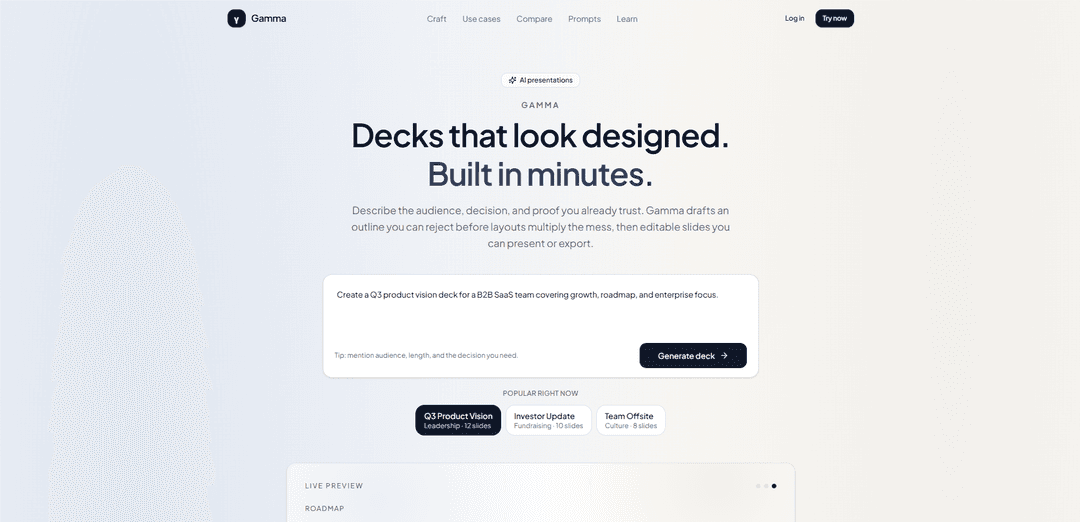
Gamma AI is an AI-powered presentation platform that helps you create professional, visually polished slide decks in minutes. Simply describe your topic, and Gamma AI generates structured presentations complete with engaging layouts, images, and content that you can easily customize, collaborate on, and export for meetings, pitches, reports, or classroom use.
https://www.gamma-ai.app/?utm_source=aipure
Product Information
Updated:Aug 6, 2026
What is Gamma AI
Gamma AI (Gamma) is a browser-based, AI-assisted creation tool designed to help people produce professional-looking presentations, documents, and webpages without needing design or coding skills. Positioned as an “AI design partner,” it focuses on making content decision-ready by emphasizing structure and storytelling, not just templates. Users can generate, edit, present via a shareable link, and export formats like PDF/PPTX/PNG when a file is required, with built-in support for modern, media-rich content and collaboration-oriented workflows.
Key Features of Gamma AI
Gamma AI is a browser-based, AI-powered workspace for rapidly creating and refining presentations (and also documents/web-style pages) from prompts, pasted text, or uploaded files. It emphasizes an outline-first workflow to avoid generic “slide soup,” then generates editable, themed slides with layouts, visuals, and embedded media. Users can edit manually or via a conversational assistant (Gamma Agent) to rewrite, restyle, and regenerate sections, then present via a shareable link or export to formats like PDF/PPTX/PNG when a file is required. The product is credit-based on some plans, supports collaboration, and includes features such as templates/themes, AI writing support, and data/visual blocks like charts.
Outline-first generation gate: Creates a reviewable outline before producing slides, helping users fix narrative structure early (titles, ordering, “ask”) before committing to layouts.
Prompt-to-deck content generation: Generates structured slide content from a topic/prompt, pasted notes, or uploaded documents (e.g., Word/PDF/Google Docs), including outlining, rewriting, summarizing, and expanding bullets.
Editable card-based layouts with themes: Builds presentations in a flexible, web-card style editor with consistent theming (fonts/colors/backgrounds/icons) and varied layout blocks (e.g., comparisons, timelines, galleries).
Gamma Agent (conversational editing): An AI assistant you chat with to refine tone, rewrite sections, restyle slides, and apply changes across a deck without manual slide-by-slide edits.
Rich embeds and visual/data blocks: Supports embedded media and interactive elements plus built-in charting/data editing (e.g., bar/pie charts) to quickly visualize information inside the deck.
Present-by-link and export options: Enables in-browser presenting and easy sharing via links; exports to artifacts like PDF, PPTX, or PNG when required for offline, procurement, or PowerPoint-centric workflows.
Use Cases of Gamma AI
Product & leadership decision reviews: Create decision-ready decks (ship/no-ship, weekly updates) with claim/proof/ask titles, key metrics, risks, owners, and appendix detail for Q&A.
Sales & customer-facing pitches: Generate tailored sales decks after discovery—status quo cost, differentiation vs alternatives, proof points, objection handling, and mutual next steps—then share as a live link.
Marketing briefs to launch narratives: Turn product briefs or research into polished presentations quickly, maintaining consistent branding and adding visuals/embeds for campaigns, webinars, and internal enablement.
Investor updates & fundraising materials: Draft monthly investor updates or pitch materials with structured metrics (ARR/MRR, retention definitions, runway), explicit asks, and risks separated from the core narrative.
Education and training content: Build lecture-style presentations and learning materials from outlines or source documents, focusing on clear learning outcomes and structured progression.
Fast web-style docs for sharing: Publish lightweight, scrollable presentations/documents as shareable pages (more web-like than traditional slides), useful for async updates and cross-functional alignment.
Pros
Fast time-to-first-draft: generates a structured, designed deck in under a minute, reducing manual formatting work.
Stronger narrative control than many generators: the outline review step and claim/proof/ask framing help avoid generic decks.
Flexible delivery: present in-browser via link or export to common formats when a file is needed.
Cons
Export fidelity can require cleanup: converting from fluid web-cards to PPTX/16:9 may introduce layout inconsistencies and manual fixes.
Advanced capabilities can be paywalled/credit-limited: free tiers often have limited AI usage and some pro features (e.g., broader export, advanced tooling).
Design freedom is not unlimited: template/layout-driven approach may feel restrictive for highly bespoke, pixel-perfect corporate standards.
How to Use Gamma AI
1) Sign up and open the dashboard: Go to gamma.app and click “Start for free.” Sign up with email or Google (confirmation is typically instant). You’ll land in the dashboard (often showing areas like “All Gammas”). If you used a work email, check spam for any verification message.
2) Start a new project with AI: From the dashboard, click “Create New AI” (or “Create new with AI”). Choose what you want to make (Presentation, Document, or Webpage).
3) Choose a creation mode (Generate / Paste / Import): Pick the mode that matches your starting point: (a) Generate: start from a prompt/topic, (b) Paste: paste an outline or draft text, (c) Import: upload a file (common supported formats include DOC/DOCX, PDF, PPT/PPTX, TXT/MD, XLS/XLSX/CSV, HTML, EPUB/MOBI, XMIND/MM; typically under 10MB).
4) Brief the job (audience + decision + time box + proof): Write a specific brief instead of a vague topic. Include: who the audience is, the decision or learning outcome you need, meeting length/slide budget, tone, must-include proof (metrics, constraints, quotes), and what to omit. Sources emphasize that 8–14 precise sentences beat a one-line prompt and reduce generic output.
5) Use outline-first review (the “outline gate”): Before generating full slides, review the proposed outline and edit it. Cut filler (e.g., “Overview”), merge duplicates, reorder for narrative flow, and ensure titles read like claims (not categories). Do a title-only skim: if the story doesn’t work from titles alone, rewrite titles now.
6) Generate the draft deck: Confirm the outline and let Gamma generate the presentation. Draft generation is commonly described as fast (often ~30–60 seconds depending on complexity).
7) Edit slides manually and with per-block AI tools: Click into any card/slide to edit text and layout. Use the AI controls (often shown as a sparkle/AI button) on selected text/blocks to rewrite, expand, simplify, change tone, fix spelling/grammar, summarize, or translate. Note from sources: AI editing is commonly applied to individual slides/blocks unless you have access to broader features via paid tiers.
8) Add or reorganize content with AI instructions: Use AI to make targeted structural changes, such as: “Add an executive summary,” or “Add a slide about implementation timeline after slide 7.” This is positioned as faster than regenerating the entire deck.
9) Improve layout using smart layouts and visual tools: Apply Gamma’s smart layouts to quickly organize content into grids, timelines, comparisons, and multi-column structures without manual alignment. If you have data, use built-in chart tools (e.g., bar/pie) and edit values/labels directly in Gamma.
10) Adjust theme and styling: Open the Theme panel (often a palette icon) to switch preset themes or use “smart themes” by describing a style in plain language (e.g., “clean and minimal with navy accents”). Ensure the chosen theme matches the artifact you need (live presentation vs. leave-behind).
11) (Optional) Use Gamma Agent for broader edits (if available): If you have access to the Agent feature (noted as Beta in sources), you can chat to restyle an entire deck, rewrite across multiple slides, incorporate links/webpages/screenshots, recreate tables from screenshots, generate diagrams/visualizations, and make global changes faster than editing slide-by-slide.
12) Manage credits on the free plan: Be aware of the credit system on the free tier (sources mention new users may receive ~400 credits). Credits can be consumed by actions like generating a full deck, adding slides, rewriting text, finding images, or generating AI images. Monitor usage if you rely on free credits.
13) Present in-browser or share a link: Use Gamma’s present mode to present directly from the browser and share via a link when you want the latest edits reflected instantly.
14) Export when a file is required (PDF/PPTX/PNG/Google Slides): Export to the format you need (sources mention exports such as PDF, PPTX, PNG, and Google Slides). Plan for cleanup if PPTX is mandatory—sources note export fidelity may differ from the in-app view and formatting can require adjustments in PowerPoint.
15) Know practical constraints (desktop editing and collaboration): For full functionality, use a desktop browser (sources note mobile editing limitations). Collaboration/co-editing and unlimited AI usage may require paid tiers; free is positioned as sufficient for personal drafting and in-app presenting, while Pro/paid plans add higher limits and additional capabilities.
Gamma AI FAQs
Gamma is an AI-powered tool that helps you create presentations (decks), documents, and webpages from a text prompt, an outline, or existing content, producing editable, designed output you can present in-browser or export.
Popular Articles

Vosko AI: Localize and Dub Videos for Global Audiences
Oct 15, 2026

Atoms: A Multi-Agent AI Platform That Transforms Ideas into Launch-Ready Products
Oct 13, 2026

Nano Banana SBTI: What It Is, How It Works, and How to Use It in 2026
Apr 15, 2026

Atoms Review — The AI Product Builder Redefining Digital Creation in 2026
Apr 10, 2026
Latest AI Tools Similar to Gamma AI
PPTalker
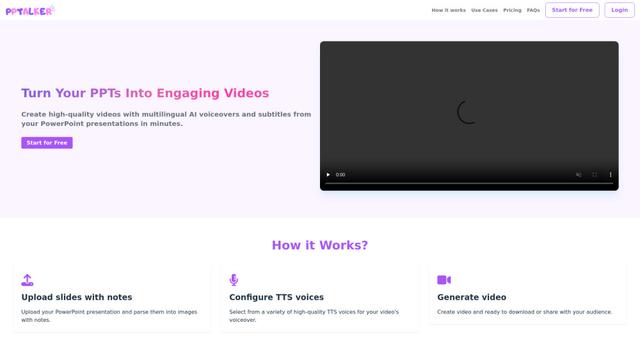
PPTalker is an online PowerPoint to video converter that transforms presentations into engaging videos with AI-powered multilingual voiceovers and subtitles.
Napkin
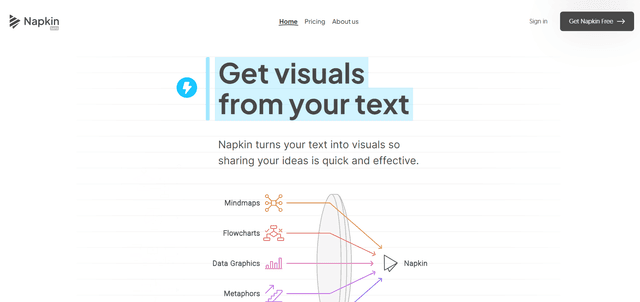
Napkin AI is an innovative AI-powered tool that automatically transforms text into visually appealing graphics, diagrams, and illustrations to enhance business communication and storytelling.
Aidocmaker.com
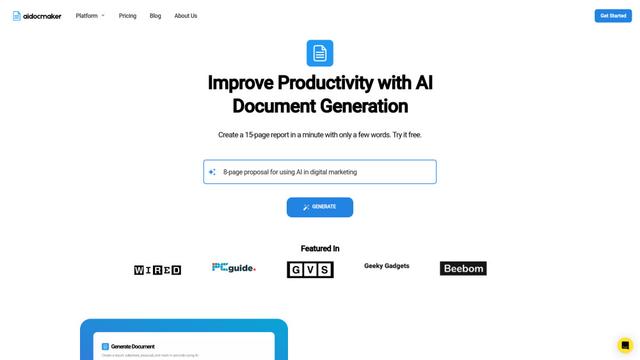
Aidocmaker.com is an AI-powered document creation platform that allows users to effortlessly generate professional documents, presentations, spreadsheets, and voiceovers in minutes.

Yanbi AI
Yanbi AI is a free AI-powered writing tool that generates high-quality content for various writing scenarios with one click.
Popular AI Tools Like Gamma AI
MulmoCast
MulmoCast is an AI-native multi-modal presentation tool that automatically generates videos, podcasts, slides, PDFs, and manga-style content from a single script using various AI technologies.
MulmoCast Vision
MulmoCast Vision is an AI-powered tool that automatically generates professional presentation slides through LLMs via Model Context Protocol (MCP), featuring 80+ business-oriented templates for various corporate needs.
Gamma
Free TrialAI Presentation Generator
Gamma App is an AI-powered tool for creating beautiful presentations, documents, and websites with no design or coding skills required.
SLIDESGO
Slidesgo is a free online platform that provides professionally designed presentation templates for Google Slides and PowerPoint with customizable themes, infographics, and AI-powered tools to help create engaging presentations faster.