Flova AI
Flova AI is an all-in-one AI video creation agent that turns natural-language ideas and reference assets into planned, generated, edited, and export-ready videos using integrated video, image, voice, music, and workflow tools.
https://flova.tv/?utm_source=aipure
Product Information
Updated:Nov 10, 2026
What is Flova AI
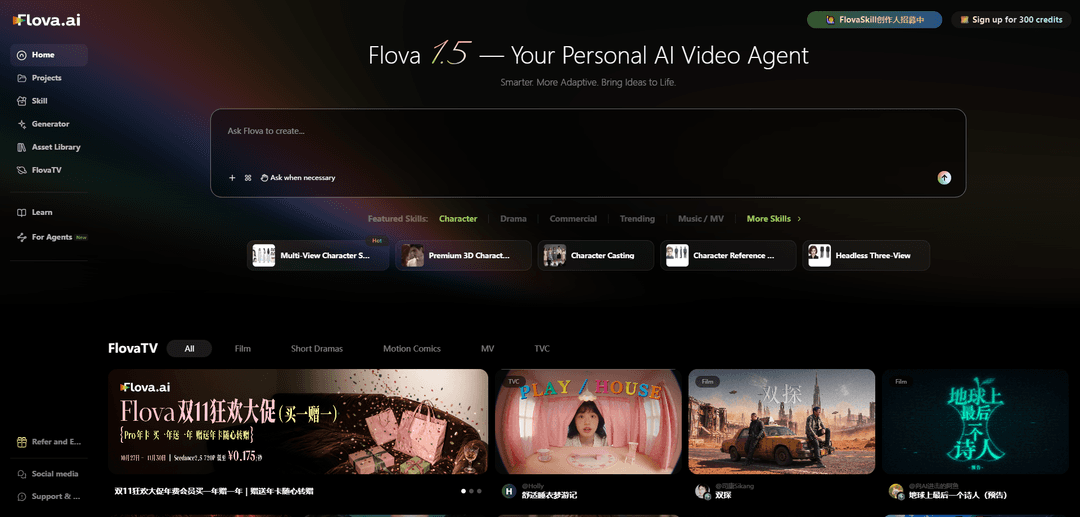
Flova is an all-in-one AI video Agent that turns your ideas into videos step by step. Describe what you want to make in natural language or upload your own references. Flova helps you develop scripts, plan storyboards, create images, video and audio, and assemble the results on an editable timeline. Review the storyboard and prompts before generation. Refine individual shots or assets without rebuilding the whole project. Reuse character references, scenes and style notes to maintain a consistent look across shots. Flova Skills capture creative methods that you can refine and reuse across projects. Work in list, grid or canvas views and keep your assets organized in one workspace. Create short films, short dramas, music videos, product ads, anime videos and social content. Flova is built for independent creators, freelancers and creative or marketing teams. Paid subscriptions use credits, and available models and limits vary by plan.
Key Features of Flova AI
Flova AI is an AI-native video-production workspace that helps creators move from a natural-language idea or uploaded references to a storyboard, generated visual and audio assets, editable timelines, and final exports. It combines multiple video, image, music, and narration models with project memory, reusable assets, and workflow-based Flova Skills to support consistent multi-shot production for ads, social content, short films, animation, and more.
AI video-production agent: Interprets a text brief or uploaded scripts, images, video, and audio references, then helps plan scripts, storyboards, shots, assets, and edits across a project.
Multi-model creation workspace: Provides access to a range of AI image, video, music, and narration models in one interface, allowing the agent to use different models for the appropriate production task.
Flova Skills: Offers reusable, configurable workflows for tasks such as product ads, short dramas, music videos, anime, social content, and e-commerce visuals; users can also create and refine their own Skills.
Consistency and asset management: Lets users save and reuse character references, scenes, voices, style notes, and other assets across shots and projects to help maintain a coherent visual identity.
Storyboard-to-timeline editing: Associates media with shots and assembles generated or imported footage, images, and audio on editable timelines, with support for multiple versions within a project.
Targeted revision workflow: Users can comment on a specific storyboard card, shot, or asset and ask the agent to revise that part while preserving the surrounding project context.
Use Cases of Flova AI
E-commerce product advertising: Brands can upload product images and campaign information to create product promos, launch commercials, unboxing-style ads, logo scenes, and social-ready product visuals.
Social-media content production: Creators and marketers can develop TikTok hooks, Instagram Reels, carousels, vertical ads, and other short-form assets using repeatable social-focused Skills.
Short films and narrative dramas: Filmmakers can turn concepts or scripts into planned multi-shot stories with character references, scene continuity, dialogue or narration, music, and a final editable cut.
Music videos and lyric-driven visuals: Musicians and video creators can upload music, generate visuals that match a song's mood or rhythm, and assemble stylized sequences into a music video.
Animation and serialized character content: Animators and channel creators can build anime, 3D, motion-comic, or avatar-led videos while reusing character and style assets across episodes.
Creative prototyping for agencies and teams: Marketing and creative teams can rapidly test storyboards, visual directions, shot variations, and alternate edits before committing to a larger campaign or production.
Pros
Combines planning, generation, audio creation, asset organization, and timeline editing in one production-oriented workspace.
Reusable Skills, references, and asset libraries can reduce repeated prompting and improve consistency across projects.
Supports targeted revisions and multiple timelines, which is useful for testing alternative scenes, campaign versions, or episode edits.
Includes commercial use and watermark-free exports on the listed paid plans.
Cons
Video quality, character continuity, and prompt adherence ultimately depend on the underlying third-party generation models and may still require review and regeneration.
The credit-based cost can vary substantially by model, resolution, clip duration, and settings, making extensive experimentation potentially expensive.
Its storyboard- and workflow-first approach may feel slower or more complex than a simple single-prompt video generator for quick visual tests.
Many advanced generation, enhancement, and export capabilities require a paid subscription.
How to Use Flova AI
1. Open Flova and create an account: Go to https://www.flova.ai/en/ and sign up or log in. New users may receive trial credits; generation features consume credits based on the model, duration, resolution, and settings selected.
2. Start a project: Select Create Now from the homepage. You can begin with a plain-language idea, a script, or uploaded reference materials such as images, video, audio, music, product assets, character references, or a voice reference.
3. Choose a Flova Skill: Pick a reusable workflow that matches your goal, such as Product Promo Video, Script-to-Video, AI Short Drama, Music-to-Video, Video Breakdown & Recreation, anime video, social content, or an e-commerce visual suite. A Skill can supply a production process, style guidance, model preferences, and editing rules.
4. Give the Agent a clear creative brief: In the project chat, describe the intended video in natural language. Include the goal, audience, platform, aspect ratio, duration, visual style, characters or product details, setting, key actions, mood, dialogue or narration needs, music direction, and any required branding. You do not need to write perfect technical prompts.
5. Upload and organize references: Add reference assets for consistency and control. For characters, provide clear images showing face, hair, clothing, colors, and other important details. Add product images, logos, scripts, footage, BGM, or voice references as appropriate. Save useful characters, scenes, voices, and assets in the Asset Library for reuse in later projects.
6. Review the Agent’s plan and storyboard: Let Flova break the brief into tasks and propose a script, scenes, storyboard, shot plan, and generation approach. Review the planned prompts and shot descriptions before generating. Edit story beats, framing, actions, timing, dialogue, and visual notes until the plan matches your intent.
7. Generate images, clips, and audio: Ask the Agent to create the required assets. Flova can select from its available image, video, music, narration, and audio models based on the task. Generate character images, scene images, video shots, voiceovers, narration, music, and sound elements as needed.
8. Keep visual continuity across scenes: Reuse the same character references, scene images, style notes, and saved project assets for every related shot. Tell the Agent to preserve faces, outfits, locations, color palette, and overall visual style. This helps maintain consistency rather than treating each generation as an unrelated prompt.
9. Refine individual elements instead of restarting: Comment on a specific storyboard panel, shot, image, clip, or other element and request targeted changes, such as a new camera angle, stronger product visibility, a different expression, revised action, altered lighting, or improved pacing. Flova is designed to update the requested part while preserving the rest of the project.
10. Explore alternatives with branches and multiple timelines: Use Branch in new project from an AI reply to explore a different direction without losing the current work. Within a project, create separate timelines for alternate ad cuts, episodes, creative approaches, or pacing variations while reusing the same assets.
11. Assemble and edit the video on the timeline: Review the generated clips and arrange them on Flova’s timeline. Adjust clip order, duration, transitions, audio timing, music volume, narration placement, and synchronization. Use the list, grid, or canvas project views to organize scripts, shots, references, and variations while editing.
12. Review quality and compliance: Watch the full cut carefully for unwanted visual changes, character drift, awkward motion, incorrect text, audio issues, and continuity errors. Regenerate or revise weak shots. Before publishing, confirm you have permission to use uploaded characters, music, logos, voices, and other reference materials, and verify that your plan includes the commercial-use rights you need.
13. Export the finished video: When the edit is ready, export the final cut. Eligible plans include watermark-free export and commercial use; check the current pricing and plan terms for applicable limits, available models, credit usage, and export options.
Flova AI FAQs
Flova AI is an all-in-one AI video creation platform centered on an AI Agent. It helps users turn an idea, script, or uploaded references into a planned storyboard, generated image/video/audio assets, an editable timeline, and a final video.
Popular Articles

Proferex: A Cloud-Based Ad Tracking and Campaign Optimization Platform
Nov 4, 2026
How to Create Viral Talking Baby Podcast Videos with AI: Step-by-Step Guide
Nov 2, 2026
Vosko AI: Localize and Dub Videos for Global Audiences
Oct 15, 2026
Atoms: A Multi-Agent AI Platform That Transforms Ideas into Launch-Ready Products
Oct 13, 2026
Latest AI Tools Similar to Flova AI
Loud Fame
Loud Fame is an AI-powered video transformation tool that allows users to convert regular videos into anime-style animations and create AI-generated celebrity talking videos.
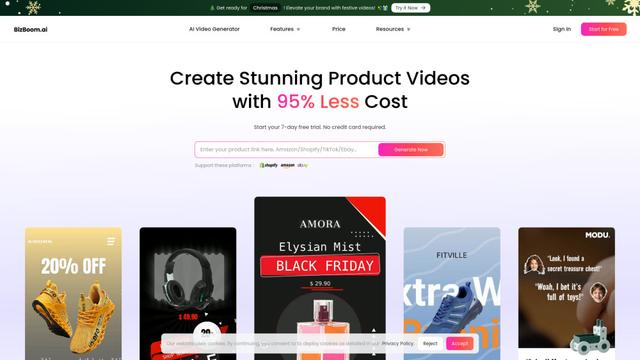
BizBoom.ai
BizBoom.ai is an AI-powered platform that automatically generates professional product videos from product links and images with 95% less cost.
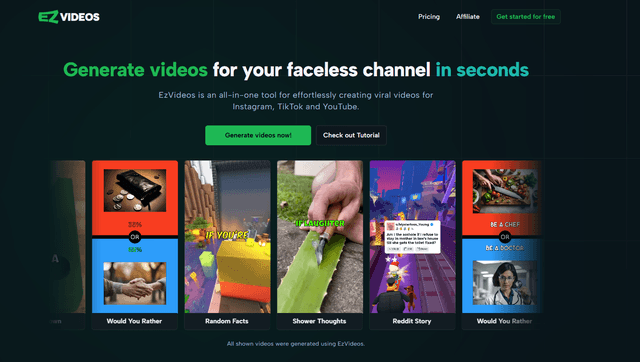
EzVideos
EzVideos is an all-in-one video creation tool that helps users generate viral videos for social media platforms like Instagram, TikTok, and YouTube with automated editing features and built-in resources.
Illuminix
Illuminix is an AI-powered platform that empowers businesses with autonomous hyper-experts and specialized tools for automated business processes, data management, and video content creation.
Popular AI Tools Like Flova AI
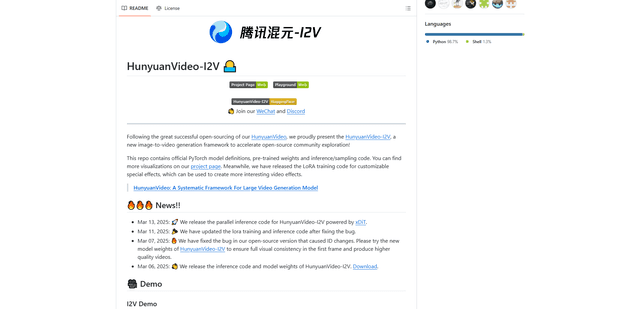
HunyuanVideo-I2V
HunyuanVideo-I2V is an open-source AI framework developed by Tencent that transforms static images into high-quality, dynamic videos with customizable motion effects and exceptional visual consistency.
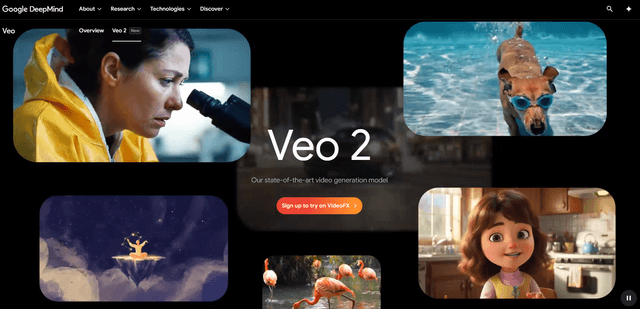
Google Veo 2
Veo 2 is Google DeepMind's state-of-the-art AI video generation model that can create high-quality videos up to 4K resolution with realistic motion, extensive camera controls, and improved physics simulation from text prompts.
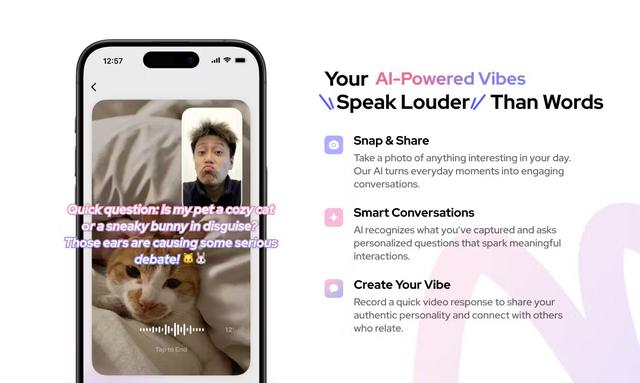
Vibing
Vibing is an AI-powered dating app that helps users share authentic moments through video stories and make genuine connections based on personality matching and interactive features.
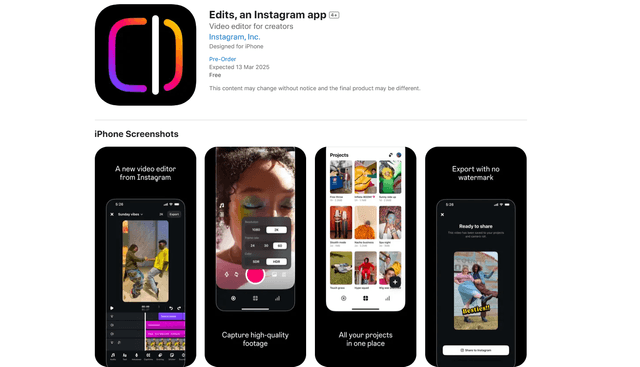
Edits, an Instagram app
Edits is Instagram's free video creation app that provides creators with professional editing tools, AI features, and analytics capabilities to create high-quality videos directly from their phones.