Face Search
Face Search adalah alat pencarian wajah terbalik yang menemukan orang yang sama di berbagai foto menggunakan pencocokan penyematan wajah pada indeks web publik (didukung FaceCheck), mengembalikan tautan sumber yang dinilai melalui checkout berbasis kredit yang sederhana dengan panduan yang berfokus pada privasi dan keamanan.
https://www.facesearch.id/?utm_source=aipure
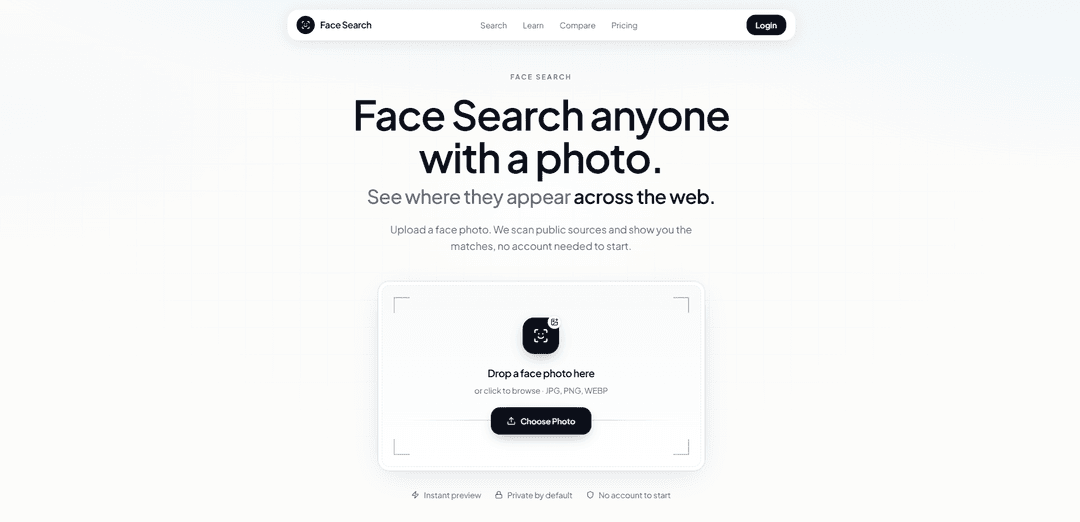
Informasi Produk
Diperbarui:Aug 4, 2026
Apa itu Face Search
Face Search adalah mesin pencari wajah terbalik bertenaga AI yang membantu Anda menemukan di mana foto seseorang muncul di seluruh web publik. Cukup unggah gambar wajah untuk menemukan profil yang cocok, akun media sosial, situs web, artikel berita, dan sumber lain yang tersedia untuk umum dalam hitungan detik. Dibangun untuk verifikasi identitas, penelitian OSINT, deteksi penipuan, dan keamanan online, Face Search memberikan hasil pencarian wajah yang cepat, akurat, dan sadar privasi.
Fitur Utama Face Search
Pencarian Wajah adalah alat pencarian wajah terbalik yang membantu Anda menemukan di mana orang yang sama muncul di berbagai foto (bukan hanya salinan duplikat dari gambar yang sama). Ini mendeteksi wajah di foto yang diunggah, menghasilkan "embedding" wajah (representasi numerik dari geometri wajah), dan mencocokkannya dengan indeks web-publik yang didukung oleh FaceCheck.id, mengembalikan tautan sumber yang dinilai yang dapat Anda buka dan verifikasi dalam konteks. Ini menekankan alur kerja praktis (alat pencarian gambar terbalik gratis terlebih dahulu, pencarian wajah kedua), interpretasi hasil (skor adalah petunjuk, bukan bukti), dan batasan penggunaan yang bertanggung jawab, dengan paket kredit satu kali daripada langganan untuk pemeriksaan sesekali.
Pencocokan geometri wajah (embeddings) vs pencocokan piksel: Mencari orang yang sama di berbagai foto—bahkan dengan pakaian, latar belakang, potongan, atau tahun yang berbeda—menggunakan embedding fitur wajah daripada pencocokan piksel yang hampir duplikat.
Hasil sumber web-publik dengan skor kemiripan: Mengembalikan kecocokan yang diberi peringkat dengan skor kemiripan dan URL sumber sehingga pengguna dapat memprioritaskan petunjuk dan memvalidasi identitas melalui konteks halaman (nama, garis waktu, foto tambahan).
Indeks yang didukung FaceCheck.id dengan pengungkapan transparan: Pencarian berbayar berjalan melalui indeks pencarian wajah FaceCheck.id; Pencarian Wajah menambahkan alur kerja konsumen yang terpandu, tinjauan yang lebih jelas, dan secara eksplisit mengungkapkan backend dan metodologinya.
Pemeriksa kualitas foto lokal (pra-pencarian): Menyediakan pemeriksaan kualitas dalam browser yang menandai masalah pembingkaian/resolusi sebelum menghabiskan kredit, mendorong pemotongan yang tepat dan foto yang jelas, menghadap ke depan untuk keandalan pencocokan yang lebih baik.
Panduan verifikasi & edukasi terpandu: Termasuk panduan praktis tentang menafsirkan skor kecocokan, memverifikasi halaman sumber, dan menggabungkan pencarian gambar terbalik gratis (Google Lens/Yandex) dengan pencarian wajah dan penguatan manusia (misalnya, video langsung untuk kencan).
Paket kredit satu kali (tanpa langganan): Menggunakan paket kredit bayar sekali (kredit tidak pernah kedaluwarsa) yang ditujukan untuk kebutuhan verifikasi sesekali, dengan alur pratinjau untuk tamu dan kredit yang diperlukan untuk membuka sumber yang cocok sepenuhnya.
Kasus Penggunaan Face Search
Verifikasi kencan dan penipuan (catfish): Periksa apakah foto profil kencan cocok dengan wajah yang sama yang digunakan dengan nama lain di seluruh web publik; gabungkan hasil dengan langkah verifikasi video langsung untuk mengurangi risiko penipuan romansa.
Pemantauan jejak digital pribadi & peniruan identitas (manual): Cari wajah Anda sendiri untuk menemukan penampilan publik, profil peniruan identitas potensial, atau penggunaan kembali yang tidak sah; dokumentasikan URL dan gunakan proses pelaporan/penghapusan platform.
Investigasi pencurian gambar kreator/merek: Fotografer, kreator, dan profesional dapat menemukan potret yang diterbitkan ulang di situs yang tidak pernah mereka setujui, mengumpulkan bukti (URL/konteks), dan melakukan penghapusan atau penegakan.
Penemuan sumber gaya Jurnalisme / OSINT (web publik): Mendukung penelitian kepentingan publik dengan melacak di mana wajah muncul secara online dan menguatkan identitas melalui berbagai sumber independen, sambil memperlakukan skor sebagai petunjuk daripada bukti.
Menghubungkan kembali dengan orang secara etis: Bantu mengidentifikasi seseorang dari foto acara atau terhubung kembali dengan kenalan lama dengan menemukan profil atau penyebutan publik—dipasangkan dengan jangkauan yang hormat dan menghindari pelecehan.
Kelebihan
Mencocokkan orang yang sama di berbagai foto (lebih kuat daripada pencarian gambar duplikat untuk potongan, pengunggahan ulang, atau konteks yang berbeda).
Mengembalikan tautan sumber yang dinilai dan mempromosikan verifikasi dalam konteks, mengurangi ketergantungan berlebihan pada "persentase kecocokan" tunggal.
Transparan tentang batasan dan apa yang tidak dapat diakses (tidak ada DM pribadi, album tertutup, atau dokumen offline).
Kredit satu kali yang tidak pernah kedaluwarsa bisa lebih murah daripada langganan untuk penggunaan sesekali.
Kekurangan
Bukan sistem bukti identitas—positif/negatif palsu dimungkinkan, dan hasilnya memerlukan penguatan manusia.
Efektivitas sangat bergantung pada kualitas foto (tangkapan layar buram, filter, kacamata hitam/masker dapat menghasilkan hasil yang lemah).
Terbatas pada apa yang terlihat di web publik dan dalam cakupan indeks; "tidak ada hasil" tidak berarti orang tersebut dapat dipercaya atau nyata.
Sumber yang cocok sepenuhnya memerlukan kredit berbayar setelah alur pratinjau.
Cara Menggunakan Face Search
1) Pilih foto wajah terbaik: Gunakan gambar yang jelas, menghadap ke depan dengan mata terlihat dan pencahayaan yang merata. Lebih suka foto asli daripada tangkapan layar obrolan yang terkompresi. Jika orang tersebut berada dalam foto grup, potong ke satu wajah sebelum mencari.
2) (Direkomendasikan) Jalankan pencarian gambar terbalik gratis terlebih dahulu: Sebelum menghabiskan kredit, coba Google Lens/Google Images pada wajah yang sama yang dipotong untuk menangkap foto curian yang persis/hampir duplikat. Coba juga Yandex Images, yang mungkin menampilkan kecocokan yang tidak ditemukan Google.
3) Buka Face Search dan mulai unggah: Buka Face Search (facesearch.id) dan gunakan kotak unggah di bagian atas halaman untuk mengunggah (atau seret dan lepas) foto wajah Anda.
4) (Opsional) Periksa kualitas foto sebelum mencari: Gunakan Pemeriksa Kualitas Foto di halaman untuk menandai masalah seperti resolusi rendah, pembingkaian yang buruk, atau buram. Sesuaikan dengan memotong ulang ke satu wajah, memilih gambar yang lebih tajam, atau menghindari kacamata hitam/masker/filter kecantikan AR.
5) Jalankan pencarian wajah: Mulai pencarian setelah mengunggah. Face Search mendeteksi wajah, membuat penyematan wajah (representasi numerik dari geometri wajah), dan membandingkannya dengan indeks gambar web yang tersedia untuk umum.
6) Tinjau alur pratinjau (pengguna tamu): Sebagai tamu, Anda mungkin melihat pratinjau hasil. Untuk membuka kunci sumber yang cocok sepenuhnya (tautan/detail langsung), Anda akan diminta untuk menggunakan kredit setelah checkout.
7) Buka kunci hasil lengkap dengan kredit satu kali (jika diperlukan): Beli paket kredit jika Anda ingin akses sumber penuh. Kredit adalah satu kali dan tidak kedaluwarsa. Setelah checkout, klaim akses menggunakan email yang Anda gunakan untuk membayar.
8) Buka hasil di tab baru dan baca konteks sumber: Jangan hanya mengandalkan thumbnail. Buka URL sumber dan evaluasi konteks di sekitarnya (jenis profil/halaman, teks, nama, lokasi, pegangan, linimasa, dan foto tambahan).
9) Tafsirkan skor kemiripan dengan benar: Perlakukan skor sebagai alat penyortiran, bukan bukti identitas. Prioritaskan kecocokan dengan skor lebih tinggi terlebih dahulu, tetapi cari konfirmasi di beberapa sumber independen. Harapkan positif palsu (mirip) dan negatif palsu (jejak publik rendah, foto buruk, penghalang, perbedaan usia).
10) Jika hasilnya lemah atau kosong, sesuaikan dan coba lagi dengan hati-hati: Tidak ada/hasil lemah dapat berarti: kehadiran publik terbatas, kualitas foto masukan yang buruk, wajah yang dihasilkan AI, atau celah cakupan indeks. Jika Anda mencoba lagi, gunakan foto yang lebih jelas daripada menghabiskan banyak kredit untuk gambar berkualitas rendah.
11) Putuskan tindakan selanjutnya yang aman berdasarkan tujuan Anda: Untuk pemeriksaan kencan/catfish: bersikeras panggilan video langsung dengan permintaan real-time sederhana (misalnya, melambaikan tangan, mengucapkan tanggal hari ini). Untuk audit diri atau pencurian gambar: dokumentasikan URL dan laporkan peniruan identitas/penggunaan tidak sah melalui pelaporan platform atau langkah-langkah penghapusan. Untuk koneksi ulang: kirim pesan dengan hormat dan hindari konfrontasi.
12) Gunakan secara bertanggung jawab dan hindari kasus penggunaan yang dilarang: Jangan gunakan Face Search untuk menguntit, melecehkan, doxxing, atau pemindaian biometrik rahasia. Hindari mencari foto anak-anak kecuali dalam konteks keamanan wali/otoritas yang sempit, dan jangan pernah menganggap skor kecocokan sebagai pembenaran untuk menuduh seseorang secara publik.
FAQ Face Search
Pencarian Wajah adalah alat yang membantu Anda menemukan di mana wajah orang yang sama muncul di berbagai foto secara online. Tidak seperti pencarian gambar terbalik tradisional yang mencari gambar yang identik atau hampir duplikat, pencarian wajah membandingkan geometri wajah (seringkali melalui "penanaman wajah" numerik) untuk mengembalikan wajah yang mirip secara visual dan URL sumber tempat wajah tersebut muncul.
Artikel Populer

Vosko AI: Lokalisasi dan Sulih Suara Video untuk Audiens Global
Oct 15, 2026

Atoms: Platform AI Multi-Agen yang Mengubah Ide menjadi Produk Siap Diluncurkan
May 22, 2026

Nano Banana SBTI: Apa Itu, Bagaimana Cara Kerjanya, dan Cara Menggunakannya di Tahun 2026
Apr 15, 2026

Ulasan Atoms — Pembuat Produk AI yang Mendefinisikan Ulang Kreasi Digital di Tahun 2026
Apr 10, 2026
Alat AI Terbaru Serupa dengan Face Search

altcheckerai
AltCheckerAI adalah alat bertenaga AI yang secara otomatis mengoptimalkan teks alternatif gambar untuk meningkatkan SEO situs web dan aksesibilitas melalui rekomendasi cerdas.
IMG Processing
IMG Processing adalah layanan API yang kuat yang memungkinkan kemampuan pemrosesan gambar yang cepat dan andal termasuk mengunggah, mentransformasi, dan menambahkan watermark melalui integrasi yang sederhana.
ImageKit.io
ImageKit.io adalah platform manajemen dan pengiriman media yang komprehensif yang menyediakan optimasi gambar dan video waktu nyata, API pemrosesan, dan solusi Manajemen Aset Digital (DAM) untuk menyajikan pengalaman visual berkualitas tinggi di situs web dan aplikasi.
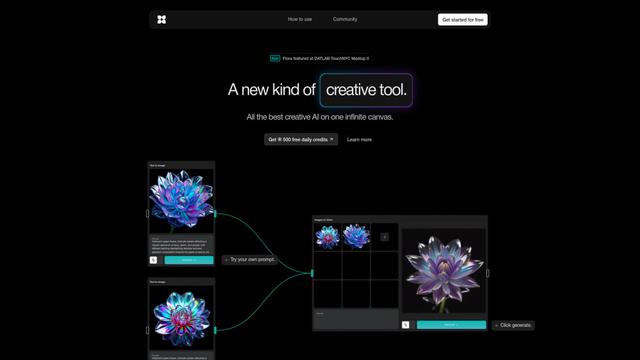
FLORA
FLORA adalah alat kreatif bertenaga AI yang inovatif yang menggabungkan berbagai kemampuan AI di kanvas tak terbatas untuk memungkinkan identifikasi tanaman yang dipersonalisasi, desain kreatif, dan bantuan botani interaktif.
Alat AI Populer Seperti Face Search
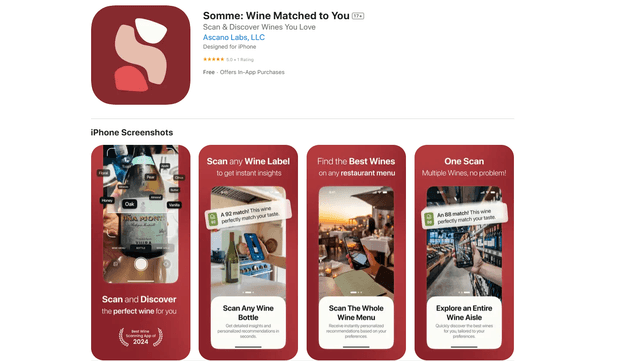
Somme: Wine Matched to You
FreemiumAI Image Recognition
Somme adalah aplikasi sommelier pribadi yang didukung AI yang menggabungkan pengenalan gambar canggih, rekomendasi yang dipersonalisasi, dan wawasan anggur yang komprehensif untuk membantu pengguna menemukan dan menikmati anggur yang cocok dengan preferensi rasa unik mereka.
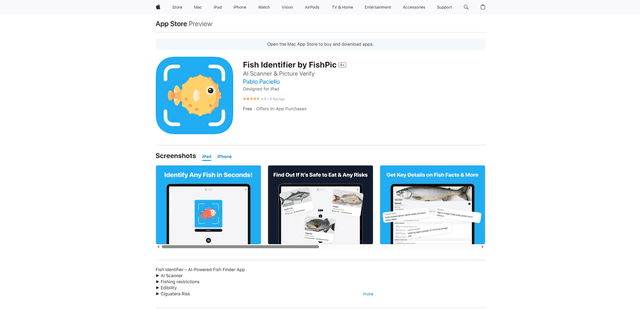
FishPic
FishPic adalah aplikasi identifikasi ikan bertenaga AI yang langsung mengenali spesies ikan dari foto sambil memberikan informasi komprehensif tentang kelayakan makan, peraturan, dan resep.
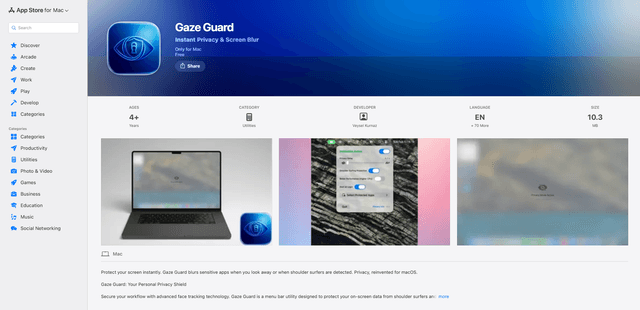
Gaze Guard
Gaze Guard adalah utilitas bilah menu yang berfokus pada privasi untuk Mac yang secara otomatis memburamkan konten layar Anda saat Anda memalingkan muka atau saat seseorang mengintip dari belakang bahu, menggunakan teknologi pelacakan wajah canggih.
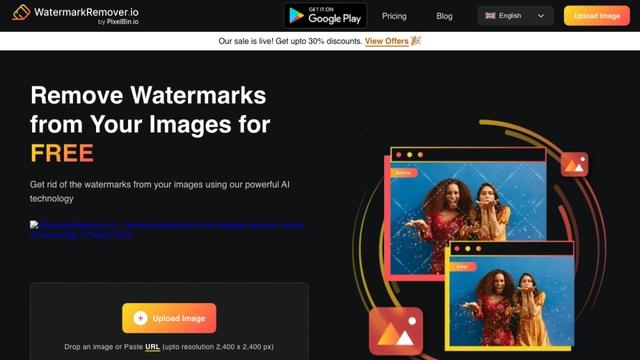
WatermarkRemover.io
WatermarkRemover.io adalah alat online berbasis AI yang secara otomatis menghapus watermark dari gambar secara gratis sambil mempertahankan kualitas gambar.