
Doclific
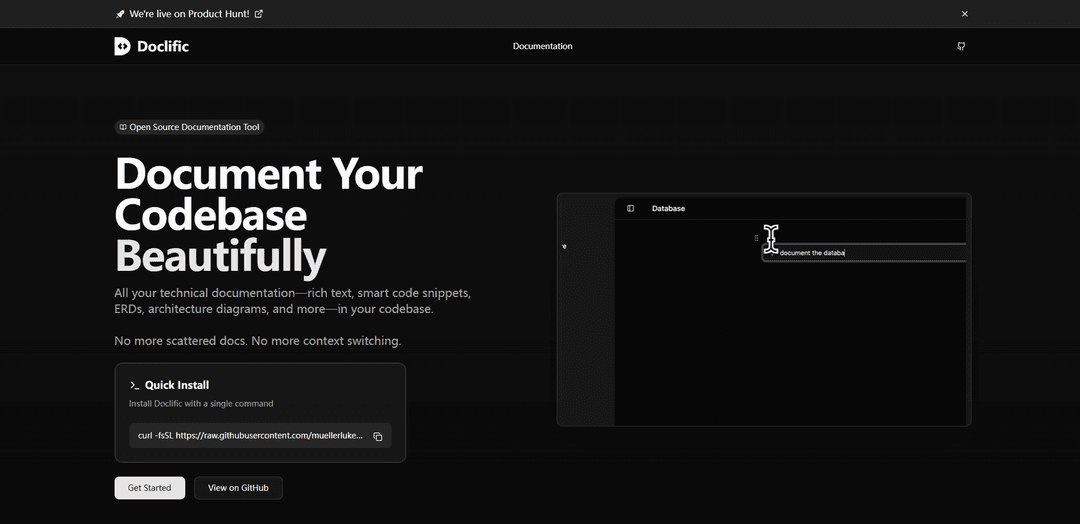
Doclific es una herramienta de documentación de código abierto que permite a los desarrolladores crear y mantener una hermosa documentación interna con fragmentos de código dinámicos integrados directamente con su base de código.
https://doclific.com/?ref=producthunt&utm_source=aipure
Información del Producto
Actualizado:08/02/2026
¿Qué es Doclific?
Doclific comenzó como un módulo NPM y ha evolucionado hasta convertirse en una solución de documentación integral que ayuda a los desarrolladores a administrar su documentación técnica de manera eficiente. Proporciona un editor de documentación similar a Notion que permite a los usuarios crear contenido de texto enriquecido, fragmentos de código inteligentes, ERD y diagramas de arquitectura, todo mientras mantienen la documentación dentro de la base de código. Originalmente disponible como un paquete NPM, se ha hecho más accesible a través de un simple comando de instalación curl, eliminando la necesidad de requisitos previos de NPM/Node.
Características Principales de Doclific
Doclific es una herramienta de documentación de código abierto que proporciona un editor similar a Notion para crear y mantener documentación técnica directamente dentro de tu base de código. Cuenta con integración dinámica de fragmentos de código, integración de flujo de trabajo de CI y la capacidad de crear documentación completa que incluye texto enriquecido, diagramas ERD y diagramas de arquitectura, todo mientras se asegura de que la documentación permanezca sincronizada con los cambios de código.
Fragmentos de Código Dinámicos: Permite a los usuarios referenciar e insertar código directamente desde su base de código, actualizándose automáticamente cuando cambia el código fuente
Integración de CI: Comprueba y valida automáticamente la documentación con respecto a los cambios de código durante los flujos de trabajo de CI, asegurando que la documentación se mantenga actualizada
Editor de Documentación Enriquecida: Proporciona un editor similar a Notion que admite varios tipos de contenido, incluyendo texto enriquecido, diagramas ERD y diagramas de arquitectura
Fácil Instalación: Proceso de instalación simple usando el comando curl, haciéndolo accesible a los desarrolladores independientemente de su entorno de desarrollo
Casos de Uso de Doclific
Gestión de Documentación Técnica: Los equipos de desarrollo pueden mantener documentación precisa y actualizada que hace referencia directamente a su base de código
Documentación de Proyectos de Software: Los equipos pueden crear documentación completa del proyecto, incluyendo diagramas de arquitectura y explicaciones de código en un solo lugar
Documentación de Cambios de Código: Rastrea y actualiza automáticamente la documentación cuando se producen cambios en el código, asegurando que la documentación permanezca sincronizada con la base de código
Ventajas
Código abierto y de fácil acceso
Sincronización automática con la base de código
Conjunto de características enriquecido para la documentación técnica
Desventajas
Inicialmente estaba limitado a la instalación de paquetes NPM
Herramienta relativamente nueva con posibles problemas de estabilidad
Puede requerir configuración adicional para la integración de CI
Cómo Usar Doclific
Instalar Doclific: Ejecute el script de instalación usando curl: curl -fsSL https://raw.githubusercontent.com/muellerluke/doclific/main/scripts/install.sh | bash
Agregar fragmentos de código: Use el editor de Doclific para insertar fragmentos de código de los archivos de su base de código. Puede seleccionar líneas de código específicas para hacer referencia en su documentación.
Configurar la integración de CI: Configure la herramienta de CI para que se ejecute durante su flujo de trabajo para verificar automáticamente si los fragmentos de código a los que se hace referencia han cambiado y necesitan actualización.
Crear documentación: Use el editor para crear documentación técnica que combine texto enriquecido, fragmentos de código, ERD y diagramas de arquitectura, todo almacenado directamente en su base de código.
Mantener la documentación: Deje que la herramienta de CI detecte automáticamente los cambios y actualice los fragmentos cuando cambie el código. Para cambios simples como cambios en el número de línea, actualizará automáticamente las referencias.
Preguntas Frecuentes de Doclific
Doclific es una herramienta de documentación de código abierto que permite a los usuarios crear documentación interna atractiva con funciones como edición de texto enriquecido, fragmentos de código inteligentes, diagramas ERD y diagramas de arquitectura, todo dentro de su base de código.
Video de Doclific
Artículos Populares

Vosko AI: Localiza y dobla videos para audiencias globales
Oct 15, 2026

Atoms: Una Plataforma de IA Multiagente Que Transforma Ideas en Productos Listos para Lanzar
May 22, 2026

Nano Banana SBTI: Qué es, cómo funciona y cómo usarlo en 2026
Apr 15, 2026

Reseña de Atoms: El Constructor de Productos de IA que Redefine la Creación Digital en 2026
Apr 10, 2026
Últimas herramientas de IA similares a Doclific

Gait
Gait es una herramienta de colaboración que integra la generación de código asistido por IA con el control de versiones, permitiendo a los equipos rastrear, entender y compartir el contexto del código generado por IA de manera eficiente.

invoices.dev
invoices.dev es una plataforma de facturación automatizada que genera facturas directamente de los commits de Git de los desarrolladores, con capacidades de integración para GitHub, Slack, Linear y servicios de Google.

EasyRFP
EasyRFP es un kit de herramientas de computación en el borde impulsado por IA que agiliza las respuestas a RFP (Solicitud de Propuesta) y permite el fenotipado de campo en tiempo real a través de tecnología de aprendizaje profundo.

Cart.ai
Cart.ai es una plataforma de servicios impulsada por IA que proporciona soluciones integrales de automatización empresarial, incluyendo codificación, gestión de relaciones con clientes, edición de video, configuración de comercio electrónico y desarrollo de IA personalizada con soporte 24/7.
Herramientas de IA populares como Doclific

GitHub Copilot Chat
GitHub Copilot Chat es un asistente de codificación impulsado por IA que proporciona interacciones en lenguaje natural, sugerencias de código en tiempo real y soporte contextual directamente dentro de los IDEs compatibles y GitHub.com.

CopilotForXcode
CopilotForXcode es una Extensión del Editor de Código de Xcode que integra GitHub Copilot, Codeium y ChatGPT para proporcionar sugerencias de código impulsadas por IA, asistencia de chat y funcionalidad de prompt-a-código dentro de Xcode.

BrowserAI
BrowserAI es una biblioteca de código abierto que permite ejecutar modelos de lenguaje grandes (LLM) locales directamente en navegadores web con aceleración WebGPU, ofreciendo capacidades de IA centradas en la privacidad sin necesidad de infraestructura de servidor.

OpenAI Codex CLI
OpenAI Codex CLI es un agente de codificación ligero de código abierto que se ejecuta en su terminal, lo que permite a los desarrolladores traducir el lenguaje natural en la ejecución de código al tiempo que proporciona un razonamiento a nivel de ChatGPT con la capacidad de ejecutar código, manipular archivos e iterar bajo control de versiones.