
Crow
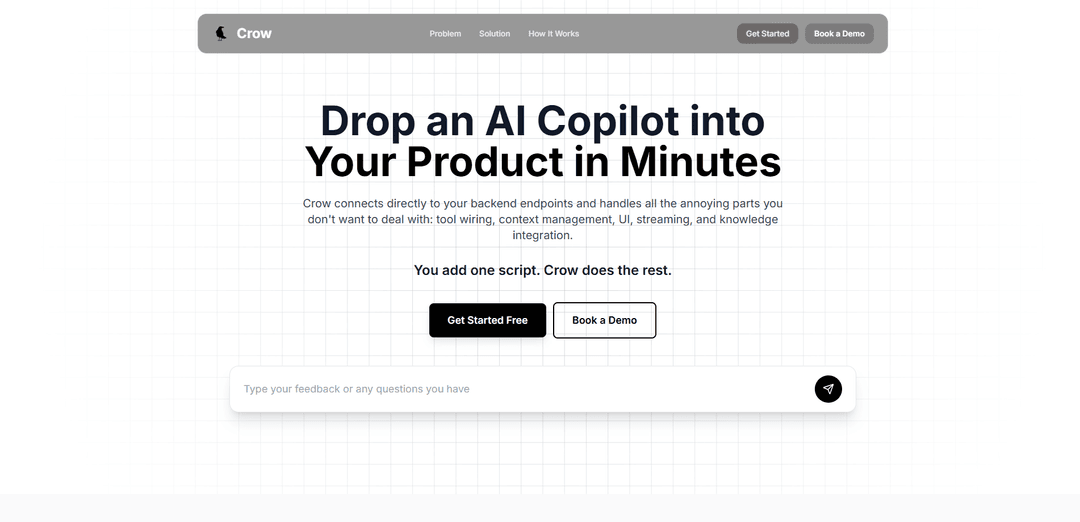
Crow is a dual-purpose technology offering both a fast C++ web framework for HTTP/WebSocket services and an AI-powered backend agent system that helps integrate AI copilots into existing applications.
https://usecrow.org/?ref=producthunt
Product Information
Updated:Dec 8, 2025
What is Crow
Crow exists in two distinct forms: First, as a C++ microframework inspired by Python's Flask, designed for creating web services with HTTP and WebSocket capabilities. Second, as a modern AI integration platform that allows developers to add AI copilots to their existing products with minimal effort. The C++ framework is known for its speed and ease of use, while the AI platform focuses on simplifying the integration of AI capabilities into existing applications without requiring major backend modifications.
Key Features of Crow
Crow is a versatile technology that exists in two main forms: 1) A C++ microframework for creating HTTP/WebSocket web services with Flask-like routing capabilities and high performance, and 2) An AI-powered backend integration tool that allows companies to add AI copilots to their products by wrapping existing backend systems with an intelligent agent that understands the system's actions and constraints.
Easy Backend Integration: Allows integration with existing backend systems through a simple script, requiring no major rewrites of the backend code
AI-Powered Monitoring: Provides real-time API monitoring with AI-powered insights, error tracking, and proactive issue detection
Flexible Routing System: Offers Flask-like routing capabilities with support for HTTP and WebSocket protocols
Built-in Tool Management: Handles tool wiring, context management, UI, streaming, and knowledge integration automatically
Use Cases of Crow
AI Copilot Integration: Companies can quickly add AI assistants to their existing products to enhance user experience and automate interactions
API Monitoring and Management: Teams can monitor API performance, track errors, and receive AI-powered suggestions for improvements
Web Service Development: Developers can create fast and efficient web services using the C++ framework with minimal code
Pros
Quick implementation with minimal code changes
Powerful AI-powered monitoring and analytics
High performance and speed in web service operations
Cons
Compile times can be slow due to header-only library nature
Limited maintenance and updates for the C++ framework version
May require additional setup for authentication integration
How to Use Crow
Install Required Dependencies: Install the necessary packages using package manager: GCC/G++, Boost Development headers, and Asio (1.28 or later). For Linux: sudo apt-get install build-essential libboost-all-dev
Set Up Project Structure: Create a new C++ project and add crow_all.h to Header Files directory. You can generate this file by running ./merge_all.py ../include crow_all.h in the scripts directory
Create Basic Application: Create a main.cpp file with basic Crow setup: #include "crow.h", define crow::SimpleApp, and set up basic routing using CROW_ROUTE macro
Configure CMake: Set up CMakeLists.txt with proper configuration: set C++ standard to 17, find required packages (asio and Crow), and link them to your project
Define Routes: Add routes to handle different URLs using CROW_ROUTE macro. Example: CROW_ROUTE(app, "/")([](){ return "Hello World"; });
Configure Server Settings: Set up server configuration like port number and threading: app.port(8080).multithreaded().run();
Build and Run: Compile your application using CMake and run the executable. Access your server through web browser at http://localhost:8080
Optional SSL Setup: For HTTPS support, compile with -DCROW_ENABLE_SSL -lssl flags and configure SSL context in your application
Add Middleware (Optional): If needed, add middlewares by using crow::App<middleware1, middleware2> instead of crow::SimpleApp
Crow FAQs
Crow is both an AI copilot integration platform and a C++ web framework. The AI platform (usecrow.org) allows you to add AI copilots to your product in minutes, while the C++ framework enables creating HTTP or Websocket web services with Flask-like routing.
Popular Articles

Vosko AI: Localize and Dub Videos for Global Audiences
Oct 15, 2026

Atoms: A Multi-Agent AI Platform That Transforms Ideas into Launch-Ready Products
Oct 13, 2026

Nano Banana SBTI: What It Is, How It Works, and How to Use It in 2026
Apr 15, 2026

Atoms Review — The AI Product Builder Redefining Digital Creation in 2026
Apr 10, 2026
Latest AI Tools Similar to Crow

Gait
Gait is a collaboration tool that integrates AI-assisted code generation with version control, enabling teams to track, understand, and share AI-generated code context efficiently.

invoices.dev
invoices.dev is an automated invoicing platform that generates invoices directly from developers' Git commits, with integration capabilities for GitHub, Slack, Linear, and Google services.

EasyRFP
EasyRFP is an AI-powered edge computing toolkit that streamlines RFP (Request for Proposal) responses and enables real-time field phenotyping through deep learning technology.

Cart.ai
Cart.ai is an AI-powered service platform that provides comprehensive business automation solutions including coding, customer relations management, video editing, e-commerce setup, and custom AI development with 24/7 support.
Popular AI Tools Like Crow

GitHub Copilot Chat
GitHub Copilot Chat is an AI-powered coding assistant that provides natural language interactions, real-time code suggestions, and contextual support directly within supported IDEs and GitHub.com.

CopilotForXcode
CopilotForXcode is an Xcode Source Editor Extension that integrates GitHub Copilot, Codeium, and ChatGPT to provide AI-powered code suggestions, chat assistance, and prompt-to-code functionality within Xcode.

BrowserAI
BrowserAI is an open-source library that enables running local Large Language Models (LLMs) directly in web browsers with WebGPU acceleration, offering privacy-focused AI capabilities without requiring server infrastructure.

OpenAI Codex CLI
OpenAI Codex CLI is a lightweight, open-source coding agent that runs in your terminal, enabling developers to translate natural language into code execution while providing ChatGPT-level reasoning with the ability to run code, manipulate files, and iterate under version control.