
Crop.photo AI for Shopify
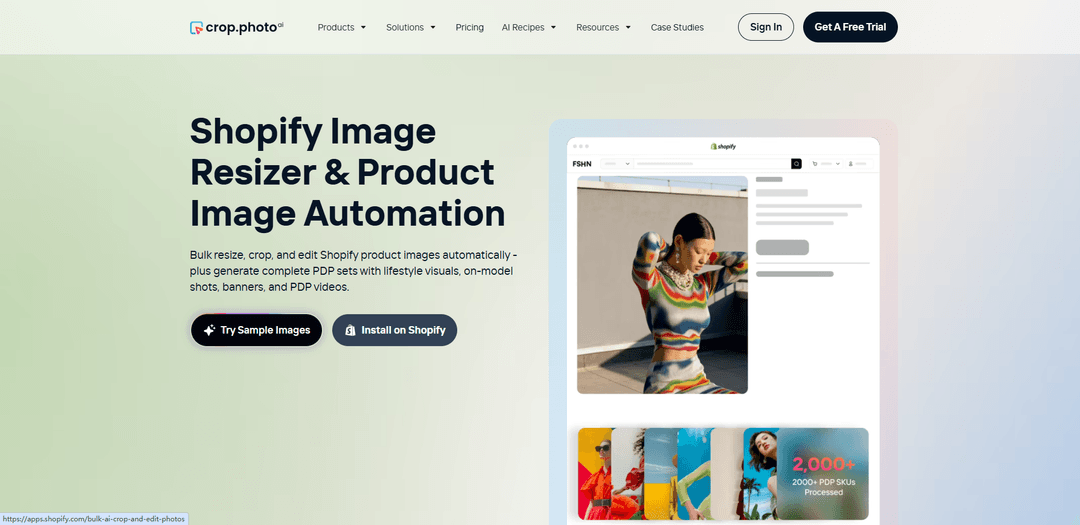
Crop.photo AI для Shopify — это приложение Shopify и веб-платформа на базе ИИ, которая массово обрезает, изменяет размер, выравнивает, масштабирует, ретуширует и очищает фон для тысяч SKU, а также генерирует готовые к конверсии визуальные материалы PDP, такие как студийные/лайфстайл-изображения, вариации на модели, баннеры и короткие видеоролики PDP.
https://www.crop.photo/shopify?ref=producthunt&utm_source=aipure
Информация о продукте
Обновлено:08/07/2026
Что такое Crop.photo AI for Shopify
Crop.photo AI для Shopify — это производственный инструмент автоматизации изображений продуктов, созданный для команд Shopify, особенно для Shopify Plus и больших каталогов, которые хотят получать единообразные, готовые для Shopify визуальные материалы без ручного редактирования. Он помогает брендам стандартизировать фотографию продуктов в масштабе, автоматизируя общие задачи с изображениями PDP (обрезка, изменение размера, выравнивание, очистка и улучшение фона) и генерируя новые активы PDP из существующих изображений, включая лайфстайл-сцены, визуальные материалы на модели, баннеры и короткие видеоролики о продуктах. Платформа поддерживает рабочие процессы внутри Shopify через свое приложение, а также через веб-приложение Crop.photo и API для более широких операций PIM и многоканальных операций.
Ключевые особенности Crop.photo AI for Shopify
Crop.photo AI для Shopify — это платформа автоматизации изображений (и коротких видео) Shopify на базе ИИ, разработанная для каталогов с большим объемом товаров. Она массово обрезает, изменяет размер, выравнивает, масштабирует, ретуширует и очищает фон для тысяч SKU, а затем может генерировать готовые к конверсии активы PDP из существующих изображений — студийные и лайфстайл-вариации, варианты на модели, баннеры и короткие видео PDP. Рабочие процессы могут быть сохранены как многоразовые «Рецепты» (без подсказок) и последовательно применяться к новым поступлениям товаров, с возможностями публикации результатов обратно в Shopify, когда они готовы, и контроля над тем, добавляются, заменяются или перезаписываются активы.
Массовое, контекстно-зависимое редактирование изображений PDP: Автоматически применяет последовательные обрезки, соотношения сторон, интервалы, выравнивание и очистку фона в больших каталогах Shopify (включая на модели, плоские раскладки, аксессуары, обувь, косметику и товары для дома).
AI Match автоклассификация + авторедактирование: Определяет тип/содержимое фотографии и подбирает правильные правки (например, обрезка на модели с учетом позы, центрирование продукта) для каждого изображения Shopify, чтобы сократить ручную настройку и улучшить согласованность в масштабе.
Многоразовые, без подсказок «Рецепты» Shopify: Предварительно созданные и настраиваемые рабочие процессы, которые стандартизируют результаты (размеры, обрезки, фоны, макеты) и могут быть сохранены и повторно использованы для новых SKU и коллекций.
Генеративное создание активов PDP: Генерирует новые визуальные материалы из существующих фотографий продуктов — снимки в студийном стиле, лайфстайл-сцены, вариации на модели, баннеры и короткие видео PDP — для расширения контента PDP без новых съемок.
Управление публикацией в Shopify + безопасность: Интегрируется с Shopify для публикации обработанных активов обратно в медиафайлы продуктов после утверждения, с элементами управления для перезаписи/замены/добавления и явным обещанием не изменять существующие активы без одобрения.
API + интеграции автоматизации для производственных рабочих процессов: Предоставляет доступ к API для интеграции в рабочие процессы Shopify/PIM/ERP и поддерживает шаблоны автоматизации (например, обработка помеченных продуктов, сценарии Make.com) для запланированных или непрерывных обновлений.
Варианты использования Crop.photo AI for Shopify
Команды Shopify Plus, управляющие большими каталогами: Стандартизация тысяч изображений PDP (единообразная обрезка, фон, выравнивание) в нескольких магазинах/брендах и запуск больших партий (например, до 2000 изображений за партию) для сезонных поступлений.
Оптимизация PDP для моды и одежды: Использование ИИ с учетом позы для последовательного кадрирования на модели (включая обрезку без головы или в полный рост), а также надежная обрезка для плоских раскладок и аксессуаров для поддержания единообразия сеток в коллекциях.
Маркетинг обуви и аксессуаров в стиле лайфстайл: Генерация лайфстайл-фонов и готовых к кампании визуальных материалов из существующих фотографий продуктов, затем изменение размера для рекламы, социальных сетей и размещений PDP/PLP в Shopify.
Листинги товаров для красоты и комплектов: Создание последовательных квадратных макетов и стандартизированного размещения продуктов для предметов смешанного размера (наборы/комплекты/плоские раскладки), выводя размеры, готовые для Shopify, такие как 2048×2048 или другие размеры, специфичные для канала.
Соответствие требованиям торговых площадок и многоканальности: Создание обрезок и соотношений сторон, специфичных для канала (PDP, миниатюры, баннеры, вертикальные форматы), и поддержание единообразия результатов в Shopify и на других торговых площадках.
Автоматизация рабочих процессов для PIM/ERP-конвейеров: Запуск обработки через интеграции (например, потоки тегирования Make.com) и отправка утвержденных результатов обратно в медиафайлы продуктов Shopify для сокращения времени ручного редактирования и ускорения выхода на рынок.
Преимущества
Создано для масштаба электронной коммерции/Shopify: массовая обработка, согласованность каталога и обрезка с учетом категорий, а не разовые правки.
«Рецепты» позволяют создавать повторяемые рабочие процессы без подсказок, которые стандартизируют представление бренда для новых поступлений товаров.
Выходит за рамки изменения размера/обрезки, включая очистку фона, ретуширование и генеративные активы PDP (лайфстайл, на модели, баннеры, короткие видео).
Интеграция с Shopify с публикацией на основе одобрения помогает предотвратить случайные перезаписи и поддерживает операции с несколькими магазинами.
Недостатки
Может быть избыточным для небольших магазинов с низким объемом изображений или простыми потребностями в изменении размера по сравнению с базовыми приложениями для изменения размера.
Некоторые расширенные операции ИИ могут быть основаны на использовании/кредитах, что может увеличить затраты при больших объемах в зависимости от рабочих процессов.
Генеративные результаты (лайфстайл/на модели/видео) могут по-прежнему требовать проверки бренда для обеспечения согласованности и точности перед публикацией.
Как использовать Crop.photo AI for Shopify
1) Выберите, как вы хотите использовать Crop.photo с Shopify (приложение, веб-приложение или API): Crop.photo можно использовать тремя распространенными способами: (а) установить приложение Crop.photo Shopify для работы непосредственно с изображениями ваших продуктов Shopify, (б) использовать веб-приложение Crop.photo для управления редактированием вне Shopify (полезно для нескольких магазинов/каналов) или (в) использовать API Crop.photo для автоматизации редактирования и отправки результатов обратно в Shopify через ваш собственный рабочий процесс.
2) Установите Crop.photo из App Store Shopify (рекомендуется для большинства магазинов): На странице Crop.photo Shopify нажмите «Установить в Shopify», чтобы установить приложение Crop.photo Shopify. Это связывает Crop.photo с вашим магазином, чтобы вы могли выполнять массовое редактирование изображений продуктов и публиковать результаты обратно в Shopify, когда они будут готовы.
3) Войдите / создайте учетную запись Crop.photo и подключите свой магазин Shopify: После установки (или при использовании веб-приложения) войдите в Crop.photo (или начните бесплатную пробную версию). Свяжите свой магазин Shopify, когда будет предложено, чтобы Crop.photo мог получить доступ к вашим медиафайлам продуктов для обработки.
4) Выберите готовый к Shopify AI Recipe (предварительно созданный рабочий процесс): Откройте галерею рецептов Shopify (более 50 рецептов Shopify). Рецепты — это многократно используемые рабочие процессы без подсказок, которые могут выполнять обрезку PDP, изменение размера, очистку фона, поля/центрирование, выравнивание и даже генеративные результаты, такие как вариации лайфстайла, визуальные материалы на модели, баннеры или короткие видеоролики PDP.
5) Выберите изображения продуктов Shopify, которые вы хотите обработать (пакетный рабочий процесс): Выберите продукты/SKU (и их изображения), которые вы хотите отредактировать. Crop.photo поддерживает большие каталоги и позволяет обрабатывать до 2000 изображений за один пакет (вы можете запускать несколько пакетов для более крупных каталогов).
6) Настройте правила вывода (размер, соотношение сторон, логика обрезки, фон, выравнивание): Установите правила, необходимые вашему магазину, например, единообразные обрезки и отступы, соотношения сторон для PDP/PLP, изменение размера для размеров, готовых для Shopify, очистка фона или фирменный фон, а также выравнивание/центрирование. Crop.photo применяет логику обрезки с учетом содержимого в зависимости от типа изображения (на модели, плоская раскладка, аксессуары, обувь, красота, товары для дома и т. д.).
7) Запустите рецепт и просмотрите результаты: Начните обработку. Crop.photo выполняет редактирование массово и производит единообразные результаты. Просмотрите обработанные изображения, чтобы убедиться, что обрезки, кадрирование и результаты фона соответствуют стандартам вашего бренда.
8) Решите, как публиковать результаты обратно в Shopify (без принудительных перезаписей): Выберите, перезаписывать ли, заменять или добавлять новые медиафайлы. Crop.photo не перезаписывает существующие медиафайлы/изображения вариантов Shopify автоматически — вы контролируете, будут ли и как применяться новые результаты.
9) Масштабируйте рабочий процесс по всему каталогу (повторяемые пакеты): Как только вы будете довольны результатами, повторно используйте тот же рецепт для дополнительных продуктов и коллекций, чтобы поддерживать единообразие сетки PDP. Запускайте несколько пакетов по мере необходимости для сезонных коллекций, пополнений и больших каталогов.
10) (Необязательно) Используйте автоматизацию через Make.com + Crop.photo API для обработки на основе тегов: Если вам нужна автоматизация без кода, создайте сценарий Make.com, импортируйте предоставленный JSON-файл шаблона, настройте подключение Shopify для каждого модуля Shopify и установите учетные данные API Crop.photo в модуле HTTP. Запускайте обработку, помечая продукты тегами (пример тега: «crop-photo-pending»), затем запускайте сценарий вручную или по расписанию, чтобы изображения автоматически оптимизировались.
11) (Необязательно) Используйте доступ к API для более глубокой интеграции PIM/рабочего процесса: Для продвинутых команд интегрируйте Crop.photo непосредственно в свои рабочие процессы Shopify/PIM с помощью API Crop.photo для автоматического массового редактирования изображений, генерации активов PDP и программной отправки окончательных результатов обратно в ваш каталог Shopify.
Часто задаваемые вопросы о Crop.photo AI for Shopify
Crop.photo — это инструмент автоматизации изображений, ориентированный на Shopify, который может выполнять массовую обрезку, изменение размера, выравнивание, масштабирование, ретуширование, а также очистку или замену фонов в больших каталогах. Он также поддерживает создание дополнительных активов PDP, таких как студийные и "лайфстайл" изображения, варианты на моделях, баннеры и короткие видеоролики PDP из существующих изображений продуктов.
Видео Crop.photo AI for Shopify
Популярные статьи

Atoms: Мультиагентная ИИ-платформа, которая превращает идеи в готовые к запуску продукты
May 22, 2026

Nano Banana SBTI: Что это такое, как это работает и как это использовать в 2026 году
Apr 15, 2026

Обзор Atoms — AI Product Builder, переопределяющий цифровое творчество в 2026 году
Apr 10, 2026

Kilo Claw: Как развернуть и использовать настоящего AI-агента "Сделай-Это-За-Вас" (Обновление 2026)
Apr 3, 2026
Последние ИИ-инструменты, похожие на Crop.photo AI for Shopify

AiSource
AiSource — это унифицированная платформа, которая позволяет пользователям создавать и сравнивать изображения, используя несколько ведущих генераторов текста в изображения, в одном месте без необходимости отдельных подписок.

SampleFaces
SampleFaces — это бесплатный веб-сервис, который предоставляет профильные фотографии, созданные с помощью ИИ, для разработчиков и дизайнеров, чтобы использовать их в качестве заполнителей в их проектах.
ImageKit.io
ImageKit.io — это комплексная платформа для управления и доставки медиа, которая предоставляет оптимизацию изображений и видео в реальном времени, API для обработки медиа и решения для управления цифровыми активами (DAM) для доставки высококачественных визуальных体验 на веб-сайтах и приложениях.
FASHN
FASHN — это сам финансируемая, ориентированная на ИИ компания, разрабатывающая передовые технологии виртуальной примерки и изображениями-ориентированные генеративные модели, специально предназначенные для модной индустрии.
Популярные ИИ-инструменты, похожие на Crop.photo AI for Shopify
ChatGPT Images(GPT Image 1.5)
FreemiumAI Photo & Image Generator
ChatGPT Images, основанный на GPT Image 1.5, — это флагманская модель создания изображений от OpenAI, которая предлагает в 4 раза более быструю обработку, более строгое следование инструкциям, точные возможности редактирования и улучшенное сохранение деталей для создания и редактирования высококачественных изображений, сгенерированных ИИ.
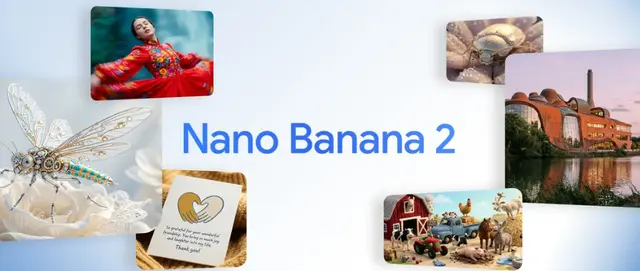
Nano Banana 2 (Gemini 3.1 Flash Image) - Official
FreemiumAI Photo & Image Generator
Nano Banana 2 (Gemini 3.1 Flash Image) - это новейшая современная модель Google для создания изображений, которая сочетает в себе качество Pro-уровня с производительностью Flash-скорости, предлагая улучшенную визуальную точность, интеграцию знаний о реальном мире и расширенные возможности редактирования.
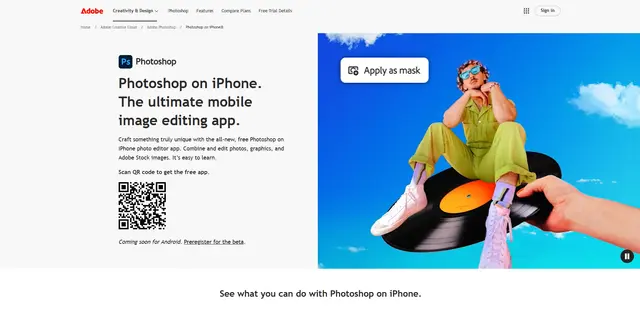
Adobe Photoshop App
Adobe Photoshop App — это бесплатный, мощный мобильный фоторедактор, который позволяет пользователям объединять и редактировать фотографии, графику и изображения Adobe Stock с помощью инструментов профессионального уровня и функций искусственного интеллекта, оптимизированных для сенсорных устройств.
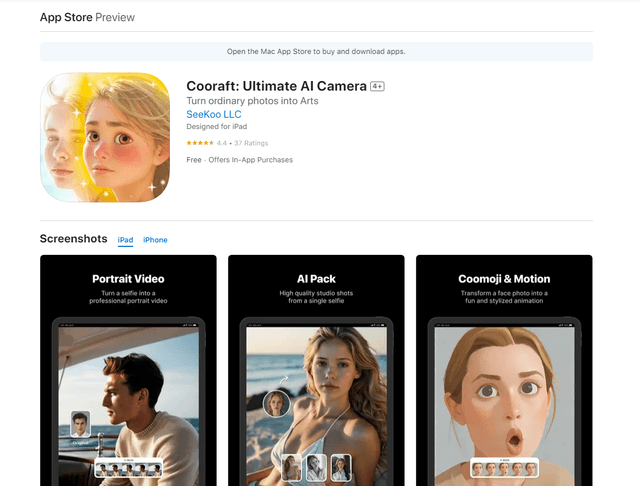
Cooraft: Ultimate AI Camera
Cooraft — это приложение для камеры, управляемое ИИ, которое превращает селфи и фотографии в потрясающие студийного качества видео, анимации и художественные рендеринги всего одним нажатием.