
CometChat
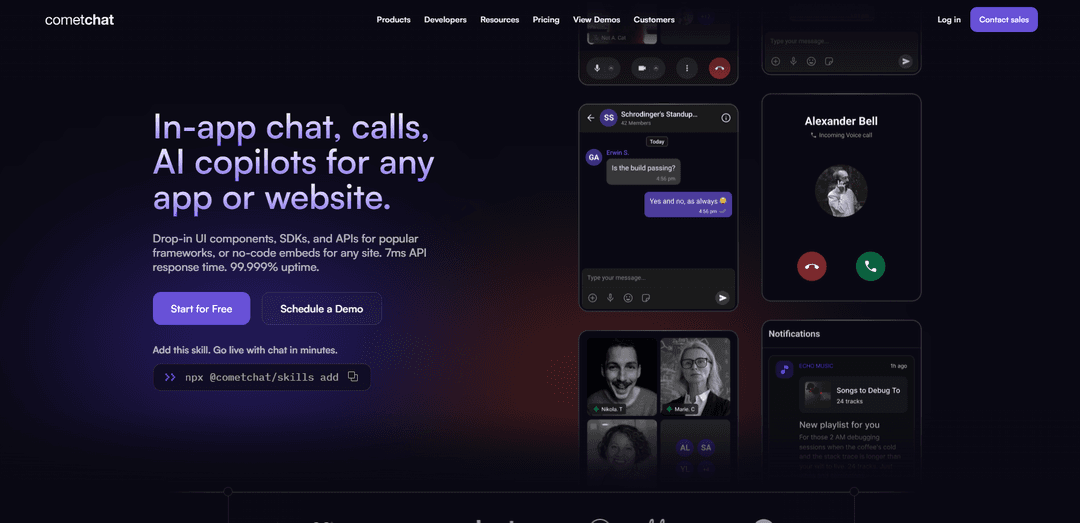
CometChat is an in-app communication platform that lets you quickly add real-time chat, voice/video calling, and AI-powered agents and moderation to web and mobile apps using SDKs, APIs, and prebuilt UI Kits.
https://www.cometchat.com/?ref=producthunt
Product Information
Updated:Jul 8, 2026
What is CometChat
CometChat is a comprehensive communications platform for embedding user-to-user messaging and calling experiences directly into applications and websites. It provides developer-friendly SDKs, APIs, and drop-in UI Kits for popular platforms (including React, iOS, Android, Flutter, and more), plus no-code embed options, so teams can ship in-app chat and voice/video faster without building the entire infrastructure from scratch. The platform is designed to be scalable and production-ready, with global delivery and enterprise-grade compliance options highlighted across its offering.
Key Features of CometChat
CometChat is a unified in-app communication platform that combines real-time messaging, voice/video calling, and user-facing AI agents, delivered through SDKs, APIs, and prebuilt UI Kits. It supports 1:1, group, and broadcast chat with rich messaging features (media, reactions, threads), presence/typing/read receipts, and scalable group sizes, plus calling capabilities like screen sharing, recording, and transcription. The platform also includes moderation/guardrails, analytics/insights, and a notification engine (push/email/SMS), with developer tooling and multi-tenant infrastructure aimed at shipping quickly and scaling reliably with compliance and high-uptime infrastructure.
Real-time chat (1:1, group, broadcast): Supports private conversations, large group chats, and broadcast-style messaging with core UX elements like typing indicators, presence, and read receipts.
Rich messaging experiences: Enables modern chat interactions such as rich media sharing, reactions, and threaded conversations to keep discussions organized and engaging.
Voice & video calling suite: Provides 1:1 and group calls with advanced capabilities including screen sharing, recording, and live transcription for meetings, classes, and consultations.
Full-stack AI agent platform: Helps deploy user-facing AI agents with agent-ready UI (e.g., citations/memory/actions), tool-calling and RAG support, plus guardrails, fallback logic, and analytics.
Moderation, guardrails, and safety controls: Built-in contextual moderation with rule-based controls (e.g., pattern/keyword filters) to reduce spam, profanity, and hate speech across conversations.
Developer tooling + multi-tenant infrastructure: Ships with UI Kits, SDKs, APIs, and webhooks for fast integration, plus multi-tenant capabilities to run multiple brands/communities with isolated logic and branding.
Use Cases of CometChat
Social communities & forums: Add DMs, group chats, reactions, threads, and moderation to keep large communities engaged and safe at scale.
Marketplace and on-demand services: Enable buyer–seller or customer–provider messaging and calling (including media sharing) to coordinate orders, deliveries, or appointments.
Telehealth and secure consultations: Support compliant chat plus HD voice/video consultations, with options like recording/transcription depending on workflow needs.
Ed-tech classrooms and tutoring: Power class discussions and 1:1 tutoring with group conferencing, screen sharing, threaded Q&A, and notifications for schedules and updates.
Gaming and multiplayer communities: Provide real-time in-game or companion-app chat with community features and contextual moderation to reduce toxicity and spam.
In-app AI support agents: Deploy branded AI agents inside chat to answer questions, guide onboarding, and trigger actions via tools—tracked with built-in analytics and guardrails.
Pros
All-in-one stack (chat, calls, and AI agents) with prebuilt UI Kits, SDKs, and APIs that can significantly reduce build time.
Scales to large groups and global usage with strong infrastructure claims (multi-region edge, high uptime) and compliance badges (e.g., ISO, HIPAA, SOC 2, GDPR).
Built-in moderation/guardrails, analytics, and notifications reduce the need for separate third-party tooling.
Cons
Calling is billed separately on a usage basis (pay-as-you-go), which can add variable costs beyond messaging.
Pricing is MAU-based and may have a relatively high minimum for paid tiers, which can be challenging for early-stage products or fast-growing apps.
How to Use CometChat
1) Choose the right CometChat integration approach: Decide whether you need a ready-made experience or full customization. Use UI Kits for prebuilt chat/call interfaces, SDKs/APIs for custom UI and deeper control, or a Chat Widget/no-code style setup if you want the fastest embed. This choice determines how much UI and logic you build yourself.
2) Create a CometChat account and project: Sign up in the CometChat dashboard and create a new app/project. This is where your chat/calls/agent configuration, environments, and credentials are managed.
3) Configure core product modules you plan to use: Enable the capabilities you need (real-time chat, voice/video calling, and/or AI agents). Plan your conversation types (1:1, group, broadcast) and any limits/features you’ll rely on (threads, reactions, read receipts, typing indicators, rich media).
4) Set up users and identity: Decide how your app’s users map to CometChat users. Create/sync users from your existing user database so the same identities can chat and call inside your product.
5) Implement secure user login using Authentication Tokens: Use CometChat Authentication Tokens to log users in securely from your app. Generate tokens server-side and pass them to your client app to authenticate users without exposing sensitive credentials.
6) Install CometChat in your client app (SDK or UI Kit): Add CometChat to your platform (mobile/web) using the appropriate SDK and/or UI Kit. UI Kits provide drop-in screens/components; SDKs provide the underlying messaging/calling primitives for fully custom UI.
7) Initialize CometChat in your app: Initialize the CometChat client at app startup using your project credentials/config from the dashboard. Confirm initialization succeeds before attempting login, messaging, or calling.
8) Add chat UI (prebuilt or custom): If using UI Kits, drop in the provided chat components/screens and theme/brand them. If using SDKs, build your own conversation list, message list, and composer UI, then wire them to CometChat messaging APIs.
9) Enable real-time messaging features: Turn on and surface key chat behaviors: typing indicators, read receipts, message history, search, reactions, threads, and rich media (images/files/voice notes). Ensure your UI reflects these states in real time.
10) Create and manage groups (and large communities if needed): Implement group creation and membership flows (private/public groups). If your use case requires scale, configure and test large groups (up to 50,000 members per the platform capabilities) and validate performance and moderation rules.
11) Add voice and video calling: Integrate CometChat calling for 1:1 or group calls. Expose call controls and optional features such as screen sharing, recording, and transcription where applicable to your product.
12) Configure moderation and guardrails: Set up moderation rules and guardrails for user-generated content (and agent responses if you use AI agents). Use the platform’s moderation/guardrail capabilities and define fallback handling and multilingual/media support as needed.
13) Set up notifications (Push, Email, SMS): Configure the notification engine to re-engage users with push (APNs/FCM), email (e.g., SendGrid integration or your provider), and SMS (e.g., Twilio or your provider). Apply quiet hours, retries, frequency controls, and templates based on your product needs.
14) Add analytics and insights: Enable dashboards/insights to monitor conversation health, engagement, and (if applicable) agent performance. Use these metrics to iterate on UX, moderation rules, and notification timing.
15) (Optional) Deploy AI agents with CometChat’s agent platform: If you need user-facing AI agents, plug in your agent or build in-platform. Configure RAG/tool-calling, agent-ready UI elements (citations, memory, retries, actions), guardrails, and analytics to monitor and improve agent behavior.
16) (Optional) Use multi-tenant infrastructure for multiple brands/communities: If you operate multiple brands or customer communities, configure multi-tenant isolation so each tenant can have distinct branding, moderation logic, and settings without duplicating code.
17) Test end-to-end and launch: Validate login/token flows, message delivery, media uploads (e.g., up to 100MB), group behavior, calling reliability, notifications, and moderation. Once stable, roll out to production and monitor uptime/latency and user experience.
CometChat FAQs
CometChat is an in-app communication platform that unifies user-to-user chat, voice and video calling, and user-facing AI agents in one platform, with SDKs, APIs, and prebuilt UI to help teams ship messaging and calling experiences faster.
Popular Articles

Atoms: A Multi-Agent AI Platform That Transforms Ideas into Launch-Ready Products
May 22, 2026

Nano Banana SBTI: What It Is, How It Works, and How to Use It in 2026
Apr 15, 2026

Atoms Review — The AI Product Builder Redefining Digital Creation in 2026
Apr 10, 2026

Kilo Claw: How to Deploy and Use a True "Do‑It‑For‑You" AI Agent(2026 Update)
Apr 3, 2026
Latest AI Tools Similar to CometChat

Folderr
Folderr is a comprehensive AI platform that enables users to create custom AI assistants by uploading unlimited files, integrating with multiple language models, and automating workflows through a user-friendly interface.

Peache.ai
Peache.ai is an AI character chat playground that enables users to engage in flirty, witty, and daring conversations with diverse AI personalities through real-time interactions.

TalkPersona
TalkPersona is an AI-powered video chatbot that provides real-time human-like conversation through a virtual talking face with natural voice and lip-sync capabilities.

Thaly AI
Thaly AI is an AI-powered sales assistant that automates customer conversations and lead qualification to help businesses scale their sales operations while saving time.
Popular AI Tools Like CometChat

GPT‑5.5 | ChatGPT Official
GPT‑5.5 in ChatGPT is OpenAI’s latest work-focused model designed to understand complex goals, use tools effectively, check its work, and carry multi-step tasks (coding, research, documents, spreadsheets) through to completion with stronger safeguards.

DuckDuckGo AI Chat
DuckDuckGo AI Chat is a free, anonymous way to access popular AI chatbots like GPT-3.5, Claude, and others while preserving user privacy.

Arch
Arch is an intelligent Layer 7 gateway built on Envoy Proxy that provides secure handling, robust observability, and seamless integration of prompts with APIs for building fast, robust, and personalized AI agents.

Off-grid LLM over Radio
A platform that integrates Large Language Models (LLMs) with Meshtastic mesh communication networks to enable off-grid AI interactions and automated task execution through radio communication.