
Cockpit AI
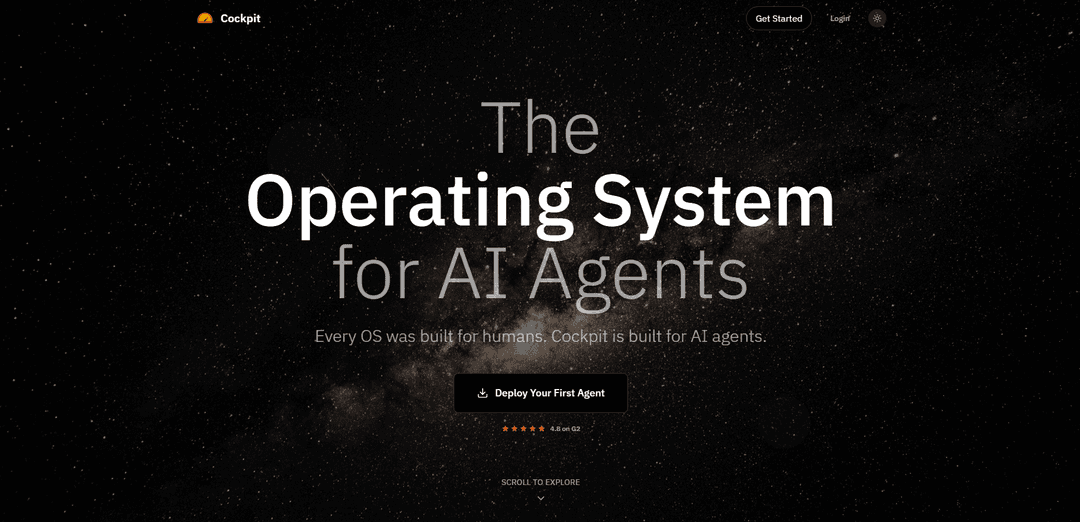
Cockpit - это операционная система, изначально разработанная для AI-агентов, с собственной файловой системой, бесконечной памятью и возможностями облачной оркестровки для обработки исследований, охвата и последующих действий, сохраняя при этом контроль со стороны человека.
https://oncockpit.ai/?ref=producthunt&utm_source=aipure
Информация о продукте
Обновлено:08/04/2026
Что такое Cockpit AI
Cockpit AI - это инновационная операционная система, разработанная исключительно для AI-агентов, принципиально отличающаяся от традиционных операционных систем, ориентированных на человека. Она служит комплексной платформой, которая позволяет AI-агентам напрямую получать доступ и управлять различными бизнес-функциями, включая электронную почту, календарь, контакты и документы, без необходимости использования настольного интерфейса. В отличие от обычных систем, где AI-агенты заимствуют рабочие столы у людей, Cockpit предоставляет собственную среду, оптимизированную для AI-операций, с постоянной памятью и возможностями управления состоянием.
Ключевые особенности Cockpit AI
Cockpit - это операционная система, изначально разработанная для AI-агентов, предоставляющая комплексную платформу для управления доходами и автоматизации бизнеса. Она включает в себя собственную файловую систему, неограниченную память и возможности облачной оркестрации, которые позволяют AI-агентам заниматься исследованиями, рассылкой и последующими действиями по различным каналам, сохраняя контекст и постоянство. Система интегрирует электронную почту, календарь, контакты и управление документами с использованием AI для автоматизации и масштабирования бизнес-процессов.
Операционная система, изначально разработанная для AI: Создана специально для AI-агентов с собственной файловой системой, неограниченной памятью и постоянным состоянием, что позволяет агентам работать без интерфейсов рабочего стола человека
Многоканальная оркестрация: Беспрепятственно управляет коммуникациями по электронной почте, календарю, документам и платформам социальных сетей с автоматизированной персонализацией и последующими действиями
Автоматизация операций по увеличению доходов: Автоматизирует исследование перспектив, персонализированную рассылку, создание предложений и последующие действия, сохраняя при этом последовательное повествование по всем каналам
Управление с участием человека: Предоставляет полный контроль людям для принятия стратегических решений, в то время как AI занимается исполнением, с возможностями проверки и утверждения важных действий
Варианты использования Cockpit AI
Продажи и генерация лидов: Автоматизирует исследование перспектив, персонализированную рассылку и последующие действия для отделов продаж, позволяя им масштабироваться с 20 до 200 персонализированных электронных писем в неделю
Управление маркетинговыми кампаниями: Организует многоканальные маркетинговые кампании с последовательным обменом сообщениями и автоматизированной персонализацией на всех платформах
Управление взаимоотношениями с клиентами: Поддерживает постоянную связь с клиентами посредством автоматизированных, персонализированных взаимодействий, отслеживая вовлеченность и модели ответов
Преимущества
Быстрая рентабельность инвестиций - сообщается, что окупается в течение 6 недель
Значительная экономия времени за счет автоматизации ручных задач
Возможности глубокой персонализации во всех коммуникациях
Недостатки
Требуется первоначальная настройка и конфигурация командой экспертов
Ограниченная доступность некоторых интеграций платформы (отмечены как \'скоро появятся\')
Как использовать Cockpit AI
1. Зарегистрируйтесь и начните работу: Посетите oncockpit.ai и нажмите \'Get Started\' или \'Deploy Your First Agent\', чтобы создать учетную запись с кодом приглашения для раннего доступа
2. Встретьтесь со специалистом по развертыванию агентов: Работайте с выделенным экспертом, который поможет настроить ваших AI-агентов, подключить ваши каналы (электронная почта, календарь, CRM) и настроить пользовательские рабочие процессы для вашего процесса продаж
3. Установите основные приложения: Установите основные приложения Workspace из Cockpit Store, включая: приложения Inbox, Calendar, Docs и Contacts для базовой функциональности
4. Настройте своего агента: Настройте своего AI-агента в соответствии со своими предпочтениями, тоном и стилем общения. Агент будет учиться и поддерживать последовательность во всех взаимодействиях
5. Импортируйте контакты: Выберите и импортируйте свои целевые контакты (до 500 можно управлять параллельно), чтобы агент начал персонализированный охват
6. Создайте повествование о доходах: Работайте со своим агентом, чтобы создать основное повествование о доходах и документацию по продажам, которые будут использоваться в качестве основы для всех коммуникаций
7. Просмотрите и утвердите: Просмотрите предложенный агентом охват перед отправкой. Установите ограждения и параметры утверждения для автономной работы
8. Отслеживайте результаты: Отслеживайте показатели вовлеченности, просматривайте взаимодействия с потенциальными клиентами и отслеживайте эффективность кампании через панель управления Cockpit
9. Оптимизируйте с помощью менеджера по успеху: Работайте со своим менеджером по успеху, чтобы настроить таргетинг, оптимизировать обмен сообщениями и масштабировать успешные подходы
10. Добавьте дополнительные каналы: Постепенно расширяйтесь до дополнительных каналов, устанавливая коннекторы для LinkedIn, Instagram, Twitter, TikTok, WhatsApp и платной рекламы по мере необходимости
Часто задаваемые вопросы о Cockpit AI
Cockpit - это операционная система, разработанная специально для AI-агентов, с собственной файловой системой, неограниченной памятью и возможностями облачной оркестрации. Она предназначена для помощи AI-агентам в выполнении таких задач, как исследования, охват и последующие действия, при этом сохраняя контроль за людьми.
Видео Cockpit AI
Популярные статьи

Vosko AI: локализация и дубляж видео для мировой аудитории
Oct 15, 2026

Atoms: Мультиагентная ИИ-платформа, которая превращает идеи в готовые к запуску продукты
May 22, 2026

Nano Banana SBTI: Что это такое, как это работает и как это использовать в 2026 году
Apr 15, 2026

Обзор Atoms — AI Product Builder, переопределяющий цифровое творчество в 2026 году
Apr 10, 2026
Последние ИИ-инструменты, похожие на Cockpit AI

Inbox AI
Inbox AI — это приложение для продуктивности MacOS, ориентированное на конфиденциальность, которое объединяет голосовую автоматизацию ИИ с возможностями управления электронной почтой, позволяя пользователям создавать пользовательские рабочие процессы и команды, а также предлагая как облачные, так и локальные варианты ИИ.

Cart.ai
Cart.ai — это платформа на основе ИИ, предоставляющая комплексные решения для автоматизации бизнеса, включая программирование, управление отношениями с клиентами, редактирование видео, настройку электронной коммерции и разработку пользовательских решений на основе ИИ с поддержкой 24/7.

Hiyllo Work
Hiyllo Work - это универсальная платформа для командного рабочего пространства, которая объединяет чат, управление проектами, календарь, электронную почту, хранение файлов и видеовстречи в одном интегрированном окружении.

MailSense
MailSense is an AI-powered email assistant that filters, summarizes, and generates replies to emails through a Telegram bot interface to help users manage their inbox more efficiently.
Популярные ИИ-инструменты, похожие на Cockpit AI

Magentic-UI
Magentic-UI - это прототип веб-агента с открытым исходным кодом, ориентированный на человека, разработанный Microsoft Research, который обеспечивает совместное планирование и выполнение сложных веб-задач посредством прозрачного взаимодействия между людьми и агентами ИИ.

Microsoft Copilot Cowork
Microsoft Copilot Cowork - это помощник на базе искусственного интеллекта, который превращает намерения пользователей в действенные планы и автономно выполняет многоэтапные задачи в приложениях Microsoft 365, сохраняя при этом контроль пользователей с помощью контрольных точек и утверждений.

Upsonic
Upsonic — это фреймворк AI-агентов, ориентированный на надежность, с докеризованной клиент-серверной архитектурой, который обеспечивает надежные рабочие процессы агентов благодаря расширенным функциям, таким как уровни проверки, треугольная архитектура и интеграция Model Context Protocol (MCP).

CampEd Hire
CampEd Hire is a powerful Chrome extension that streamlines recruitment by automatically collecting and organizing job applicant data from LinkedIn job posts, with features like automated data collection, CSV export, and batch resume downloads.