
Aye
Aye is a Chromium-based AI browser for Mac and Windows that acts like a teachable “AI intern,” completing repetitive web tasks (downloads, inbox replies, social upkeep) with visible step-by-step progress and human approval for sensitive actions.
https://okaapps.com/product/6760281977?ref=producthunt

Product Information
Updated:Aug 8, 2026
What is Aye
Aye is an AI browser built on the familiar Chrome/Chromium core, designed to help you delegate everyday work that happens inside web pages without changing how you browse. Instead of only chatting, Aye can understand what’s on the current page and carry tasks through to completion—such as saving videos from sites you can access (e.g., X, Telegram, Reddit), drafting and sending routine Gmail replies, and maintaining social/community channels. It’s available for both Mac and Windows (via the Mac App Store and Microsoft Store) and focuses on making browser workflows reusable, understandable, and controllable.
Key Features of Aye
Aye is a Chromium-based AI browser for Mac and Windows that acts like a “teachable AI intern” inside real web pages. It can read the visible page, understand context, plan multi-step actions, and operate the browser (click, type, scroll, switch tabs) to complete repetitive web tasks such as media downloading, inbox handling, and community/social operations. Workflows can be saved as reusable Skills and run again or scheduled, while sensitive steps like sign-in, CAPTCHA, form submission, and payments require explicit human approval so progress stays visible and controllable.
Chromium-based AI browser automation: Built on the familiar Chrome/Chromium core and can operate standard browser actions (click, type, scroll, switch tabs) to complete tasks directly on websites.
Page-aware task execution: Understands the current visible page and context, then plans and verifies multi-step workflows rather than only generating text responses.
Media Downloader for social platforms: Saves videos you can access on X, Telegram Web, and Reddit, with download progress managed in one place.
Inbox Assistant for routine support: Reviews visible Gmail support emails, understands context and language, drafts natural replies (English/Chinese), and proceeds through bounded inbox workflows.
Skills: record, reuse, and schedule: Turns repeated workflows into reusable Skills and supports running them on demand or on schedules (once, intervals, daily, weekly).
Human-in-the-loop safety controls: Keeps actions transparent and pauses for approval on sensitive steps such as sign-in, CAPTCHA, form submission, and payments; you can pause/stop anytime.
Use Cases of Aye
Customer support triage and replies: Support teams can delegate routine Gmail responses—Aye reads the thread context, drafts replies, and prepares actions while requiring approval for any sensitive steps.
Social community moderation and engagement: Community managers can handle notifications, reply to comments, and filter spam across platforms like Reddit and X to keep channels active with less manual browsing.
Content operations and cross-post drafting: Creators and marketing teams can prepare platform-native drafts for Xiaohongshu, Zhihu, WeChat, and X, then review before publishing.
Research and multi-tab information gathering: Analysts can collect research across tabs, check page updates, and compile findings while Aye navigates pages and verifies progress.
Routine web administration and form preparation: Operations teams can offload repetitive web chores like filling routine forms and maintaining web-based workflows, with final submission gated by human approval.
Media collection for editorial workflows: Editorial and media teams can quickly save accessible videos from social sources (X/Telegram/Reddit) to support clipping, archiving, and content review.
Pros
Works inside real websites (not just chat): can navigate pages and complete multi-step browser tasks.
Reusable and schedulable Skills reduce repeated instruction and keep recurring workflows running.
Strong control model: visible progress with explicit approval for high-risk actions (submission, payment, sign-in/CAPTCHA handoff).
Cons
Cannot fully automate sensitive steps (sign-in, CAPTCHA, payments, submissions) without user approval, which may limit end-to-end automation.
Effectiveness depends on what’s accessible/visible in the browser session and website behaviors, which can constrain some tasks.
How to Use Aye
1. Download and install Aye: Go to Aye’s official page (okaapps.com) and download Aye for your system (Mac App Store for macOS, Microsoft Store for Windows). Install and launch it (Aye is built on Chromium, so it behaves like a familiar Chrome-style browser).
2. Open the website where the work needs to happen: In Aye, navigate to the real site you want to operate on (e.g., Gmail, Reddit, X, Telegram Web, Xiaohongshu, Zhihu, WeChat web pages). Aye works from what is currently visible on the page.
3. Start a one-time task by describing your goal: Tell Aye what you want done in plain language (e.g., summarize an article, collect info across tabs, draft replies, prepare a platform-native post draft, or download media you can access). Aye will plan steps based on the current page context.
4. Let Aye execute browser actions step-by-step: Aye will proceed using normal browser operations—clicking, typing, scrolling, switching tabs, and checking results—while keeping progress visible so you can follow what it’s doing.
5. Approve sensitive actions when prompted: When Aye reaches high-risk steps (sign-in, CAPTCHA, form submission, payments, or similar), it will pause and ask for your approval. You complete sign-in/CAPTCHA and explicitly approve submissions or other critical actions.
6. Review the output and confirm completion: Check the drafted email/comment/post, the collected notes, or the downloaded media status. Aye verifies results as it goes, but you should do the final review before anything is published or sent.
7. Save the workflow as a Skill (reusable automation): After a task works well, save it as a Skill so you don’t need to re-explain the same workflow next time. Aye supports both prompt-based Skills and recorded Skills (a proven workflow you can reuse).
8. Schedule a Skill to run automatically: Set the saved Skill to run on a schedule—once, at fixed intervals, daily, or weekly—so routine browser work (e.g., inbox triage, community maintenance, content prep) keeps moving without manual repetition.
9. Use common built-in workflows (examples): Media Downloader: open X/Telegram Web/Reddit pages you can access and have Aye save videos with progress tracked in one place. Inbox Assistant (Gmail): open support emails, let Aye understand context and draft natural replies in English/Chinese, then review and send. Social Operator: open community pages (e.g., Reddit/Tieba/Xiaohongshu), let Aye handle notifications, filter spam, and prepare replies/drafts for your approval.
10. Pause or stop anytime to stay in control: If something looks off, pause or stop the task. Aye is designed to keep every step visible and require explicit approval for critical actions, so you remain the final decision-maker.
Aye FAQs
Aye is an AI browser built on Chromium that helps you delegate repetitive browser work. It acts inside real websites by understanding the current page, planning steps, and using normal browser actions like clicking, typing, scrolling, switching tabs, and checking results.
Aye Video
Popular Articles

Vosko AI: Localize and Dub Videos for Global Audiences
Oct 15, 2026

Atoms: A Multi-Agent AI Platform That Transforms Ideas into Launch-Ready Products
Oct 13, 2026

Nano Banana SBTI: What It Is, How It Works, and How to Use It in 2026
Apr 15, 2026

Atoms Review — The AI Product Builder Redefining Digital Creation in 2026
Apr 10, 2026
Latest AI Tools Similar to Aye

Cursor Search
Cursor Search is an AI-powered browser extension that provides instant access to world knowledge and information retrieval directly from your cursor.

PixieBrix
PixieBrix is a low-code browser extension platform that allows users to customize, automate, and enhance web applications with AI, integrations, and collaboration features.

AI Form Fill
AI Form Fill is an AI-powered browser extension that automatically completes online forms with a single click, saving time and boosting productivity.

Duang AI Tab
Duang AI Tab is a popular browser extension that beautifies your homepage, improves productivity, and provides one-click access to AI tools anywhere.
Popular AI Tools Like Aye

Edge Copilot Mode
Edge Copilot Mode is Microsoft's experimental AI-powered browser feature that combines search, chat, and web navigation into a single interface, enabling users to browse smarter with AI assistance while maintaining privacy and control.

BrowserAI
BrowserAI is an open-source library that enables running local Large Language Models (LLMs) directly in web browsers with WebGPU acceleration, offering privacy-focused AI capabilities without requiring server infrastructure.
iBrowsy
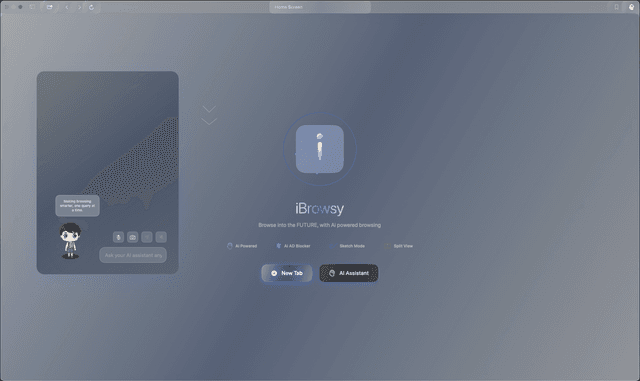
iBrowsy is a modern, AI-powered web browser for macOS that combines intelligent features, privacy-first design, and seamless user experience with built-in GPT-4 assistance.
OpenDia
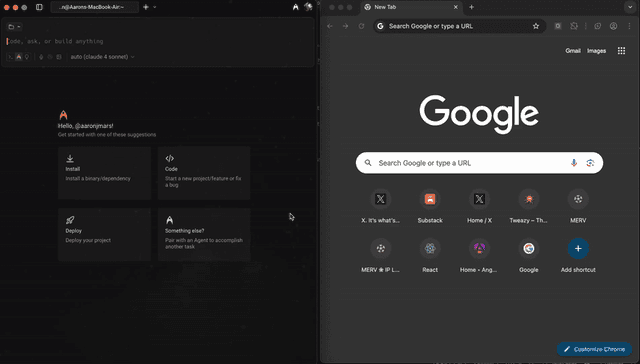
OpenDia is an open-source browser automation tool that enables AI models to control your browser seamlessly while leveraging your existing digital assets like logged-in accounts, cookies, and browsing history.