
AppWizzy
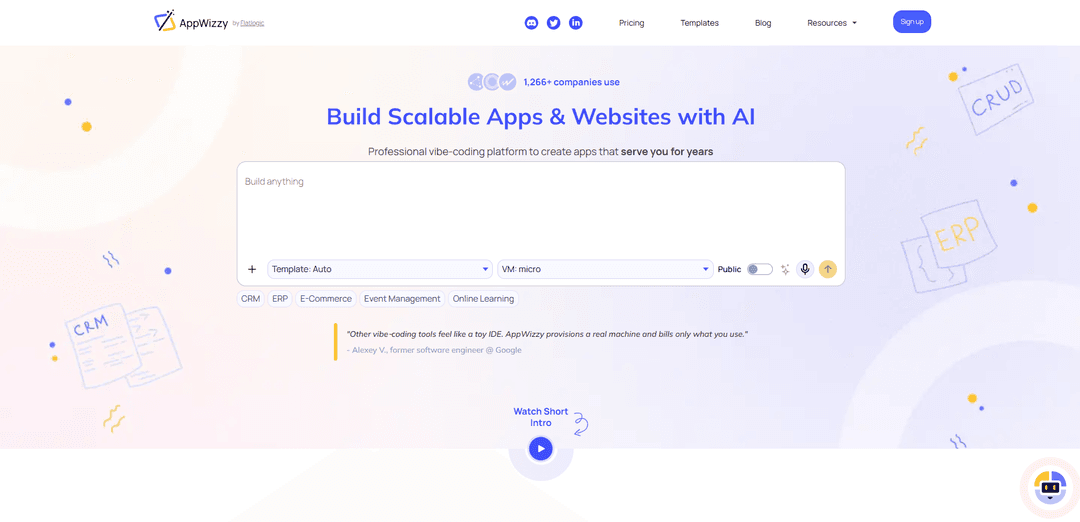
AppWizzy is an AI chat-driven platform that builds and hosts production-grade full-stack web apps on real cloud VMs, generating real code, databases, and CI/CD with Git-native editing and transparent usage-based pricing.
https://appwizzy.com/?ref=producthunt
Product Information
Updated:Jun 8, 2026
What is AppWizzy
AppWizzy is a professional “vibe-coding” platform that turns plain-English requirements into a deployable, full-stack web application—frontend, backend, and database included. Unlike edge-only builders that mainly output UI previews, AppWizzy provisions a real development machine in the cloud where your chosen stack (e.g., PHP, Python, Node/Next with Postgres or MySQL) actually runs. It’s designed for rapid MVPs and real business software, offering templates to jump-start common products (SaaS, CRM, e-commerce, admin panels, portals), built-in hosting, and full Git integration so teams can continue development like a normal repo.
Key Features of AppWizzy
AppWizzy is an AI-driven “vibe-coding” platform that generates and evolves production-capable full-stack web apps and websites from plain-English requirements. It provisions a real cloud VM (not a sandbox), generates architecture and database schemas, deploys with one click via CI/CD, and lets an AI agent (e.g., Gemini CLI/Codex) edit your actual Git repo with streamed logs and file diffs you can accept or revert. Pricing is credits-based (AI usage, hosting, and optional template licenses), with a free plan to try it and governance features like private apps, collaborators, audit trails, and limited refunds for “bad-AI” edits.
Real cloud dev VM (app-agnostic): Runs your project on a dedicated VM with common stacks (PHP, Python, Node/Next.js) and databases (Postgres/MySQL), enabling real backend logic, integrations, and non-trivial workloads beyond edge-only builders.
Text-to-app generation (architecture + DB schema): Turns plain-English specs into an initial software architecture plan and database schema, accelerating the jump from idea to a runnable full-stack baseline.
AI edits your repository (Git-native workflow): An integrated AI assistant performs code changes directly in your repo, streaming stdout/stderr and file diffs; you can accept, revert, iterate, and use branches like a normal development process.
One-click deploy with CI/CD + lifecycle controls: Deploys instantly with a live URL and supports operational actions like deploy/rollback and pause/resume, with always-on hosting (not just preview builds).
Transparent, credit-based pricing + telemetry: Costs collapse into three controllable buckets—AI tokens, hosting billed predictably (e.g., daily), and template licenses—using credits (noted as ~1 credit = $1) with usage visibility.
Templates + collaboration/governance: Jump-starts apps with templates (Landing, SaaS, CRM, e-commerce, admin, portal, etc.) and supports private apps, collaborators, and audit trails for team workflows.
Use Cases of AppWizzy
Startup MVPs and SaaS prototypes: Rapidly generate a multi-tenant-ready full-stack MVP (auth, CRUD, DB, CI/CD) and iterate via AI-driven repo edits to reach a first deploy in minutes instead of weeks.
E-commerce admin and operations tooling: Build back-office systems for products, inventory, orders, and customer feedback, including APIs and database-backed workflows suitable for small businesses and early-stage stores.
Internal business apps (CRM/ERP/portals): Create internal dashboards and workflow apps—CRMs, lightweight ERPs, and employee/customer portals—using templates plus custom logic and integrations on a real VM.
Marketing websites and landing pages: Generate and host SEO-friendly landing pages and websites quickly, then customize code as needed and attach custom domains for go-to-market launches.
Regulated/enterprise collaboration environments: Use private apps, collaborator access, and audit trails to support controlled development workflows where oversight and change history matter.
Pros
Real VM-based environment supports full-stack complexity (backend, DB, integrations) beyond sandbox/edge-only builders.
Git-native workflow with AI-assisted edits (diffs, logs, accept/revert) fits standard developer practices.
Fast path from spec → schema/code → deploy with templates and one-click CI/CD.
Transparent, usage-based credits model with separate buckets for AI, hosting, and template licensing.
Cons
No general money-back guarantee; refunds are limited to qualifying “bad-AI” edits (capped per plan).
Usage-based pricing can be harder to predict for heavy AI editing or always-on hosting needs without monitoring.
Code ownership/commercial usage is tied to paid plan + activating source code access; free-tier downloads are limited (personal use).
Template licensing may add extra cost depending on the chosen starter and intended number of derivative apps.
How to Use AppWizzy
1) Sign up and start a new app: Create an AppWizzy account and choose to create a new application. You can begin on the Free plan (includes limited monthly AI credits and a limited number of public apps) to explore the platform before upgrading.
2) Describe your app in plain English: Write a clear natural-language spec of what you want to build (core user flows, roles, entities, and key features). AppWizzy uses this to generate an initial architecture plan and database schema.
3) Choose your stack (runtime + database): Select the technology stack your app will run on (e.g., PHP, Python, or Node/Next) and the database (Postgres or MySQL). AppWizzy provisions a real cloud VM environment for this stack (not a sandbox preview).
4) Pick a seed template (or start from scratch): Select a pre-built template from the marketplace (e.g., Landing, SaaS Startup, CRM, E-commerce, Admin/Portal) to jump-start the project, or start without a template if you prefer.
5) Generate the initial app (plan → schema → code): Let AppWizzy produce the initial runnable full-stack codebase based on your description and chosen template/stack, including backend logic, database artifacts (schema/migrations), and the basic UI where applicable.
6) One-click deploy to get a live URL: Deploy the generated app to the AppWizzy cloud VM using the built-in CI/CD so you get a working environment and live URL quickly. Use this to validate flows and test features end-to-end.
7) Connect your GitHub repository (Git-native workflow): Push or connect the project to GitHub so you can work like a normal software repo: commits, branches, history, and collaboration. AppWizzy keeps edits and changes traceable with an audit trail.
8) Edit the code like any repo (VS Code + branches): Open the project in VS Code (or your preferred workflow) and use standard Git practices (feature branches, PR-style review, rollbacks). AppWizzy is designed so you can customize and extend the generated code freely.
9) Use the AI assistant to make code edits safely: Ask the AI assistant (Gemini CLI/Codex) to implement changes. AppWizzy streams stdout/stderr and file diffs so you can review what changed, then accept, iterate, or revert the edit.
10) Configure database access and manage credentials: Use the database credentials provided by AppWizzy to connect with your preferred DBMS tool. AppWizzy provides connection credentials; you manage and inspect the data using your chosen database client.
11) Control uptime and hosting lifecycle (pause/resume/always-on): Manage environment uptime from project settings. If the app has no activity for a day it may pause unless 'Always On' is enabled. Paused apps incur no hosting charges; you can resume when needed.
12) Deploy updates, rollback when needed: Ship changes through the same CI/CD pipeline to update the live environment. If something breaks, use Git history and platform rollback/version control features to revert to a known-good state.
13) Manage visibility, privacy, and collaboration: Set apps to public or private (private availability depends on plan). Add collaborators for team workflows and rely on the audit trail to track changes and governance.
14) Understand billing and credits (tokens + hosting + templates): Track costs in three buckets: AI token usage (credits), daily hosting charges for environments, and optional template licenses. Credits are priced simply (1 credit = $1) and token usage is billed transparently.
15) Handle refunds for incorrect AI edits (when applicable): If an AI-generated edit is incorrect or not acceptable, request a refund for the credits used for that specific 'bad-AI' edit (subject to plan caps and the platform’s refund rules).
16) Export/use source code and licensing (paid plan requirement for commercial use): On a paid plan, activate source code access for an app to obtain a license to use and commercialize the generated code. Without an active paid plan, downloaded code is for personal use only; licenses are typically per-app and you cannot use generated code to build competing code generators.
AppWizzy FAQs
AppWizzy lets you build and host full-stack web apps and websites by chatting with AI. It provisions a real cloud development VM where your app runs, enabling complex back-end logic, databases, and integrations (not just an edge/front-end preview).
AppWizzy Video
Popular Articles

Vosko AI: Localize and Dub Videos for Global Audiences
Oct 15, 2026

Atoms: A Multi-Agent AI Platform That Transforms Ideas into Launch-Ready Products
Oct 13, 2026

Nano Banana SBTI: What It Is, How It Works, and How to Use It in 2026
Apr 15, 2026

Atoms Review — The AI Product Builder Redefining Digital Creation in 2026
Apr 10, 2026
Latest AI Tools Similar to AppWizzy
Foundry
Foundry is a versatile platform that exists in multiple forms - as a smart contract development toolchain, a virtual tabletop gaming software, and a traditional metal casting facility - each offering specialized features for their respective domains.
PythonConvert.com
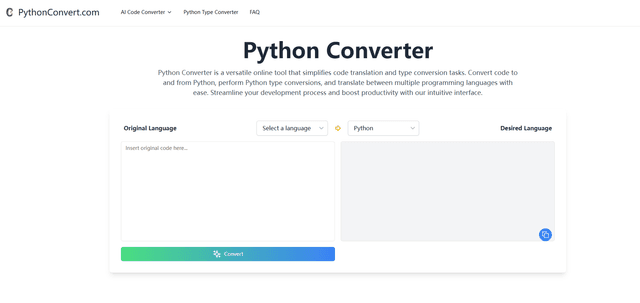
PythonConvert.com is a free web-based tool that provides AI-powered code translation between Python and other programming languages as well as Python type conversion capabilities.

Softgen
Softgen.ai is an AI-powered full-stack project generator platform that enables users to transform their ideas into functional web applications without coding requirements.
Micro SaaS Ideas
Micro SaaS Ideas are small-scale, niche-focused software solutions that target specific problems or markets, offering entrepreneurs a way to build profitable businesses with minimal resources and complexity.
Popular AI Tools Like AppWizzy

GitHub Copilot Chat
GitHub Copilot Chat is an AI-powered coding assistant that provides natural language interactions, real-time code suggestions, and contextual support directly within supported IDEs and GitHub.com.

CopilotForXcode
CopilotForXcode is an Xcode Source Editor Extension that integrates GitHub Copilot, Codeium, and ChatGPT to provide AI-powered code suggestions, chat assistance, and prompt-to-code functionality within Xcode.

OpenAI Codex CLI
OpenAI Codex CLI is a lightweight, open-source coding agent that runs in your terminal, enabling developers to translate natural language into code execution while providing ChatGPT-level reasoning with the ability to run code, manipulate files, and iterate under version control.

GoCodeo SaaS Builder
GoCodeo SaaS Builder is an AI-native framework that automatically generates production-ready full-stack SaaS applications using autonomous AI agents, complete with authentication, real-time features, and TypeScript integration.