
AppDeploy
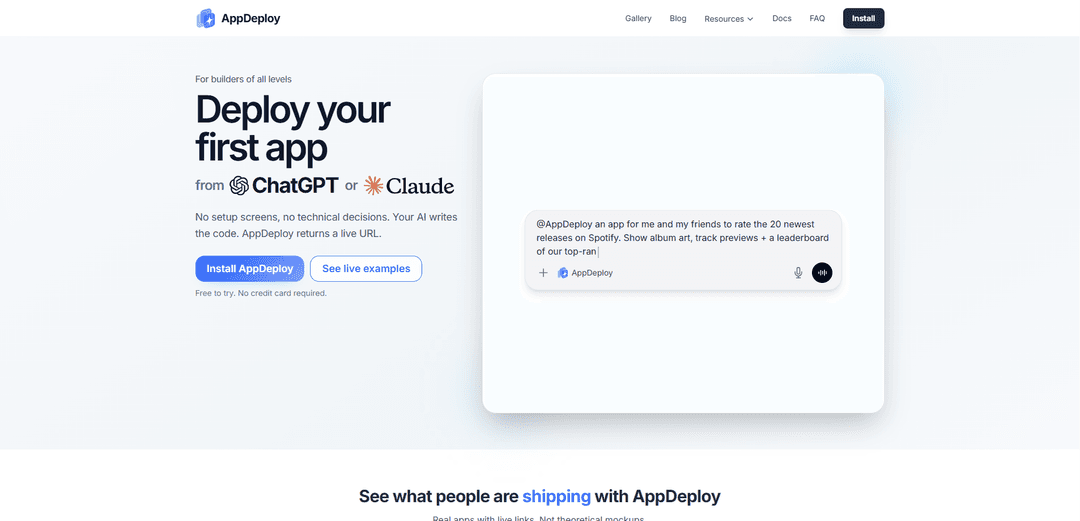
AppDeploy is a chat-native deployment platform that enables users to deploy full-stack web applications directly from AI chat interfaces like ChatGPT and Claude, automatically handling hosting, databases, authentication, and infrastructure to return a live public URL in minutes.
https://appdeploy.ai/?ref=producthunt
Product Information
Updated:Apr 10, 2026
What is AppDeploy
AppDeploy is an AI-assisted deployment platform designed to eliminate the traditional bottleneck between building and shipping web applications. By integrating directly with popular AI chat interfaces including ChatGPT, Claude, Cursor, and Codex through the Model Context Protocol (MCP), AppDeploy allows builders of all skill levels to deploy production-ready applications without managing technical infrastructure. Users simply describe their desired application in a chat interface, the AI writes the code, and AppDeploy automatically handles the entire deployment process—returning a live, shareable URL in minutes. The platform is free to try with no credit card required and requires no prior coding knowledge or hosting experience.
Key Features of AppDeploy
AppDeploy is a chat-native deployment platform that enables users to deploy frontend or full-stack web applications directly from AI chat interfaces like ChatGPT, Claude, Cursor, and Codex without technical setup. The AI writes code in the chat, and AppDeploy automatically handles hosting, databases, file storage, authentication, background tasks, real-time sync/WebSockets, and provides AI-driven end-to-end QA with visual bug reports, logs, and instant rollbacks. Users can go from describing an app idea to receiving a live public URL in minutes, eliminating the need to manage Git, CLIs, or infrastructure configuration.
Chat-Native Deployment: Deploy applications directly from AI chat interfaces by describing what you want to build. The AI writes the code and AppDeploy returns a live URL in minutes without leaving the chat.
Automatic Infrastructure Setup: Automatically provisions managed cloud hosting, databases, file storage, user authentication, background tasks, and real-time sync/WebSockets without requiring manual configuration or technical decisions.
AI-Driven End-to-End QA: Autonomous quality assurance agent that automatically catches visual bugs and sends reports directly to chat, along with deployment logs and instant version rollback capabilities for safe iteration.
Multi-Platform Integration: Works seamlessly with ChatGPT, Claude, Cursor, Codex, and other MCP-compatible tools through simple one-time installation via the Model Context Protocol.
Real Production Deployments: Creates actual production-ready applications with live URLs that can be shared publicly, not just demos or prototypes, with full support for iterative development and redeployment.
Zero Setup Required: Eliminates the need to evaluate hosting providers, configure databases, set up authentication systems, or create complex deployment pipelines, allowing users to focus purely on product development.
Use Cases of AppDeploy
Rapid Prototyping for Startups: Entrepreneurs can quickly validate business ideas by describing their app concept in chat and receiving a live, shareable prototype within minutes to test with potential users or investors.
E-commerce and Booking Systems: Build specialized applications like bakery pre-order systems with product showcases, pickup slots, order tracking, and admin tools without managing complex backend infrastructure.
Interactive Web Games: Deploy browser-based games with physics engines, runtime-generated art, sound effects, and responsive controls optimized for smooth gameplay without game server configuration.
Collaborative Financial Tools: Create group expense splitters and financial management apps for trips or shared events with real-time balance updates, flexible split methods, and progress tracking.
Non-Technical Team Deployment: Enable product managers, designers, or business analysts to deploy functional applications by describing requirements in natural language, without coding knowledge or DevOps expertise.
Rapid Feature Testing: Developers can quickly test new features or experimental ideas by deploying isolated versions with automatic QA, visual bug detection, and easy rollback if issues arise.
Pros
Eliminates technical barriers by removing the need for hosting setup, database configuration, and deployment pipeline management
Provides seamless workflow integration with popular AI chat platforms through natural language descriptions
Includes automatic QA testing with visual bug detection and instant rollback capabilities for safe iteration
Free to try without credit card requirement, with quick 2-minute setup process
Cons
Platform dependency creates vendor lock-in, making migration to other hosting providers more complex
Limited flexibility for very specific server configurations or low-level infrastructure optimizations
Pro features require monthly subscription investment beyond the free tier
Less control compared to traditional deployment methods for developers who need granular infrastructure management
How to Use AppDeploy
1. Choose your AI platform: Select which AI chat interface you want to use: ChatGPT, Claude, Cursor, Codex App, or CLI coding agents. Each platform has its own 2-minute setup guide available on the AppDeploy website.
2. Install AppDeploy connector: Add AppDeploy to your chosen AI platform once. For ChatGPT, add it via Developer Mode. For Claude, install the AppDeploy MCP (Model Context Protocol). For Cursor, use the installation link. For CLI agents, follow the CLI setup guide. An authentication screen will open where you can sign in using Google, Apple, X, or Guest.
3. Describe your app idea: In your AI chat interface, tell ChatGPT or Claude what you want to build. Be specific about features, functionality, and any particular requirements. The AI will write the code directly in your chat conversation based on your description.
4. Review the generated code: The AI will generate the complete code for your application in the chat. You can review it, ask for modifications, or iterate on specific features by continuing the conversation with the AI.
5. Deploy the app: When the code is ready, your AI assistant will automatically call AppDeploy to deploy the application. AppDeploy handles all technical setup including hosting, databases, file storage, authentication, and other backend essentials automatically.
6. Receive your live URL: Within about a minute, AppDeploy returns a live public URL directly in your chat. Your app is now hosted and accessible to anyone with the link.
7. Test and iterate: Share the live URL to test your app. If you need changes, continue the conversation with your AI assistant to modify features. You can redeploy instantly as you iterate, with AppDeploy's AI-driven QA automatically catching visual bugs.
8. Monitor and manage (optional): Track live deployment status, view debug logs, receive visual bug reports in chat, and roll back to earlier versions if needed. All deployment management happens through the chat interface or AppDeploy dashboard.
AppDeploy FAQs
No. If you can describe what you want, you can build and ship.
AppDeploy Video
Popular Articles

Atoms: A Multi-Agent AI Platform That Transforms Ideas into Launch-Ready Products
May 22, 2026

Nano Banana SBTI: What It Is, How It Works, and How to Use It in 2026
Apr 15, 2026

Atoms Review — The AI Product Builder Redefining Digital Creation in 2026
Apr 10, 2026

Kilo Claw: How to Deploy and Use a True "Do‑It‑For‑You" AI Agent(2026 Update)
Apr 3, 2026
Latest AI Tools Similar to AppDeploy

Hapticlabs
Hapticlabs is a no-code toolkit that enables designers, developers and researchers to easily design, prototype and deploy immersive haptic interactions across devices without coding.

Deployo.ai
Deployo.ai is a comprehensive AI deployment platform that enables seamless model deployment, monitoring, and scaling with built-in ethical AI frameworks and cross-cloud compatibility.

CloudSoul
CloudSoul is an AI-powered SaaS platform that enables users to instantly deploy and manage cloud infrastructure through natural language conversations, making AWS resource management more accessible and efficient.

Devozy.ai
Devozy.ai is an AI-powered developer self-service platform that combines Agile project management, DevSecOps, multi-cloud infrastructure management, and IT service management into a unified solution for accelerating software delivery.
Popular AI Tools Like AppDeploy

A2A Protocol
A2A (Agent2Agent) Protocol is an open interoperability protocol developed by Google that enables seamless communication and collaboration between AI agents across different frameworks and vendors, regardless of their underlying architecture.

VoltOps
VoltOps is a framework-agnostic LLM observability platform that provides real-time visual monitoring, debugging, and optimization tools for AI agents across any technology stack.

Chaterm
Chaterm is an open-source AI-native terminal and SRE copilot that enables engineers to manage complex infrastructure through natural language, automating deployment, troubleshooting, and operations without memorizing commands.

Open Browser Use
Open Browser Use is an open-source, agent-runtime-neutral browser automation layer that pairs a Chrome extension with a CLI/SDK/MCP to enable DOM-aware, CDP-powered tab control, navigation, and actions across different AI agent tools.