Airtap
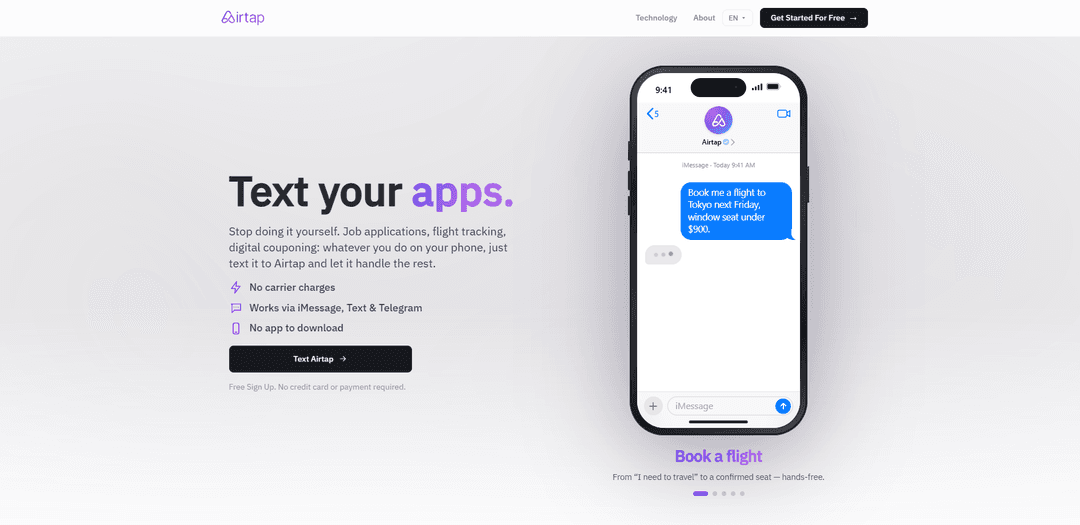
Airtap is a personal AI agent you can text via iMessage/SMS/Telegram that operates your real mobile apps on a dedicated cloud Android phone, lets you watch progress live in a web dashboard, and turns successful tasks into scheduled routines.
https://airtap.ai/?utm_source=aipure
Product Information
Updated:Sep 10, 2026
What is Airtap
Airtap is a personal AI agent that lives in your messaging apps and operates real mobile apps for you. Text it in plain English — track a flight, clip grocery coupons, apply to jobs, book a class — and it taps, types and scrolls through a cloud Android phone running your accounts. No downloads, no shared passwords, no scripts to build. Save any task that worked as a routine and let it run on a schedule. Works over iMessage, SMS and Telegram, with a web dashboard and live screen streaming.
Key Features of Airtap
Airtap is a personal AI agent you can message (iMessage/SMS/RCS/Telegram) to get real tasks done inside mobile apps that often lack APIs. It operates a dedicated Android “cloud phone” (or can pair to your physical Android via its AutoPilot app) and completes workflows by reading the screen and tapping/typing/swiping like a human. Users can watch execution live in a browser, review step-by-step task history, and turn successful tasks into scheduled routines. Airtap emphasizes privacy controls such as not storing passwords and blocking the agent from reading secure fields (e.g., passwords and payment details).
Text-to-execution agent: Send a plain-English request via iMessage/SMS/RCS/Telegram and Airtap carries it out by navigating real mobile apps (taps, types, scrolls) rather than relying on app APIs.
Dedicated cloud Android phone: Each user gets an always-on Android device in the cloud with apps installed and accounts kept signed in, enabling tasks to run 24/7 without using your personal battery/network.
Web dashboard with live screen streaming: Run tasks, build routines, and watch the cloud phone’s screen update in real time from any browser—no extension or local install required.
Routine builder + scheduling: Convert a completed task into a repeatable routine and schedule it (e.g., weekly coupon clipping), managed via a visual builder or prompt-based editing.
Auditability with task history: Provides step-by-step action logs and a status summary for completed runs, helping users understand what happened and troubleshoot failures.
Privacy-oriented credential handling: Airtap states it never sees or stores your passwords, and the agent is blocked from reading secure fields (e.g., password and payment inputs); cloud phones are isolated per user.
Use Cases of Airtap
Consumer errands (food, rides, bookings): Order delivery, book classes/restaurants, or request an Uber by texting Airtap, which completes the in-app steps on your cloud phone and asks for approval when needed.
Retail & savings automation (couponing/rewards): Clip digital coupons and claim in-app offers/rewards on a schedule (weekly or daily), reducing repetitive mobile-only work.
Job search operations: Automate repetitive mobile flows like applying to jobs or filling application steps that are tedious on a phone and inconsistent across apps.
Travel workflow management: Track flights or book travel end-to-end by delegating app navigation to Airtap, receiving progress updates in the message thread.
Marketing & social content assistance: Perform mobile-native actions such as posting or saving trending content and summarizing social feeds—tasks that typically require hands-on app usage.
Cross-app personal productivity: Chain workflows across apps (e.g., convert a Spotify playlist to YouTube Music, monitor news/stocks) where no official integrations exist.
Pros
Works with real mobile apps that don’t expose APIs by operating a real Android environment (cloud phone or paired device).
Messaging-first UX (iMessage/SMS/RCS/Telegram) makes automation accessible without building scripts or installing a desktop extension.
Live streaming + step-by-step history improves transparency and control compared to black-box automation.
Privacy claims include no password storage and blocking the agent from reading secure fields, with isolated per-user cloud phones.
Cons
Reliability can be inconsistent for complex tasks (reported to work ~60% for simple tasks in a review), as UI changes and edge cases can break flows.
Trust and safety concerns remain inherent to agents operating sensitive apps (e.g., banking, purchases), even with secure-field blocking.
Some tasks may still require human intervention for first-time sign-ins, authentication, or ambiguous app prompts.
Service is provided “as-is” with explicit limitations around accuracy, uninterrupted operation, and third-party app availability.
How to Use Airtap
1) Start Airtap from Messages (iMessage/SMS/Telegram): Go to https://airtap.ai/ and use the “Text Airtap” entry point (or message Airtap in iMessage/SMS/Telegram). Start a new thread and text what you want to accomplish in plain English (e.g., “Clip my grocery coupons,” “Book a flight,” “Apply to these jobs”).
2) Describe the goal and constraints: In the message thread, tell Airtap the outcome you want and any preferences (dates, budget, brands, locations, accounts to use). Airtap will ask clarifying questions and guide you step by step.
3) Use the web dashboard for a richer live view (optional): Open https://airtap.ai/app and sign in with Google or your phone number. From the dashboard you can run tasks, build routines, view task history, and watch the cloud phone screen stream live in your browser (no install needed).
4) Spin up your cloud phone: In the web app, your dedicated cloud Android phone is provisioned for your account. Install the same apps you already use on your real phone (e.g., airline, grocery, rewards, social apps).
5) Log into your apps privately: Sign in to each app on the cloud phone using your normal login flow. Airtap is designed so the agent can act without seeing secure fields (e.g., passwords/payment fields are blocked), and sessions are wiped on logout.
6) Run a task by texting it: Return to the message thread and send the request. Airtap will tap, type, and swipe through the apps on your cloud phone to complete the task, reporting progress back in the thread.
7) Approve prompts or provide input when asked: If Airtap needs confirmation or additional details, reply in the thread. If a first-time sign-in is required for a third-party service, follow the provided sign-in prompt/link, complete login, then return to the thread so Airtap can resume.
8) Watch actions live and review what happened (optional): In https://airtap.ai/app, watch the real-time screen stream as the agent operates your apps. After completion, review the step-by-step task history and the final status summary.
9) Save a successful task as a routine: When a task is worth repeating, save it as a routine. Airtap can rerun it automatically on a schedule (e.g., weekly coupon clipping, recurring reward claims, periodic monitoring).
10) Manage and schedule routines: Use the web app’s visual routine builder to create, edit, and schedule routines (no code required). Keep track of runs via task history and updates delivered back to your message thread.
11) (Optional) Use Autopilot to control your own Android device: If you want Airtap to operate apps on a local Android device, install the Autopilot APK from https://airtap.ai/app (via your account profile → connected devices), then pair your Android device to the web app.
12) Get help if you’re stuck: For support, visit https://airtap.ai/support or email [email protected].
Airtap FAQs
Airtap is a personal AI agent you can message (iMessage, SMS/Text, and Telegram) that operates mobile apps by tapping, typing, and scrolling like a person would.
Popular Articles

Vosko AI: Localize and Dub Videos for Global Audiences
Oct 15, 2026

Atoms: A Multi-Agent AI Platform That Transforms Ideas into Launch-Ready Products
Oct 13, 2026

Nano Banana SBTI: What It Is, How It Works, and How to Use It in 2026
Apr 15, 2026

Atoms Review — The AI Product Builder Redefining Digital Creation in 2026
Apr 10, 2026
Latest AI Tools Similar to Airtap
Inbox AI
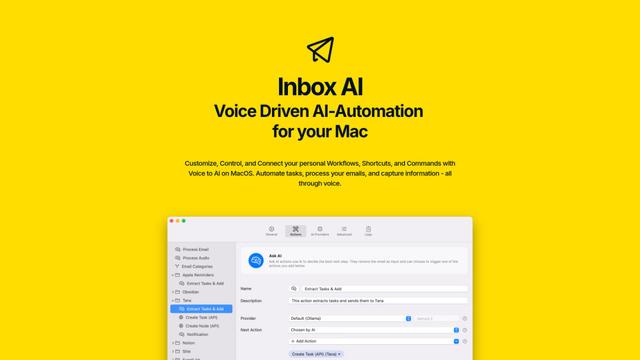
Inbox AI is a privacy-focused MacOS productivity app that combines voice-driven AI automation with email management capabilities, allowing users to create custom workflows and commands while offering both cloud-based and on-device AI options.

Cart.ai
Cart.ai is an AI-powered service platform that provides comprehensive business automation solutions including coding, customer relations management, video editing, e-commerce setup, and custom AI development with 24/7 support.

Hiyllo Work
Hiyllo Work is an all-in-one team workspace platform that combines chat, project management, calendar, email, file storage and video meetings in a single integrated environment.

MailSense
MailSense is an AI-powered email assistant that filters, summarizes, and generates replies to emails through a Telegram bot interface to help users manage their inbox more efficiently.
Popular AI Tools Like Airtap
Magentic-UI
Magentic-UI is an open-source, human-centered web agent prototype by Microsoft Research that enables collaborative planning and execution of complex web-based tasks through transparent interaction between humans and AI agents.
Microsoft Copilot Cowork
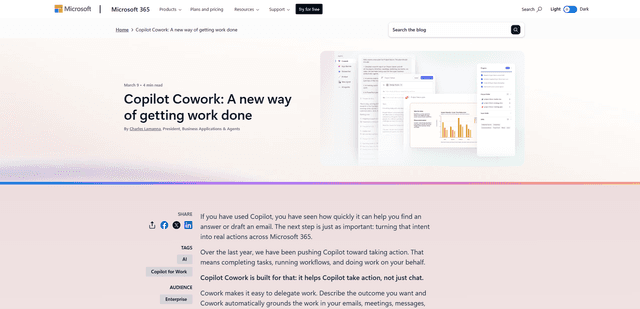
Microsoft Copilot Cowork is an AI-powered assistant that turns user intent into actionable plans and autonomously executes multi-step tasks across Microsoft 365 apps while keeping users in control through checkpoints and approvals.
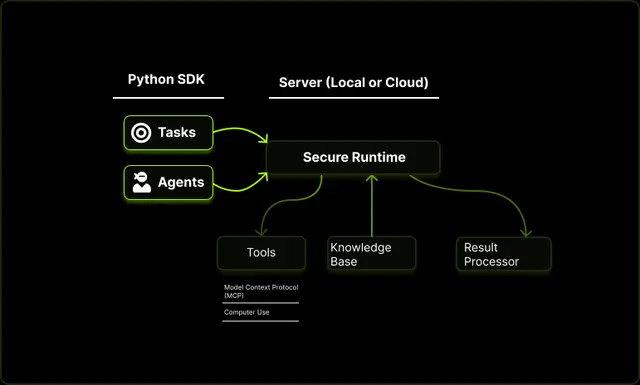
Upsonic
Upsonic is a reliability-focused AI agent framework with dockerized server-client architecture that enables trusted agent workflows through advanced features like verification layers, triangular architecture, and Model Context Protocol (MCP) integration.
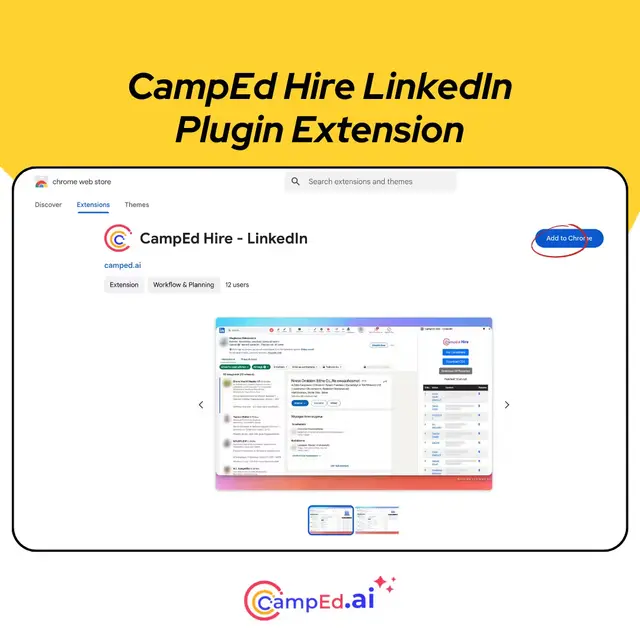
CampEd Hire
CampEd Hire is a powerful Chrome extension that streamlines recruitment by automatically collecting and organizing job applicant data from LinkedIn job posts, with features like automated data collection, CSV export, and batch resume downloads.