
agentcad
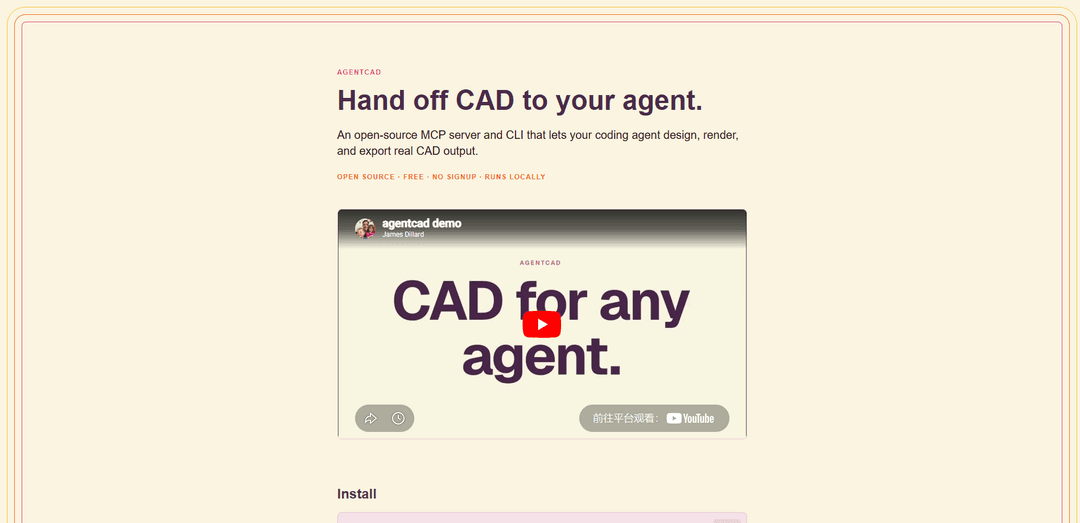
agentcad is an open-source, local-first MCP server and CLI that lets coding agents design, render, validate, and export real CAD outputs (e.g., STEP/STL/GLB) with a tight run→preview→fix feedback loop.
https://agentcad.dev/?ref=producthunt
Product Information
Updated:Jun 15, 2026
What is agentcad
agentcad is an open-source CAD tool built for AI agents and human–agent collaboration, enabling an agent to generate real, exportable CAD models from code and iterate quickly with visual and geometric feedback. It runs locally, is free with no signup, and can be used either as a CLI or as an MCP server integrated into agent environments like Claude Code, Cursor, or Windsurf. The project supports Python 3.10–3.12 and is distributed via pip (including an optional MCP extra), with source available under the Apache-2.0 license.
Key Features of agentcad
agentcad is an open-source, local-first MCP server and CLI that lets coding agents generate real CAD output with a tight iteration loop: run parametric CAD scripts, automatically render multi-view previews, return geometric metrics, validate and inspect topology, diff versions, and export manufacturing- and visualization-ready files (e.g., STEP, STL, GLB, OBJ). It’s designed for human–agent collaboration so agents can “see” results, catch mistakes, and converge on valid geometry without constant supervision, while requiring minimal boilerplate (common CAD primitives and helpers are pre-injected).
MCP server + CLI for agent-driven CAD: Works as a standalone CLI or as an MCP tool that integrates with coding agents (e.g., Claude Code, Cursor, Windsurf) to hand off CAD generation and iteration to an agent.
Run–render–inspect feedback loop: Each successful run produces renders (multi-view PNGs) and returns key geometry metrics (dimensions, volume, face count, validity) so the agent can self-correct quickly.
Real CAD export pipeline: Generates versioned STEP output and supports exports to STL, GLB, and OBJ for manufacturing workflows, 3D printing, and web/viewer pipelines.
Fast validation and topology inspection: Pre-execution checks catch errors quickly (<100ms) and an inspect/topology report helps debug bad geometry—useful when agents produce invalid solids on early attempts.
Version diffing for design iteration: Diff tools compare versions to track changes over iterations, making it easier to review what the agent modified between runs.
No-boilerplate scripting environment: Scripts require zero imports; common build123d primitives, show_object, and agentcad helpers are pre-injected to keep agent-generated code short and consistent.
Use Cases of agentcad
Rapid prototyping for product design: Generate and iterate on enclosures, stands, fixtures, and small mechanisms from natural-language requirements, exporting STEP/STL for prototyping and review.
3D printing and maker workflows: Create printable parts (e.g., phone stands, snap-fit boxes) with validation and quick visual checks, then export STL/OBJ for slicers and fabrication.
Engineering documentation and reconstruction: Rebuild complex historical or reference designs (e.g., multi-part aircraft reconstructions) from measured drawings/notes with repeatable, script-based CAD generation.
Web and XR visualization pipelines: Export GLB/OBJ assets for web viewers, AR/VR previews, or stakeholder demos, using automated renders for fast design sign-off.
Team collaboration with coding agents: Enable a shared workflow where humans specify constraints and review renders/metrics while an agent performs modeling actions and iteration through MCP tooling.
Pros
Open-source (Apache-2.0), free, and runs locally with no signup
Tight agent-friendly feedback loop (renders + metrics) improves convergence to valid geometry
Practical outputs and interoperability via STEP/STL/GLB/OBJ exports
Cons
Requires a Python environment and comfort with script-based CAD (not a traditional GUI-first CAD experience)
Quality depends on agent prompting/iteration; agents may still generate invalid geometry before converging
Best fit for supported tooling/integrations (MCP-based agents); other workflows may need extra setup
How to Use agentcad
1) Install prerequisites: Ensure you have Python 3.10–3.12 available (examples use Python 3.12). agentcad runs locally.
2) Create and activate a virtual environment (recommended): Run: `python3.12 -m venv .venv` then `source .venv/bin/activate` (macOS/Linux). On Windows, activate the venv using the appropriate PowerShell/CMD activation script.
3) Install agentcad (CLI only) or agentcad with MCP support: CLI only: `pip install agentcad`.
MCP server support: `pip install 'agentcad[mcp]'`.
4) (Optional) Install via uv instead of pip: If you prefer uv: `uv tool install --python 3.12 'agentcad[mcp]'`.
5) Install the agent skill (for coding agents/workflows): Run: `agentcad skill install`.
6) Read the operational briefing (help output): Run: `agentcad --help` and review the available commands and options.
7) Use agentcad in “script → run → render → fix” iteration: Write a CAD script (agentcad pre-injects build123d primitives plus helpers like `show_object`, so scripts typically need zero imports). Execute it with agentcad to produce versioned CAD outputs and get a rendered PNG preview plus geometric metrics (dimensions, volume, face count, validity). Iterate until geometry is valid and matches intent.
8) Minimal example script: Create a script containing:
`box = Box(10, 20, 5)`
`show_object(box)`
Then run it through agentcad to generate a preview render and metrics.
9) Export deliverables (manufacturing / sharing): Use agentcad’s export capabilities to output formats such as STEP (versioned on runs), and export to STL/GLB/OBJ as needed for 3D printing or web viewers.
10) Validate and inspect geometry when debugging: Use agentcad’s built-in validation and inspection/topology reporting to catch invalid geometry quickly and diagnose issues before exporting.
11) (Optional) Use agentcad via MCP in an agentic editor (Claude Code/Cursor/Windsurf): Add an MCP entry (example `.mcp.json`) so your coding agent can call agentcad as a tool:
{
"agentcad": {
"command": "uvx",
"args": ["--from", "agentcad[mcp]", "python", "-m", "agentcad.mcp"]
}
}
This works without a prior install because `uvx` caches the environment on first run.
12) Prompt-driven workflow (example task): In your coding agent (e.g., Claude Code/Cursor), ask it to design a part and request a preview render at the end. Example: “Design me a phone stand: an angled cradle that holds a phone at 60 degrees, about 80mm wide and 50mm deep, with a 5mm lip. Show me a preview when you’re done.” The agent should iterate using agentcad’s run+render feedback until correct.
agentcad FAQs
agentcad is an open-source MCP server and CLI that lets coding agents design, render, validate, and export real CAD output locally.
agentcad Video
Popular Articles

Atoms: A Multi-Agent AI Platform That Transforms Ideas into Launch-Ready Products
May 22, 2026

Nano Banana SBTI: What It Is, How It Works, and How to Use It in 2026
Apr 15, 2026

Atoms Review — The AI Product Builder Redefining Digital Creation in 2026
Apr 10, 2026

Kilo Claw: How to Deploy and Use a True "Do‑It‑For‑You" AI Agent(2026 Update)
Apr 3, 2026
Latest AI Tools Similar to agentcad
Foundry
Foundry is a versatile platform that exists in multiple forms - as a smart contract development toolchain, a virtual tabletop gaming software, and a traditional metal casting facility - each offering specialized features for their respective domains.
PythonConvert.com
PythonConvert.com is a free web-based tool that provides AI-powered code translation between Python and other programming languages as well as Python type conversion capabilities.

Softgen
Softgen.ai is an AI-powered full-stack project generator platform that enables users to transform their ideas into functional web applications without coding requirements.

Micro SaaS Ideas
Micro SaaS Ideas are small-scale, niche-focused software solutions that target specific problems or markets, offering entrepreneurs a way to build profitable businesses with minimal resources and complexity.
Popular AI Tools Like agentcad

GitHub Copilot Chat
GitHub Copilot Chat is an AI-powered coding assistant that provides natural language interactions, real-time code suggestions, and contextual support directly within supported IDEs and GitHub.com.

CopilotForXcode
CopilotForXcode is an Xcode Source Editor Extension that integrates GitHub Copilot, Codeium, and ChatGPT to provide AI-powered code suggestions, chat assistance, and prompt-to-code functionality within Xcode.

OpenAI Codex CLI
OpenAI Codex CLI is a lightweight, open-source coding agent that runs in your terminal, enabling developers to translate natural language into code execution while providing ChatGPT-level reasoning with the ability to run code, manipulate files, and iterate under version control.

GoCodeo SaaS Builder
GoCodeo SaaS Builder is an AI-native framework that automatically generates production-ready full-stack SaaS applications using autonomous AI agents, complete with authentication, real-time features, and TypeScript integration.