
99xDev
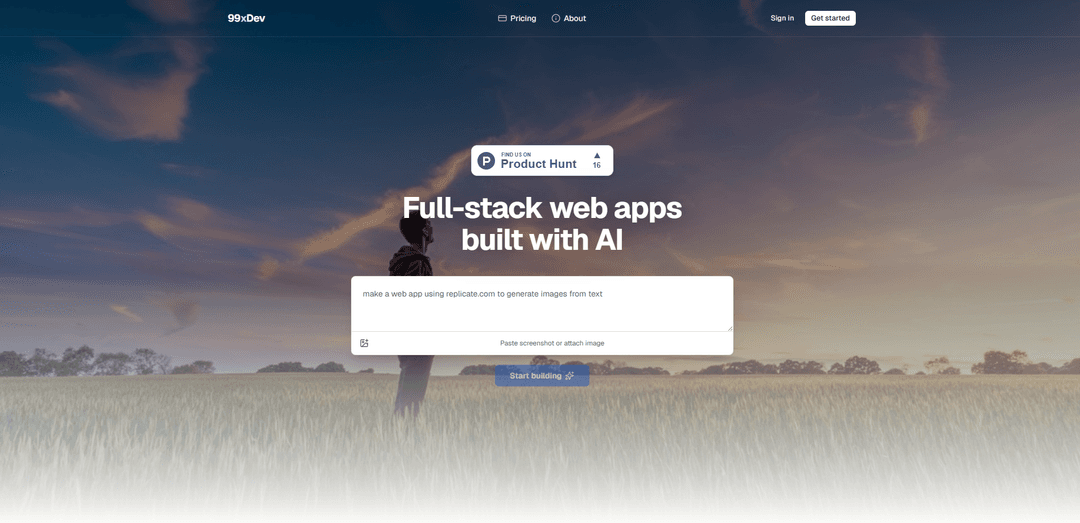
99xDev is an AI-powered builder that generates production-ready React + Express full-stack apps with built-in SQLite, file storage, and an integrated studio for previewing, editing code, and shipping to a live URL.
https://99xdev.com/?ref=producthunt
Product Information
Updated:Jun 8, 2026
What is 99xDev
99xDev is a web-based platform designed to help you go from an app idea to a working, full-stack web application quickly—without local setup. You describe what you want in plain language, and an AI agent produces a real codebase (React frontend + Express API) while you work inside a single “studio” environment that includes live preview, source code access, database tools, and integrations. It’s built for individuals and teams who want to prototype, iterate, and ship web apps faster while still ending up with tangible, editable application code.
Key Features of 99xDev
99xDev is an AI-powered studio for building production-ready full-stack web apps from plain-language prompts, generating a real React frontend and Express API backed by SQLite. It provides a single workspace to watch the agent build, edit code, run migrations, preview the app live, and manage built-in database, file storage, and logs—then publish via preview links or ship/export the codebase on your own terms. It also includes one-click “integration prompt” recipes (e.g., auth, Stripe, OpenAI, email) and supports team collaboration with role-based access.
Prompt-to-app full-stack builder: Describe what you want in plain words and the AI agent generates a runnable full-stack codebase, wiring up backend, frontend, storage, and migrations while reporting progress in chat.
Live preview & shareable links: Preview the app as it’s being built in a dedicated Preview tab, share a preview URL with teammates, and publish when ready.
Real, editable React + Express codebase: Browse and modify the generated project in the Code tab; it’s a standard React UI with an Express API that you can export when you ship.
Built-in SQLite database with migrations: Each project includes SQLite plus migrations, a table/row browser, and read-only SQL querying directly in the studio—no separate DB service required for basics.
Per-project file/object storage: Upload, browse, and serve images/files from built-in storage tied to each project, reducing the need for external buckets during early builds.
Integration prompt library + team collaboration: Use 18+ drop-in integration recipes (auth, Stripe, OpenAI, email, etc.) and collaborate by inviting teammates with owner/admin/member roles.
Use Cases of 99xDev
Startup MVPs and prototypes: Rapidly turn product ideas into working CRUD apps or dashboards with a live URL for feedback, then iterate with the agent and export code when ready to scale.
Internal business tools: Build admin panels, inventory/ops trackers, and reporting dashboards backed by SQLite for small-to-mid datasets, with quick iteration and minimal infrastructure setup.
Marketing sites with backends: Create landing pages that include forms, lead capture, and basic data workflows without standing up separate database/storage services.
E-commerce and payments-enabled apps: Use integration prompts (e.g., Stripe) to add payments and subscription flows to a React + Express app, suitable for lightweight commerce or SaaS billing.
AI-enabled product features: Leverage OpenAI integration recipes to add chat, summarization, or automation features inside a full-stack web app with minimal glue code.
Team-based app iteration and demos: Share preview links and collaborate in a shared workspace with roles, enabling product/engineering teams to review builds and changes asynchronously.
Pros
All-in-one workflow (code, preview, DB, storage, logs) reduces setup time and external dependencies for early-stage builds.
Generates a real, exportable React + Express codebase rather than a locked-in prototype.
Built-in SQLite with migrations and a data browser makes CRUD-style apps fast to scaffold and validate.
Integration prompt recipes accelerate adding common capabilities like auth, payments, email, and AI.
Cons
Stack is opinionated (React + Express + SQLite), which may not fit teams standardized on other frameworks or databases.
Free tier is heavily message-limited (8 lifetime messages), so meaningful iteration typically requires a paid plan.
Database querying is read-only in the studio, which may constrain certain operational workflows.
SQLite is great for many use cases but may require migration to other databases for high-scale, multi-user production workloads.
How to Use 99xDev
1) Sign up / sign in: Go to https://99xdev.com and create an account (Google sign-in or email one-time verification code). If you already have an account, sign in.
2) Start a new project: From the studio, create a new project and prepare to describe what you want to build in plain language.
3) Describe your app in chat: Tell the AI agent what you want (e.g., dashboard, CRUD tool, landing page with backend). The agent will generate a real full-stack codebase (React frontend + Express API + SQLite) and set it up for you.
4) Watch the AI build and iterate: Follow the live progress as it writes code, runs SQLite migrations, wires up storage, and fixes issues. Continue the conversation to refine features and resolve problems.
5) Use Live Preview while building: Open the Preview tab to see your app running as it’s being built. Share the preview link with teammates if needed.
6) Review and edit the generated code: Open the Code tab to browse and edit the full-stack project. The codebase is a standard React + Express app you can continue to modify.
7) Work with built-in data tools (SQLite): Use the Database tab to inspect tables, browse rows, and run read-only SQL queries. Migrations are included with every project.
8) Manage files with built-in storage: Use the per-project file/object storage to upload, browse, and serve assets (uploads, images, files) directly from the workspace.
9) Add common integrations via recipes: Use the Integration prompts library (18+ recipes such as auth, Stripe, OpenAI, email). Select a recipe and send it to the agent to implement.
10) Collaborate with teammates: Invite teammates into the workspace by email and assign roles (owner, admin, member) to collaborate in the same studio.
11) Prepare to ship: When you’re ready to go live, follow the platform’s shipping guidance (linked from the site’s “Ship your way” section) and publish on your terms.
12) Choose a plan as needed: Start on Free to try (limited projects/messages and preview hosting). Upgrade to Starter/Pro for more projects, monthly message allowances, and custom domains; add one-time message packs if you need extra usage.
99xDev FAQs
99xDev is an AI builder studio that helps you build production-ready full-stack web apps and get to a live URL without local setup.
99xDev Video
Popular Articles

Vosko AI: Localize and Dub Videos for Global Audiences
Oct 15, 2026

Atoms: A Multi-Agent AI Platform That Transforms Ideas into Launch-Ready Products
Oct 13, 2026

Nano Banana SBTI: What It Is, How It Works, and How to Use It in 2026
Apr 15, 2026

Atoms Review — The AI Product Builder Redefining Digital Creation in 2026
Apr 10, 2026
Latest AI Tools Similar to 99xDev
Foundry
Foundry is a versatile platform that exists in multiple forms - as a smart contract development toolchain, a virtual tabletop gaming software, and a traditional metal casting facility - each offering specialized features for their respective domains.
PythonConvert.com
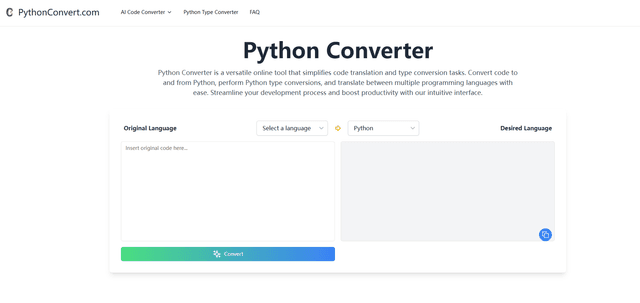
PythonConvert.com is a free web-based tool that provides AI-powered code translation between Python and other programming languages as well as Python type conversion capabilities.

Softgen
Softgen.ai is an AI-powered full-stack project generator platform that enables users to transform their ideas into functional web applications without coding requirements.

Micro SaaS Ideas
Micro SaaS Ideas are small-scale, niche-focused software solutions that target specific problems or markets, offering entrepreneurs a way to build profitable businesses with minimal resources and complexity.
Popular AI Tools Like 99xDev

GitHub Copilot Chat
GitHub Copilot Chat is an AI-powered coding assistant that provides natural language interactions, real-time code suggestions, and contextual support directly within supported IDEs and GitHub.com.

CopilotForXcode
CopilotForXcode is an Xcode Source Editor Extension that integrates GitHub Copilot, Codeium, and ChatGPT to provide AI-powered code suggestions, chat assistance, and prompt-to-code functionality within Xcode.

OpenAI Codex CLI
OpenAI Codex CLI is a lightweight, open-source coding agent that runs in your terminal, enabling developers to translate natural language into code execution while providing ChatGPT-level reasoning with the ability to run code, manipulate files, and iterate under version control.

GoCodeo SaaS Builder
GoCodeo SaaS Builder is an AI-native framework that automatically generates production-ready full-stack SaaS applications using autonomous AI agents, complete with authentication, real-time features, and TypeScript integration.