
Tines
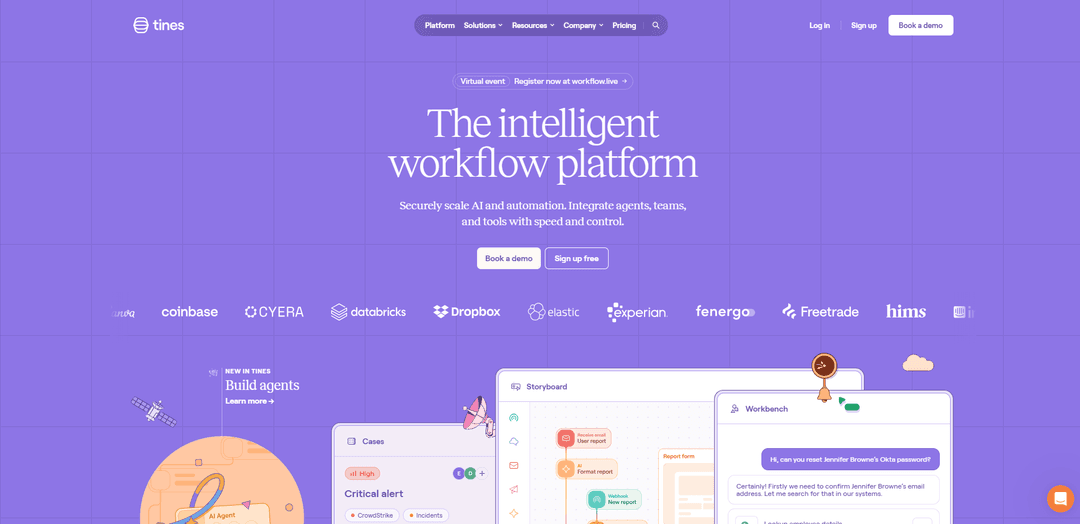
Tines is an intelligent workflow platform that enables teams to automate workflows and processes without coding through a secure, flexible integration layer connecting teams, tools, and data.
https://tines.com/?ref=producthunt
Produktinformationen
Aktualisiert:Feb 15, 2026
Was ist Tines
Tines is an enterprise-grade workflow automation platform designed to help organizations streamline their operations by connecting various tools and systems. It provides a no-code environment where teams can build automated workflows (called 'Stories') to handle repetitive tasks, integrate different applications, and orchestrate complex processes. The platform was born in security but has expanded to serve IT operations, infrastructure, engineering, and product teams with its vendor-agnostic approach and intuitive interface.
Hauptfunktionen von Tines
Tines is an intelligent workflow automation platform that enables organizations to streamline operations through no-code automation, secure integration across tools, and AI capabilities. It allows teams to create automated sequences of actions for tasks like threat detection, alert triage, and data collection, while providing powerful case management features and intuitive workflow building tools that can connect with any API.
No-Code Workflow Builder: Intuitive storyboard interface that allows teams to create complex automation workflows without coding knowledge, using simple building blocks and visual tools
Universal Integration Capabilities: Vendor-agnostic platform that can connect with any tool offering an API, including LLMs, MCPs, security tools, and internal systems
AI-Powered Workbench: Built-in AI capabilities that enable natural language processing in workflows and secure access to data in real-time through an AI chat interface
Advanced Case Management: Powerful system for tracking, managing and collaborating on incidents and workflows with built-in monitoring and notification features
Anwendungsfälle von Tines
Security Operations: Automate threat detection, incident response, and alert triage processes to improve security team efficiency and response times
IT Operations Automation: Streamline routine IT tasks, password resets, access management, and system maintenance workflows
Data Processing and Integration: Connect different tools and systems to automate data collection, transformation, and analysis across the organization
Cross-Team Collaboration: Enable different teams to work together through automated workflows, shared cases, and integrated communication channels
Vorteile
Extremely user-friendly interface with quick learning curve
Highly flexible and customizable to meet specific needs
Strong security features and governance controls
Extensive integration capabilities with any API
Nachteile
Learning curve for complex workflow creation
Limited script editor functionality for advanced users
May require significant setup time for complex integrations
Wie verwendet man Tines
Sign up for a Tines account: Visit login.tines.com/signup to create a new tenant account. You'll need this to access the Tines platform.
Complete initial setup: Configure your workflow environment and connect Tines to your tech stack by setting up credentials and authentication for the tools you want to integrate.
Create a new Story: Stories are the main workflows in Tines. Start by creating a new Story from the Storyboard interface where you'll build your automation workflow.
Add Actions to your Story: Add and configure Actions (like HTTP Requests, Event Transforms, etc.) that will make up the steps of your workflow. Connect the Actions together by linking their inputs and outputs.
Configure Triggers: Set up Triggers to determine when and how your Story should run - this could be on a schedule, via webhook, or based on other conditions.
Test the workflow: Use the testing features to validate each Action and the complete workflow. Debug any issues using the event logs and payload information.
Utilize resources and support: Take advantage of the Story Library for pre-built workflows, University for learning paths, and Community Slack for troubleshooting help.
Monitor and optimize: Use Cases feature to track workflow performance, set up notifications, and continuously improve your automation based on metrics and feedback.
Tines FAQs
Tines is an intelligent workflow platform that allows teams to automate processes and integrate different tools and systems. It's particularly focused on security automation but can be used for IT operations, infrastructure, engineering and product teams.
Tines Video
Beliebte Artikel

Vosko AI: Videos für ein globales Publikum lokalisieren und synchronisieren
Oct 15, 2026

Atoms: Eine Multi-Agenten-KI-Plattform, die Ideen in startbereite Produkte verwandelt
May 22, 2026

Nano Banana SBTI: Was es ist, wie es funktioniert und wie man es im Jahr 2026 einsetzt
Apr 15, 2026

Atoms Review – Der KI-Produkt-Builder, der die digitale Erstellung im Jahr 2026 neu definiert
Apr 10, 2026
Neueste KI-Tools ähnlich wie Tines

Hapticlabs
Hapticlabs ist ein No-Code-Toolkit, das Designern, Entwicklern und Forschern ermöglicht, immersive haptische Interaktionen über Geräte hinweg einfach zu entwerfen, zu prototypisieren und bereitzustellen, ohne programmieren zu müssen.

Monyble
Monyble ist eine No-Code-KI-Plattform, die es Nutzern ermöglicht, KI-Tools und -Projekte innerhalb von 60 Sekunden zu starten, ohne technische Expertise zu benötigen.
Abyss
Abyss ist eine KI-gesteuerte Plattform, die es Benutzern ermöglicht, automatisierte, aufgabenbezogene Widgets zu erstellen, zu teilen und auszuführen, ohne technische Expertise zu benötigen.
AppScape
AppScape ist eine No-Code-Plattform, die sofort einsatzbereite KI-gestützte Apps und anpassbare SaaS-Lösungen anbietet, die eine schnelle Bereitstellung ohne traditionelle Entwicklungskosten und technisches Fachwissen ermöglichen.
Beliebte KI-Tools wie Tines
GitHub MCP Server
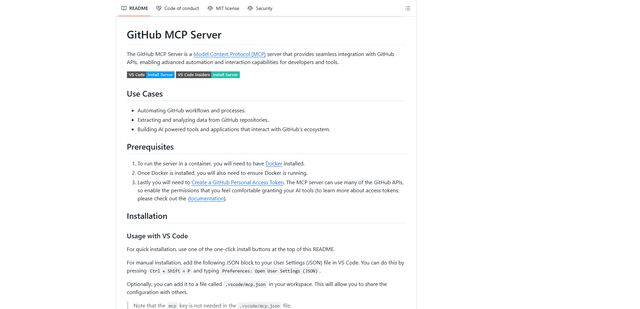
GitHub MCP Server ist ein Model Context Protocol-Server, der eine nahtlose Integration zwischen KI-Modellen und GitHub-APIs ermöglicht und standardisierte Tools für Repository-Verwaltung, Issue-Tracking und Code-Operationen bereitstellt.

GoCodeo SaaS Builder
GoCodeo SaaS Builder ist ein KI-natives Framework, das mithilfe autonomer KI-Agenten automatisch produktionsreife Full-Stack-SaaS-Anwendungen generiert, komplett mit Authentifizierung, Echtzeitfunktionen und TypeScript-Integration.

iBrowsy
iBrowsy ist ein moderner, KI-gestützter Webbrowser für macOS, der intelligente Funktionen, datenschutzorientiertes Design und nahtlose Benutzererfahrung mit integrierter GPT-4-Unterstützung kombiniert.
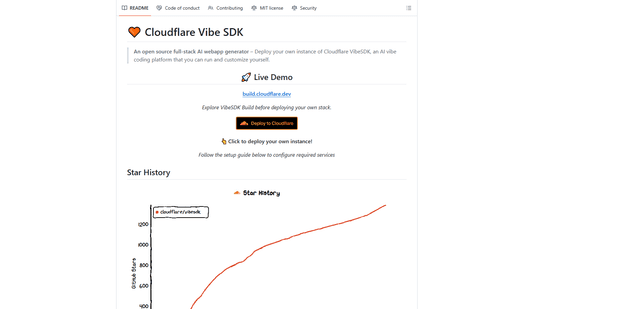
VibeSDK by CloudFlare
VibeSDK ist eine Open-Source-KI-gestützte Plattform von Cloudflare, die es Entwicklern ermöglicht, ihre eigene Full-Stack-Vibe-Codierungsumgebung mit einem Klick bereitzustellen, sodass Benutzer Anwendungen durch natürliche Sprachbeschreibungen generieren und bereitstellen können.