
Zernio
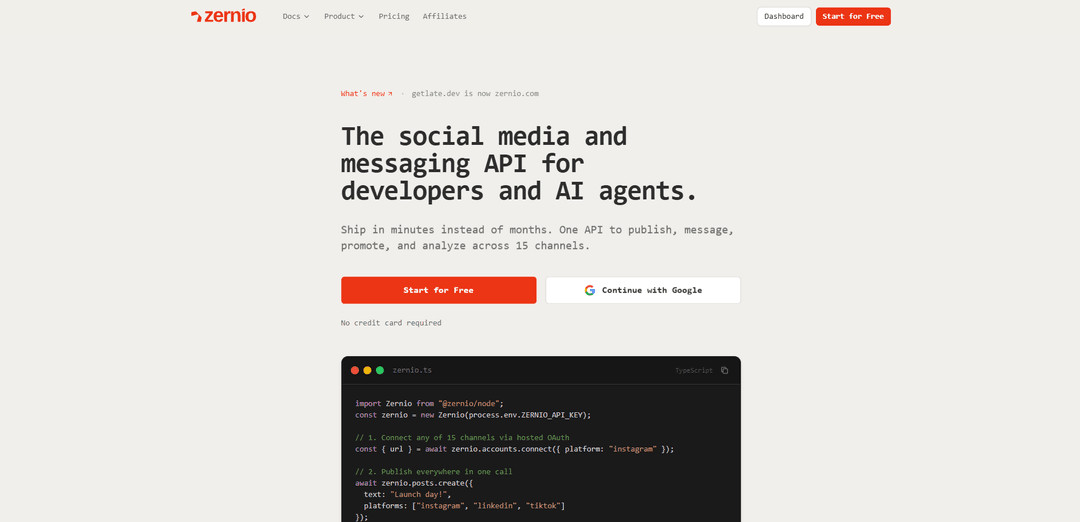
Zernio adalah API media sosial dan perpesanan terpadu, white-label untuk pengembang dan agen AI yang memungkinkan penerbitan, kotak masuk/DM, analitik, webhook, dan iklan berbayar di 15 platform sosial dan beberapa jaringan iklan melalui satu integrasi.
https://zernio.com/?ref=producthunt&utm_source=aipure
Informasi Produk
Diperbarui:Jul 8, 2026
Apa itu Zernio
Zernio menyediakan infrastruktur media sosial sebagai satu REST API (ditambah SDK, CLI, dan server MCP) sehingga tim dapat menyematkan postingan sosial, perpesanan, keterlibatan, dan analitik ke dalam produk mereka sendiri tanpa membangun dan memelihara integrasi terpisah untuk setiap jaringan. Ini mendukung penerbitan dan penjadwalan konten, mengelola DM/komentar dalam kotak masuk terpadu, melacak metrik kinerja, menerima peristiwa webhook, dan menjalankan/meningkatkan iklan di berbagai saluran termasuk Instagram, TikTok, X, LinkedIn, Facebook, YouTube, Threads, Reddit, Pinterest, Bluesky, Telegram, WhatsApp, Google Business, Snapchat, dan Discord. Zernio dirancang untuk mengutamakan pengembang dan sepenuhnya white-label, sehingga pengguna akhir tidak melihat branding Zernio.
Fitur Utama Zernio
Zernio adalah API media sosial dan perpesanan terpadu yang dibuat untuk pengembang dan agen AI yang menggantikan banyak integrasi platform terpisah dengan satu REST API (ditambah SDK, CLI, dan server MCP yang di-host). Ini menangani OAuth-as-a-service, pemformatan/pengoptimalan media, batas kecepatan, dan perubahan API platform sehingga tim dapat mempublikasikan dan menjadwalkan postingan, mengelola DM/komentar/ulasan dalam kotak masuk terpadu, menarik analitik, mengatur webhook, dan bahkan meningkatkan postingan melalui iklan di seluruh jaringan yang didukung—semua tanpa membangun dan memelihara integrasi platform individual.
Satu API untuk 15 saluran sosial + perpesanan: Publikasikan, jadwalkan, dan kelola konten di Instagram, TikTok, X/Twitter, Facebook, LinkedIn, YouTube, WhatsApp, Threads, Pinterest, Reddit, Bluesky, Telegram, Google Business, Snapchat, dan Discord dengan satu integrasi.
OAuth-as-a-service (tanpa aplikasi pengembang per-platform): Hubungkan akun melalui alur OAuth yang di-host sementara Zernio mengelola aplikasi pengembang, persetujuan, penyegaran token, dan kompleksitas otentikasi khusus platform.
Primitif penerbitan + penjadwalan: Buat postingan (teks, gambar, video, korsel), jadwalkan, dan andalkan penanganan yang peka terhadap platform seperti pemformatan media dan percobaan ulang otomatis pada kegagalan.
Kotak Masuk Terpadu melalui API: Akses dan balas DM, komentar, dan ulasan dari berbagai platform melalui satu titik akhir kotak masuk, memungkinkan alur kerja keterlibatan yang dapat diprogram.
Analitik + webhook: Ambil metrik terpadu (misalnya, suka, jangkauan, tayangan, klik, tampilan, statistik pengikut) dan terima notifikasi webhook untuk peristiwa publikasi/kegagalan untuk menghindari polling.
Perangkat alat agen AI (server MCP, SDK, CLI): Server MCP yang di-host (280+ alat) ditambah SDK resmi dan CLI memungkinkan agen dan alat pengembang (misalnya, Claude/Cursor) mengoperasikan alur kerja sosial dalam bahasa alami atau kode.
Kasus Penggunaan Zernio
Produk SaaS yang menyematkan fitur sosial: Tambahkan koneksi akun, posting silang, penjadwalan, kotak masuk, dan analitik ke dalam produk tanpa memelihara 15 API terpisah—berguna untuk alat pembuat konten, platform CRM, atau aplikasi e-commerce.
Agen pemasaran yang mengelola banyak akun klien: Standarisasi postingan, keterlibatan, dan pelaporan di seluruh klien dan platform dengan satu integrasi backend dan umpan webhook/analitik yang konsisten.
Agen AI untuk operasi sosial: Biarkan agen secara otonom menyusun, menjadwalkan, mempublikasikan, dan terlibat (membalas komentar/DM) menggunakan perangkat alat MCP, termasuk tinjauan kinerja melalui titik akhir analitik.
Dukungan pelanggan melalui sosial + WhatsApp: Pusatkan pesan masuk dan ulasan (termasuk WhatsApp) ke dalam satu kotak masuk yang dapat diprogram untuk mendukung otomatisasi helpdesk dan alur kerja respons yang lebih cepat.
Eksekusi dan peningkatan kampanye multi-saluran: Koordinasikan penerbitan organik dengan promosi berbayar dengan meningkatkan postingan melalui jaringan iklan yang didukung, mengikat eksekusi dan pengukuran bersama melalui API.
Kelebihan
Cakupan platform yang luas dengan satu integrasi (15 saluran) ditambah dukungan jaringan iklan untuk beberapa platform
Perangkat alat yang ramah pengembang dan agen: REST API, beberapa SDK, CLI, dan server MCP yang di-host
Mengurangi beban pemeliharaan dengan menangani OAuth, penyegaran token, batas kecepatan, pemformatan media, dan perubahan API platform
Harga per-akun yang terhubung berdasarkan penggunaan mencakup semua fitur (tanpa add-on/tingkatan) dan 2 akun pertama gratis
Kekurangan
Harga per-akun yang terhubung bisa menjadi mahal untuk agensi/SaaS dengan banyak akun klien (biaya meningkat secara linier dengan akun yang terhubung)
Beberapa kemampuan bervariasi berdasarkan platform (kesetaraan fitur berbeda di seluruh saluran)
Biaya API X/Twitter diteruskan secara terpisah sesuai biaya, menambah variabilitas pada total pengeluaran
Cara Menggunakan Zernio
1) Buat akun Zernio dan dapatkan kunci API: Daftar di https://zernio.com/signup, lalu buat kunci API di dasbor (Kunci API). Kunci menggunakan format: sk_ + 64 karakter heksadesimal. Anda akan menggunakannya sebagai token Bearer untuk semua permintaan API.
2) Atur kunci API Anda di lingkungan Anda: Ekspor kunci agar SDK/CLI dapat mengambilnya secara otomatis: export ZERNIO_API_KEY="sk_...". Variabel lingkungan lebih diutamakan daripada konfigurasi lokal.
3) (Opsi A) Instal dan otentikasi dengan Zernio CLI: Instal Zernio CLI (sesuai dokumen), lalu otentikasi melalui OAuth browser: zernio auth:login. Atau atur kunci secara manual: zernio auth:set --key "sk_kunci-api-anda". Konfigurasi disimpan di ~/.zernio/config.json (legacy ~/.late/config.json didukung).
4) Hubungkan akun sosial/pesan melalui OAuth yang di-hosting: Gunakan alur OAuth terpadu Zernio untuk menghubungkan platform (Instagram, X/Twitter, LinkedIn, TikTok, WhatsApp, dll.). Anda akan dialihkan ke platform untuk otorisasi, lalu Zernio menyimpan koneksi sehingga Anda dapat memposting/mengirim pesan melalui API.
5) (API) Buat URL koneksi dan alihkan pengguna: Panggil titik akhir koneksi untuk mendapatkan URL OAuth, lalu alihkan pengguna ke sana. Contoh (Node): const { url } = await zernio.connect.getConnectUrl({ path: { platform: 'twitter' }, query: { profileId: 'ID_PROFIL_ANDA' } }); Alihkan pengguna ke `url` untuk menyelesaikan otorisasi.
6) Verifikasi akun yang terhubung: Daftar akun yang terhubung untuk mendapatkan nilai accountId yang akan Anda posting. Contoh CLI: zernio accounts:list --pretty. Anda akan menggunakan ID akun yang dikembalikan (misalnya, acc_xxx) dalam payload postingan.
7) Publikasikan postingan segera (REST): Kirim permintaan POST ke https://zernio.com/api/v1/posts dengan Authorization: Bearer <API_KEY>. Sertakan konten dan array platform dengan platform + accountId. Atur publishNow: true untuk mempublikasikan segera.
8) Jadwalkan postingan untuk nanti (REST atau CLI): Alih-alih publishNow, berikan waktu terjadwal (misalnya, scheduledFor / scheduledAt tergantung pada klien). Contoh CLI: zernio posts:create --text "Halo dari CLI!" --accounts <accountId> --scheduledAt "2025-06-01T10:00:00Z".
9) Publikasikan ke beberapa platform dalam satu panggilan (SDK): Gunakan SDK untuk cross-post dengan satu permintaan. Contoh Node: const { data: post } = await zernio.posts.createPost({ body: { content: 'Halo dunia dari Zernio!', platforms: [ { platform: 'twitter', accountId: 'acc_xxx' }, { platform: 'linkedin', accountId: 'acc_yyy' }, { platform: 'instagram', accountId: 'acc_zzz' } ], publishNow: true } });
10) Sesuaikan konten per platform (opsional): Sediakan platformSpecificContent per entri platform untuk menyesuaikan salinan sambil tetap mengirim satu permintaan. Contoh: platforms: [{ platform:'twitter', accountId:'acc_twitter', platformSpecificContent:'Singkat & padat untuk X' }, { platform:'linkedin', accountId:'acc_linkedin', platformSpecificContent:'Nada profesional untuk LinkedIn dengan lebih banyak detail.' }].
11) Gunakan Python SDK (opsional): Instal dan instansiasi klien (membaca ZERNIO_API_KEY). Contoh: from zernio import Zernio; client = Zernio(); post = client.posts.create(content='Halo dunia dari Zernio!', platforms=[{'platform':'twitter','accountId':'acc_xxx'}], publish_now=True).
12) Gunakan server MCP dengan agen AI (opsional): Hubungkan server MCP Zernio yang di-hosting ke klien yang mendukung MCP (Claude, Cursor, ChatGPT, dll.) sehingga agen dapat memanggil alat Zernio (posting, kotak masuk, otomatisasi) menggunakan bahasa alami. Verifikasi persyaratan tingkatan/akses apa pun di dokumen MCP.
13) Siapkan webhook untuk status pengiriman (direkomendasikan): Konfigurasi pengaturan webhook agar Zernio memberi tahu Anda saat postingan dipublikasikan atau gagal (dengan alasan), menghindari polling. Lihat titik akhir pengaturan webhook di dokumen.
14) Pecahkan masalah otentikasi dan pengaturan lama: Pastikan permintaan menyertakan Authorization: Bearer <kunci>. Jika menggunakan CLI, konfirmasikan ~/.zernio/config.json ada dan jalankan zernio auth:check. Variabel lingkungan lama (LATE_API_KEY / LATE_API_URL) dan ~/.late/config.json mungkin masih berfungsi sebagai fallback.
FAQ Zernio
Zernio adalah platform penjadwalan media sosial, perpesanan, analitik, dan iklan yang mengutamakan API yang memungkinkan pengembang untuk memublikasikan, mengirim pesan, mempromosikan, dan menganalisis di 15 saluran sosial dari satu API.
Artikel Populer

Vosko AI: Lokalisasi dan Sulih Suara Video untuk Audiens Global
Oct 15, 2026

Atoms: Platform AI Multi-Agen yang Mengubah Ide menjadi Produk Siap Diluncurkan
May 22, 2026

Nano Banana SBTI: Apa Itu, Bagaimana Cara Kerjanya, dan Cara Menggunakannya di Tahun 2026
Apr 15, 2026

Ulasan Atoms — Pembuat Produk AI yang Mendefinisikan Ulang Kreasi Digital di Tahun 2026
Apr 10, 2026
Alat AI Terbaru Serupa dengan Zernio
AIFluencerPro
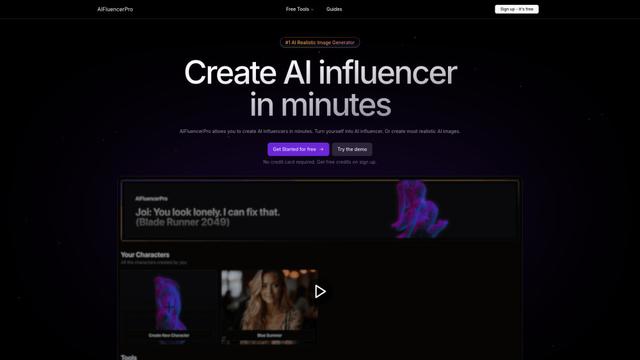
AIFluencerPro adalah platform bertenaga AI yang memungkinkan pengguna untuk membuat influencer AI fotorealistik dan menghasilkan gambar AI berkualitas tinggi dalam hitungan menit menggunakan teknologi AI generatif yang canggih.
Lynklet
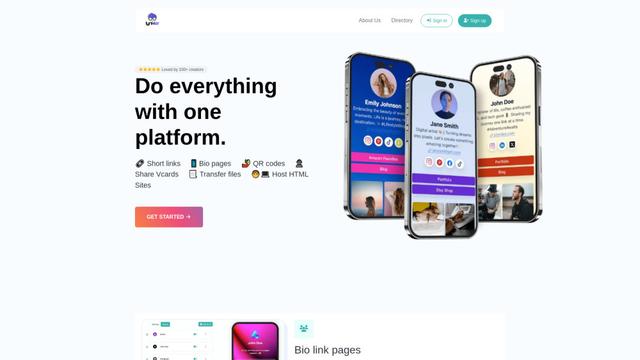
Lynklet adalah platform alat sosial serba ada yang menggabungkan halaman tautan bio, pemendekan URL, pembuatan kode QR, kartu nama digital, dan kemampuan hosting file dalam satu solusi komprehensif.
Re-Engage
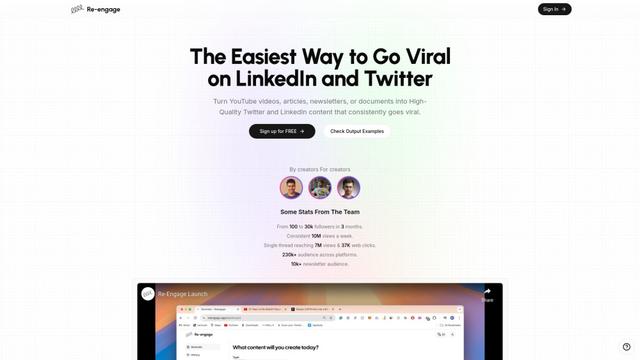
Re-Engage adalah alat pemanfaatan kembali konten yang inovatif yang mengubah video YouTube, artikel, buletin, dan dokumen menjadi konten media sosial berkinerja tinggi yang dioptimalkan untuk viralitas Twitter dan LinkedIn.

Trump Donald
Trump Donald adalah platform penggalangan dana politik yang unik yang memungkinkan pengguna mengirim surat fisik ke Mar-a-Lago sambil melakukan sumbangan kepada organisasi yang bekerja untuk mengalahkan Donald Trump.
Alat AI Populer Seperti Zernio
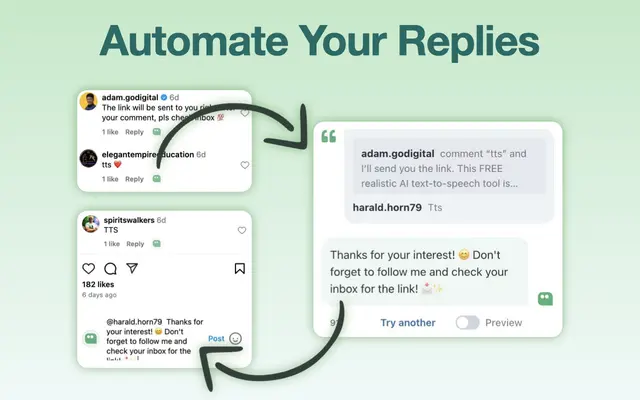
AI Reply Generator - social24
AI Reply Generator - Social24 adalah ekstensi peramban yang membantu pengguna menghasilkan balasan AI cerdas dan dipersonalisasi untuk berbagai platform media sosial termasuk Instagram, Facebook, TikTok, YouTube, dan LinkedIn dengan templat prompt khusus dan integrasi yang mulus.
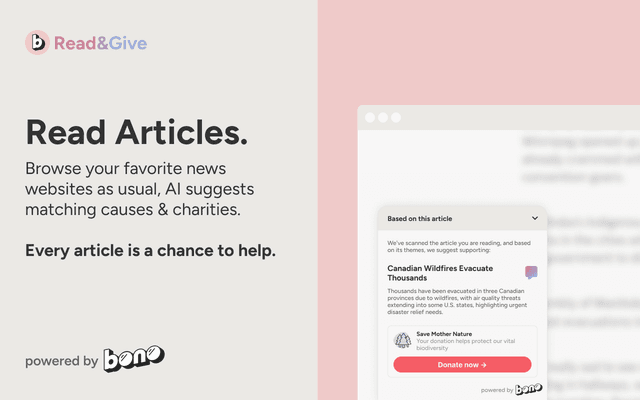
Read & Give by Bono
Read & Give oleh Bono adalah ekstensi Chrome yang menggunakan AI untuk menganalisis konten berita dan menyarankan peluang donasi amal yang relevan berdasarkan artikel yang Anda baca.
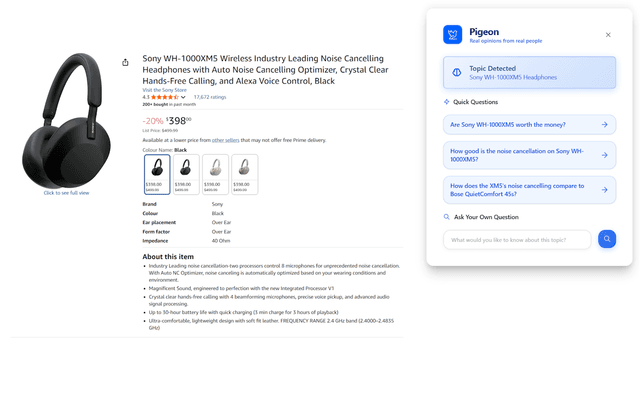
Pigeon
Pigeon adalah ekstensi Chrome ringan yang membantu pengguna menemukan dan menganalisis opini pengguna nyata dari diskusi Reddit tentang halaman web mana pun yang mereka jelajahi.
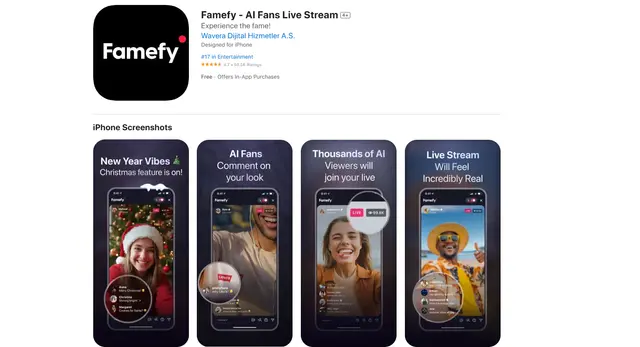
Famefy
Famefy adalah platform siaran langsung yang didukung AI yang memungkinkan pengguna merasakan ketenaran virtual dengan berinteraksi dengan penggemar yang dihasilkan oleh AI yang memberikan keterlibatan dan umpan balik secara real-time.