
Yomio
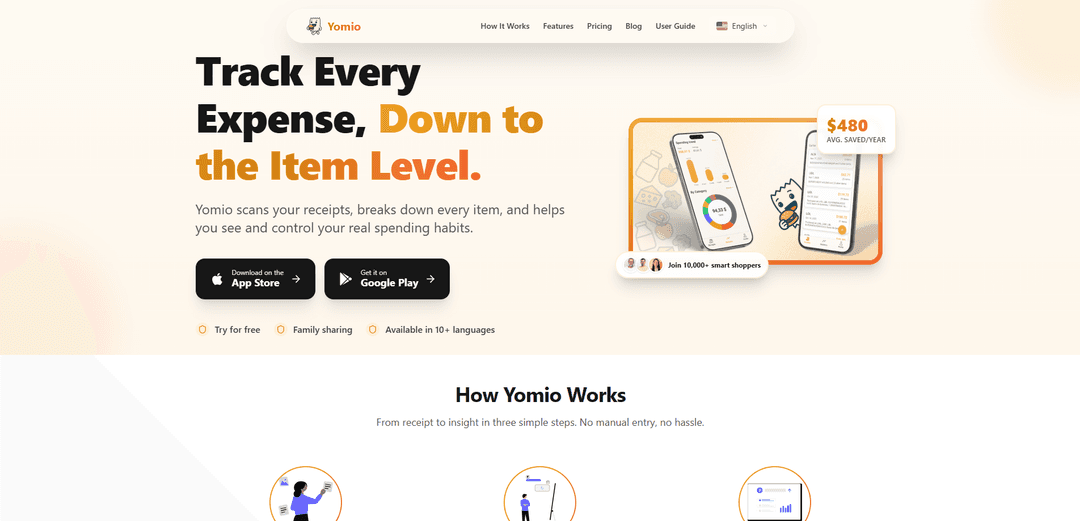
Yomio is a smart expense tracker that automatically scans and categorizes every item on your receipts, providing actionable financial insights in multiple languages across 50+ countries.
https://www.yomio.app/?ref=producthunt
Product Information
Updated:Feb 8, 2026
What is Yomio
Yomio is an innovative financial management application designed to help individuals and families take control of their spending habits through advanced receipt scanning technology. The app serves as a comprehensive expense tracking solution that works across multiple platforms (iOS and Android) and supports over 10 languages and 50+ countries with local currency compatibility. It's specifically created to eliminate the hassle of manual expense tracking while providing detailed insights into spending patterns.
Key Features of Yomio
Yomio is a smart expense tracking app that automatically scans and analyzes receipts, providing detailed item-level categorization and financial insights. It supports multiple languages and currencies across 50+ countries, offers family sharing capabilities, and provides visual analytics and export features to help users understand and control their spending habits.
Automatic Receipt Scanning & Categorization: Uses AI to scan receipts and automatically categorize every item, eliminating manual data entry and organizing expenses instantly
Visual Analytics & Insights: Provides detailed charts, trends, and personalized recommendations to help users understand their spending patterns and make informed financial decisions
Family Sharing & Budget Management: Allows multiple family members to track shared expenses, split bills, and maintain transparency in household spending
Data Export Capabilities: Enables users to export receipt data and item-level details to CSV format for further analysis in spreadsheets or sharing with accountants
Use Cases of Yomio
Household Budget Management: Families can track and optimize their grocery shopping, monitor shared expenses, and reduce overspending through better visibility of their consumption patterns
Business Expense Tracking: Freelancers and professionals can easily track business expenses, generate reports, and prepare data for tax purposes
Personal Finance Management: Individuals can identify spending patterns, set savings goals, and make better financial decisions by understanding their purchase habits
Pros
Strong privacy and security features with bank-level encryption and GDPR compliance
Supports multiple languages and currencies across 50+ countries
Saves time by eliminating manual data entry and providing automatic categorization
Cons
Requires consistent scanning of receipts for optimal results
Some features may require paid subscription (pricing details not provided in sources)
How to Use Yomio
Download and Install: Download Yomio app from the App Store (iOS) or Google Play Store (Android) and install it on your device
Sign Up/Sign In: Create an account by signing up with your email (requires verification) or sign in quickly using your existing Google or Apple account
Scan Receipts: Take a photo of your paper receipt or upload a digital receipt. The AI will automatically scan and process it
Review Extracted Data: Check that the AI has correctly extracted and categorized all items from your receipt. Make any adjustments if needed
View Insights: Access visual charts and analytics to see your spending patterns, trends and get personalized recommendations
Optional: Set Up Family Sharing: Invite family members to track shared expenses together in one place and split bills easily
Optional: Export Data: Export your spending data and receipt details to CSV format for further analysis in spreadsheets or sharing with others
Monitor & Optimize: Regularly check your spending insights, identify areas for savings, and adjust your budget accordingly
Yomio FAQs
Yomio works in 10+ languages and 50+ countries with local currency support.
Popular Articles

Vosko AI: Localize and Dub Videos for Global Audiences
Oct 15, 2026

Atoms: A Multi-Agent AI Platform That Transforms Ideas into Launch-Ready Products
Oct 13, 2026

Nano Banana SBTI: What It Is, How It Works, and How to Use It in 2026
Apr 15, 2026

Atoms Review — The AI Product Builder Redefining Digital Creation in 2026
Apr 10, 2026
Latest AI Tools Similar to Yomio

AI Image Upscaler Pro
AI Image Upscaler Pro is a cutting-edge online platform that uses advanced artificial intelligence to enhance and upscale images up to 400% while maintaining quality, supporting multiple formats like PNG, JPG, JPEG, WEBP, and HEIC for free.

DescribeImage.online
DescribeImage.online is a powerful AI-powered tool that analyzes images and generates detailed, accurate descriptions for various purposes including accessibility, content creation, and SEO optimization.
Bichos ID
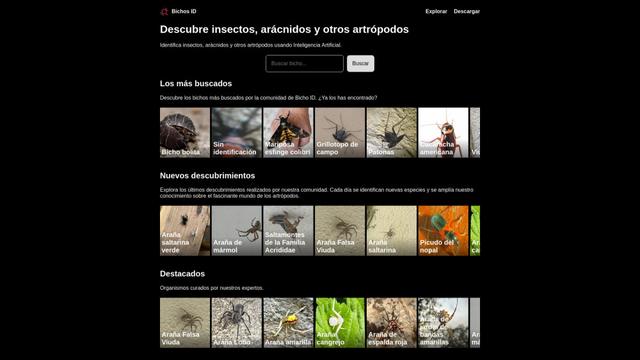
Bichos ID is an AI-powered mobile app that allows users to identify insects, arachnids, and other arthropods using image recognition technology.
ImageToText.AI
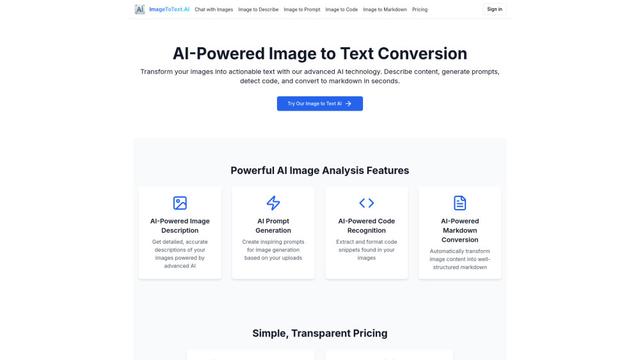
ImageToText.AI is an advanced AI-powered tool that accurately extracts and converts text from images, offering features like content description, prompt generation, code detection, and markdown conversion.
Popular AI Tools Like Yomio

Receipt Snapper And Scanner
Receipt Snapper And Scanner is a mobile app that allows users to instantly capture, categorize, and organize receipts through photo scanning with automatic data extraction and smart organization features.

Vectorizer AI
Vectorizer.AI is an AI-powered online tool that automatically converts raster images like JPG and PNG to high-quality vector graphics in SVG, PDF, and other formats.
GeoSpy
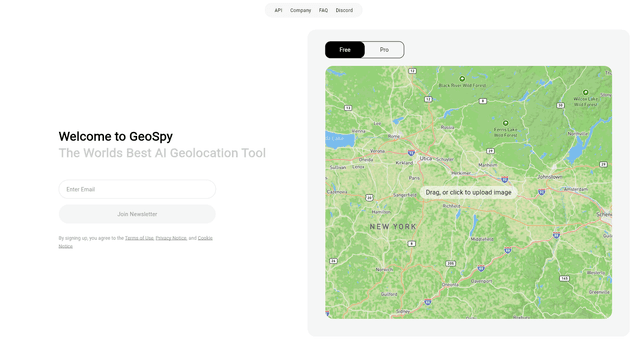
GeoSpy AI is an advanced AI-powered geolocation tool that analyzes images to determine where they were likely taken, providing precise location estimates and intelligence insights.

AI Manga Translator
AI Manga Translator is an advanced online tool that uses AI to quickly and accurately translate manga and comics into multiple languages while preserving the original artwork.