
Yoggi
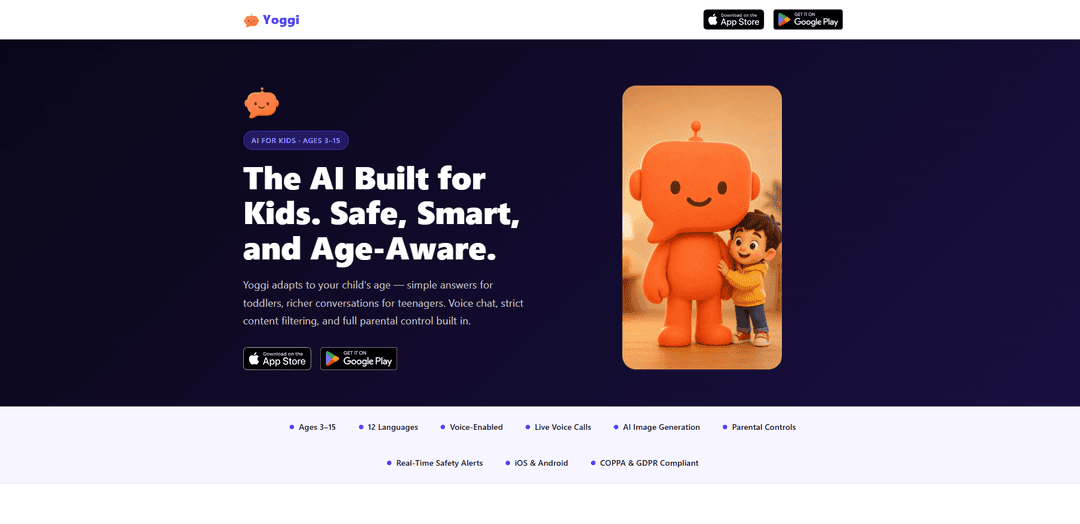
Yoggi — это безопасный, учитывающий возраст ИИ-помощник для детей (3–15 лет) с голосовым чатом, строгим встроенным отказом от контента, генерацией изображений ИИ и надежным родительским контролем с оповещениями и аналитическими данными в реальном времени.
https://yoggichat.app/?ref=producthunt&utm_source=aipure
Информация о продукте
Обновлено:08/08/2026
Что такое Yoggi
Yoggi — это приложение-чат-бот с искусственным интеллектом, разработанное специально для детей в возрасте от 3 до 15 лет, созданное таким образом, чтобы быть увлекательным для детей и прозрачным для родителей. В отличие от универсальных инструментов ИИ, Yoggi автоматически адаптирует свой язык, длину ответов и сложность к возрасту ребенка, поддерживает голосовые беседы для маленьких детей и разработан с учетом безопасности и конфиденциальности (соответствует COPPA и GDPR). Он доступен для iOS и Android, поддерживает 12 языков и может использоваться для игровой беседы, обучения, основанного на любопытстве, помощи с домашними заданиями и творческих занятий, таких как подсказки для историй и запросы на рисование.
Ключевые особенности Yoggi
Yoggi – это безопасный для детей, учитывающий возраст AI-помощник, разработанный для детей в возрасте от 3 до 15 лет, доступный на iOS и Android. Он автоматически адаптирует словарный запас, длину ответов и глубину в соответствии с возрастом (включая очень короткие, простые ответы для маленьких детей), поддерживает голосовые "живые" беседы и включает строгие встроенные отказы для неприемлемых тем (например, насилие, сексуальность, наркотики) с мягким перенаправлением. Родители получают защищенный PIN-кодом доступ через "Уголок для родителей" с полной историей чата, настраиваемыми режимами (свободная игра против режима обучения), ежедневными/еженедельными отчетами и оповещениями о безопасности в реальном времени. Yoggi также поддерживает 12 языков и предлагает контролируемую генерацию изображений AI в фиксированном, дружественном для детей мультяшном стиле.
Разговоры, адаптированные к возрасту (3–15 лет): Автоматически калибрует сложность, словарный запас и длину ответа в соответствии с возрастом ребенка – например, ультра-простые, короткие ответы для детей 3–5 лет и более тонкая поддержка для подростков.
Отказ от контента, безопасный по умолчанию: Отказывается взаимодействовать с темами, не соответствующими возрасту (насилие, сексуальность, наркотики), и перенаправляет с мягким, дружелюбным для детей тоном, вместо того чтобы показывать резкие сообщения об ошибках.
Голосовое управление + живые голосовые вызовы: Дети могут говорить вместо того, чтобы печатать; включает режим двустороннего голосового вызова в реальном времени, разработанный для маленьких детей, которые еще не умеют читать или печатать.
Родительский контроль и полная видимость: Защищенный PIN-кодом "Уголок для родителей" предоставляет доступ к полной истории чата, управлению профилем и настройкам, которые дети не могут изменять.
Оповещения о безопасности и родительские отчеты: Оповещения по электронной почте в реальном времени о действительно тревожных разговорах, а также ежедневные отчеты, генерируемые AI (и дополнительный еженедельный обзор), суммирующие настроение и темы.
Многоязычная + безопасная генерация изображений: Поддерживает 12 языков и может генерировать изображения в мультяшном стиле с многоуровневым контролем безопасности (включая ограничения на пугающий контент, реалистичных людей, текст и защищенных авторским правом персонажей).
Варианты использования Yoggi
Домашний компаньон для обучения: Помогает детям понимать школьные концепции с объяснениями на соответствующем уровне развития, поощряя любопытство вместо простого предоставления ответов.
Голосовое взаимодействие в раннем детстве: Для детей 3–5 лет позволяет задавать вопросы и получать простые объяснения голосом, не требуя чтения или набора текста – полезно для семей, ищущих взаимодействие с минимальным использованием экрана.
Цифровое исследование под присмотром родителей: Предоставляет детям контролируемое пространство для вопросов, в то время как родители сохраняют надзор через историю чата, отчеты и оповещения.
Языковая практика для многоязычных семей: Поддерживает беседы на 12 языках, что делает его полезным для семей, которые хотят постоянной практики и объяснений, соответствующих возрасту, на целевом языке.
Творческая игра и рассказывание историй: Генерирует дружелюбные для детей истории и изображения в мультяшном стиле для творческих занятий, сохраняя при этом строгие границы безопасности.
Поддержка в деликатных ситуациях (семейный контекст): Родители могут отмечать деликатные темы (например, горе, разлука, болезнь), чтобы Yoggi отвечал более мягко и внимательно, если ребенок их затронет.
Преимущества
Создан специально для детей (3–15 лет) с автоматической калибровкой по возрасту, включая очень простые ответы для маленьких детей
Строгий родительский надзор: защищенная PIN-кодом панель управления, полная история чата, ежедневные/еженедельные сводки и оповещения о безопасности в реальном времени
Голосовое управление и живые голосовые вызовы улучшают доступность для детей, которые еще не умеют читать
Строгий дизайн безопасности со встроенными отказами и мягким перенаправлением для неприемлемых тем
Недостатки
Ежедневные лимиты сообщений все еще действуют даже с премиум-подпиской, что может ограничивать интенсивное использование
Очень строгие правила безопасности могут блокировать или перенаправлять некоторые темы, которые старшие дети хотят обсуждать более подробно
Генерация изображений намеренно ограничена (мультяшный стиль; без реалистичных людей/текста/персонажей, защищенных авторским правом), что ограничивает творческую гибкость
Как использовать Yoggi
1) Загрузите и установите Yoggi: На iOS откройте App Store и найдите «Yoggi – Safe AI Chatbot for Kids», затем установите. На Android откройте Google Play, найдите «Yoggi», затем установите.
2) Откройте приложение и начните процесс адаптации: Запустите Yoggi и следуйте инструкциям по настройке, чтобы начать конфигурировать приложение для вашего ребенка.
3) Создайте профиль вашего ребенка (возраст + язык): Добавьте возраст вашего ребенка, чтобы Yoggi мог автоматически адаптировать словарный запас, длину предложений и сложность (например, очень короткие/простые для возраста 3–5 лет; более насыщенные для подростков). Выберите язык ребенка — Yoggi отвечает на настроенном языке (поддерживает 12 языков).
4) Настройте родительский доступ (PIN-код для Родительского уголка): Создайте PIN-код для Родительского уголка. Это позволит вам иметь доступ к родительским настройкам и полной истории чата, не позволяя детям изменять элементы управления.
5) Выберите стиль беседы: Свободная игра или Режим обучения: Выберите Свободную игру для открытого чата или Режим обучения, чтобы мягко направлять беседы к размышлениям и открытиям. Вы можете изменить это позже в настройках; правила безопасности остаются прежними в обоих режимах.
6) Настройте ежедневное количество сообщений: Установите ежедневное количество сообщений ИИ (10–100 сообщений в день, контролируется родителем). Примечание: Бесплатные аккаунты включают 50 сообщений ИИ на всю жизнь для каждого ребенка плюс ежедневное количество; премиум-аккаунт снимает ограничение в 50 сообщений на всю жизнь, но ежедневное количество по-прежнему применяется.
7) Начните чат (текст или голос): На главном экране чата ваш ребенок может вводить текст или использовать голосовой ввод. Для младших детей (3–5 лет) Yoggi ориентирован на голосовое управление и отвечает очень короткими, простыми ответами.
8) Используйте режим живого голосового вызова (необязательно): Нажмите кнопку телефона/вызова, чтобы начать двусторонний голосовой разговор с Yoggi в реальном времени (без текста на экране во время вызова). После этого родители могут просмотреть стенограмму в истории чата; ребенок не может ее повторно открыть. Бесплатные аккаунты включают 5 минут на всю жизнь; премиум-аккаунты включают 10 минут в день.
9) Создайте безопасное изображение в мультяшном стиле (необязательно): Попросите Yoggi «нарисовать» или «показать» что-либо, чтобы сгенерировать изображение в чате. Запросы на изображения защищены несколькими уровнями безопасности и фиксированным мультяшным стилем. Бесплатные аккаунты включают 5 изображений на всю жизнь; премиум-аккаунты включают 15 в день.
10) Просматривайте разговоры вашего ребенка в Родительском уголке: Откройте защищенный PIN-кодом Родительский уголок, чтобы в любое время просмотреть полную историю чата и понять, о чем спрашивает и что изучает ваш ребенок.
11) Включите и читайте Ежедневные аналитические данные ИИ (и еженедельный отчет по электронной почте): Используйте функцию аналитики, чтобы получать ежедневный снимок настроения и обсуждаемых тем. При желании включите еженедельный отчет по электронной почте, который суммирует аналитические данные за неделю (доступно для любого плана).
12) Включите оповещения о безопасности и поймите, как они работают: Если разговор вызывает серьезную обеспокоенность, Yoggi может отправить вам спокойное, фактическое оповещение по электронной почте (не более одного оповещения в день). Используйте это как сигнал для проверки — оповещения генерируются ИИ и не заменяют вашего суждения.
13) Отметьте чувствительные семейные темы для особого внимания (необязательно): В настройках вы можете отметить такие темы, как горе, разлука или болезнь, чтобы Yoggi отвечал с особой мягкостью и вниманием, если ваш ребенок их затронет (базовые правила безопасности остаются строгими).
14) Управляйте ограничениями плана (бесплатный против премиум): Если вы достигли пожизненных лимитов бесплатного плана (50 сообщений ИИ на ребенка; 5 минут голосового общения на всю жизнь; 5 изображений на всю жизнь), обновитесь до премиум-плана, чтобы снять пожизненное ограничение в 50 сообщений и увеличить доступ к голосовому общению/изображениям (ежедневные лимиты по-прежнему применяются).
Часто задаваемые вопросы о Yoggi
Yoggi – это безопасный чат-бот с искусственным интеллектом, созданный для детей в возрасте от 3 до 15 лет. Он обеспечивает общение, адаптированное к возрасту, поддерживает голосовой чат и живые голосовые вызовы, включает строгую фильтрацию контента и предлагает родительский контроль.
Популярные статьи

Как создавать вирусные видео подкастов с говорящими малышами с помощью ИИ: пошаговое руководство
Nov 2, 2026

Proferex: облачная платформа для отслеживания рекламы и оптимизации кампаний
Nov 2, 2026

Vosko AI: локализация и дубляж видео для мировой аудитории
Oct 15, 2026

Atoms: Мультиагентная ИИ-платформа, которая превращает идеи в готовые к запуску продукты
May 22, 2026
Последние ИИ-инструменты, похожие на Yoggi
Folderr
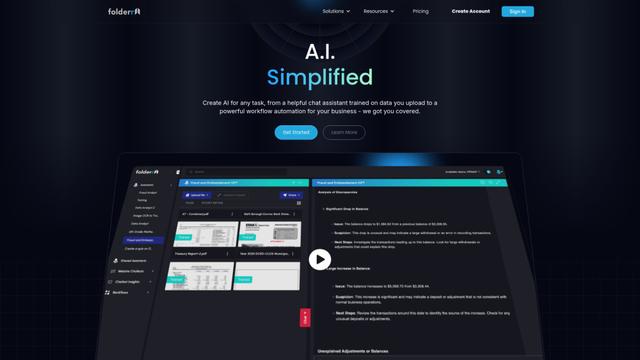
Folderr is a comprehensive AI platform that enables users to create custom AI assistants by uploading unlimited files, integrating with multiple language models, and automating workflows through a user-friendly interface.
Peache.ai
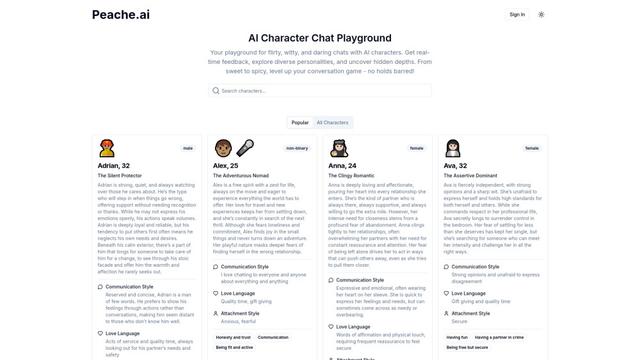
Peache.ai - это игровая площадка для чата с персонажами AI, которая позволяет пользователям вести флиртующие, остроумные и дерзкие беседы с разнообразными AI-персонажами через взаимодействия в реальном времени.

TalkPersona
TalkPersona — это AI-видеочат, который предоставляет реальное время человеческого разговора через виртуальное говорящее лицо с естественным голосом и синхронизацией губ.
Thaly AI
Thaly AI is an AI-powered sales assistant that automates customer conversations and lead qualification to help businesses scale their sales operations while saving time.
Популярные ИИ-инструменты, похожие на Yoggi

GPT‑5.5 | ChatGPT Official
GPT-5.5 в ChatGPT — это новейшая модель OpenAI, ориентированная на работу, разработанная для понимания сложных целей, эффективного использования инструментов, проверки своей работы и выполнения многоэтапных задач (кодирование, исследования, документы, электронные таблицы) до конца с более сильными мерами безопасности.
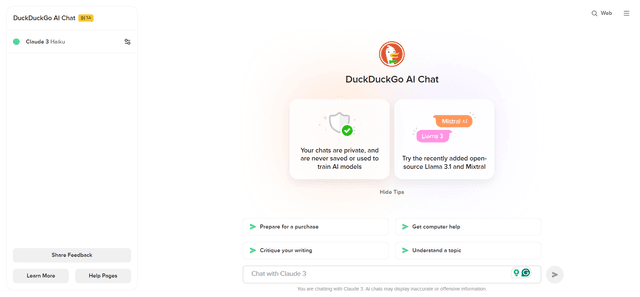
DuckDuckGo AI Chat
DuckDuckGo AI Chat — это бесплатный и анонимный способ доступа к популярным чат-ботам AI, таким как GPT-3.5, Claude и другим, сохраняя при этом конфиденциальность пользователя.

Arch
Arch - это интеллектуальный шлюз уровня 7, построенный на Envoy Proxy, который обеспечивает безопасную обработку, надежную наблюдаемость и бесшовную интеграцию подсказок с API для создания быстрых, надежных и персонализированных агентов ИИ.
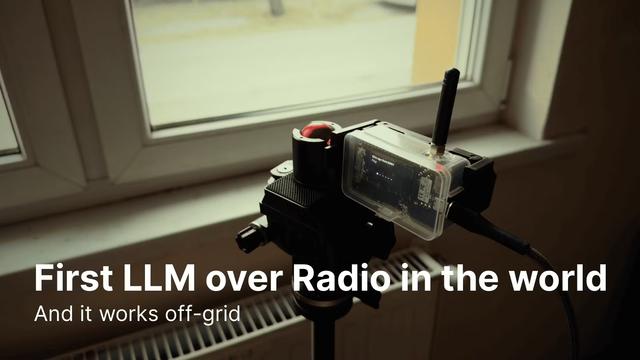
Off-grid LLM over Radio
Платформа, которая интегрирует большие языковые модели (LLM) с сетями коммуникации Meshtastic для обеспечения автономных взаимодействий ИИ и автоматизированного выполнения задач через радиосвязь.