
Walkable
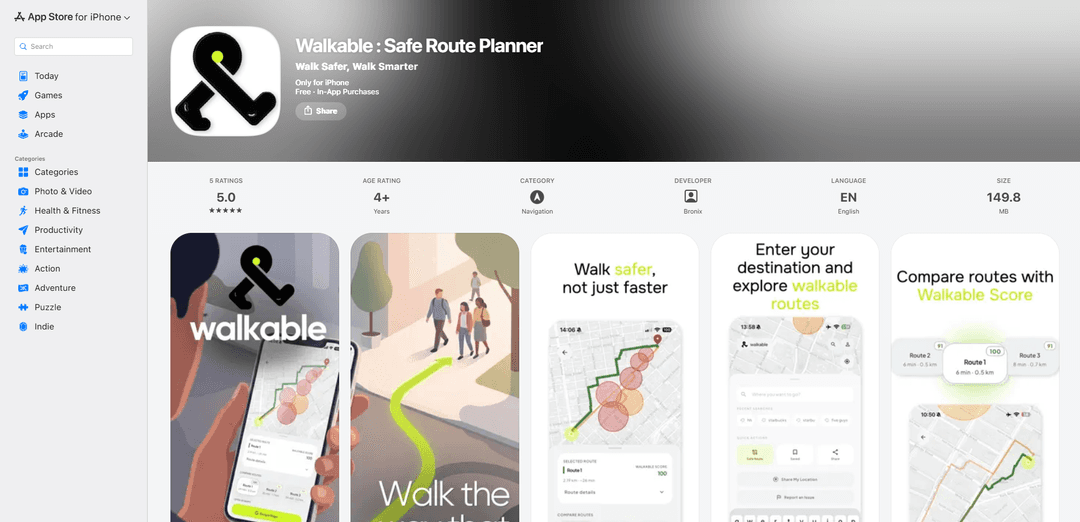
Walkable is an iPhone safe-route planner that uses AI safety analysis to score walking routes (0–100) using factors like lighting, foot traffic, visibility, and historical safety data, with Night Mode, danger-zone mapping, and multi-route comparison.
https://apps.apple.com/tr/app/walkable-safe-route-planner/id6762026493?ref=producthunt
Product Information
Updated:Jun 8, 2026
What is Walkable
Walkable: Safe Route Planner is a navigation app for iPhone (iOS 15.6+) that helps people choose safer walking routes rather than simply the shortest or fastest. Designed for night commuters, travelers in unfamiliar areas, and anyone prioritizing peace of mind, it provides 2–3 route options and a clear “Walkable Score” (0–100) so users can quickly compare safety levels. The app also includes features like a Danger Zone Map, route saving, and post-walk ratings to support better recommendations over time, with an option to upgrade to Walkable Pro for unlimited route planning.
Key Features of Walkable
Walkable is an iPhone safe-route planner that prioritizes personal safety over shortest distance. It uses AI-powered analysis to score walking routes based on real-world factors such as street lighting, pedestrian foot traffic, visibility, and historical safety data, producing a 0–100 Walkable Score for quick comparison. Users can compare multiple route options, view highlighted risk areas via a danger-zone map, adjust routing for after-dark conditions with Night Mode, save preferred safer routes, and optionally hand off the selected route to Google Maps for turn-by-turn navigation while also providing post-walk journey ratings to improve recommendations.
AI Safety Analysis: Evaluates routes using factors like lighting, foot traffic, visibility, and historical safety signals to estimate relative walking safety.
Walkable Score (0–100): Assigns a clear numeric safety rating to each route so users can compare options at a glance.
Night Mode Routing: Accounts for after-dark conditions (e.g., reduced lighting and lower foot traffic) to recommend routes better suited for nighttime walking.
Danger Zone Map: Highlights higher-risk areas on the map so users can proactively understand and avoid potential trouble spots.
Multi-Route Comparison: Generates 2–3 route options and ranks them by safety, not just distance or time.
Google Maps Handoff + Route Saving: Lets users open the chosen safer route in Google Maps for turn-by-turn navigation and save favorite routes for quick reuse.
Use Cases of Walkable
Night commuters and shift workers: Helps people walking home late choose routes with better lighting, visibility, and activity rather than the fastest path.
Travel and tourism in unfamiliar cities: Supports visitors exploring new neighborhoods by surfacing safer walking options and showing risk areas before they set out.
Campus and student safety: Assists students walking between dorms, libraries, and transit stops—especially at night—by selecting safer routes and avoiding flagged zones.
Urban mobility and micromobility first/last mile: Improves confidence for walking segments to transit stations or parking by prioritizing perceived safety over minimal distance.
Personal safety planning for daily errands: Enables users to pick safer paths to routine destinations (gyms, shops, friends’ homes) and save those routes for repeat use.
Pros
Safety-first routing with a simple, comparable Walkable Score (0–100).
Night Mode and Danger Zone Map support more informed after-dark walking decisions.
Multi-route comparison and Google Maps handoff combine safety selection with familiar turn-by-turn navigation.
Cons
Turn-by-turn navigation is handled via Google Maps handoff rather than being the core navigation experience inside Walkable.
Full functionality requires a Pro subscription for unlimited route planning.
Privacy disclosures indicate collection of precise location and other identifiers, with some data potentially used for tracking.
How to Use Walkable
1. Install Walkable: Download “Walkable : Safe Route Planner” from the App Store and open the app on your iPhone (requires iOS 15.6+).
2. Grant location access: When prompted, allow location access so Walkable can analyze routes from your current position (precise location improves accuracy).
3. Search for your destination: Use the in-app search to enter where you want to walk (address/place).
4. Generate safe route options: Request route planning/analysis; Walkable will evaluate safety factors (e.g., lighting, foot traffic, visibility, and historical safety data) and produce route options.
5. Compare routes using the Walkable Score: Review the 0–100 Walkable Score for each route and compare up to 2–3 route options ranked by safety (not just distance).
6. Check the Danger Zone Map: Open the map view to see highlighted risk areas (“danger zones”) along or near each route before you start walking.
7. Enable Night Mode when walking after dark: If you’re walking at night, turn on Night Mode so routing accounts for after-dark conditions like reduced lighting and lower foot traffic.
8. Choose the route that fits your comfort level: Select the route with the safety rating and path you prefer (Walkable is designed to prioritize safety over speed).
9. Start turn-by-turn navigation via Google Maps handoff: Tap the Google Maps handoff option to open your chosen route in Google Maps for turn-by-turn walking directions.
10. Rate your journey after the walk: After completing the trip, submit a Journey Rating to share feedback and help improve future route recommendations.
11. Save favorite safe routes: Save routes you like for quick access later (useful for regular commutes or repeat walks).
12. (Optional) Upgrade to Walkable Pro for unlimited planning: If you hit free limits, upgrade to Pro to unlock unlimited safe route planning and full feature access.
Walkable FAQs
Walkable : Safe Route Planner is an iPhone navigation app that focuses on finding safer walking routes rather than the shortest route.
Popular Articles

Vosko AI: Localize and Dub Videos for Global Audiences
Oct 15, 2026

Atoms: A Multi-Agent AI Platform That Transforms Ideas into Launch-Ready Products
Oct 13, 2026

Nano Banana SBTI: What It Is, How It Works, and How to Use It in 2026
Apr 15, 2026

Atoms Review — The AI Product Builder Redefining Digital Creation in 2026
Apr 10, 2026
Latest AI Tools Similar to Walkable

Altru AI
Altru AI is an AI-powered college admissions platform that combines artificial intelligence tools, automation capabilities, and a mentor network to help students build strong college applications at reduced costs.

MVPfy
MVPfy is a customer-centric, outcome-based tech consulting company that helps startups and businesses build minimum viable products (MVPs) through iterative development and affordable solutions.
ProdMoh AI
ProdMoh AI is an AI-powered assistant for product managers and founders that helps transform ideas into impactful products by streamlining the entire product development process.

Appliful
Appliful is a NextJS application that provides production-ready web app templates with built-in features to save developers time and accelerate startup launches.
Popular AI Tools Like Walkable
Revenue-Driven Roadmaps
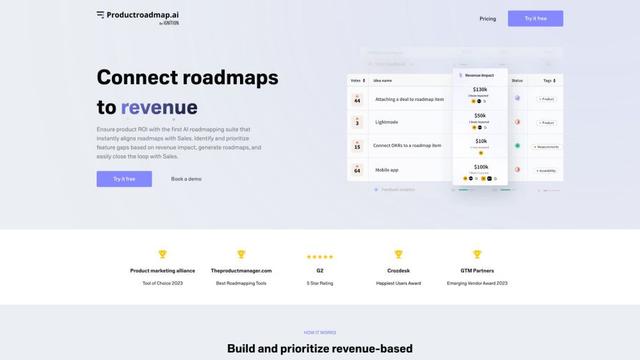
Revenue-Driven Roadmaps are AI-powered product planning tools that align roadmaps with sales data to prioritize features based on revenue impact.
Altru AI
Altru AI is an AI-powered college admissions platform that combines artificial intelligence tools, automation capabilities, and a mentor network to help students build strong college applications at reduced costs.
SSSmodel
SSSmodel (Story, Strategy, Structure) is a workshop model designed to help core teams develop campaigns and address urgent community challenges through narrative building and strategic planning.
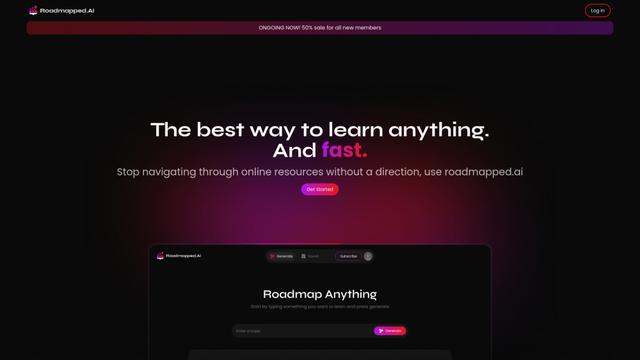
Roadmapped.ai
Roadmapped.ai is an AI-powered platform that generates personalized learning roadmaps and curates resources to help users master any topic efficiently.