Veo 4
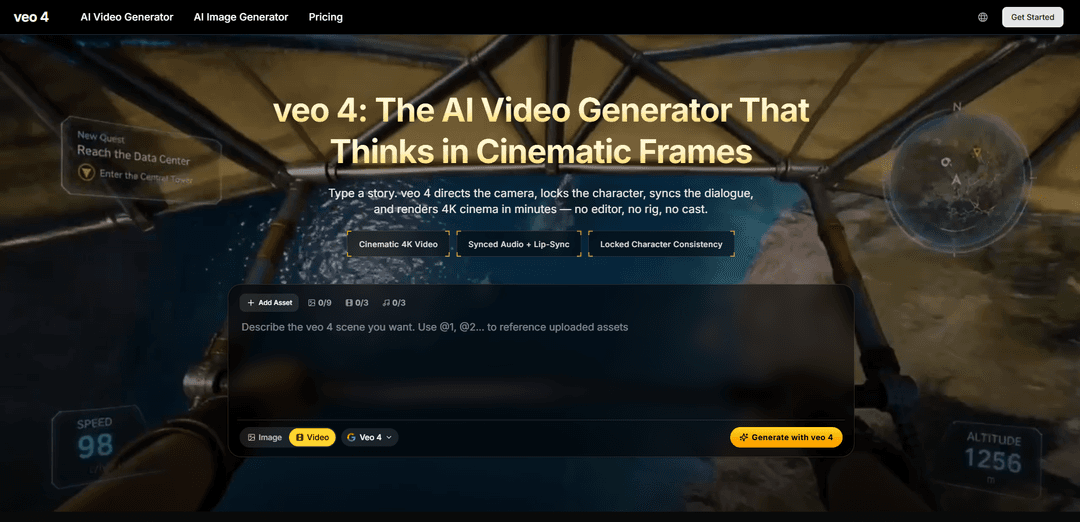
Veo 4 is the #1 free AI video generator. Turn text into stunning 4K cinematic videos with synchronized audio, lip-sync, and advanced camera control powered by Google Veo 4.
https://aiveo4.org/?utm_source=aipure
Product Information
Updated:May 12, 2026
What is Veo 4
Veo 4 is positioned as a next-generation AI video creation platform focused on cinematic, prompt-driven production. It lets creators generate realistic videos from natural-language descriptions and optionally combine multiple reference inputs (images, video clips, and audio) to guide look, characters, and tone. The product is marketed around film-style control—shot language (e.g., dolly, rack focus, whip pan), multi-shot storytelling, and continuity—so users can move from an idea or storyboard to a polished short video draft quickly for use cases like marketing, social content, education, and pre-visualization.
Key Features of Veo 4
Veo 4 is positioned as a cinematic AI video generator that creates multi-shot, story-driven clips from text and/or reference assets (images, video, audio), with an emphasis on realistic motion/physics, precise camera-language control, and continuity via character anchoring. It also highlights native audio generation (dialogue, ambience, Foley) with lip-sync, plus workflows like storyboarding, clip extension/merging, and template/style replication from reference videos to match a desired look across campaigns and reshoots.
Multi-shot storytelling & storyboarding: Generate structured sequences (e.g., wide/medium/close-up) from a script-like prompt while maintaining continuity across cuts so the result feels directed rather than stitched together.
Character anchoring (consistent identity): Keeps a character’s face, wardrobe, and overall identity consistent across shots, aspect ratios, and iterations—useful for building a reusable “brand cast.”
Native audio + lip-sync: Creates synchronized speech with matching lip movements, alongside Foley and ambient sound (footsteps, room tone, impacts) to reduce or eliminate separate audio post work.
Cinematic camera-language control: Understands directing vocabulary (e.g., dolly, crane, rack focus, whip pan, dutch angle) and applies it with more believable motion and scene logic.
Reference-driven style/motion replication: Can reference other videos/assets to replicate creative effects, transitions, or motion patterns—helping teams reuse proven templates and maintain a consistent visual style.
Clip extension and scene merging: Supports extending clips naturally and merging scenes, enabling longer narratives and smoother continuity without restarting from scratch.
Use Cases of Veo 4
Independent filmmaking & pre-visualization: Rapidly storyboard and render scene sequences with consistent characters and cinematic camera moves to pitch ideas, test lighting/mood, or create animatic-like previews.
Performance marketing & social ads: Produce multiple campaign variants (different hooks, formats, and cuts) quickly, while keeping the same cast and brand look across iterations and channels.
E-commerce product reels: Turn packshots and product images into polished product videos with controlled camera movement and synced ambience, suitable for PDP hero modules and short-form commerce video.
Education & training content: Generate narrated, visual explanations (science processes, historical scenes, software concepts) with synchronized voice and visuals to reduce animation and editing overhead.
Creator content (YouTube/Shorts/Reels): Create intros, transitions, b-roll, and story segments with consistent characters and native audio, accelerating weekly production without a full editing stack.
Fitness & motion demonstrations: Replicate realistic motion from reference clips to demonstrate exercises in new settings, supporting clear body mechanics and more natural-looking movement.
Pros
End-to-end generation (video + dialogue/Foley + lip-sync) can significantly reduce post-production steps.
Character anchoring and multi-shot continuity address a major pain point in AI video: keeping people/objects consistent across scenes.
Strong cinematic control (camera language, transitions, style replication) supports more professional, repeatable outputs for teams.
Cons
Some claims around “Veo 4” features and availability appear inconsistent across sources, and official Google confirmation/release details are unclear in the provided material.
Pricing/credit systems and plan limits (e.g., resolution caps on tiers) may constrain output quality or scale depending on subscription level.
Advanced controls (shot design, camera vocabulary, continuity direction) may still require filmmaking knowledge to consistently achieve top results.
How to Use Veo 4
1) Decide your creation mode: Choose the workflow that matches your goal: text-to-video (prompt only), image-to-video (animate a still), frame-to-frame control (anchor key frames), or multi-reference mode (use multiple assets to keep character/object consistency).
2) Gather optional reference assets: Prepare any images, videos, or audio you want Veo 4 to reference (e.g., a character image, a camera-move reference video, or a voice/music reference audio track).
3) Start a new generation and add inputs: Open Veo 4’s generation UI and either (a) paste a text prompt, (b) upload a reference image to animate, or (c) upload multiple references across modalities (images/videos/audio) if you need tighter control and consistency.
4) Tag and reference your uploaded assets in the prompt: In your prompt, explicitly tell Veo 4 how to use each asset by tagging it (examples from sources): “Use the camera movement from @video1 with the character style from @image1.” or “Use @image1 as the first frame with @video1’s camera movement, voiced like @audio1.”
5) Write the scene brief using cinematic shot language: Describe the shot like you would brief a cinematographer: shot size (wide/medium/close-up), lens feel, camera movement (dolly, crane, rack focus, whip pan, drone orbit), pacing, transitions, environment, mood, time of day, and any key actions you need on screen.
6) Specify audio intent (or toggle audio off): If you want sound, describe dialogue intent, ambience, Foley, and music mood. Veo 4 supports native audio generation (lip-synced dialogue plus matched sound effects and ambience) in the same pass when audio is enabled.
7) Set output parameters: Pick aspect ratio (e.g., 16:9, 9:16, 1:1), clip length, and resolution. Sources mention common short clip lengths (e.g., 4/6/8 seconds) and also longer generation via chaining/extended modes depending on the product surface.
8) Use motion/camera controls if available: Adjust controls such as a motion slider to dampen or intensify movement, and use a fixed-shot/lock-camera toggle when you want a stable camera. These controls help stabilize pacing and reduce unwanted motion.
9) Generate the first draft: Run generation. Veo 4 will render the video and (if enabled) produce synchronized audio (dialogue, Foley, ambience/music) aligned to the visuals.
10) Review for continuity and prompt adherence: Check character identity (face/wardrobe), background stability, camera move accuracy, and whether actions happen as described. Note any segments that need targeted changes.
11) Iterate with targeted edits instead of full regeneration (when supported): Upload the result back in and request specific adjustments (e.g., modify a segment, replace a character element, extend a scene) rather than regenerating everything. Sources describe this as a key workflow advantage.
12) Use multi-shot storyboarding for sequences (optional): If you need a cohesive narrative, define multiple shots (e.g., wide → medium → close-up) in one prompt/workflow so Veo 4 maintains continuity across cuts and produces a directed-feeling sequence.
13) Lock consistency for recurring characters/brands (optional): For campaigns or recurring characters, keep using the same reference images (and/or seeds if available) and explicitly instruct Veo 4 to maintain the same character identity, wardrobe, and style across shots and aspect ratios.
14) Export and publish: Download the final MP4 with embedded audio. Use it directly for YouTube/Shorts, ads, product pages, education content, or pitch decks without additional editing if the output meets your needs.
Veo 4 FAQs
Veo 4 is described as an AI video generation platform/model focused on cinematic text-to-video and image-to-video creation, aiming to produce realistic motion and professional-looking clips from prompts or reference images.
Popular Articles

Vosko AI: Localize and Dub Videos for Global Audiences
Oct 15, 2026

Atoms: A Multi-Agent AI Platform That Transforms Ideas into Launch-Ready Products
Oct 13, 2026

Nano Banana SBTI: What It Is, How It Works, and How to Use It in 2026
Apr 15, 2026

Atoms Review — The AI Product Builder Redefining Digital Creation in 2026
Apr 10, 2026
Latest AI Tools Similar to Veo 4

Loud Fame
Loud Fame is an AI-powered video transformation tool that allows users to convert regular videos into anime-style animations and create AI-generated celebrity talking videos.

BizBoom.ai
BizBoom.ai is an AI-powered platform that automatically generates professional product videos from product links and images with 95% less cost.

EzVideos
EzVideos is an all-in-one video creation tool that helps users generate viral videos for social media platforms like Instagram, TikTok, and YouTube with automated editing features and built-in resources.

Illuminix
Illuminix is an AI-powered platform that empowers businesses with autonomous hyper-experts and specialized tools for automated business processes, data management, and video content creation.
Popular AI Tools Like Veo 4

HunyuanVideo-I2V
HunyuanVideo-I2V is an open-source AI framework developed by Tencent that transforms static images into high-quality, dynamic videos with customizable motion effects and exceptional visual consistency.

Google Veo 2
Veo 2 is Google DeepMind's state-of-the-art AI video generation model that can create high-quality videos up to 4K resolution with realistic motion, extensive camera controls, and improved physics simulation from text prompts.

Vibing
Vibing is an AI-powered dating app that helps users share authentic moments through video stories and make genuine connections based on personality matching and interactive features.

Edits, an Instagram app
Edits is Instagram's free video creation app that provides creators with professional editing tools, AI features, and analytics capabilities to create high-quality videos directly from their phones.