
TypeBoost
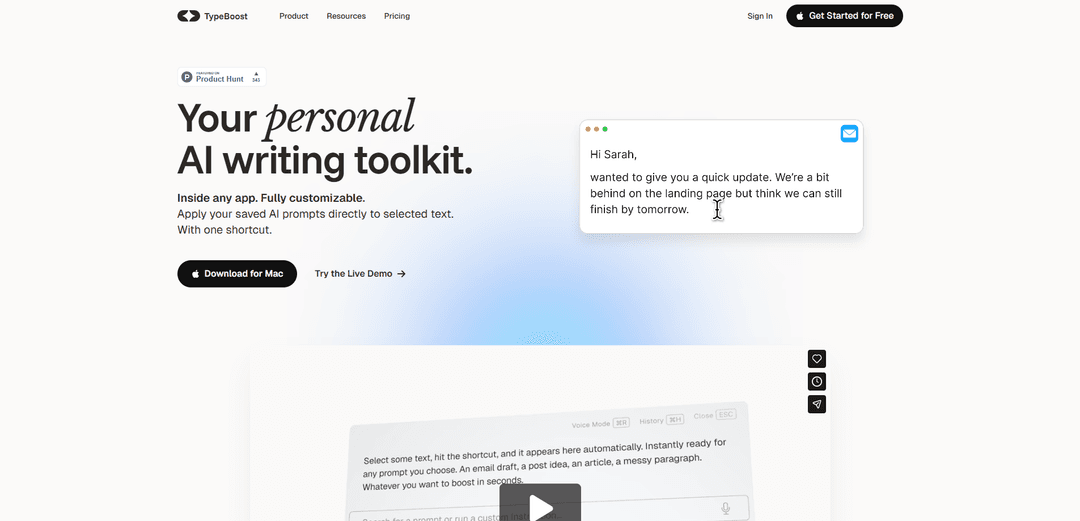
TypeBoost is a macOS-exclusive AI writing toolkit that lets you apply custom AI prompts to any text in any app with just one keyboard shortcut, without switching between applications.
https://www.typeboost.ai/?ref=producthunt
Product Information
Updated:Mar 8, 2026
What is TypeBoost
TypeBoost is a lightweight macOS application designed to streamline your writing workflow by integrating AI assistance directly into your operating system. It functions as an always-available AI writing assistant that works across your entire digital ecosystem - from emails and documents to social media posts and presentation slides. The app allows users to save and manage custom AI prompts that can be instantly applied to any selected text, right within their current application.
Key Features of TypeBoost
TypeBoost is a macOS-exclusive AI writing assistant that integrates seamlessly into any application, allowing users to apply custom AI prompts directly to selected text with a single keyboard shortcut. It offers features like voice input, multilingual support across 95 languages, customizable prompt templates, and real-time text enhancement without switching between applications, making it an efficient tool for streamlining writing workflows.
System-Wide Integration: Works as a universal command palette that can be accessed in any application through keyboard shortcuts, eliminating the need to switch between windows
Customizable Prompt Library: Allows users to save and personalize AI prompts for different writing tasks, from emails to social media posts, with the ability to create custom templates
Voice Mode: Enables users to convert voice input directly into polished text, offering a 4x productivity boost for those who prefer speaking over typing
Multilingual Support: Provides seamless translation and writing assistance across 95 languages while maintaining natural tone and style
Use Cases of TypeBoost
Social Media Management: Content creators can quickly polish and adapt their posts for different platforms like LinkedIn, Twitter, and other social networks directly within their preferred tools
International Business Communication: Professionals working with international teams can write in their native language and instantly translate communications while maintaining professional tone
Content Writing and Editing: Writers and editors can enhance their drafts, fix grammar, and improve clarity without disrupting their writing flow or switching between applications
Client Communication: Freelancers and business professionals can quickly draft and polish client emails, proposals, and outreach messages using customized templates
Pros
Seamless integration with existing workflows and applications
Highly customizable with personal prompt libraries and templates
Supports multiple languages with natural-sounding translations
No need to switch between applications or copy-paste text
Cons
Only available for macOS platform
Requires subscription for advanced features and higher usage limits
Limited to text-based content enhancement
How to Use TypeBoost
Download and Install: Download TypeBoost for your Mac from typeboost.ai/download. Choose the version that matches your Mac (Apple Silicon, Intel, or Universal). Drag TypeBoost.app into your Applications folder.
Launch and Setup: Open TypeBoost for the first time. Sign up for a free account or sign in if you already have one. No credit card required for the free plan.
Select Text: In any app on your Mac, highlight/select the text you want to enhance or modify using TypeBoost.
Activate TypeBoost: Press Control + Space (the default shortcut) to bring up the TypeBoost interface over your selected text.
Choose a Prompt: Select from the available prompt templates (like 'Improve email', 'Make post punchy', etc.) or use a custom prompt you've saved.
Apply Changes: TypeBoost will process your text according to the chosen prompt and replace the selected text with the enhanced version directly in your app.
Customize Prompts (Optional): Create and save your own custom prompts for frequent tasks. These will be available alongside the pre-built templates.
Use Voice Mode (Optional): For voice input, activate Voice Mode to speak your text instead of typing. TypeBoost will convert speech to text and can enhance it using your chosen prompts.
TypeBoost FAQs
TypeBoost is a personal AI writing toolkit that works as a layer on top of macOS, allowing users to apply saved AI prompts directly to selected text in any desktop app without copying and pasting.
TypeBoost Video
Popular Articles

Atoms: A Multi-Agent AI Platform That Transforms Ideas into Launch-Ready Products
May 22, 2026

Nano Banana SBTI: What It Is, How It Works, and How to Use It in 2026
Apr 15, 2026

Atoms Review — The AI Product Builder Redefining Digital Creation in 2026
Apr 10, 2026

Kilo Claw: How to Deploy and Use a True "Do‑It‑For‑You" AI Agent(2026 Update)
Apr 3, 2026
Latest AI Tools Similar to TypeBoost
Prompt Generator
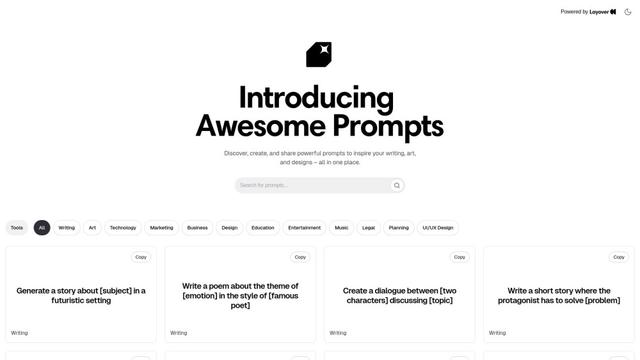
A specialized AI-powered tool that generates customized, context-aware prompts across multiple domains like writing, art, marketing, technology, and business to enhance interactions with AI language models.

Prompt Inspector
Prompt Inspector is an AI-powered analysis tool that helps developers and businesses optimize their LLM interactions through comprehensive prompt analysis, user behavior insights, and ethical content filtering.

PromptBetter
PromptBetter is an advanced AI prompt optimization platform that offers real-time prompt refinement and model switching capabilities across multiple GPT models to deliver 10x better, more human-like AI responses.
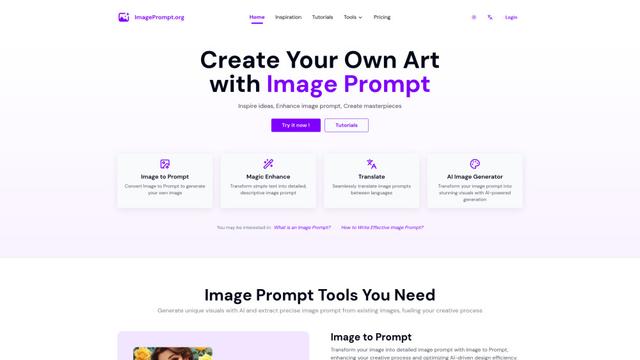
Image Prompt
Image Prompt is an AI-powered tool that helps users create detailed textual descriptions for generating AI images or convert existing images into descriptive prompts for various AI image generation models.
Popular AI Tools Like TypeBoost

Arch
Arch is an intelligent Layer 7 gateway built on Envoy Proxy that provides secure handling, robust observability, and seamless integration of prompts with APIs for building fast, robust, and personalized AI agents.
PromptForge
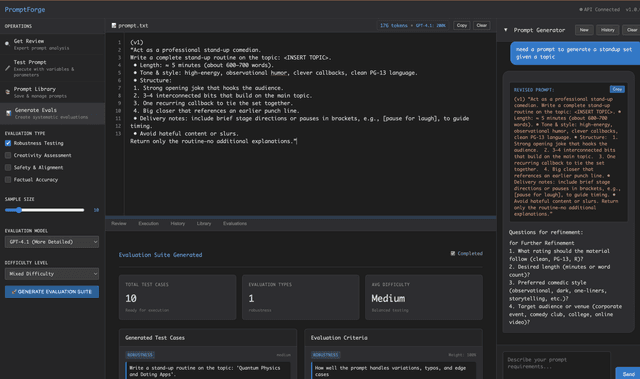
PromptForge is an AI prompt engineering workbench that helps users create, test, optimize and manage prompts through AI-powered generation, systematic evaluation, and advanced analytics tools.

Velocity: Prompt Assistant
Free TrialPrompts
Velocity is an AI-powered Chrome extension that acts as a Prompt Co-Pilot to instantly transform unclear instructions into optimized, AI-ready prompts for various LLM platforms like ChatGPT, Claude, and DeepSeek.

Prompt Navigator
A browser extension that helps users efficiently navigate through conversations on AI platforms like ChatGPT, Grok, Gemini, Claude, and DeepSeek by providing quick access to previous prompts and responses.