
SocialEcho 2.0
SocialEcho 2.0 è uno spazio di lavoro AI all-in-one per i social media che connette oltre 10 piattaforme tramite API ufficiali per ottimizzare la pubblicazione, l'engagement unificato (commenti/DM/@menzioni), il social listening, l'analisi e l'automazione/agenti AI.
https://www.socialecho.net/?ref=producthunt&utm_source=aipure

Informazioni sul Prodotto
Aggiornato:Jun 8, 2026
Cos'è SocialEcho 2.0
SocialEcho 2.0 è una piattaforma di gestione dei social media basata sull'intelligenza artificiale, creata per marchi, creatori e team di marketing per gestire operazioni social end-to-end da un unico spazio di lavoro sicuro. Riunisce la pubblicazione multi-piattaforma, una casella di posta unificata per l'engagement, il monitoraggio in tempo reale di parole chiave/concorrenti/KOL, analisi con esportazione di report e automazione AI per ridurre il lavoro manuale e migliorare la velocità di risposta. SocialEcho supporta i principali network tra cui Facebook, Instagram, TikTok, YouTube, X (Twitter), LinkedIn, Telegram e altri, e enfatizza la connettività conforme tramite API ufficiali con sicurezza di livello aziendale (incluse ISO 27001/27701 e SOC 2 Tipo II).
Caratteristiche principali di SocialEcho 2.0
SocialEcho 2.0 è uno spazio di lavoro all-in-one per i social media, basato sull'intelligenza artificiale, per le aziende globali che centralizza la pubblicazione multi-piattaforma, l'engagement, il monitoraggio, l'analisi e l'automazione in un'unica console. Supporta la distribuzione con un clic su un massimo di 10 reti principali, unifica commenti/DM/@menzioni in una casella di posta assistita dall'IA, consente l'ascolto sociale in tempo reale per il monitoraggio di marchi/concorrenti/parole chiave e fornisce analisi cross-platform con report esportabili. Costruito su API ufficiali con OAuth2.0 e supportato da certificazioni di sicurezza aziendali (ISO 27001/27701, SOC 2 Tipo II, CCRC), è progettato per creatori, team di brand e agenzie per scalare le operazioni riducendo il lavoro manuale e i tempi di risposta.
Pubblicazione multi-piattaforma con un clic: Crea una volta e pubblica/pianifica su un massimo di 10 piattaforme (es. Facebook, Instagram, TikTok, X, YouTube, LinkedIn, Telegram, Pinterest, Reddit, Threads) con un calendario dei contenuti e una pianificazione intelligente per i momenti di punta tramite integrazioni API ufficiali.
Casella di posta unificata con assistenza AI per le risposte: Centralizza commenti, DM e @menzioni tra account e post, con risposte assistite/automatiche dall'IA più riconoscimento del sentiment e dell'intento per taggare e dare priorità alle conversazioni di alto valore o urgenti.
Monitoraggio in tempo reale e social listening: Traccia post, menzioni del brand, parole chiave, concorrenti e KOL in tempo reale per individuare precocemente le tendenze, gestire la reputazione e rispondere rapidamente, utile durante i lanci per prevenire la diffusione di buzz negativi.
Analisi e reporting cross-platform: Fornisce insight unificati sulle prestazioni con metriche dettagliate (granularità giornaliera), abbonamenti per il monitoraggio dei concorrenti ed esportazione con un clic di report white-label, riducendo significativamente il tempo di reporting manuale.
Flussi di lavoro di automazione AI: Hub di automazione basato su regole per risposte automatiche a commenti/DM, azioni attivate dal monitoraggio e riscrittura AI per adattare i contenuti per piattaforma, aiutando i team a scalare l'engagement e migliorare l'efficienza di conversione.
Agenti AI e integrazioni API: Supporta l'automazione in stile agente tramite un'API (ad esempio, pubblicazione autonoma e generazione di analisi/report) per integrare SocialEcho in flussi di lavoro di marketing/operazioni più ampi.
Casi d'uso di SocialEcho 2.0
Lanci di prodotti per marchi di consumo: Utilizza il monitoraggio in tempo reale e la gestione unificata della posta in arrivo per rilevare i primi feedback, regolare rapidamente le copie degli annunci e i messaggi e ridurre il rischio di diffusione del passaparola negativo tra le piattaforme.
Supporto clienti e-commerce su larga scala: Automatizza le domande comuni pre-vendita (spedizione, sconti, scorte) tramite risposte AI a commenti/DM, instradando al contempo i messaggi ad alta intenzione o con sentiment negativo agli agenti umani per una rapida risoluzione.
Agenzie di marketing che gestiscono molti clienti: Esegui il monitoraggio multi-account e dei concorrenti da un'unica dashboard, collabora con un numero illimitato di membri del team (nei piani team) e consegna report white-label più velocemente per una maggiore soddisfazione del cliente.
Creatori che aumentano la presenza cross-platform: Pianifica e distribuisci contenuti tra le reti, analizza ciò che funziona meglio e utilizza la riscrittura AI per adattare i post al formato di ogni piattaforma, riducendo il tempo dedicato al cross-posting ripetitivo.
Generazione di domanda B2B SaaS: Monitora gli annunci dei concorrenti e le tendenze delle parole chiave, pubblica una leadership di pensiero coordinata su LinkedIn/X/YouTube e utilizza l'analisi per iterare i temi dei contenuti e la strategia di engagement.
Vantaggi
Flusso di lavoro end-to-end in un unico strumento: pubblicazione, engagement, monitoraggio, analisi e automazione su più piattaforme.
Efficienza basata sull'IA: risposte automatiche, riconoscimento del sentiment/intento e riscrittura dei contenuti riducono il carico di lavoro manuale e i tempi di risposta.
Forte posizione aziendale: integrazioni API ufficiali con OAuth2.0 più certificazioni ISO 27001/27701 e SOC 2 Tipo II (anche elencato CCRC).
Adatto ad agenzie/team: gestione multi-account, monitoraggio dei concorrenti, membri del team illimitati (a seconda del piano) ed esportazione di report white-label.
Svantaggi
Alcune funzionalità sono limitate dal piano (ad esempio, risposte automatiche, riscrittura/distribuzione AI, quote di monitoraggio e automazione più elevate).
Alcuni elementi della roadmap sono esplicitamente contrassegnati come 'Funzionalità AI avanzate: Prossimamente', quindi la disponibilità/tempistiche possono variare.
Sono indicati requisiti minimi di account/canale per i piani a pagamento (ad esempio, minimo 5), il che potrebbe essere meno ideale per configurazioni molto piccole.
Come usare SocialEcho 2.0
1) Crea il tuo account SocialEcho e inizia la prova gratuita: Vai su https://www.socialecho.net/ e registrati. I nuovi utenti ottengono una prova gratuita completa di 7 giorni con accesso alle funzionalità premium e non è richiesta alcuna carta di credito.
2) Scegli una base di piano (opzionale) e comprendi i "canali": Rivedi i piani (Gratuito/Base/Team). Il prezzo di SocialEcho si basa sui canali, dove ogni account social media connesso conta come un canale (ad esempio, 3 Facebook + 2 Instagram = 5 canali).
3) Collega le tue piattaforme social tramite API ufficiali (OAuth): Nell'area di lavoro, collega i tuoi account utilizzando il flusso di autorizzazione API ufficiale della piattaforma (OAuth). SocialEcho supporta Facebook, Instagram, TikTok, YouTube, X (Twitter), LinkedIn, Telegram e altro (inclusi Pinterest/Reddit/Threads come mostrato sul sito). SocialEcho sottolinea di non memorizzare le password degli account e di utilizzare la trasmissione crittografata.
4) Configura la collaborazione in team (Piano Team) e le autorizzazioni: Se lavori con un team/agenzia, invita i membri del team e configura le autorizzazioni e i flussi di lavoro basati sui ruoli. Il Piano Team supporta un numero illimitato di membri del team e funzionalità di collaborazione.
5) Crea e pubblica un post su più piattaforme con un solo clic: Vai su Pubblicazione (ad esempio, Pubblica → Crea). Scrivi il tuo post, allega immagini o video, seleziona le piattaforme/account su cui pubblicare e utilizza la distribuzione multi-piattaforma con un solo clic.
6) Pianifica i post (e usa i consigli sui tempi migliori): Quando crei un post, scegli un orario futuro per pianificarlo. SocialEcho supporta la pianificazione intelligente per i momenti di punta del pubblico (l'interfaccia utente evidenzia "Orario migliore").
7) Pubblica varianti appropriate per la piattaforma (riscrivi/adatta il contenuto): Usa le funzionalità di riscrittura/distribuzione AI (disponibili nei piani superiori) per generare varianti adattate ai diversi stili delle piattaforme (ad esempio, varianti TikTok/Instagram) mantenendo la coerenza del marchio.
8) Gestisci l'engagement nella casella di posta unificata: Apri Engagement/Casella di posta unificata per visualizzare commenti, DM e @menzioni su tutti gli account connessi in un unico posto. Rispondi manualmente o usa le risposte assistite dall'AI a seconda del tuo piano.
9) Attiva le risposte automatiche AI per commenti e DM: Abilita le funzionalità AI Message Reply / Auto Reply in modo che SocialEcho possa rispondere più velocemente alle domande comuni. Il sistema può identificare il sentiment e l'intento, taggare automaticamente i messaggi e assistere con risposte suggerite.
10) Configura le regole di automazione AI (Automation Hub): Vai all'Automation Hub AI e imposta le regole per scenari come la risposta automatica ai commenti, la risposta automatica ai DM, la riscrittura automatica e le risposte attivate dal monitoraggio. Personalizza le regole per adattarle al tono del tuo marchio e alle domande comuni.
11) Configura il monitoraggio (social listening) per concorrenti, KOL e parole chiave: In Monitoraggio, aggiungi account concorrenti, KOL e parole chiave/hashtag da tracciare in tempo reale. Usalo per cogliere menzioni del marchio, post dei concorrenti e argomenti di tendenza in anticipo.
12) Interagisci direttamente dal monitoraggio quando necessario: Quando il monitoraggio rileva menzioni ad alta intenzione o sensibili, rispondi come faresti sulla piattaforma nativa, senza lasciare SocialEcho, in modo da poter gestire rapidamente la reputazione e le opportunità.
13) Rivedi le analisi su tutte le piattaforme (granularità giornaliera): Apri Analisi per vedere la crescita dei follower, l'engagement, il tasso di engagement e le tendenze su tutte le piattaforme. Utilizza le visualizzazioni dettagliate (ad esempio, 7D/30D/90D) e la granularità giornaliera per capire quali contenuti hanno le migliori prestazioni.
14) Esporta report (white-label) per stakeholder/clienti: Utilizza l'esportazione con un clic per generare report condivisibili/white-label (evidenziati come una capacità di analisi), utili per agenzie e team di brand.
15) (Opzionale) Collega gli agenti AI tramite API per flussi di lavoro autonomi: Se utilizzi framework di agenti, usa AI Agents/Agent Hub per autorizzare gli agenti tramite chiavi API ed eseguire attività autonome come la pubblicazione multi-piattaforma e la creazione di report analitici (come mostrato con esempi come OpenClaw/Hermes).
16) Mantieni le migliori pratiche di sicurezza e conformità: Mantieni le integrazioni ufficiali (OAuth tramite API della piattaforma), limita l'accesso con autorizzazioni basate sui ruoli e affidati alla postura di sicurezza di livello aziendale dichiarata da SocialEcho (ISO 27001/27701, SOC 2) per i controlli di trasmissione/archiviazione dei dati.
FAQ di SocialEcho 2.0
SocialEcho è uno spazio di lavoro AI "tutto in uno" per i social media che ti consente di pianificare, pubblicare, interagire, monitorare (social listening), analizzare e automatizzare i flussi di lavoro su più piattaforme social in un unico posto.
Articoli Popolari

Vosko AI: Localizza e doppia video per un pubblico globale
Oct 15, 2026

Atoms: Una Piattaforma AI Multi-Agente Che Trasforma le Idee in Prodotti Pronti al Lancio
May 22, 2026

Nano Banana SBTI: Cos'è, come funziona e come usarlo nel 2026
Apr 15, 2026

Recensione di Atoms — Il builder di prodotti AI che ridefinisce la creazione digitale nel 2026
Apr 10, 2026
Ultimi Strumenti AI Simili a SocialEcho 2.0
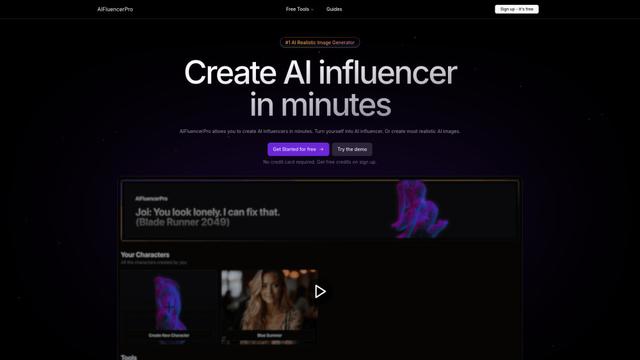
AIFluencerPro
AIFluencerPro è una piattaforma alimentata dall'AI che consente agli utenti di creare influencer AI fotorealistici e generare immagini AI di alta qualità in pochi minuti utilizzando tecnologia AI generativa avanzata.

Lynklet
Lynklet è una piattaforma di strumenti social tutto-in-uno che combina pagine di link bio, accorciamento URL, generazione di codici QR, biglietti da visita digitali e capacità di hosting di file in un'unica soluzione completa.
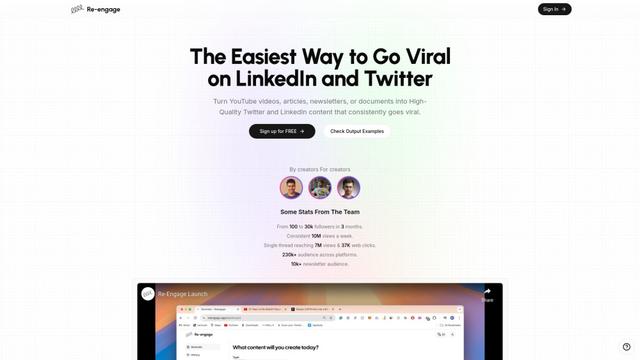
Re-Engage
Re-Engage è uno strumento innovativo di riutilizzo dei contenuti che trasforma video di YouTube, articoli, newsletter e documenti in contenuti ad alte prestazioni per i social media ottimizzati per la viralità su Twitter e LinkedIn.

Trump Donald
Trump Donald è una piattaforma unica di raccolta fondi politici che consente agli utenti di inviare lettere fisiche a Mar-a-Lago mentre fanno donazioni a organizzazioni che lavorano per sconfiggere Donald Trump.
Strumenti AI Popolari Come SocialEcho 2.0
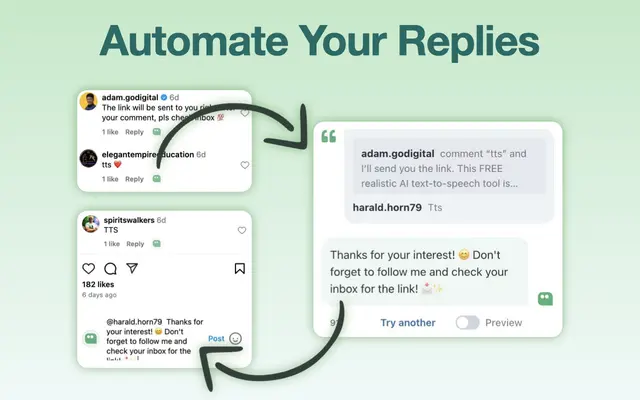
AI Reply Generator - social24
AI Reply Generator - Social24 è un'estensione del browser che aiuta gli utenti a generare risposte AI intelligenti e personalizzate per più piattaforme di social media tra cui Instagram, Facebook, TikTok, YouTube e LinkedIn con modelli di prompt personalizzati e integrazione perfetta.

Read & Give by Bono
Read & Give di Bono \u00e8 un'estensione di Chrome che utilizza l'intelligenza artificiale per analizzare i contenuti delle notizie e suggerisce opportunit\u00e0 di donazioni caritatevoli pertinenti in base agli articoli che leggi.
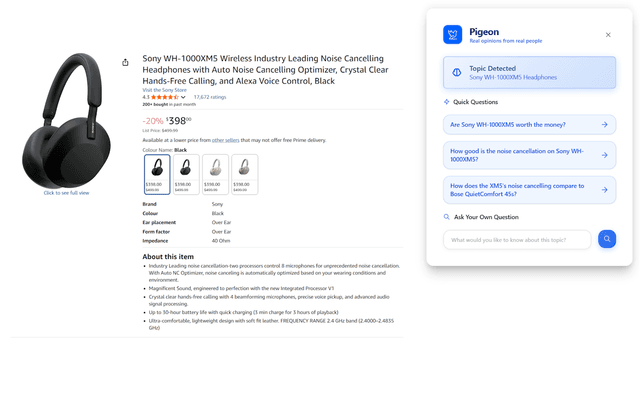
Pigeon
Pigeon è un'estensione leggera di Chrome che aiuta gli utenti a scoprire e analizzare le opinioni reali degli utenti dalle discussioni di Reddit su qualsiasi pagina web che stanno navigando.
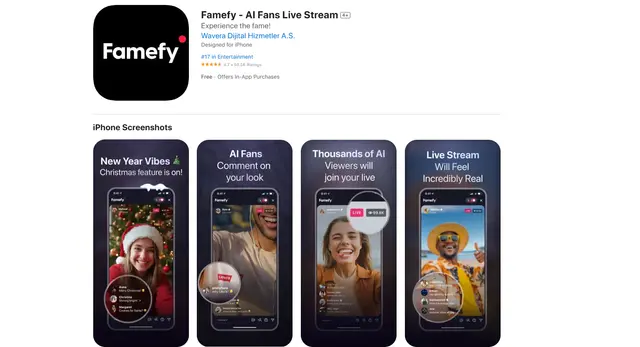
Famefy
Famefy è una piattaforma di live streaming alimentata dall'IA che consente agli utenti di vivere la stardom virtuale interagendo con fan generati dall'IA che forniscono engagement e feedback in tempo reale.