
Session Pilot
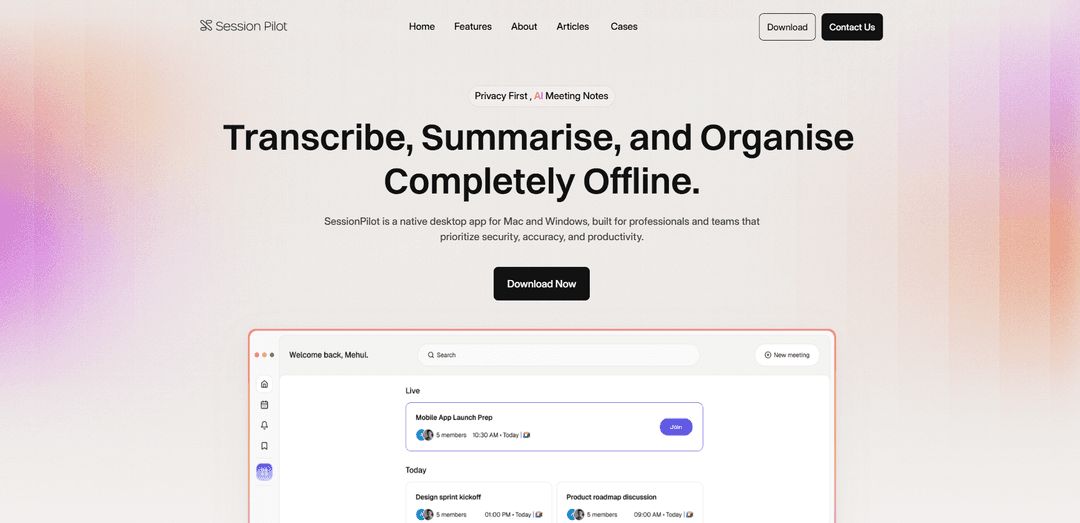
Session Pilot is a privacy-first native desktop application that uses AI to transcribe, summarize and organize meeting notes completely offline across Mac and Windows platforms.
https://www.sessionpilot.ai/?ref=producthunt
Product Information
Updated:Jan 15, 2026
What is Session Pilot
Session Pilot is an enterprise-focused meeting management and productivity tool that prioritizes security and privacy. Built as a native desktop application for both Mac and Windows, it helps teams and professionals efficiently handle meetings by providing AI-powered features for transcription, note-taking, and task management - all while keeping data completely offline. The platform is designed specifically for organizations dealing with confidential or regulated discussions, offering a secure way to enhance meeting productivity.
Key Features of Session Pilot
Session Pilot is a native desktop application for Mac and Windows that offers privacy-focused meeting management and note-taking capabilities. It features offline functionality, AI-powered meeting summaries, multi-language support, and automated task management. The platform enables teams to transcribe meetings, generate structured notes, and collaborate efficiently while maintaining data security and confidentiality.
Offline & Secure Processing: All meeting recordings and notes are processed locally on the user's device, ensuring complete privacy and security for confidential discussions
AI-Powered Meeting Summaries: Automatically generates structured meeting notes and key points using artificial intelligence, reducing manual note-taking effort
Multi-Language Support: Supports multiple languages including Dutch, German, Swedish, and Finnish, making it versatile for international teams
Speaker Identification: Automatically identifies and labels different speakers in meeting recordings for clear communication tracking
Use Cases of Session Pilot
Enterprise Team Collaboration: Large organizations can securely manage confidential meetings and ensure efficient information sharing across teams
Academic Research: Universities and research institutions can transcribe and analyze research discussions while maintaining privacy requirements
Project Management: Teams can streamline project meetings, automatically track action items, and maintain organized documentation of decisions
Pros
Complete offline functionality ensuring privacy and security
Cross-platform compatibility (Mac and Windows)
Automated note-taking and task management saving significant time
Cons
Limited to desktop platforms only
Requires local processing power for AI features
How to Use Session Pilot
Download and Install: Download Session Pilot for your operating system (Mac or Windows) from the official website www.sessionpilot.ai/download and install it on your device
Launch Application: Open Session Pilot application on your desktop. No additional setup or configuration is required as it works completely offline
Start Recording Meeting: When you begin a meeting, Session Pilot will automatically start recording and transcribing the conversation while identifying different speakers
View Real-Time Transcription: During the meeting, you can see the live transcription and speaker identification happening in real-time through the application interface
Get AI Summary: After the meeting ends, Session Pilot automatically generates an AI-powered structured summary of the key points discussed
Review To-Do List: Check the auto-generated to-do list created from action items mentioned during the meeting
Collaborate with Team: Share meeting notes and collaborate with team members directly through the platform using the team comments feature
Organize Notes: Use custom fields and interactive timeline to organize and track all your meeting notes and tasks in one place
Access Previous Meetings: Easily access and review notes from previous meetings through the application's dashboard
Session Pilot FAQs
Session Pilot is a native desktop app for Mac and Windows that helps teams manage meetings and tasks by transcribing, summarizing, and organizing meeting notes completely offline.
Session Pilot Video
Popular Articles

Vosko AI: Localize and Dub Videos for Global Audiences
Oct 15, 2026

Atoms: A Multi-Agent AI Platform That Transforms Ideas into Launch-Ready Products
Oct 13, 2026

Nano Banana SBTI: What It Is, How It Works, and How to Use It in 2026
Apr 15, 2026

Atoms Review — The AI Product Builder Redefining Digital Creation in 2026
Apr 10, 2026
Latest AI Tools Similar to Session Pilot

Ticknotes
Ticknotes is an AI-powered meeting assistant that automatically records, transcribes, and generates personalized meeting summaries, action items, and key insights from audio, video, and text content.

Feta
Feta is an AI-powered meeting tool that helps product and engineering teams run efficient meetings by capturing discussions, automating tasks, and providing actionable insights through smart summaries and integrations.

Aimeet
Aimeet is a comprehensive AI-powered communication platform that combines real-time translation, transcription, screen sharing, and unlimited meeting capabilities for effective virtual collaboration.

MinutesLink
MinutesLink is an advanced AI-powered note-taking assistant that automatically records, transcribes, summarizes and organizes virtual meetings while building personalized digital avatars from meeting data.
Popular AI Tools Like Session Pilot

Second Brain for AI
Second Brain for AI is a self-hosted, MCP-compatible persistent memory layer on Cloudflare that lets Claude, ChatGPT, Cursor, and other AI clients store and semantically recall shared context across sessions.

Slack
Slack is an AI-powered work platform that brings team communication, channels, files, automation, and app integrations into one conversational workspace.

24me Smart Personal Assistant
24me is an award-winning smart personal assistant app that combines calendar, to-do lists, notes, and personal accounts in one unified platform to help boost productivity and time management.

Granola for iOS
Granola for iOS is an AI-powered notepad app that helps users effortlessly capture, transcribe and summarize meeting conversations through intelligent note-taking and one-tap recording capabilities.