SeeVido AI
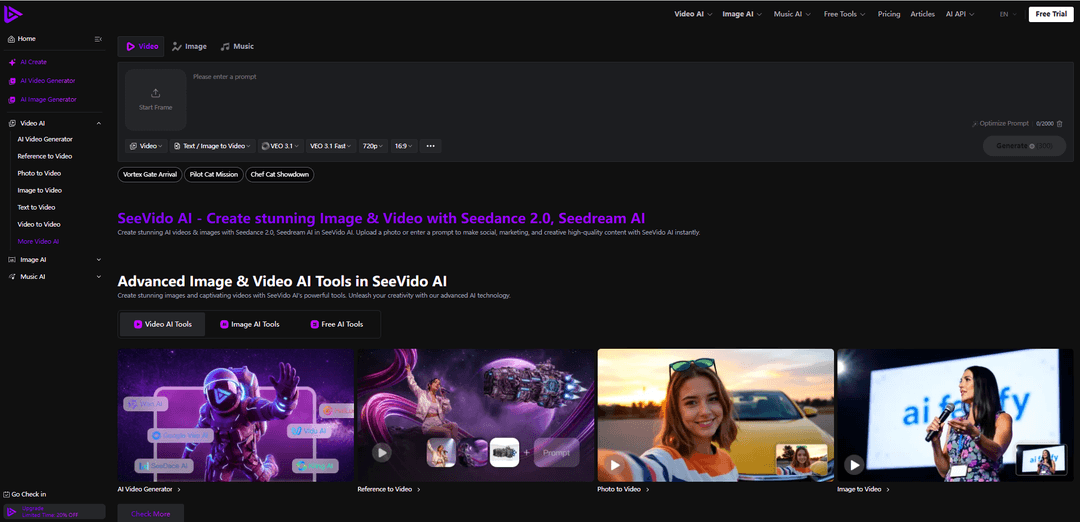
SeeVido AI is a browser-based creative platform that turns text prompts and uploaded images/photos into high-quality AI videos (plus images and music) using models like Seedance 2.0, with fast generation, effect tools, and privacy-focused handling of uploads.
https://seevido.com/?utm_source=aipure
Product Information
Updated:Jul 10, 2026
What is SeeVido AI
SeeVido AI is an all-in-one AI creative platform for turning ideas, prompts, photos, and reference images into stunning videos, images, and music. Built for creators, marketers, social media teams, and everyday users, it makes advanced AI media generation simple: create text-to-video clips, animate photos, transform images into dynamic videos, generate product visuals, remake videos, produce music from text or images, and explore viral effects such as talking avatars, dance videos, old photo animation, motion control, AI beauty tools, image restoration, headshots, clothes changing, cartoon styles, and more.
Key Features of SeeVido AI
SeeVido AI is a browser-based, all-in-one AI creation platform for generating videos, images, and music from text prompts or uploaded photos. It brings together multiple generation workflows (text-to-video, image/photo-to-video, reference-to-video, video-to-video, and multiple image-generation tools) and supports a range of popular models such as Seedance 2.0/2.0 Mini and Seedream, alongside other listed model options. The platform emphasizes fast creation (seconds for images, minutes for videos), social-ready creative effects/templates, and a credit-based free trial with daily check-ins, while also stating privacy protection via deletion of uploaded photos within 24 hours.
Multi-modal generation (text/photo/video inputs): Create content through Text-to-Video, Image/Photo-to-Video, Reference-to-Video, Video-to-Video, plus Text-to-Image and Image-to-Image style workflows within one web workspace.
Model variety in one interface: Access multiple AI models (notably Seedance 2.0/2.0 Mini for video and Seedream for images, with additional model options listed on the site) to compare styles and outputs without switching tools.
Social-ready AI effects & templates: Provides trend-oriented effects such as AI Squish, AI Hair Growth, AI Handshake, AI Venom, Old Photo Animation, Flying/Balloon effects—useful for short-form viral posts and creative experiments.
AI remaker & photo blending: Includes tools that map facial features and blend photos for transformations and photo-to-video remakes, enabling edits like age/gender changes and scenario remixes.
Credit-based free trial + daily bonuses: Offers a free plan with new-user credits (e.g., 40 credits) and daily check-in bonuses (e.g., 20 credits), plus limited free-tool usage per day; paid plans increase credits, speed, and capabilities.
Privacy protection policy: States that uploaded photos are deleted within 24 hours to reduce data retention and improve user privacy.
Use Cases of SeeVido AI
Social media content & viral clips: Creators can quickly turn selfies or photos into short, engaging effect videos (e.g., squish, handshake, venom) for TikTok/Instagram/Reels and meme-style posts.
Marketing & ad creatives: Marketers can generate product/lifestyle visuals and short promotional videos from prompts or product photos to rapidly iterate on concepts for campaigns.
E-commerce product presentation: Online sellers can produce stylized product photos and simple motion clips (photo-to-video) for listings, storefront banners, and social commerce without a full studio setup.
Creative storytelling & concepting: Writers and designers can prototype scenes, characters, and cinematic concepts using text-to-video and reference-based generation to visualize ideas before production.
Photo restoration & nostalgia content: Users can restore or animate old photos (e.g., old photo restorer/animation) to create shareable family-history or heritage content.
Profile branding & avatars: Individuals and teams can generate headshots, enhanced portraits, cartoons, or themed profile assets for personal branding and community identities.
Pros
All-in-one suite (video, image, and music) with multiple workflows in a single browser-based tool.
Free trial structure with credits and daily check-ins lowers the barrier to testing and iteration.
Wide range of social-friendly effects and templates enables fast creation of engaging short-form content.
Stated privacy measure: uploaded photos deleted within 24 hours.
Cons
Free plan limitations (limited models/tools, shared queue, shorter history) may restrict serious or high-volume use.
Credit-based pricing can make cost-per-output variable depending on model choice, duration, and regeneration needs.
Output quality and consistency can vary by prompt clarity, source image quality, and selected model/version.
How to Use SeeVido AI
1. Open SeeVido AI in your browser: Go to https://seevido.com/ and choose what you want to create: Video AI, Image AI, Music AI, or Free Tools.
2. Sign in / start the free trial (optional but recommended): Use the Free Trial entry to access credits (new users get 40 credits) and enable saving history and private generations.
3. Pick the right creation mode: For video, choose the workflow that matches your input: Text to Video (prompt-only), Image/Photo to Video (upload a photo), Reference to Video (use a reference for consistency), or Video to Video (transform an existing clip).
4. Select a model: In the generator panel, choose a model suited to your goal (examples shown on the site include Seedance 2.0/2.0 Mini, Kling, Vidu, Google Veo 3/3.1, Sora 2, Gemini Omni).
5. Set your output options: Configure generation settings such as aspect ratio (e.g., 16:9), resolution (e.g., 720p), and (where available) duration. These settings affect quality, framing, and credit usage.
6. Provide your input (prompt and/or media): Type a clear prompt describing subject, scene, style, lighting, and action, or upload an image/photo for image-to-video/photo-to-video workflows. Keep the subject visible and the action simple for more reliable results.
7. Use prompt assistance (optional): If available in the panel, use features like “Optimize Prompt” (or similar prompt helper) to expand keywords into a more complete prompt.
8. Generate: Click “Generate” and wait for processing. The platform notes that photos process in seconds and videos in minutes, depending on model and queue.
9. Review the output and iterate: Preview the result, then refine your prompt or settings and regenerate variations. Treat outputs as drafts—save strong versions, compare, and adjust motion complexity or split complex ideas into multiple clips.
10. Download or reuse your final asset: When satisfied, export/download the generated video/image/music for publishing, marketing, or personal projects, or reuse it as a reference/input for another generation.
11. Use Free Tools and daily credits to keep creating (optional): Use the daily check-in (20 credits/day) and the “5 times free tools daily” option (as listed on the Free plan) to test workflows and prompts before spending more credits.
SeeVido AI FAQs
SeeVido AI is a browser-based AI creation platform that generates high-quality videos (and images) from text prompts and/or uploaded images. It includes workflows like text-to-video, image-to-video, photo-to-video, reference-to-video, and video-to-video, and supports models such as Seedance 2.0.
Popular Articles

Vosko AI: Localize and Dub Videos for Global Audiences
Oct 15, 2026

Atoms: A Multi-Agent AI Platform That Transforms Ideas into Launch-Ready Products
Oct 13, 2026

Nano Banana SBTI: What It Is, How It Works, and How to Use It in 2026
Apr 15, 2026

Atoms Review — The AI Product Builder Redefining Digital Creation in 2026
Apr 10, 2026
Latest AI Tools Similar to SeeVido AI

Loud Fame
Loud Fame is an AI-powered video transformation tool that allows users to convert regular videos into anime-style animations and create AI-generated celebrity talking videos.

BizBoom.ai
BizBoom.ai is an AI-powered platform that automatically generates professional product videos from product links and images with 95% less cost.

EzVideos
EzVideos is an all-in-one video creation tool that helps users generate viral videos for social media platforms like Instagram, TikTok, and YouTube with automated editing features and built-in resources.
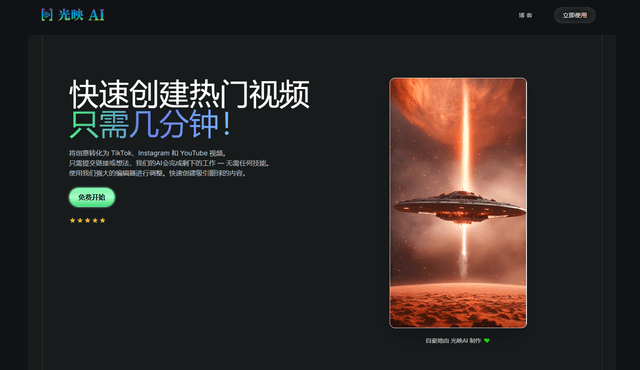
Illuminix
Illuminix is an AI-powered platform that empowers businesses with autonomous hyper-experts and specialized tools for automated business processes, data management, and video content creation.
Popular AI Tools Like SeeVido AI
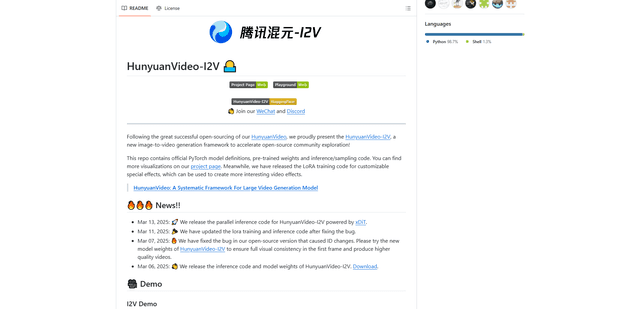
HunyuanVideo-I2V
HunyuanVideo-I2V is an open-source AI framework developed by Tencent that transforms static images into high-quality, dynamic videos with customizable motion effects and exceptional visual consistency.
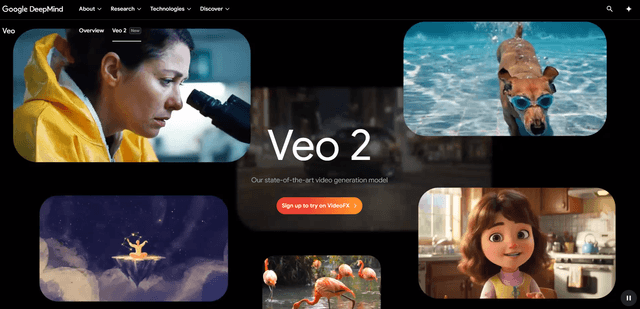
Google Veo 2
Veo 2 is Google DeepMind's state-of-the-art AI video generation model that can create high-quality videos up to 4K resolution with realistic motion, extensive camera controls, and improved physics simulation from text prompts.

Vibing
Vibing is an AI-powered dating app that helps users share authentic moments through video stories and make genuine connections based on personality matching and interactive features.
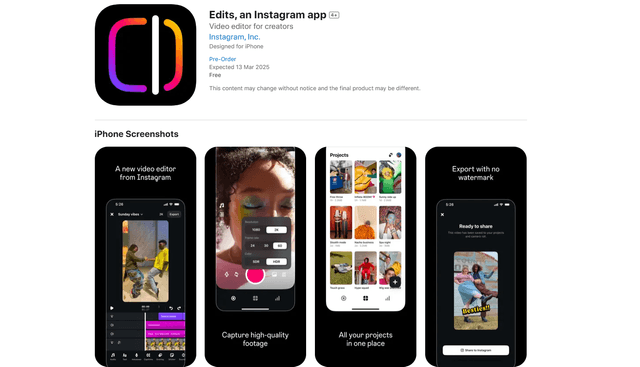
Edits, an Instagram app
Edits is Instagram's free video creation app that provides creators with professional editing tools, AI features, and analytics capabilities to create high-quality videos directly from their phones.