Seavid AI
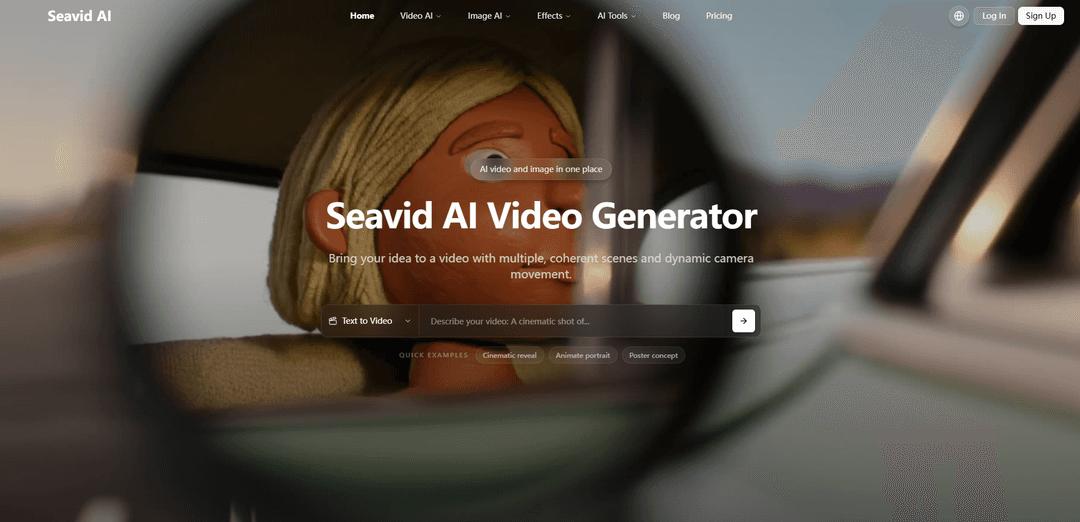
Seavid AI is an all-in-one online AI creation suite that generates and edits images and coherent multi-shot videos (up to 1080p) from text or reference images, with access to multiple leading models and built-in effects tools.
https://seavidgen.com/?ref=producthunt
Product Information
Updated:Jun 8, 2026
What is Seavid AI
Seavid AI is a web-based platform for creating AI-generated video and image content in one place. It combines core generation modes—Text-to-Video, Image-to-Video, Text-to-Image, and Image-to-Image—with a model selector that lets creators choose from several popular AI models (e.g., Seedance 2.0/1.5 Pro, Seedream 4.5/5.0, plus options like Sora 2, Veo 3.1, Kling 3, and Hailuo 2.3). Beyond generation, it includes practical editing utilities such as background changing and watermark removal, aimed at helping creators move from an idea to export-ready assets quickly while keeping creations private to the user’s account.
Key Features of Seavid AI
Seavid AI is an all-in-one AI creative suite for generating and editing both video and images in a single platform. It supports Text-to-Video, Image-to-Video, Text-to-Image, and Image-to-Image workflows, with a built-in model selector that lets you choose among leading models (e.g., Seedance 2.0, Sora 2, Veo 3.1, Kling 3, Hailuo 2.3, Seedream 5.0, Nano Banana). Beyond generation, it includes integrated effects and utility tools such as background changing and watermark removal, plus multi-shot video storytelling features like coherent scene sequencing, consistent character/style, dynamic camera movement, and 1080p export, with prompts and outputs kept private to your account.
Unified image + video creation suite: Create and edit across Text-to-Video, Image-to-Video, Text-to-Image, and Image-to-Image in one workflow, reducing tool switching for creators and teams.
Multi-model selector for best-fit results: Switch between multiple top models (e.g., Seedance 2.0, Sora 2, Veo 3.1, Kling 3, Hailuo 2.3; Seedream and Nano Banana for images) to balance realism, speed, and style per project.
Multi-shot coherent video generation: Generate connected scenes from a single prompt with improved continuity—useful for story structure, consistent props/characters, and smoother narrative flow.
Consistency + cinematic motion controls: Designed to preserve character identity and visual style across shots while adding dynamic camera movement (pans, zooms, tracking) for a more “directed” feel.
Built-in AI tools and effects: Includes one-click utilities like AI Background Changer, watermark removal, and other image/video effects templates to quickly polish assets for publishing.
HD export and private creation: Export 1080p videos and keep prompts/outputs processed securely and private to your account.
Use Cases of Seavid AI
Social media content production: Rapidly generate short multi-shot clips, looping image-to-video animations, and thumbnails/key art for TikTok/Reels/Shorts with consistent style and quick iteration.
Marketing and advertising creatives: Produce product hero shots, lifestyle scenes, and coherent multi-scene ad concepts without full shoots; use image tools for background swaps and cleanups.
E-commerce asset generation: Create product visuals and short demo videos, remove watermarks, change backgrounds, and generate platform-ready listing media in minutes.
Storyboarding and pre-visualization: Generate concept frames via text-to-image, then animate references with image-to-video to pre-vis scenes, camera moves, and pacing before production.
Brand and design content workflows: Use image-to-image restyling and controlled edits to align assets to a brand look, then extend into video for campaigns and presentations.
Pros
All-in-one platform combining generation (video + image) with practical editing tools (e.g., background change, watermark removal).
Model flexibility: built-in selector enables choosing different engines for different quality/speed/style needs.
Strong for narrative output: multi-shot generation with character/style consistency and dynamic camera movement.
Production-friendly exports (1080p) and privacy claims for prompts/outputs.
Cons
Output quality and controls can vary depending on the selected third-party model, adding trial-and-error to find best settings.
Advanced multi-shot/consistency goals may still require iterative prompting and refinement to match exact creative intent.
Some referenced models/tools may have geographic or platform availability constraints outside Seavid AI’s control.
How to Use Seavid AI
1) Open Seavid AI and choose a creation mode: Go to https://seavidgen.com/ and pick what you want to make: Text to Video, Image to Video, Text to Image, or Image to Image.
2) (Optional) Prepare reference assets: If you want stronger consistency (style, character identity, composition), gather one or more reference images to upload alongside your prompt.
3) Write a detailed prompt (Describe Your Vision): Describe the subject(s), setting, mood, actions, and (for video) camera movement. The clearer the prompt, the more coherent the result—especially for multi-shot videos.
4) Select an AI model (when available): Use the built-in model selector to choose the engine that fits your goal (e.g., Seedance 2.0 / Seedance 1.5 Pro / Sora 2 / Veo 3.1 / Kling 3 / Hailuo 2.3 for video; Seedream / Nano Banana for images). Balance realism, speed, and cinematic style based on your project.
5) Text to Video workflow: In Text to Video, enter your prompt (and any references). Ask for multiple coherent scenes and dynamic camerawork if needed, then generate to get a short multi-shot video.
6) Image to Video workflow: In Image to Video, upload a single reference photo, add a prompt describing the motion/action, and generate. The model analyzes depth, lighting, and texture to animate the subject while preserving identity and style (commonly for 5–10 second clips).
7) Text to Image workflow: In Text to Image, describe style, lighting, and composition, then generate multiple variations. Use outputs as thumbnails, key art, storyboards, or reference frames for later video generation.
8) Image to Image workflow: In Image to Image, upload a source image and describe the transformation (restyle, enhance, background change, etc.). Generate variations while preserving the original structure and subject identity.
9) Refine results (Generate & Refine): Iterate by adjusting prompt details (framing, duration, style, mood, actions, camera moves) and regenerating until the output matches your intent.
10) Use AI Image Effects & Tools (optional cleanup/editing): Apply built-in tools such as AI Background Changer, watermark removal (Nano Banana Watermark Remover), and editors like Qwen Image Edit or Seededit to relight, remove backgrounds, clear watermarks, or batch-process assets.
11) Use AI Video Effects & Tools (optional templated clips): If you want a fast stylized result, upload one or two photos, pick a video effect template, and generate. Templates run pre-tuned prompts under the hood to handle motion, style, and transitions automatically.
12) Export and download in HD (Export & Share): Preview your final output and download high-definition video (up to 1080p) or high-resolution images, optimized for social posts, ads, presentations, or other platforms.
13) Keep projects private and organized: Your prompts and generated outputs are processed securely and remain private to your account; revisit and iterate on prior generations as needed.
Seavid AI FAQs
Seavid AI is an all-in-one AI image and video creation platform that combines Video AI, Image AI, and built-in AI tools in a single suite.
Popular Articles

Vosko AI: Localize and Dub Videos for Global Audiences
Oct 15, 2026

Atoms: A Multi-Agent AI Platform That Transforms Ideas into Launch-Ready Products
Oct 13, 2026

Nano Banana SBTI: What It Is, How It Works, and How to Use It in 2026
Apr 15, 2026

Atoms Review — The AI Product Builder Redefining Digital Creation in 2026
Apr 10, 2026
Latest AI Tools Similar to Seavid AI

Loud Fame
Loud Fame is an AI-powered video transformation tool that allows users to convert regular videos into anime-style animations and create AI-generated celebrity talking videos.

BizBoom.ai
BizBoom.ai is an AI-powered platform that automatically generates professional product videos from product links and images with 95% less cost.

EzVideos
EzVideos is an all-in-one video creation tool that helps users generate viral videos for social media platforms like Instagram, TikTok, and YouTube with automated editing features and built-in resources.

Illuminix
Illuminix is an AI-powered platform that empowers businesses with autonomous hyper-experts and specialized tools for automated business processes, data management, and video content creation.
Popular AI Tools Like Seavid AI

HunyuanVideo-I2V
HunyuanVideo-I2V is an open-source AI framework developed by Tencent that transforms static images into high-quality, dynamic videos with customizable motion effects and exceptional visual consistency.

Google Veo 2
Veo 2 is Google DeepMind's state-of-the-art AI video generation model that can create high-quality videos up to 4K resolution with realistic motion, extensive camera controls, and improved physics simulation from text prompts.

Vibing
Vibing is an AI-powered dating app that helps users share authentic moments through video stories and make genuine connections based on personality matching and interactive features.

Edits, an Instagram app
Edits is Instagram's free video creation app that provides creators with professional editing tools, AI features, and analytics capabilities to create high-quality videos directly from their phones.