Recume
Recume is an AI-powered car scanner that diagnoses issues from photos or videos in seconds, provides regional repair cost estimates, and lets you chat for follow-up guidance—no mechanic needed.
https://recumeai.com/?ref=producthunt

Product Information
Updated:Aug 8, 2026
What is Recume
Recume is an AI-driven automotive diagnostics tool designed to help car owners quickly understand what’s wrong with their vehicle using nothing more than a photo or short video. By uploading an image of any car part—such as brakes, tires, engine components, exhaust, or body panels—users receive an instant diagnosis with a condition assessment, severity indicators, and actionable recommendations. The platform is positioned as a fast, affordable alternative to traditional inspections, offering a free scan each month and a low-cost Pro plan starting at $4.99.
Key Features of Recume
Recume is an AI-powered car diagnostics tool that lets users upload a photo or short video of a vehicle part (engine, tires, brakes, exhaust, body panels, etc.) to get a near-instant condition assessment, detected-issue diagnosis, severity rating, and localized repair cost estimates. It also supports follow-up Q&A chat to help users decide whether a car is safe to drive, what to do next, and whether a fix may be DIY, with scan history tracking and maintenance reminders to prevent small problems from becoming expensive repairs.
Photo & video scan: Upload a still image or short video clip of a car part; Recume analyzes either format quickly to detect visible issues.
Deep AI diagnosis: Computer-vision diagnostics that identify damage, wear, and failures (including subtle issues like small cracks) and returns a severity/condition assessment.
Regional repair cost estimates: Provides low/mid/high repair cost ranges with parts and labor broken out and tailored by region.
Follow-up AI chat: Ask contextual questions after the scan (e.g., “Is it safe to drive?” “Can I DIY this?”) to guide next steps.
Maintenance reminders & scan history: Tracks prior scans and sends reminders to address developing issues before they become major repairs.
VIN decoder (free): Includes VIN decoding as a built-in feature without requiring a paid add-on.
Use Cases of Recume
Everyday driver triage: A car owner photographs a warning-sign issue (tire wear, brake condition, engine bay leak) to quickly understand likely causes and urgency before visiting a shop.
Used-car pre-purchase check: Buyers scan body panels, under-hood areas, tires, and brakes to spot visible red flags and estimate potential repair costs during negotiation.
Fleet maintenance screening: Fleet operators use quick scans to standardize visual inspections, prioritize repairs, and reduce downtime with consistent severity and cost estimates.
Insurance/claims documentation support: After minor accidents, users capture damage images to get an initial assessment and cost range that helps them communicate more clearly with repair shops or adjusters.
DIY decision support: Hobbyists scan a part and use follow-up chat to understand whether a repair is likely DIY-friendly or requires professional service.
Pros
Fast, accessible diagnostics from photos/videos without needing immediate mechanic availability
Localized cost ranges (parts + labor) help users plan and compare quotes
Follow-up chat enables practical next-step guidance beyond a static report
Low-cost positioning with a free monthly scan option
Cons
Vision-based diagnosis is limited to what is visible; hidden/internal mechanical issues may be missed
Accuracy depends on image quality, lighting, and angle of the uploaded media
PDF export/report sharing is listed as “coming soon,” so some workflow features may not be fully available yet
How to Use Recume
1. Sign up for Recume: Go to https://recumeai.com/ and select “Sign Up” to create an account so you can run scans, view scan history, and receive maintenance reminders.
2. Choose what you want to scan: Identify the car area you want diagnosed (e.g., engine, tires, brakes, exhaust, body panels, or any specific part showing damage, wear, or a suspected failure).
3. Capture a clear photo or short video: Take a well-lit, in-focus photo or a short video clip of the part. Recume supports both still images and video scans.
4. Upload your photo or video: In Recume, upload (drop) the photo or video of the car part you want analyzed.
5. Let Recume analyze the upload: Wait a few seconds while Recume’s vision AI scans the image/video and cross-references automotive data to detect damage, wear, and failures (including subtle issues like hairline cracks).
6. Review the diagnosis report: Read the results Recume provides, including a condition score, detected issues, severity rating, and a repair cost range.
7. Check the regional repair cost estimates: Use the low/mid/high cost estimates to understand likely pricing in your region, with labor and parts broken out.
8. Ask follow-up questions in chat: Use the built-in AI chat to ask practical next-step questions such as “Is it safe to drive?” or “Can I DIY this?” and continue the conversation as needed.
9. Use scan history and set maintenance reminders: Review your past scans and enable reminders so Recume can prompt you before small issues become expensive ones.
10. (Optional) Use VIN decoding: If you need vehicle details, use Recume’s VIN decoder feature (listed as free) to help contextualize diagnostics and repair planning.
11. (Optional) Export a PDF report when available: When the “Export PDF Report” feature is released, download a professional report to share with a mechanic for more accurate quotes.
12. (Optional) Upgrade to Pro if you need more: If you want expanded usage beyond the included free monthly scan, consider upgrading to the Pro plan (listed from $4.99/month).
Recume FAQs
Recume is an AI-powered car scanner that provides diagnostics from a photo or short video of a car part, including detected issues, severity, and repair cost estimates.
Popular Articles

Vosko AI: Localize and Dub Videos for Global Audiences
Oct 15, 2026

Atoms: A Multi-Agent AI Platform That Transforms Ideas into Launch-Ready Products
Oct 13, 2026

Nano Banana SBTI: What It Is, How It Works, and How to Use It in 2026
Apr 15, 2026

Atoms Review — The AI Product Builder Redefining Digital Creation in 2026
Apr 10, 2026
Latest AI Tools Similar to Recume
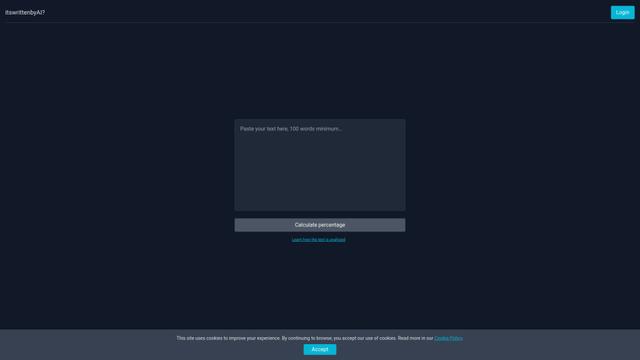
Itswrittenbyai
Itswrittenbyai is an AI detection tool that helps identify content generated by popular AI models like ChatGPT, Claude, and Gemini.

Uncheck AI
Uncheck AI is an advanced AI detection and humanization tool that can accurately identify AI-generated content and rewrite it to be undetectable by popular AI detectors.

HighlightFactCheck.com
HighlightFactCheck.com is a smart companion for verifying online information, offering instant AI-powered fact-checks through a website, Chrome extension, and API in over 90 languages.

Rash Detector
Rash Detector is an AI-powered web app that analyzes images of skin rashes to provide insights on possible rash types, causes, severity, and treatment suggestions.
Popular AI Tools Like Recume

Pino - Fact Checker
Pino is an AI-powered Chrome extension that enables instant fact-checking of any text with truth scores, detailed analysis, and reliable sources through a simple highlight-and-click interface.

GPTZero
GPTZero is a leading AI detection tool that accurately identifies AI-generated text from various language models across sentence, paragraph, and document levels.
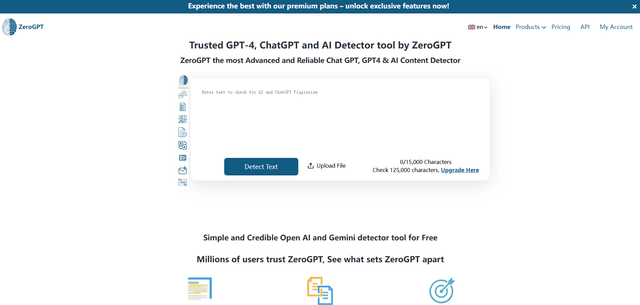
ZeroGPT
ZeroGPT is a comprehensive AI content suite featuring a highly accurate AI detector tool that analyzes text to determine whether it was written by AI (like ChatGPT, GPT-4, Gemini) or humans, along with additional features like summarization, paraphrasing, translation and grammar checking capabilities.
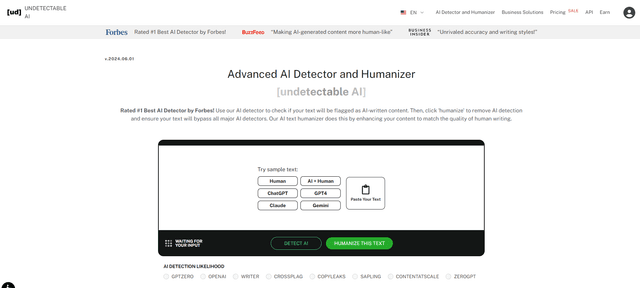
Undetectable AI
UndetectableAI.ai is an AI content detection and humanization tool that scans AI-generated text and rewrites it to be undetectable by AI detectors while maintaining quality and meaning.