
Quillly
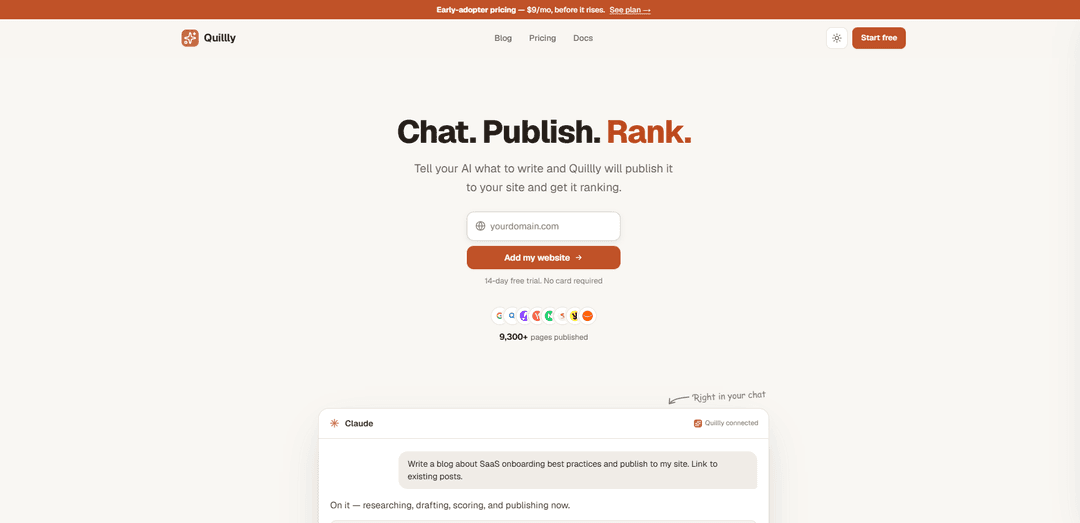
Quillly is a content and SEO automation layer that lets you use your existing AI (Claude, ChatGPT, Cursor, etc.) to publish SEO-optimized blogs/docs/changelogs to your own domain, auto-submit pages to multiple search engines, and track indexing and rankings per page.
https://quillly.com/?ref=producthunt
Product Information
Updated:Aug 8, 2026
What is Quillly
Quillly is a publishing platform built for the “AI writes, but humans still have to ship” gap. Instead of generating a draft in an AI chat and then spending hours copy-pasting into a CMS, fixing formatting, adding metadata, setting slugs, inserting internal links, and submitting pages to Search Console, Quillly turns that workflow into a streamlined publish-and-measure system. It can publish content directly to your own domain (or to a Quillly-hosted site if you want zero setup) and includes a modern block editor, built-in SEO scoring, internal link management, and integrated analytics so teams can create, publish, and monitor performance from one place.
Key Features of Quillly
Quillly is a content publishing and SEO automation layer that connects to the AI tools you already use (e.g., Claude, ChatGPT, Cursor) to turn prompts into fully published, SEO-optimized pages on your own domain. It handles the “second job” after writing—formatting, images, meta, slugs, schema, internal links, and publishing—then submits updates to multiple search engines, keeps your sitemap current, and tracks indexing plus search performance (clicks, impressions, position) per page over time. It can be used via its own editor/dashboard or through MCP so your AI can draft, score, and publish directly from chat.
AI-to-publish workflow (MCP connector): Connect Claude/ChatGPT/Cursor/Windsurf via MCP so your AI can research, draft, SEO-check, add links, and publish to your site directly from chat—reducing copy-paste CMS work and speeding time-to-live.
Built-in SEO scoring (14+ checks): Scores drafts 0–100 against criteria like keyword targeting, readability, headings, meta, alt text, E-E-A-T signals, schema markup, and mobile preview—so you know what to fix before publishing.
Publishing to your own domain with branding control: Serve content on yourdomain.com (e.g., /blog, /docs, /changelog) with full theming—brand colors, fonts, logo, favicon, and custom CSS—without a Quillly badge or rented subdomain.
Internal linking that updates site-wide: Suggests internal links with anchor text and automatically repoints links across your site if you rename a slug—helping prevent broken links and improving SEO structure.
Multi-engine indexing + sitemap automation: On publish, updates sitemap.xml and pings Google plus other engines (e.g., Bing/Yahoo, Yandex, Naver, Seznam.cz, Yep, Amazon), then monitors indexing status for follow-up visibility.
Unified analytics and search performance tracking: Combines traffic insights with Search Console-style metrics (top queries, clicks, impressions, position) and page-level tracking so teams can see what’s indexing and what’s ranking without juggling multiple tools.
Use Cases of Quillly
SaaS marketing teams scaling blog output: Publish consistent SEO content (feature posts, onboarding guides, comparison pages) faster, with pre-publish SEO scoring and automated indexing to compete on search without extra CMS overhead.
Developer tools and product documentation portals: Maintain /docs and changelogs with a modern editor (code blocks, tables, LaTeX) and ship updates that are immediately discoverable via sitemap/indexing automation.
Agencies managing multiple client sites: Run multiple websites in one workspace with roles/approvals, publish to each client’s own domain, and track indexing/rank performance per page to prove SEO impact.
Founders and small teams without SEO ops bandwidth: Replace a stack of plugins/tools by using Quillly for publishing, SEO checks, and performance tracking—while optionally letting an AI handle drafting and updates from chat.
Programmatic SEO and large site monitoring: Track and submit tens of thousands of pages via sitemap-based refresh (only changed pages re-fetched) and monitor indexing coverage page-by-page at scale.
Pros
Reduces post-writing busywork by automating formatting, meta, slugs, internal links, publishing, and indexing submission.
Pre-publish SEO scoring across 14+ criteria provides clearer accountability than typical CMS workflows.
Publishes on your own domain with full branding/custom CSS, preserving SEO equity and site ownership.
Centralizes indexing status and search performance tracking per page, reducing tool fragmentation.
Cons
Best experience depends on using an external AI subscription (e.g., Claude/ChatGPT/Cursor), which is an additional cost and dependency.
Custom-domain setup may require reverse proxy configuration for some stacks, which can be a hurdle for non-technical users (though Quillly-hosted is an alternative).
Indexing and rankings are ultimately controlled by search engines; Quillly can submit and track but cannot guarantee results.
How to Use Quillly
1) Start a free trial and log in: Go to Quillly and start the 14-day free trial (no card required). Log in to access the dashboard/editor and onboarding.
2) Choose how you want to publish (Quillly-hosted or your own domain): During onboarding, pick either (a) Quillly-hosted (your site lives at yourname.quillly.com with zero setup) or (b) publish on your own domain (e.g., yourdomain.com/blog) using a reverse proxy so SEO equity stays on your domain.
3) (Optional) Set up your custom domain via reverse proxy: Add the single reverse-proxy rule in your hosting config so requests to a path like /blog are served from Quillly. Quillly provides copy-paste guides for common setups (e.g., Vercel, Cloudflare, Nginx, Apache, Next.js, Netlify).
4) Verify the domain/proxy setup: Run Quillly’s verify step. Quillly publishes a test blog and fetches it through your proxy to confirm everything is wired correctly. If it fails, the troubleshooter shows exactly what line to fix, then cleans up the test data. Re-run verify as needed.
5) Create content in the Quillly editor (no AI required): Use Quillly’s built-in Notion-style block editor to write or edit content directly. The editor supports slash commands, tables, code blocks, LaTeX, callouts, and drag-and-drop images—no plugins or installs.
6) Use built-in SEO scoring while drafting: As you draft, Quillly scores the page from 0–100 across 14+ SEO criteria (e.g., keyword targeting, readability/Flesch, meta tags, heading hierarchy, internal links, alt text, E-E-A-T signals, schema, mobile preview). Use the score to fix issues before publishing (Quillly recommends not publishing below ~70).
7) Add internal links with Quillly suggestions: Let Quillly propose internal links from your existing posts with suggested anchor text. If you later rename a post’s slug, Quillly automatically re-points links site-wide to prevent broken links.
8) Prepare publishing details: Set or confirm the URL slug, meta title/description, images and alt text, and any rich blocks (galleries, embeds, toggles, downloads, tables, code, etc.). Quillly handles formatting and publishing infrastructure so you don’t have to copy-paste into another CMS.
9) Publish the page: Publish from the dashboard/editor. The page goes live on your chosen domain/path (Quillly-hosted or your own domain via proxy).
10) Get automatic multi-engine indexing notifications: On publish, Quillly updates your sitemap.xml and automatically notifies multiple search engines (Google, Bing, Yahoo via Bing, Yandex, Naver, Seznam.cz, Yep, and Amazon). Quillly also checks indexing status back for up to 72 hours.
11) Track performance in Quillly analytics: Use Quillly’s built-in analytics to monitor traffic and Search Console metrics (clicks, impressions, position, top queries) per page, plus indexing status and trends—without switching between separate tools.
12) (Optional) Connect your AI client via MCP for “chat-to-publish”: If you want to drive everything from chat, connect Quillly to an MCP-capable client (Claude, ChatGPT, Cursor, Windsurf). Quillly generates an API key and a short config to paste into your AI client’s MCP/connectors settings, then pings the client to confirm tools loaded. If it doesn’t connect, use the troubleshooter to fix the config.
13) (Optional) Publish from chat using Quillly tools: In your AI client, ask for what you want in plain English (e.g., “Write a blog about SaaS onboarding best practices and publish to my site. Link to existing posts.”). With Quillly connected, your AI can draft, SEO-score, add internal links, and publish—using Quillly’s tools—then you can review and approve publishing.
14) (Optional) Schedule a consistent publishing cadence: Use scheduled publishing to maintain a regular cadence (e.g., twice per week). You can manage the calendar yourself or have your AI prepare drafts and schedule them.
15) Manage team access (optional): If you’re a team, create an organization workspace, invite teammates, assign roles (admin/editor/writer/viewer), and control which agent tools each role can use. Writers can draft while editors approve before publishing.
16) Cancel safely if needed: Cancel anytime from billing. Your content remains on your domain; you only lose access to the Quillly editor and MCP API. You keep your AI subscription with your AI vendor (Quillly does not require or store your OpenAI/Claude keys).
Quillly FAQs
Quillly is a content and SEO automation layer that lets you use your existing AI (e.g., Claude, ChatGPT, Cursor) to publish SEO-optimized content (blogs, docs, changelogs) directly to your own domain, then track indexing and search performance per page.
Popular Articles

Vosko AI: Localize and Dub Videos for Global Audiences
Oct 15, 2026

Atoms: A Multi-Agent AI Platform That Transforms Ideas into Launch-Ready Products
Oct 13, 2026

Nano Banana SBTI: What It Is, How It Works, and How to Use It in 2026
Apr 15, 2026

Atoms Review — The AI Product Builder Redefining Digital Creation in 2026
Apr 10, 2026
Latest AI Tools Similar to Quillly

Frizerly
Frizerly is an AI-powered platform that automatically creates and publishes SEO-optimized blog content by learning about your business and industry to help improve your website's search rankings.
WP AutoBlog
WP AutoBlog is a WordPress plugin that leverages AI to automatically generate and publish SEO-optimized blog content while handling keyword research, image selection, and scheduled posting.
BlogBud AI
BlogBud AI is a powerful AI-powered content generation platform that helps users create thousands of SEO-optimized blog articles at scale using GPT-4o and DALL-E 3 technologies.

Scriptio AI
ScriptioAI is a unique content creation application that combines three major AI technologies (Google Bard, ChatGPT, and Microsoft AI) to transform voice commands, text, URLs, websites, or keywords into various digital content formats like eBooks, flipbooks, audiobooks, and podcasts.
Popular AI Tools Like Quillly
Writesonic
Writesonic is an AI-powered content creation platform that offers writing assistance, SEO optimization, and custom AI chatbots to help marketers, agencies, and enterprises produce high-quality content efficiently.
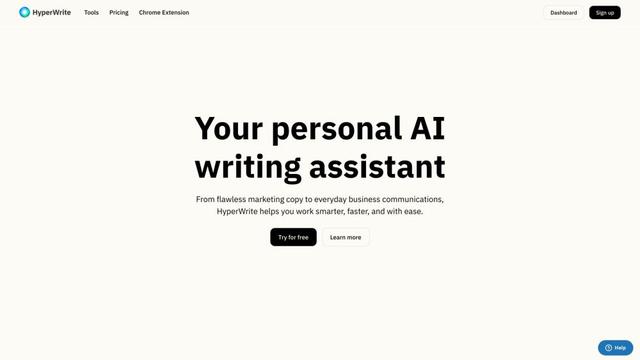
HyperWrite
HyperWrite is an AI-powered writing assistant that uses advanced artificial intelligence to help users generate high-quality content, improve their writing, and boost productivity across various writing tasks.

Blaze
Blaze is an AI tool designed for solo marketers to produce high-quality content, including blog posts, social media content, and ad copy, in their brand voice.

Junia AI
Junia AI is an AI-powered content creation tool that generates SEO-optimized, long-form articles to help boost search rankings and organic traffic.