
Prism
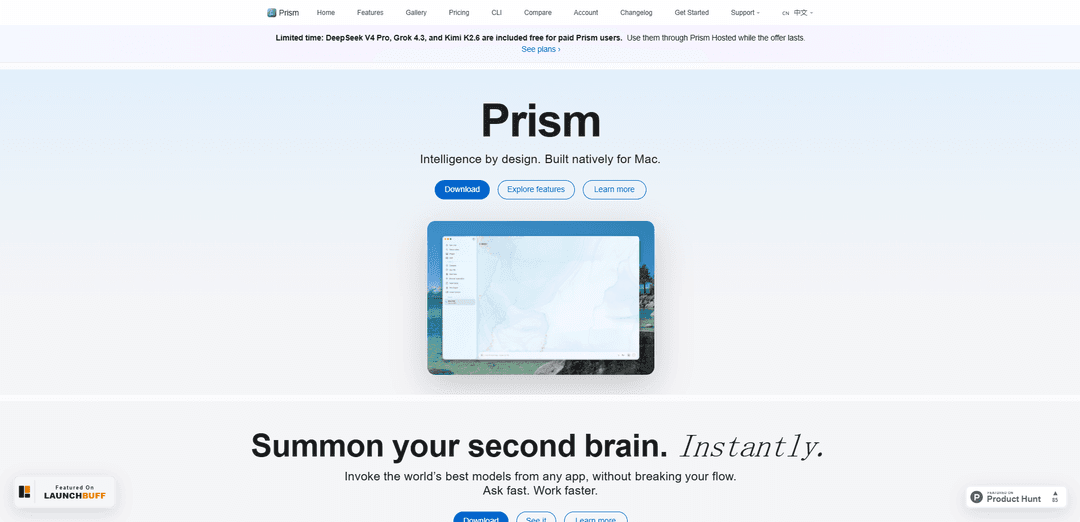
Prism is a native macOS AI workspace that unifies multi-provider chat, Quick AI system-wide prompts, and MCP-powered @tools for automation, study flows, and file creation with a local-first privacy approach.
https://prism-app.tech/?ref=producthunt
Product Information
Updated:Jul 8, 2026
What is Prism
Prism is an AI companion for macOS designed as a single, native workspace for chatting with multiple AI providers, running tools, and managing conversation history in one place. Built with SwiftUI, it focuses on a polished Mac experience while letting you use “any model” (including major hosted providers and local models) side by side. Prism also includes Prism Hosted plans and an MCP registry that makes it easy to connect external capabilities and use them directly from the chat composer via @-mentions.
Key Features of Prism
Prism is a native macOS AI workspace that brings multi-provider chat, fast system-wide prompting (Quick AI), and tool-driven workflows into a single SwiftUI app. It supports major frontier models and local models, offers side-by-side model comparison, and includes an MCP registry with saved credentials plus @-mentions to invoke tools for tasks like file creation and study content generation (quizzes/flashcards) without leaving the chat thread. Prism emphasizes a unified window for chat, tools, and history, with a local-first privacy posture and optional hosted access for additional providers.
Native macOS workspace (SwiftUI): A single, Mac-native window for chat, tools, and conversation history designed to feel integrated with macOS rather than a web wrapper.
Multi-provider + local model support: Use multiple AI providers (e.g., GPT-5.5, Claude Opus 4.7, Gemini 3.1 Pro) alongside local models, choosing the best model per task.
Quick AI overlay (system-wide): Summon an AI prompt from any app on macOS to get help without switching contexts, improving speed for writing, coding, and research.
Model comparison: Compare outputs from different providers side-by-side and select the best response to ship, useful for quality, tone, or accuracy checks.
MCP registry & @-tools: Curated MCP servers with saved credentials and an in-composer palette to @-mention tools for workflows like file creation and study content generation directly inside a chat thread.
Study + content creation utilities: Built-in flows for linked quizzes and flashcards and other creation tasks, enabling structured learning and reusable outputs from chat.
Use Cases of Prism
Cross-app writing assistant for professionals: Draft, rewrite, and polish emails, docs, and reports from any macOS app using Quick AI, while keeping a searchable history in the main workspace.
Research and synthesis with verification via comparison: Query multiple models and compare responses side-by-side to reduce blind spots and converge on a higher-quality summary or plan.
Software development copilot with tool workflows: Use chat plus @-tools to generate files, snippets, and structured outputs; compare models for debugging, refactoring, or design decisions.
Education and self-study companion: Turn notes or readings into linked quizzes and flashcards for spaced repetition and exam prep, keeping materials organized in the same workspace.
Operations and knowledge-work automation: Leverage MCP servers and tool mentions to standardize repeatable workflows (templates, checklists, document generation) across teams or projects.
Pros
Mac-native, unified workspace (chat + tools + history) that reduces context switching
Flexible model choice (multi-provider and local) plus side-by-side comparison for higher output quality
Tool-centric workflows via MCP registry and @-mentions enable more than just chat (e.g., file creation, study assets)
Cons
macOS-focused (not positioned as cross-platform in the provided sources)
Some advanced providers/features may depend on hosted access or paid plans/limited-time offers
Quality and capabilities can vary by provider/model, requiring users to choose and configure appropriately
How to Use Prism
1) Install Prism on macOS: Download Prism for Mac from the official Prism site and install it. Launch Prism to open the native SwiftUI workspace (one window for chat, tools, and history).
2) Open the main workspace and start a chat: In the main Prism window, begin a new thread and type your prompt in the composer. Use the built-in history/thread view to return to prior conversations.
3) Choose an AI model/provider: Go to Prism Settings and select the model/provider you want (e.g., GPT, Claude, Gemini, or local models). Prism supports using different providers and models from the same app.
4) Use Quick AI from anywhere on your Mac: Invoke Prism’s Quick AI overlay while you’re in any other app to ask a question without switching contexts. Type your prompt in the overlay, run it, then return to your workflow.
5) Compare models side-by-side (when you want the best answer): Use Prism’s compare feature to run the same prompt across multiple providers/models, review outputs side-by-side, and select the response you want to keep or share.
6) Open MCP & @ Tools: In the composer palette, access “MCP & @ tools” to bring tools into your conversation. This is where you can discover curated MCP servers and built-in creators.
7) Add/enable MCP servers in the Registry: Open the MCP Registry view to browse curated MCP servers. Add the servers you want, save credentials as needed, and keep them available for use inside chat threads.
8) Use @-mentions to run tool-based flows inside a thread: In the chat composer, use @-mentions to invoke tools/servers for workflows like file-based tasks, quizzes, or flash-card creation—without leaving the conversation.
9) Keep everything in one place (chat + tools + history): Work inside Prism’s single-window layout: iterate in chat, call tools via @, and reference prior messages/history to refine outputs and continue longer projects.
10) (Optional) Use Prism Hosted offers if available on your plan: If your plan includes Prism Hosted promotions (as shown on the Prism site), select those hosted models in your provider/model settings and use them like any other model while the offer lasts.
Prism FAQs
Prism is a native macOS AI workspace that provides multi-provider chat, Prism Hosted, an MCP registry and @-tools, Quick AI, browser automation, system-wide writing, study tools (linked quizzes and flash cards), file creation, and a local-first privacy approach.
Prism Video
Popular Articles

Vosko AI: Localize and Dub Videos for Global Audiences
Oct 15, 2026

Atoms: A Multi-Agent AI Platform That Transforms Ideas into Launch-Ready Products
Oct 13, 2026

Nano Banana SBTI: What It Is, How It Works, and How to Use It in 2026
Apr 15, 2026

Atoms Review — The AI Product Builder Redefining Digital Creation in 2026
Apr 10, 2026
Latest AI Tools Similar to Prism

Folderr
Folderr is a comprehensive AI platform that enables users to create custom AI assistants by uploading unlimited files, integrating with multiple language models, and automating workflows through a user-friendly interface.

Peache.ai
Peache.ai is an AI character chat playground that enables users to engage in flirty, witty, and daring conversations with diverse AI personalities through real-time interactions.

TalkPersona
TalkPersona is an AI-powered video chatbot that provides real-time human-like conversation through a virtual talking face with natural voice and lip-sync capabilities.

Thaly AI
Thaly AI is an AI-powered sales assistant that automates customer conversations and lead qualification to help businesses scale their sales operations while saving time.
Popular AI Tools Like Prism

GPT‑5.5 | ChatGPT Official
GPT‑5.5 in ChatGPT is OpenAI’s latest work-focused model designed to understand complex goals, use tools effectively, check its work, and carry multi-step tasks (coding, research, documents, spreadsheets) through to completion with stronger safeguards.

DuckDuckGo AI Chat
DuckDuckGo AI Chat is a free, anonymous way to access popular AI chatbots like GPT-3.5, Claude, and others while preserving user privacy.

Arch
Arch is an intelligent Layer 7 gateway built on Envoy Proxy that provides secure handling, robust observability, and seamless integration of prompts with APIs for building fast, robust, and personalized AI agents.

Off-grid LLM over Radio
A platform that integrates Large Language Models (LLMs) with Meshtastic mesh communication networks to enable off-grid AI interactions and automated task execution through radio communication.