
Pixlie
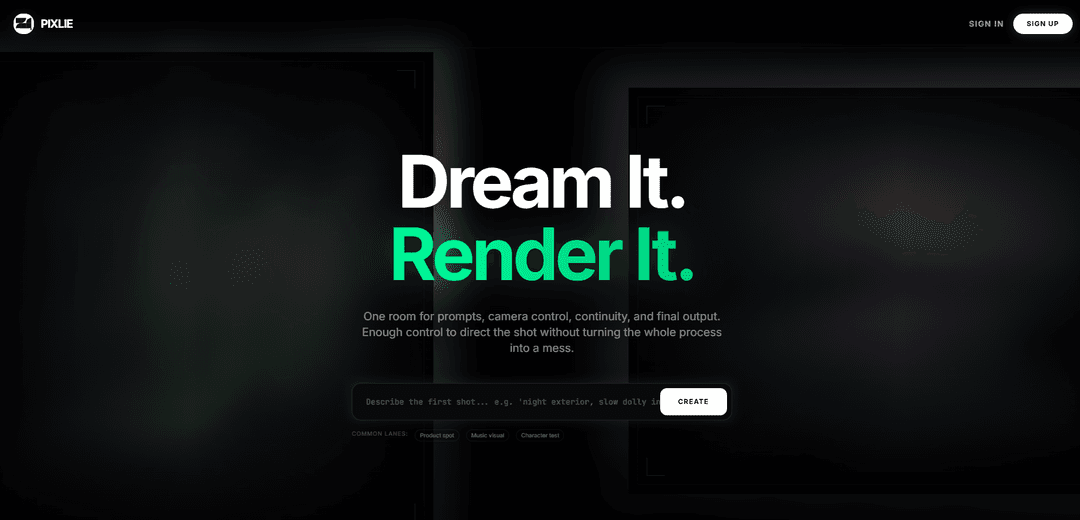
Pixlie is an AI video generation platform built like a director’s cockpit, combining identity-consistent characters, intentional camera controls, video-to-video restyling, and audio-reactive motion with share-ready exports and optional API access.
https://pixlys.com/?ref=producthunt
Product Information
Updated:Jul 8, 2026
What is Pixlie
Pixlie is an AI-powered video creation tool designed to help creators generate and direct short-form videos with more control than typical prompt-only generators. It positions itself as “built for directors, not prompt engineers,” offering a unified workspace for prompts, camera control, continuity, and final output. Pixlie includes a free tier with daily credits and paid plans (Basic, Pro, Enterprise) that scale video length, resolution (up to 4K on Enterprise), queue priority, and production features like watermark removal and API access.
Key Features of Pixlie
Pixlie is an AI video generation platform positioned as a “director’s cockpit” rather than a prompt-only tool. It provides an end-to-end workspace for prompting, camera control, continuity, and final export, with features like identity consistency (character locking), deliberate camera moves, video-to-video restyling, and audio-reactive motion. It also offers daily free credits, sharable “viral-ready” exports, and tiered plans that scale from free 720p outputs to enterprise 4K exports with priority queueing and API access.
Director-style workspace (prompt → control → output): A unified “room” for prompts, camera control, continuity, and final rendering—aimed at making creation feel like directing a shot rather than gambling on random generations.
Identity Lock Protocol: Train a character face once and reuse it across many shots to maintain consistent identity details (e.g., hair, scars, overall look) for continuity.
Intentional camera moves (Motion Brush 2.0): Set pan, tilt, zoom, or orbit deliberately by drawing a motion path, helping keep the model’s motion usable and aligned with the intended shot.
Video-to-video restyling: Restyle existing footage while preserving timing and blocking, retaining the strongest parts of the original take.
Audio-reactive animation: Drive motion and intensity from an audio track to better align visuals with music without manual syncing later.
Tiered exports + API access: Plans scale from free daily 5s videos with 720p exports to paid tiers with longer durations, no watermark, priority queue, and API access (Pro/Enterprise), plus 4K in Enterprise.
Use Cases of Pixlie
Marketing product spots: Generate short promotional clips in specific styles with controlled camera movement and consistent brand/character identity for campaigns.
Music visuals and loops: Create audio-reactive music loops and visualizers that move in sync with a track for social posts or performance backdrops.
Character look-dev and continuity tests: Use Identity Lock to prototype and iterate on a character across multiple shots, enabling consistent “character tests” and narrative continuity.
Creative restyling of existing footage: Apply new aesthetics to source video (video-to-video) while keeping the original timing and staging—useful for rapid alternate cuts.
Social-first content creation: Produce short, shareable exports optimized for quick distribution (“viral ready exports”), with free daily credits for lightweight workflows.
High-volume production pipelines: Teams or power users can use priority queues, higher monthly caps, and API access to integrate Pixlie generation into broader production tooling.
Pros
Strong creative control focus (camera moves, continuity) compared to purely prompt-driven tools
Identity locking supports consistent characters across multiple shots
Free daily credits enable ongoing experimentation without a subscription for basic use
Scalable plans up to 4K exports and API access for professional workflows
Cons
Free tier is tightly limited (e.g., 1 short 5s video/day and 720p exports)
Higher-end capabilities (no watermark, priority queue, API, 4K) require paid tiers
Monthly caps and queue limits may constrain heavy users depending on plan
How to Use Pixlie
1) Choose your creation lane (what you’re making): From the main workspace, decide the goal first (common lanes mentioned: Product spot, Music visual, Character test). This helps you structure prompts, camera control, continuity, and final output around a single intent.
2) Start a new project and use the “one room” workspace: Create/open a project so everything lives in one place: your prompts, camera moves, continuity decisions, and the final render output.
3) Build your first prompt pass (look-dev): Write an initial prompt focused on the look you want (style, subject, setting). Treat this as a look-development pass you can iterate on before final renders.
4) Use Identity Lock Protocol for consistent characters: If you need a recurring character, train the character face once using Identity Lock Protocol, then reuse it across many shots to keep consistent facial identity and details (e.g., hair/scars/vibe).
5) Add deliberate camera movement (Camera Moves, On Purpose): Set specific camera actions (pan, tilt, zoom, orbit). Draw the camera path so the motion is intentional and repeatable rather than random.
6) Refine motion with Motion Brush 2.0: Use Motion Brush 2.0 to guide where motion should happen and how it should behave, helping you keep the model’s movement inside a usable shot design.
7) Use Video-to-Video when you have source footage: If you already have footage, apply Video-to-Video to restyle it while preserving timing, blocking, and the best parts of the original take.
8) Enable Audio Reactive for music-driven motion: When creating music visuals or loops, use Audio Reactive so motion and intensity follow the track, reducing the need to fake synchronization later in editing.
9) Iterate using real references (study passes): Review reference cuts and test outputs (the gallery-style “test cuts”) to compare your results and adjust prompt, identity, camera path, and motion settings until the shot matches your target.
10) Render and export: Generate the final output once satisfied. Export resolution depends on plan: Free supports 720p exports; paid plans list 1080p (Basic/Pro) and 4K (Enterprise), with watermark removal on paid tiers.
11) Manage credits and daily free usage: On the Free plan, use the daily allowance (noted as 1 short video (5s) per day and limited images/credits). If you hit limits, wait for the daily refresh or upgrade to a higher plan for larger monthly caps and longer durations.
12) Share your finished video: After exporting, publish/share your video externally (Pixlie emphasizes “viral ready exports”), using your preferred platforms.
13) (Optional) Use API access on eligible plans: If you’re on Pro or Enterprise (both list API access), integrate Pixlie into your own workflows/applications via the API for higher-throughput or automated generation.
14) (Optional) Prepare for native mobile release lanes: If your workflow includes shipping native apps, follow the distribution lanes mentioned: iOS via App Store Connect/TestFlight and Android via Google Play Console, using Pixlie’s stated “route to shipping native apps” as your release posture.
Pixlie FAQs
Pixlie is an AI video generation tool positioned as a “cockpit” for directing video—combining prompts, camera control, continuity, and final output in one workspace.
Pixlie Video
Popular Articles

Vosko AI: Localize and Dub Videos for Global Audiences
Oct 15, 2026

Atoms: A Multi-Agent AI Platform That Transforms Ideas into Launch-Ready Products
Oct 13, 2026

Nano Banana SBTI: What It Is, How It Works, and How to Use It in 2026
Apr 15, 2026

Atoms Review — The AI Product Builder Redefining Digital Creation in 2026
Apr 10, 2026
Latest AI Tools Similar to Pixlie

Loud Fame
Loud Fame is an AI-powered video transformation tool that allows users to convert regular videos into anime-style animations and create AI-generated celebrity talking videos.

BizBoom.ai
BizBoom.ai is an AI-powered platform that automatically generates professional product videos from product links and images with 95% less cost.

EzVideos
EzVideos is an all-in-one video creation tool that helps users generate viral videos for social media platforms like Instagram, TikTok, and YouTube with automated editing features and built-in resources.

Illuminix
Illuminix is an AI-powered platform that empowers businesses with autonomous hyper-experts and specialized tools for automated business processes, data management, and video content creation.
Popular AI Tools Like Pixlie

HunyuanVideo-I2V
HunyuanVideo-I2V is an open-source AI framework developed by Tencent that transforms static images into high-quality, dynamic videos with customizable motion effects and exceptional visual consistency.

Google Veo 2
Veo 2 is Google DeepMind's state-of-the-art AI video generation model that can create high-quality videos up to 4K resolution with realistic motion, extensive camera controls, and improved physics simulation from text prompts.

Vibing
Vibing is an AI-powered dating app that helps users share authentic moments through video stories and make genuine connections based on personality matching and interactive features.

Edits, an Instagram app
Edits is Instagram's free video creation app that provides creators with professional editing tools, AI features, and analytics capabilities to create high-quality videos directly from their phones.