
Pinery
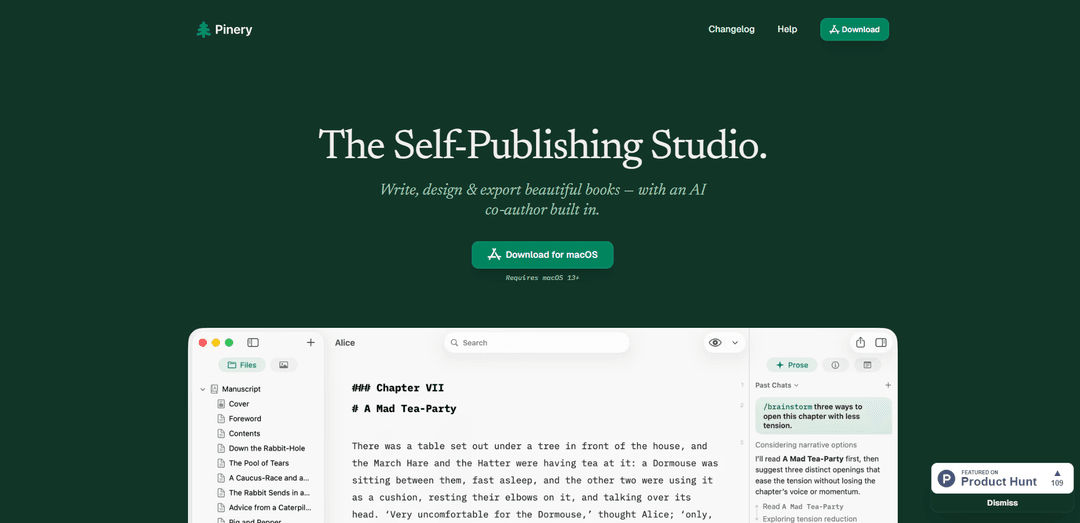
Pinery ist ein natives macOS Self-Publishing-Studio, das einen ablenkungsfreien Markdown-Editor, integrierte KI-Co-Autoren (Prose), professionelle Satzvorschauen und den Export mit einem Klick in ePub 3, PDF und sauberes HTML kombiniert.
https://pinery.app/?ref=producthunt&utm_source=aipure
Produktinformationen
Aktualisiert:Aug 8, 2026
Was ist Pinery
Pinery ist eine All-in-One-App zum Schreiben, Gestalten und Selbstveröffentlichen für Mac, die Autoren dabei hilft, ein Manuskript mithilfe von einfachem Markdown in ein ausgefeiltes, veröffentlichungsfähiges Buch zu verwandeln. Entwickelt für Projekte in Buchlänge, kombiniert es einen schnellen, fokussierten Editor mit einem vollständigen Design- und Vorschau-System, sodass Sie an einem Ort schreiben und formatieren können, anstatt mehrere Tools zu jonglieren. Pinery unterstützt moderne Veröffentlichungsformate – produktionsreifes ePub 3 für gängige E-Reader, hochwertige digitale PDFs und statische Websites über HTML-Export – während Ihre Arbeit als zugängliche Markdown-Dateien auf Ihrem Mac oder in iCloud gespeichert bleibt, ohne Bindung an ein bestimmtes System.
Hauptfunktionen von Pinery
Pinery ist ein natives macOS Self-Publishing-Studio zum Schreiben, Gestalten, Vorschauen und Exportieren von Büchern aus einfachem Markdown, mit einem integrierten KI-Co-Autor ("Prose"), der Entwürfe erstellen, fortsetzen, kritisieren und bearbeiten kann, indem er überprüfbare Diffs verwendet. Es bietet professionelle Satzsteuerungen, sofortige paginierte Vorschauen (einschließlich eines Kindle-ähnlichen E-Ink-Simulators), Asset-Management, Inhaltsverzeichnis-Generierung, Kapitelnotizen und Import aus Word. Die Exporte umfassen produktionsreifes ePub 3 für gängige E-Reader, hochwertige digitale PDFs und sauberes HTML für statische Websites – während Ihr Projekt als offene, lokale/iCloud Markdown-Dateien vollständig zugänglich bleibt.
KI-Co-Autor am Rand (Prose): Die integrierte KI arbeitet neben Ihrem Manuskript (nicht in einem separaten Chat) und bietet Fähigkeiten wie Entwurfspartner, Kapitel fortsetzen, Beta-Leser und mehrere Bearbeitungsmodi; nichts wird ohne Ihre Überprüfung eingefügt.
Überprüfbare, präzise Bearbeitungs-Diffs: Bearbeitungen werden als beschriftete Vorher-/Nachher-Diffs (z.B. Grammatik, Wortwahl, Formatierung) dargestellt, sodass Sie Änderungen annehmen oder ablehnen können, während Ihre Stimme erhalten bleibt.
Professionelles Satz- & Stilsystem: Der Designmodus umfasst einen vollständigen Stilinspektor für Schriftarten (alle installierten Mac-Schriftarten), Abstände, Ausrichtung und mehr – einmal anwenden und die Formatierung kapitelübergreifend konsistent halten.
Sofortige Gerätevorschauen: Die paginierte Vorschau wird sofort aktualisiert, ohne die Scrollposition zu verlieren, und ermöglicht es Ihnen, zwischen PDF-Seiten und einem Kindle-ähnlichen E-Ink-Simulator zu wechseln, um Seitenumbrüche, Zeilenlänge und Kontrastprobleme frühzeitig zu erkennen.
Multi-Format-Export-Pipeline: Generiert ePub 3 für Apple Books/Kindle/Kobo und andere Reader, sowie hochwertige PDFs und sauberes HTML, geeignet für die Veröffentlichung als statische Website.
Offene, autorengeführte Projektdateien: Projekte werden als Klartext-Markdown (lokal oder iCloud) mit zugänglichen Bildern/Assets gespeichert, sodass Sie Ihre Arbeit mit oder ohne Pinery lesen und bearbeiten können (keine Bindung).
Anwendungsfälle von Pinery
eBook-Produktion für unabhängige Autoren: Schreiben Sie in Markdown, iterieren Sie mit KI-Entwürfen/-Bearbeitung, validieren Sie das Layout in Gerätevorschauen und exportieren Sie ePub 3, bereit für Apple Books, Kindle/KDP-Workflows, Kobo und mehr.
Teilen von druckfertigen digitalen Ausgaben: Erstellen Sie eine pixelkonsistente PDF-Ausgabe für Rezensenten, ARC-Verteilung, Direktverkäufe oder interne Genehmigungen, während Sie die Paginierung und Typografie in der paginierten Vorschau überprüfen.
Technische Dokumentation & Handbücher: Verwenden Sie Markdown für strukturierte Dokumente mit codefreundlicher Formatierung und exportieren Sie dann nach PDF zur Verteilung oder nach HTML für eine statische Dokumentationsseite.
Bildungs- und Kursmaterialien: Dozenten können Kapitel mit KI-Unterstützung entwerfen und verfeinern, konsistente Stile über Lektionen hinweg beibehalten und für Studenten auf mehreren Geräten nach ePub/PDF exportieren.
Wiederverwendung von Inhalten für das Web: Verwandeln Sie ein Langform-Manuskript über einen sauberen HTML-Export in eine statische Website, wobei Assets organisiert und die Formatierung konsistent bleiben.
Workflows für illustrierte Bücher: Generieren Sie szenenbasierte Illustrationen in einem konsistenten Stil, speichern Sie sie in den Projekt-Assets und platzieren Sie sie über einfaches Markdown in Kapiteln.
Vorteile
End-to-End-Workflow (schreiben → gestalten → vorschauen → exportieren) in einer nativen macOS-App mit schnellen, sofort aktualisierten Vorschauen.
KI-Unterstützung ist in das Manuskript mit überprüfbaren Diffs integriert, was hilft, die Kontrolle und Stimme des Autors zu bewahren.
Offenes Format: Einfaches Markdown und zugängliche Assets reduzieren die Bindung und unterstützen iCloud/lokale Speicherung.
Exporte decken die wichtigsten Bedürfnisse ab: ePub 3, hochwertige PDFs und HTML für statische Websites.
Nachteile
Nur macOS und erfordert macOS 13+, was plattformübergreifende Teams und ältere Macs einschränkt.
KI-Funktionen sind möglicherweise nicht für Autoren geeignet, die vollständig manuelle Workflows bevorzugen oder strenge Datenschutz-/Compliance-Einschränkungen haben (Details hängen von der Richtlinie ab).
Der Markdown-First-Ansatz kann für Benutzer, die an WYSIWYG-Textverarbeitungsprogramme gewöhnt sind, eine Umstellung erfordern.
Wie verwendet man Pinery
1) Pinery auf Ihrem Mac installieren: Laden Sie Pinery aus dem Mac App Store herunter (erfordert macOS 13+). Starten Sie die App und bestätigen Sie, wo Ihre Projekte gespeichert werden sollen (auf Ihrem Mac oder in iCloud), damit Ihr Manuskript als einfache Markdown-Dateien erhalten bleibt, die Sie mit oder ohne Pinery lesen können.
2) Ein neues Buchprojekt erstellen: Starten Sie ein neues Projekt, um einen Arbeitsbereich für ein Manuskript in Buchlänge zu erhalten (Kapitel, Assets, Design/Vorschau/Export). Benennen Sie Ihr Buch und beginnen Sie mit einer anfänglichen Kapitelstruktur (Sie können diese später verfeinern).
3) Ein vorhandenes Word-Manuskript importieren (optional): Wenn Sie bereits in Word begonnen haben, importieren Sie Ihre .docx-Datei. Pinery konvertiert das Dokument in Markdown-Kapitel, sodass Sie in Pinerys Markdown-basiertem Editor weiterschreiben können.
4) Im ablenkungsfreien Markdown-Editor schreiben: Entwerfen und überarbeiten Sie Ihr Manuskript direkt in Pinery mithilfe von Markdown. Organisieren Sie Inhalte als Kapitel für Arbeiten in Buchlänge, wobei die Formatierung leicht und lesbar bleibt.
5) Kapitelnotizen und Recherchen hinzufügen, ohne Exporte zu verunreinigen: Verwenden Sie den Inspektor, um Recherchen, Kontinuitätsdetails und Kapitelnotizen neben Ihrem Text zu speichern. Diese Notizen bleiben im Projekt und erscheinen nicht in exportierten ePub/PDF/HTML-Dateien.
6) Ein sofortiges Inhaltsverzeichnis (TOC) erstellen: Fügen Sie ein Inhaltsverzeichnis in Ihr Manuskript ein. Pinery erstellt es automatisch mit echten Seitenzahlen und hält es synchron, wenn sich Ihr Inhalt ändert.
7) Wiederverwendbare Assets (Bilder) an einem Ort verwalten: Importieren Sie Bilder in die Asset-Bibliothek des Projekts, sodass jedes Bild zentral verfügbar ist. Fügen Sie Bilder mit einer einzigen Markdown-Zeile in jedes Kapitel ein, wenn Sie bereit sind.
8) Prose (KI-Co-Autor) am Rand verwenden, wenn Sie Hilfe benötigen: Prose arbeitet neben Ihrem Manuskript (nicht in einem separaten Chat). Fragen Sie in einfacher Sprache oder verwenden Sie Schrägstrichbefehle, um Text zu generieren oder zu verbessern; nichts wird ohne Ihre Überprüfung eingefügt.
9) Szenen mit /drafting-partner gemeinsam entwerfen: Wenn Sie Beats, Notizen oder eine Gliederung haben, führen Sie /drafting-partner aus, um Szenen in der Stimme Ihres Buches gemeinsam zu entwerfen, und überprüfen und integrieren Sie dann, was Sie möchten.
10) Mit /continue-chapter weiterschreiben: Wenn Sie mitten im Kapitel stecken bleiben, verwenden Sie /continue-chapter, um dort weiterzumachen, wo Sie aufgehört haben. Es verwendet nahegelegene Kapitel, Ihre Stimme und den Projektspeicher, um konsistent zu bleiben.
11) Frühes Feedback mit /beta-reader erhalten: Führen Sie /beta-reader aus, um Reaktionen im Stil eines Erstlesers (Verwirrungspunkte, Tempo, Eindrücke) zu erhalten, bevor Sie Ihr Manuskript mit anderen teilen.
12) Mit überprüfbaren Diffs bearbeiten (Änderungen annehmen/ablehnen): Bitten Sie Prose um Korrekturlesen oder Bearbeitungen; Pinery zeigt Änderungen als Diffs an, sodass Sie jeden Vorschlag annehmen oder ablehnen können. Sie können eine vollständige Überprüfung auf Grammatik/Klarheit/Konsistenz anfordern oder es bitten, nur Tippfehler zu korrigieren, um die Stimme zu erhalten.
13) Konsistente Illustrationen aus Ihrem Text generieren (optional): Bitten Sie Prose, eine Szene zu illustrieren; es liest das Kapitel für den Kontext, generiert Kunstwerke in einem ausgewählten Stil, speichert sie in Ihren Assets und ermöglicht Ihnen, sie über Markdown in Kapitel einzufügen.
14) Ihr Buch im Designmodus setzen: Öffnen Sie den Designmodus, um Typografie und Layout zu steuern: Schriftarten (alle auf Ihrem Mac installierten), Abstände, Ausrichtung, Fußzeilen und wiederverwendbare Stile. Legen Sie Ihr Stilsystem einmal fest, damit es konsistent über alle Kapitel hinweg angewendet wird.
15) Vorschau wie echte Leser es tun werden: Verwenden Sie die paginierte Vorschau und die Gerätevorschauen (PDF-Seiten und einen Kindle-ähnlichen E-Ink-Simulator), um Seitenumbrüche, Zeilenlänge und Kontrast zu erkennen. Vorschauen werden sofort aktualisiert, während Sie tippen.
16) Ein produktionsreifes ePub 3 exportieren: Exportieren Sie Ihr Buch als ePub 3 für Apple Books, Kindle, Kobo und andere E-Reader. Überprüfen Sie das Ergebnis in Ihren bevorzugten Reader-Apps, bevor Sie es veröffentlichen.
17) Eine hochwertige digitale PDF exportieren: Exportieren Sie eine pixelgenaue PDF-Ausgabe, die zum Verkauf oder Teilen geeignet ist. Verwenden Sie die Vorschau, um die Paginierung und das Layout vor der Fertigstellung zu bestätigen.
18) Eine statische Website (HTML) exportieren: Exportieren Sie sauberes HTML, um Ihr Buch als statische Website zu veröffentlichen. Verwenden Sie dies für die Webverteilung oder das Hosting auf einer statischen Website-Plattform.
19) Ihre Arbeit portabel und zukunftssicher halten: Da Pinery Ihr Manuskript als einfache Markdown-Dateien (auf Ihrem Mac oder in iCloud) speichert, können Sie Ihren Text jederzeit außerhalb von Pinery öffnen und bearbeiten – keine Bindung an ein bestimmtes System.
Pinery FAQs
Pinery ist ein Self-Publishing-Studio für macOS, mit dem Sie Bücher schreiben, gestalten, in der Vorschau anzeigen und exportieren können. Es enthält eine integrierte KI-Co-Autor-Funktion namens Prose.
Pinery Video
Beliebte Artikel

Vosko AI: Videos für ein globales Publikum lokalisieren und synchronisieren
Oct 15, 2026

Atoms: Eine Multi-Agenten-KI-Plattform, die Ideen in startbereite Produkte verwandelt
May 22, 2026

Nano Banana SBTI: Was es ist, wie es funktioniert und wie man es im Jahr 2026 einsetzt
Apr 15, 2026

Atoms Review – Der KI-Produkt-Builder, der die digitale Erstellung im Jahr 2026 neu definiert
Apr 10, 2026
Neueste KI-Tools ähnlich wie Pinery
Colorjoy
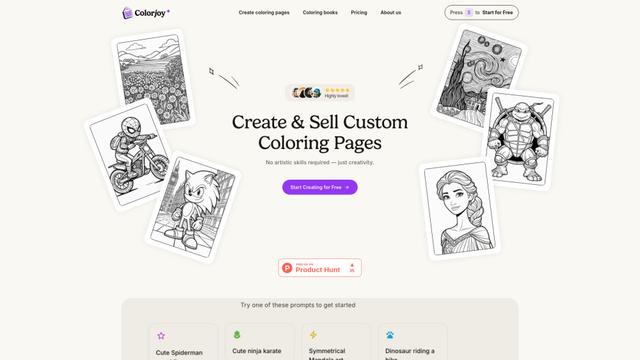
Colorjoy ist ein KI-gestützter Ausmalbildgenerator, der Textvorschläge in anpassbare, qualitativ hochwertige Ausmaldesigns verwandelt, die sowohl für den persönlichen als auch für den kommerziellen Gebrauch geeignet sind.
DreamDraft
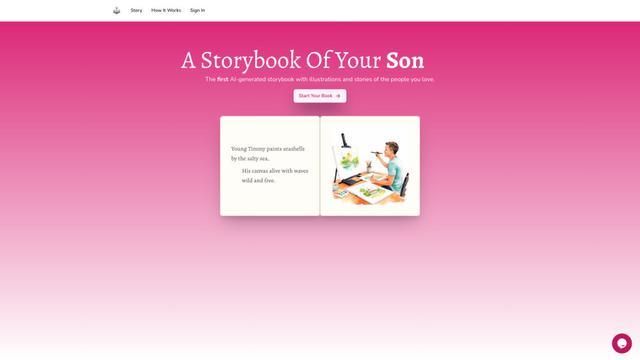
DreamDraft ist eine KI-gestützte Plattform, die personalisierte Geschichtsbücher mit benutzerdefinierten Illustrationen erstellt, die Ihre Angehörigen durch Foto-Uploads und Geschichtsanpassungen zeigen.

Your Story Our AI
Ihre Geschichte Unsere KI ist eine umfassende KI-gestützte Buchschreibplattform, die Autoren hilft, vollständige Bücher, Romane und Geschichten durch einen intuitiven Schritt-für-Schritt-Prozess mit KI-Unterstützung zu erstellen.
GetBooks.ai
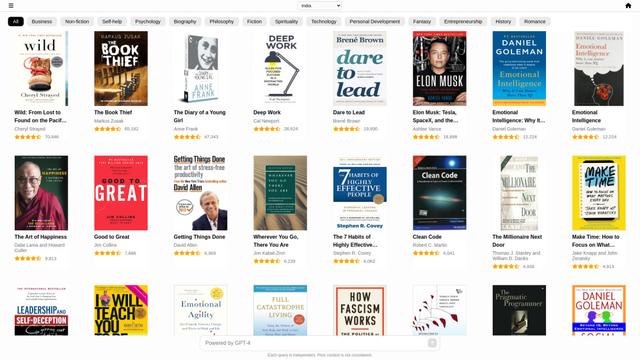
GetBooks.ai ist eine KI-gestützte Buchempfehlungs-App, die Nutzern hilft, ihr nächstes Lieblingsbuch durch personalisierte Vorschläge und Zusammenfassungen zu entdecken.
Beliebte KI-Tools wie Pinery

Summarist.ai
Summarist.ai ist ein KI-gestützter Buchzusammenfassungs-Generator, der schnelle, prägnante Zusammenfassungen von Bestsellern aus verschiedenen Genres bereitstellt, um den Nutzern zu helfen, zu entdecken, zu lernen und zu wachsen.
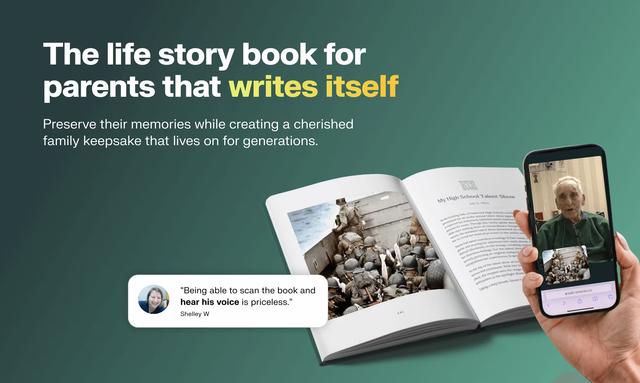
Remento
Remento ist ein Dienst zur Bewahrung von Familienerinnerungen, der aufgezeichnete Geschichten in wunderschön geschriebene Erinnerungsbücher mit QR-Codes verwandelt, die zu den ursprünglichen Audioaufnahmen verlinken.

Ebook Maker
Ebook Maker ist eine KI-gesteuerte Plattform, die mit nur einem Klick vollständige E-Books generiert, Zeit spart und die Erstellung qualitativ hochwertiger Inhalte sicherstellt.
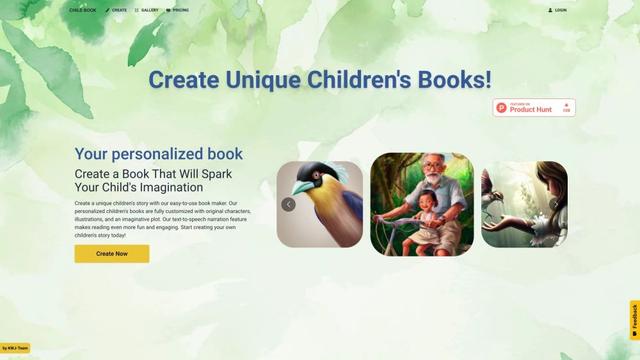
Child Book Create
Child Book Create ist eine KI-gestützte Plattform, die es Benutzern ermöglicht, personalisierte Kinderbücher mit einzigartigen Charakteren, Illustrationen und Geschichten in Minuten zu erstellen.