
Owl Browser
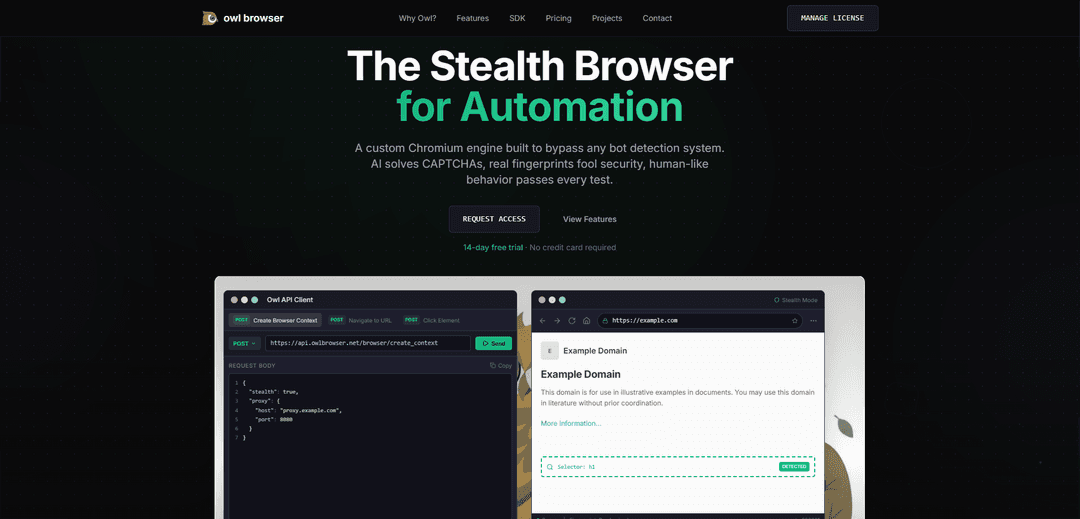
Owl Browser is a revolutionary Chromium-based browser purpose-built for AI automation that achieves 100% bot detection bypass through stealth automation, human-like behavior simulation, and integrated AI capabilities.
https://owlbrowser.net/?ref=producthunt
Product Information
Updated:Jan 15, 2026
What is Owl Browser
Owl Browser is an enterprise-grade stealth automation platform developed by Olib AI that combines a custom Chromium engine with advanced AI capabilities. It's designed specifically for large-scale web automation while being undetectable as a bot. The browser features a Python/TypeScript SDK, supports multi-agent collaboration, and includes 113 built-in automation tools for tasks like navigation, data extraction, and CAPTCHA solving. Available in both cloud-hosted and self-hosted versions, it serves as a powerful tool for businesses requiring sophisticated web automation solutions.
Key Features of Owl Browser
Owl Browser is a revolutionary Chromium-based browser designed for AI automation and web scraping with advanced anti-detection capabilities. It combines fast performance, privacy features, and sophisticated automation tools with built-in AI capabilities for CAPTCHA solving and intelligent navigation. The browser offers both cloud-hosted and self-hosted solutions, featuring unique fingerprinting technology, proxy support, and comprehensive developer SDKs for Python and TypeScript.
Advanced Anti-Detection System: Utilizes unique fingerprinting technology and AI-powered behavior simulation to achieve 100% pass rate against major bot detection systems
AI-Powered Automation: Features built-in AI for CAPTCHA solving, smart element selection, and natural language commands for browser automation tasks
Privacy and Security: Includes built-in VPN, ad blocker, tracker blocking, and secure browsing features with no history recording
Developer-Friendly Integration: Offers comprehensive SDKs for Python and TypeScript, with MCP protocol support for AI integration and visual flow editor for workflow design
Use Cases of Owl Browser
E-commerce Intelligence: Monitor competitor prices, track inventory, and gather market data across multiple platforms with anti-detection capabilities
Web Scraping and Data Collection: Gather large-scale data from websites while bypassing anti-bot measures and solving CAPTCHAs automatically
Security Testing and Monitoring: Conduct security vulnerability scanning, dark web monitoring, and threat intelligence gathering
Automated Testing: Perform end-to-end testing with self-healing test suites and natural language test specifications
Pros
Superior anti-detection capabilities with 100% pass rate
Comprehensive automation toolkit with AI integration
Fast performance with <1s cold start time
Extensive developer tools and SDK support
Cons
Relatively high pricing for enterprise solutions
Requires technical expertise for full utilization
Limited free tier options
How to Use Owl Browser
Sign up for an account: Visit owlbrowser.net and start with a 14-day free trial (no credit card required). Choose between Developer, Starter, Business or Enterprise plans based on your needs.
Install the SDK: Install the Owl Browser SDK using npm: 'npm install @olib-ai/owl-browser-sdk' for TypeScript, or use the Python SDK version
Initialize browser automation: Set up your automation project using either Python or TypeScript SDK. The browser starts in under 1 second with minimal memory usage (~50MB)
Configure browser settings: Set up proxy settings, fingerprints, and other configurations. Each session gets unique IP and fingerprints for realistic browsing behavior
Write automation scripts: Use natural language commands to control the browser (e.g., 'click login button'). Access 113 built-in automation tools for clicking, typing, scrolling, screenshots, and data extraction
Handle CAPTCHAs: Let the built-in AI vision model automatically detect and solve CAPTCHAs with 97% success rate
Extract data: Use data extraction tools to pull text, images, and tables from pages. Export to JSON, CSV, or your database using simple commands
Monitor and debug: Use the session recording feature to capture automation runs as video for debugging and auditing purposes
Scale operations: Manage multiple tabs, handle popups, and run parallel browsing sessions. Process up to 1000+ pages per hour
Integrate with AI: Connect to AI assistants like ChatGPT or Claude using the MCP protocol for enhanced automation capabilities
Owl Browser FAQs
Owl Browser is a revolutionary Chromium-based browser purpose-built for AI automation and MCP integration. It's designed to bypass bot detection systems with features like AI CAPTCHA solving, real fingerprints, and human-like behavior simulation.
Owl Browser Video
Popular Articles

Vosko AI: Localize and Dub Videos for Global Audiences
Oct 15, 2026

Atoms: A Multi-Agent AI Platform That Transforms Ideas into Launch-Ready Products
Oct 13, 2026

Nano Banana SBTI: What It Is, How It Works, and How to Use It in 2026
Apr 15, 2026

Atoms Review — The AI Product Builder Redefining Digital Creation in 2026
Apr 10, 2026
Latest AI Tools Similar to Owl Browser

Cursor Search
Cursor Search is an AI-powered browser extension that provides instant access to world knowledge and information retrieval directly from your cursor.
PixieBrix
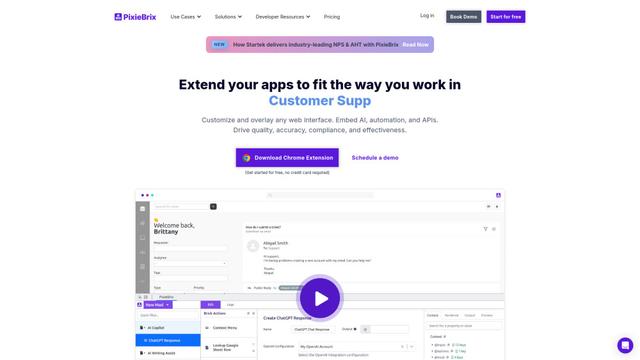
PixieBrix is a low-code browser extension platform that allows users to customize, automate, and enhance web applications with AI, integrations, and collaboration features.
AI Form Fill
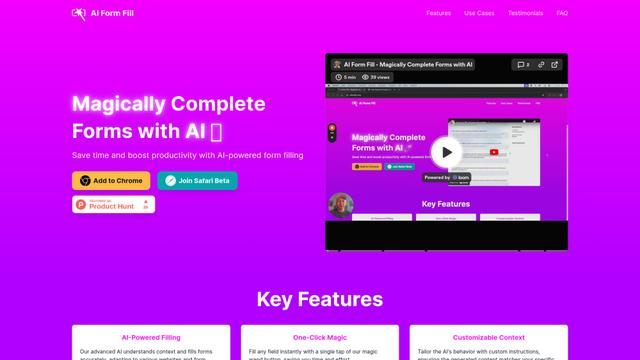
AI Form Fill is an AI-powered browser extension that automatically completes online forms with a single click, saving time and boosting productivity.
Duang AI Tab
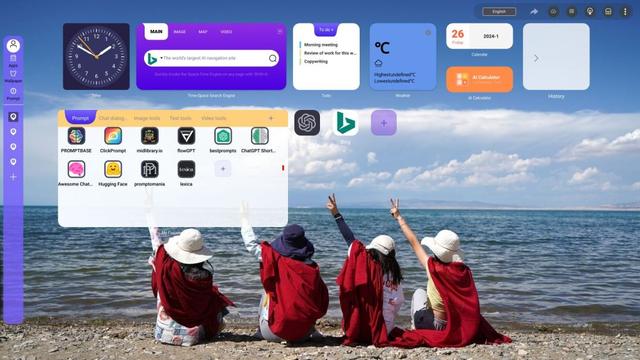
Duang AI Tab is a popular browser extension that beautifies your homepage, improves productivity, and provides one-click access to AI tools anywhere.
Popular AI Tools Like Owl Browser
Edge Copilot Mode
Edge Copilot Mode is Microsoft's experimental AI-powered browser feature that combines search, chat, and web navigation into a single interface, enabling users to browse smarter with AI assistance while maintaining privacy and control.

BrowserAI
BrowserAI is an open-source library that enables running local Large Language Models (LLMs) directly in web browsers with WebGPU acceleration, offering privacy-focused AI capabilities without requiring server infrastructure.

iBrowsy
iBrowsy is a modern, AI-powered web browser for macOS that combines intelligent features, privacy-first design, and seamless user experience with built-in GPT-4 assistance.
OpenDia
OpenDia is an open-source browser automation tool that enables AI models to control your browser seamlessly while leveraging your existing digital assets like logged-in accounts, cookies, and browsing history.