
Outloud
Outloud là một trợ lý viết lách ghi lại các bài đăng hiện có của bạn để học giọng văn của bạn, sau đó biến những gì bạn thực hiện thành các bài đăng xã hội có tín hiệu cao và các phản hồi thông minh cho X/Threads/LinkedIn—mà không nghe giống như AI chung chung.
https://tryoutloud.app/?ref=producthunt&utm_source=aipure

Thông tin Sản phẩm
Đã cập nhật:Jul 15, 2026
Outloud là gì
Outloud là một công cụ được thiết kế dành cho những nhà xây dựng và người sáng tạo muốn đăng bài trực tuyến một cách nhất quán trong khi vẫn giữ cho văn phong của họ không thể nhầm lẫn là “của riêng họ”. Thay vì tạo ra nội dung theo mẫu, nghe có vẻ AI, nó học nhịp điệu, cách diễn đạt và những đặc điểm riêng của bạn từ những bài đăng bạn đã viết và sử dụng điều đó để soạn thảo các bản cập nhật, nhật ký xây dựng công khai và các phản hồi phù hợp với phong cách của bạn. Nó hỗ trợ soạn thảo cho các nền tảng như X, Threads và LinkedIn, đồng thời nhấn mạnh quyền kiểm soát của người dùng: bạn xem xét và xuất bản thay vì để công cụ đăng bài một cách mù quáng.
Các Tính năng Chính của Outloud
Outloud là một trợ lý viết bài học hỏi phong cách đăng bài cá nhân của bạn từ các bài đăng hiện có và sau đó soạn thảo nội dung xã hội có tín hiệu cao (bài đăng và trả lời) nghe giống bạn—nhằm tránh giọng điệu "AI chung chung". Nó có thể nhập/dán các bài viết trước đây của bạn để xây dựng hồ sơ giọng nói (nhịp điệu, cách diễn đạt, đặc điểm riêng), tạo bản nháp sẵn sàng xuất bản cho các nền tảng như X, LinkedIn và Threads, đồng thời giúp bạn tìm các bài đăng đáng để trả lời thông qua công cụ trả lời và khám phá chủ đề/xu hướng. Bạn vẫn kiểm soát: bản nháp yêu cầu xem xét và xuất bản bằng một cú nhấp chuột, với sự nhấn mạnh rằng không có gì được tự động đăng mà không có hành động rõ ràng (tự động lái tập trung vào việc lên lịch/đường ống, không phải đăng bài không kiểm soát).
Thu thập giọng nói & học phong cách: Dán hoặc nhập các bài đăng hiện có của bạn; Outloud phân tích nhịp điệu, cách diễn đạt và đặc điểm riêng để tạo ra một "hồ sơ giọng nói" có thể tái sử dụng mà nó tuân theo cho các bản nháp trong tương lai.
Tạo bài đăng đúng giọng điệu: Tạo bản nháp phù hợp với phong cách viết của bạn cho X, LinkedIn và Threads—được định vị là "không bao giờ bị phát hiện là AI" và được thiết kế để duy trì sự tin cậy và tính xác thực.
Công cụ trả lời + khám phá: Giúp bạn tìm các bài đăng đáng để trả lời và soạn thảo các câu trả lời dí dỏm, đúng thương hiệu; bao gồm tìm kiếm chủ đề và (ở các cấp cao hơn) khám phá xu hướng.
Quy trình xuất bản ưu tiên xem xét: Giúp bạn kiểm soát: bạn xem xét và điều chỉnh bản nháp, sau đó xuất bản bằng một cú nhấp chuột—không có bài đăng nào được thực hiện mà không có sự chấp thuận rõ ràng của bạn.
Lên lịch tự động (Pro): Cung cấp quy trình lên lịch không cần chạm và tự động xuất bản dựa trên lịch để có đầu ra nhất quán, cộng với "cường độ hook" có thể điều chỉnh, cài đặt trước kiểu và tạo ưu tiên.
Tùy chọn nhiều tài khoản & giọng nói người sáng tạo: Hỗ trợ nhiều tài khoản/chiến lược xử lý (Pro) và cho phép tạo nội dung theo các phong cách người sáng tạo thay thế ngoài giọng nói đã thu thập của bạn.
Các Trường hợp Sử dụng của Outloud
Các hacker & nhà xây dựng độc lập cập nhật tiến độ: Biến các cập nhật mã hàng ngày, ghi chú phát hành và nhật ký xây dựng công khai thành các bài đăng ngắn gọn, có tín hiệu cao mà vẫn nghe giống người sáng lập.
Sự hiện diện xã hội của người sáng lập startup: Duy trì tư duy lãnh đạo nhất quán và câu chuyện sản phẩm trên X/LinkedIn/Threads mà không tốn hàng giờ viết lại bản nháp để "nghe giống người thật".
Tương tác của người sáng tạo & tăng trưởng cộng đồng: Sử dụng tính năng khám phá trả lời để xác định các cuộc trò chuyện liên quan và phản hồi nhanh chóng bằng các câu trả lời đúng giọng điệu giúp tăng khả năng hiển thị và xây dựng mối quan hệ.
Tiếp thị sản phẩm & chiến dịch ra mắt: Tạo các chuỗi/bài đăng ra mắt phù hợp với nền tảng và các cập nhật lặp đi lặp lại trong khi vẫn giữ giọng điệu thương hiệu nhất quán và tránh các bản sao "nghe giống AI".
Các nhà điều hành agency/truyền thông xã hội quản lý nhiều tài khoản: Soạn thảo nội dung cho nhiều tài khoản với các hồ sơ giọng nói riêng biệt và chiến lược xử lý, tăng tốc độ đầu ra trong khi vẫn giữ phong cách nhất quán cho từng tài khoản.
Ưu điểm
Nhấn mạnh mạnh mẽ vào việc khớp giọng văn chân thực của người dùng (cách tiếp cận theo hướng dẫn phong cách) để tránh giọng điệu AI chung chung.
Quy trình làm việc ưu tiên kiểm soát: bản nháp được người dùng xem xét và xuất bản, giảm rủi ro tự động đăng bài không mong muốn.
Tính năng khám phá trả lời tích hợp giúp tăng cường tương tác, không chỉ tạo nội dung.
Hỗ trợ nhiều nền tảng (X, LinkedIn, Threads) và có thể mở rộng sang nhiều tài khoản ở các cấp cao hơn.
Nhược điểm
Chất lượng phụ thuộc vào số lượng và tính đại diện của các bài đăng đã nhập/dán của bạn—các mẫu hạn chế có thể cho kết quả khớp giọng nói yếu hơn.
Giới hạn sử dụng dựa trên tín dụng có thể hạn chế người dùng nặng (đặc biệt đối với các câu trả lời, tốn nhiều tín dụng hơn các bài đăng).
Việc kết nối tài khoản (ngay cả chỉ đọc) có thể là mối lo ngại đối với người dùng có yêu cầu bảo mật/tuân thủ nghiêm ngặt.
Các tính năng tự động lái/lên lịch được phân cấp (Pro), điều này có thể hạn chế đối với người dùng tìm kiếm quy trình tự động hóa hoàn chỉnh trên các gói thấp hơn.
Cách Sử dụng Outloud
1) Bắt đầu dùng thử miễn phí: Truy cập https://tryoutloud.app/ và nhấp vào “Bắt đầu miễn phí” để bắt đầu dùng thử miễn phí 3 ngày (không cần thẻ).
2) Ghi lại giọng văn của bạn: Cung cấp các ví dụ về văn phong của bạn để Outloud có thể học phong cách của bạn. Bạn có thể dán một vài bài đăng bạn đã viết hoặc nhập các bài đăng gần đây của bạn từ X.
3) Để Outloud xây dựng hồ sơ giọng văn của bạn: Outloud phân tích nhịp điệu, cách diễn đạt và những đặc điểm riêng của bạn và biến chúng thành một hướng dẫn phong cách (hồ sơ giọng văn của bạn) mà nó tuân theo cho mỗi bản nháp.
4) Kết nối tài khoản mạng xã hội của bạn (tùy chọn nhưng được khuyến nghị): Kết nối các nền tảng bạn muốn đăng bài (ví dụ: X, LinkedIn, Threads). Đối với X nói riêng, kết nối chỉ đọc và được sử dụng để học cách bạn viết và tìm các bài đăng đáng để trả lời.
5) Tạo bản nháp bài đăng theo giọng văn của bạn: Tạo bản nháp dựa trên những gì bạn đã thực hiện hoặc muốn chia sẻ. Outloud sẽ tạo ra một bài đăng phù hợp với giọng văn đã ghi lại của bạn, sẵn sàng để xuất bản.
6) Xem xét và chỉnh sửa bản nháp: Chỉnh sửa bản nháp đã tạo theo ý muốn của bạn. Outloud được thiết kế để không có gì được xuất bản mà không có sự xem xét và hành động rõ ràng của bạn.
7) Xuất bản chỉ với một cú nhấp chuột: Khi bạn hài lòng, hãy xuất bản bài đăng lên nền tảng bạn đã chọn (ví dụ: X, Threads, LinkedIn hoặc Telegram) bằng quy trình xuất bản một cú nhấp chuột.
8) Sử dụng Công cụ Trả lời X để phát triển bằng cách trả lời: Để Outloud hiển thị các bài đăng đáng để trả lời, sau đó tạo bản nháp trả lời theo giọng văn của bạn. Xem xét từng phản hồi và tự xuất bản (không trả lời hàng loạt).
9) (Gói Pro) Bật Autopilot để lên lịch đăng bài: Nếu bạn đang sử dụng gói Pro, hãy bật Autopilot để sử dụng tính năng lên lịch không chạm và tự động xuất bản theo lịch của bạn (như được mô tả trong các tính năng của gói Pro).
10) Theo dõi và quản lý tín dụng và gói: Theo dõi việc sử dụng tín dụng (bài đăng và trả lời sử dụng chung tín dụng). Sau khi thời gian dùng thử kết thúc hoặc hết tín dụng, hãy chọn một gói hoặc hủy bất cứ lúc nào.
Câu hỏi Thường gặp về Outloud
Outloud là một công cụ viết bài giúp soạn thảo các bài đăng và trả lời trên mạng xã hội bằng chính giọng văn của bạn, để chúng không giống như AI chung chung. Nó có thể giúp bạn biến những gì bạn chia sẻ (cập nhật/nhật ký xây dựng công khai) thành các bài đăng có tín hiệu cao và tìm các bài đăng đáng để trả lời.
Video Outloud
Bài viết phổ biến

Vosko AI: Bản địa hóa và Lồng tiếng Video cho Khán giả Toàn cầu
Oct 15, 2026

Atoms: Nền tảng AI đa tác nhân biến ý tưởng thành sản phẩm sẵn sàng ra mắt
May 22, 2026

Nano Banana SBTI: Nó là gì, Cách thức hoạt động và Cách sử dụng nó vào năm 2026
Apr 15, 2026

Đánh giá Atoms — Trình tạo sản phẩm AI định nghĩa lại việc tạo nội dung số vào năm 2026
Apr 10, 2026
Công cụ AI Mới nhất Tương tự Outloud
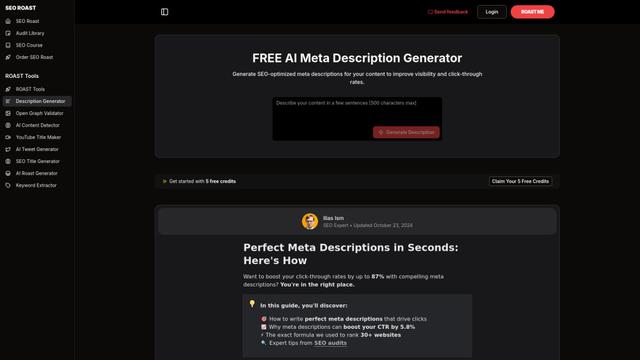
FREE AI Meta Description Generator
Một công cụ miễn phí sử dụng AI tự động tạo ra các mô tả meta hấp dẫn, tối ưu hóa SEO cho các trang web của bạn bằng cách phân tích nội dung và từ khóa mục tiêu của bạn để tăng tỷ lệ nhấp chuột và khả năng hiển thị tìm kiếm.
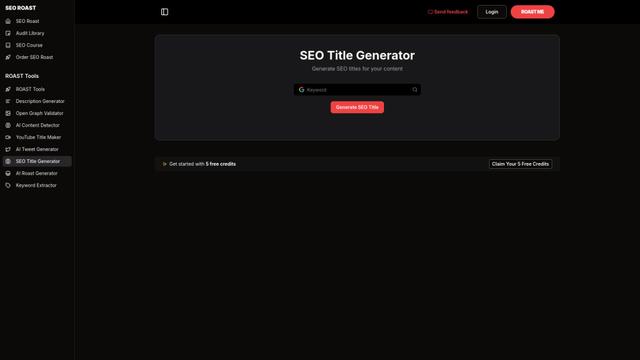
SEO Title Generator
Trình tạo tiêu đề SEO là một công cụ được hỗ trợ bởi AI tự động tạo ra các tiêu đề tối ưu hóa, hấp dẫn và thân thiện với công cụ tìm kiếm cho nội dung web bằng cách phân tích từ khóa và ngữ cảnh để cải thiện khả năng hiển thị và tỷ lệ nhấp chuột.

ChatGent
ChatGent là một công cụ tạo nội dung LinkedIn được hỗ trợ bởi AI, biến chuyên môn và suy nghĩ của người dùng thành các bài viết chuyên nghiệp hấp dẫn thông qua các cuộc trò chuyện có hướng dẫn.

SnapGenie
SnapGenie là một ứng dụng web sử dụng trí tuệ nhân tạo biến đổi hình ảnh sản phẩm thành các danh sách bán hàng chuyên nghiệp với mô tả tối ưu hóa, ước lượng giá trị và nội dung thân thiện với SEO.
Công cụ AI Phổ biến Giống Outloud
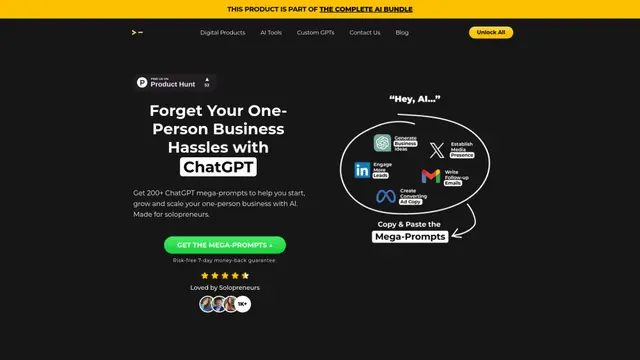
200+ ChatGPT Mega-Prompts for Solopreneurs
Một bộ sưu tập được chọn lọc gồm 200+ mega-prompt ChatGPT mạnh mẽ được thiết kế để giúp các doanh nhân độc lập tối ưu hóa hoạt động kinh doanh, tăng cường năng suất và mở rộng các dự án của họ một cách hiệu quả.

Rytr - Best AI Writer, Content Generator & Writing Assistant
Rytr là một trợ lý viết được hỗ trợ bởi AI giúp người dùng tạo nội dung chất lượng cao nhanh chóng và tiết kiệm chi phí trên hơn 40 trường hợp sử dụng và mẫu.

Hoppy Copy
Hoppy Copy là một nền tảng viết email được hỗ trợ bởi AI giúp các nhà tiếp thị tạo ra các chiến dịch email có tỷ lệ chuyển đổi cao, bản tin và các nội dung tiếp thị khác nhanh gấp 10 lần.
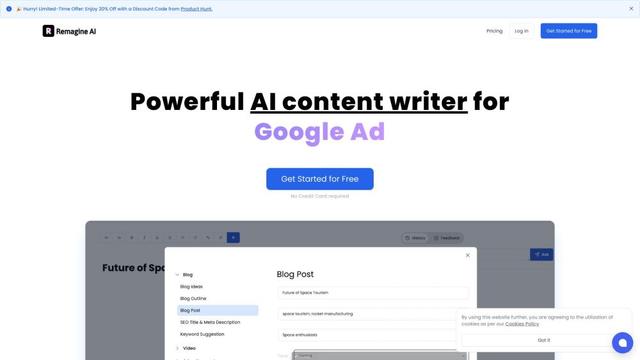
Remagine AI
Remagine AI là một công cụ viết nội dung được hỗ trợ bởi AI và trình tạo sao chép tiếp thị cung cấp hơn 200 mẫu và công cụ để tạo nội dung chất lượng cao một cách nhanh chóng.