OfoxAI
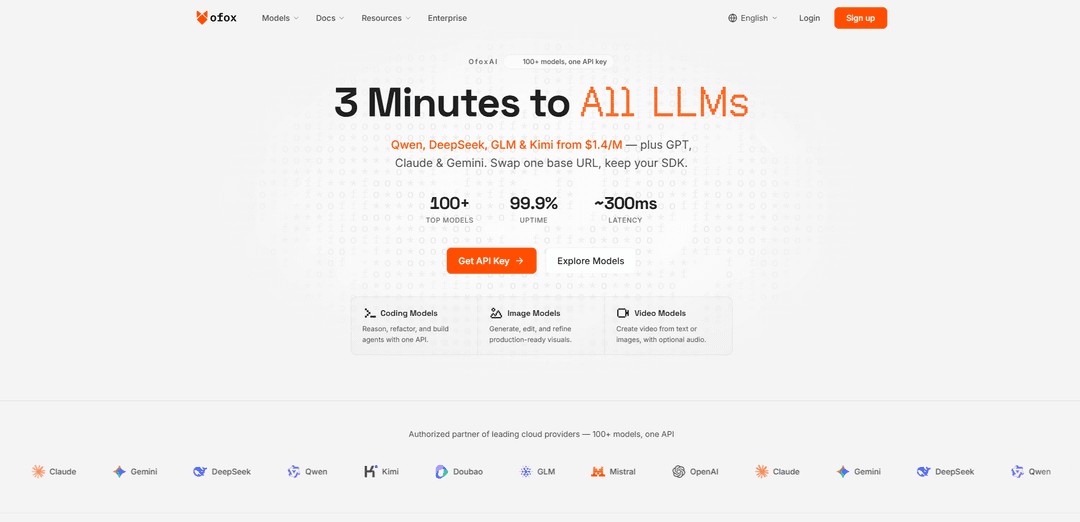
OfoxAI ist ein einheitliches Pay-as-you-go-KI-API-Gateway, das einen API-Schlüssel und direkt einsetzbare OpenAI/Anthropic/Gemini-kompatible Endpunkte bietet, um auf über 100 Text-, Bild- und Videomodelle mit Live-Katalogpreisen und Failover-Unterstützung zuzugreifen.
https://ofox.ai/?utm_source=aipure&utm_medium=directory&utm_campaign=directory_listing
Produktinformationen
Aktualisiert:Oct 19, 2026
Was ist OfoxAI
OfoxAI bietet einen einheitlichen API-Zugriff auf Text-, Bild- und Videomodelle. Entwickler können kompatible API-Protokolle nutzen, um KI in Anwendungen und Workflows zu integrieren – mit einem einzigen API-Schlüssel und zentraler Nutzungsverwaltung. Es unterstützt Aufgaben wie Chat, Programmierunterstützung, Bildgenerierung und Videogenerierung. OfoxAI bietet auch browserbasierte Tools für das Arbeiten mit KI-Modellen. Modellverfügbarkeit und -funktionen variieren; aktuelle Details finden Sie auf der Website und in der Dokumentation.
Hauptfunktionen von OfoxAI
OfoxAI ist ein einheitliches, entwicklerfokussiertes KI-API-Gateway, das über einen einzigen API-Schlüssel Zugriff auf über 100 führende Modelle (Text, Bild, Video und Embeddings) bietet und weitgehend kompatibel mit bestehenden Workflows im OpenAI-Stil ist. Der Schwerpunkt liegt auf einer schnellen Einrichtung, einer nutzungsbasierten Abrechnung (Pay-as-you-go) und Zuverlässigkeit in der Produktion durch Multi-Upstream-Failover. Die Plattform bietet außerdem einen Live-Modellkatalog mit automatisch aktualisierten Preisen, öffentliche Nutzungs-Bestenlisten und Integrationsanleitungen für beliebte Programmier-/Agenten-Tools. Dadurch können Teams Modelle vergleichen, Anbieter schnell wechseln und multimodale Funktionen bereitstellen, ohne mehrere Anbieter-Accounts und Endpunkte verwalten zu müssen.
Ein API-Schlüssel für über 100 Modelle: Greifen Sie über ein einziges Konto, ein einziges Guthaben und ein einziges Dashboard auf einen umfangreichen Katalog führender Anbieter zu (z. B. OpenAI, Anthropic, Google, DeepSeek, Qwen, Kimi, GLM, xAI).
Multimodale Unterstützung (Text, Bild, Video, Embeddings): Führen Sie LLM-Chats aus, generieren/bearbeiten Sie Bilder und erstellen Sie Videos (einschließlich bildbasierter Videos) unter einer einzigen, einheitlichen API-Oberfläche, indem Sie einfach die Modell-ID ändern.
OpenAI-kompatible Integration + Tool-Unterstützung: Entwickelt als Konfigurationsänderung mit geringem Migrationsaufwand für bestehende SDK-Muster und Workflows, mit dokumentierten Integrationen für Tools wie Claude Code, Codex, OpenCode, Cline und die Nutzung des OpenAI SDK.
Live-Modellkatalog-Preise + Discovery-Tools: Bietet einen automatisch aktualisierten Modellkatalog mit Live-Preisen und einen Model Finder zur Auswahl von Modellen nach Aufgabe und Budget; enthält eine Best-Value-Suche für kostenbewusste Entscheidungen.
Nutzungstransparenz durch öffentliche Bestenlisten: Veröffentlicht regelmäßig aktualisierte, aggregierte Token-Share-Rankings für Modelle und Tools, die Teams helfen zu verstehen, was Entwickler tatsächlich auf der Plattform nutzen.
Zuverlässigkeit in der Produktion & Failover: Unterstützt Multi-Upstream-Failover-Messaging, um Agenten-Workloads ohne Unterbrechung aufrechtzuerhalten.
Anwendungsfälle von OfoxAI
KI-Produktteams: Schnelle Modellbewertung und -wechsel: Vergleichen und tauschen Sie Frontier- und Open-Weight-Modelle (Reasoning, Coding, Vision) aus, ohne Integrationen neu schreiben zu müssen – nützlich für A/B-Tests von Qualität, Latenz und Kosten über verschiedene Anbieter hinweg.
Softwareentwicklung & agentische Coding-Workflows: Verbinden Sie bestehende Coding-Tools (z. B. Stacks auf Basis von Claude Code/Codex/OpenAI SDK) mit minimalem Einrichtungsaufwand mit mehreren Modellen für Refactoring, Code-Review, Debugging und agentenbasierte Automatisierung.
Kreativstudios & Marketing: Bildgenerierung und -iteration: Generieren und verfeinern Sie produktionsreife Visuals über mehrere Bildmodelle hinweg über eine einzige API. Dies ermöglicht schnelle Iterationen von Brand-Assets, Werbemitteln und Kampagnenvariationen.
Medien- & Content-Pipelines: Text-zu-Video und Bild-zu-Video: Erstellen Sie kurze Videoclips aus Prompts oder basierend auf Frames (z. B. First-Frame-Führung) für Social-Media-Inhalte, Produktdemos und das Prototyping von Bewegungskonzepten.
Unternehmen/Ops: Zentraler Zugriff und Governance für Teams: Nutzen Sie ein einziges Gateway, um Anbieter-Zugriffsmuster zu konsolidieren, die Nutzung über gemeinsame Dashboards/Bestenlisten zu verfolgen und den Aufruf von Modellen durch interne Anwendungen über Abteilungen hinweg zu standardisieren.
Vorteile
Ein einziger Integrationspunkt für viele Anbieter/Modelle, was die Komplexität von Anbietern und SDKs reduziert.
Multimodale Funktionen (Text/Bild/Video) ermöglichen umfassendere Produktfunktionen ohne separate Stacks.
Live-Katalogpreise plus öffentliche Nutzungs-Bestenlisten verbessern die Transparenz bei Auswahl und Planung.
Produktionsorientierte Failover-Unterstützung hilft dabei, Agenten-Workloads aufrechtzuerhalten, wenn bei Upstream-Anbietern Probleme auftreten.
Nachteile
Als Gateway fügt es eine zusätzliche Abhängigkeitsschicht zwischen Ihrer Anwendung und den zugrunde liegenden Modellanbietern hinzu.
Modellverfügbarkeit, Preise und Rabatte können sich im Laufe der Zeit ändern, da der Katalog dynamisch aktualisiert wird.
Einige erweiterte, anbieterspezifische Funktionen erfordern je nach Anforderungen möglicherweise weiterhin eine direkte Anbieterintegration.
Wie verwendet man OfoxAI
1) Erstellen Sie ein OfoxAI-Konto und holen Sie sich einen API-Schlüssel: Gehen Sie zu [https://ofox.ai/](https://ofox.ai/) und klicken Sie auf API-Schlüssel erhalten (Registrierung/Login erfolgt unter app.ofox.ai). Kopieren Sie Ihren API-Schlüssel aus dem Dashboard.
2) Wählen Sie eine Modell-ID aus der Modellbibliothek: Öffnen Sie [https://ofox.ai/models](https://ofox.ai/models) (oder nutzen Sie den Link zur vollständigen Modellbibliothek) und wählen Sie das gewünschte Modell aus. Beachten Sie das auf Ofox angezeigte Format der Modellkennung (z. B. Anbieter/Modell wie z-ai/glm-5.3, moonshotai/kimi-k3, openai/gpt-6-sol, bytedance/seedance-2.5).
3) Verbinden Sie Ihren bestehenden Client oder Ihr SDK: Befolgen Sie die offizielle Integrationsdokumentation, um Ihren Client oder Ihr SDK mit Ihrem OfoxAI-API-Schlüssel und der entsprechenden Modell-ID zu konfigurieren. Behalten Sie Ihren bestehenden Workflow bei, sofern kompatibel.
4) Verwenden Sie das Protokoll, das zu Ihrer Anwendung passt: OfoxAI unterstützt OpenAI-kompatible APIs, Anthropic Messages und Gemini generateContent. Lesen Sie den entsprechenden Dokumentationsabschnitt für das Protokoll, das Ihre Anwendung oder Ihr Tool bereits verwendet.
5) Bilder generieren (Wählen Sie ein Bildmodell und rufen Sie den Bild-Workflow auf): Durchsuchen Sie Bildmodelle unter [https://ofox.ai/image](https://ofox.ai/image) (oder filtern Sie Modelle nach output=image). Wählen Sie ein Modell aus und befolgen Sie den dokumentierten Bildgenerierungs-Workflow.
6) Videos über die Video-API generieren: Nutzen Sie die Video-API und befolgen Sie die offizielle Dokumentation, um Videogenerierungsergebnisse zu erstellen und abzurufen.
7) Beliebte Programmier-Tools konfigurieren: Öffnen Sie [https://ofox.ai/docs/integrations](https://ofox.ai/docs/integrations) und befolgen Sie die tool-spezifische Anleitung (z. B. Claude Code, Codex, OpenCode, Cline, OpenAI SDK). Das übliche Muster besteht darin, die Basis-URL des Tools zu konfigurieren und Ihren OfoxAI-API-Schlüssel zu verwenden, damit Modelle ohne SDK-Migration im Tool erscheinen.
8) Preise und Verfügbarkeit im Live-Katalog überprüfen: Nutzen Sie den Live-Modellkatalog auf [https://ofox.ai/models](https://ofox.ai/models), um aktuelle Preise und Funktionen zu vergleichen (die Website gibt an, dass die Preise automatisch aktualisiert werden).
9) Nutzen Sie die Dokumentation für die durchgängige Einrichtung und als Referenz: Für einen geführten Einstieg nutzen Sie den Quick Start und die Anleitungen: [https://ofox.ai/docs](https://ofox.ai/docs) und [https://ofox.ai/docs/develop](https://ofox.ai/docs/develop). Für API-Details nutzen Sie den auf der Homepage verlinkten API-Referenzbereich.
OfoxAI FAQs
OfoxAI ist ein einheitliches KI/LLM-API-Gateway, das über einen einzigen API-Schlüssel und ein einziges Guthaben sowie Abrechnung nach Nutzung (Pay-as-you-go) Zugriff auf über 100 Modelle (darunter GPT, Claude, Gemini, DeepSeek, Qwen, Kimi, GLM, Grok und mehr) bietet. Details zur Implementierung, einschließlich unterstützter Protokolle, Integrationsmethoden und API-Nutzung, finden Sie in der offiziellen Dokumentation unter https://ofox.ai/docs.
Beliebte Artikel

Vosko AI: Videos für ein globales Publikum lokalisieren und synchronisieren
Oct 15, 2026

Atoms: Eine Multi-Agenten-KI-Plattform, die Ideen in startbereite Produkte verwandelt
May 22, 2026

Nano Banana SBTI: Was es ist, wie es funktioniert und wie man es im Jahr 2026 einsetzt
Apr 15, 2026

Atoms Review – Der KI-Produkt-Builder, der die digitale Erstellung im Jahr 2026 neu definiert
Apr 10, 2026
Neueste KI-Tools ähnlich wie OfoxAI

invoices.dev
invoices.dev ist eine automatisierte Rechnungsplattform, die Rechnungen direkt aus den Git-Commits der Entwickler generiert und Integrationsmöglichkeiten für GitHub, Slack, Linear und Google-Dienste bietet.
Monyble
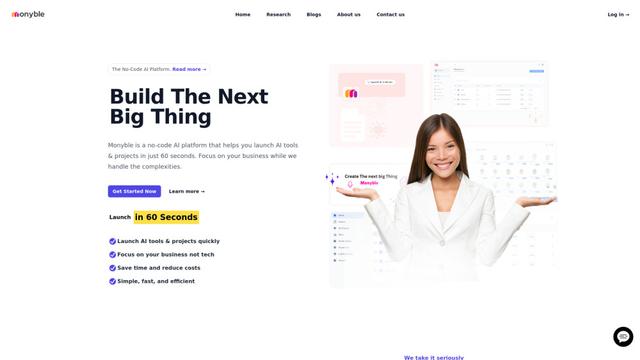
Monyble ist eine No-Code-KI-Plattform, die es Nutzern ermöglicht, KI-Tools und -Projekte innerhalb von 60 Sekunden zu starten, ohne technische Expertise zu benötigen.

Devozy.ai
Devozy.ai ist eine KI-gestützte Entwickler-Selbstbedienungsplattform, die agiles Projektmanagement, DevSecOps, Multi-Cloud-Infrastrukturmanagement und IT-Service-Management in einer einheitlichen Lösung zur Beschleunigung der Softwarebereitstellung kombiniert.
Mediatr
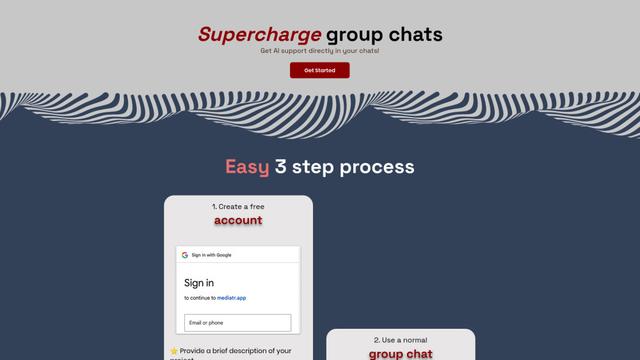
MediatR ist eine beliebte Open-Source-.NET-Bibliothek, die das Mediator-Muster implementiert, um eine einfache und flexible Anfrage-/Antwortverarbeitung, Befehlsverarbeitung und Ereignisbenachrichtigungen bereitzustellen und gleichzeitig eine lose Kopplung zwischen Anwendungsbestandteilen zu fördern.
Beliebte KI-Tools wie OfoxAI
Launch
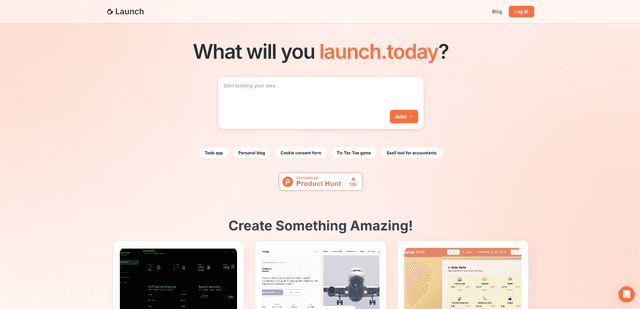
Launch ist eine KI-gestützte Plattform, die es Nutzern ermöglicht, sofort Full-Stack-Anwendungen zu erstellen und gleichzeitig umfassende Tools für Produkteinführungen, Entrepreneurship-Programme und Kundengewinnung bereitzustellen.

GitHub Copilot Chat
GitHub Copilot Chat ist ein KI-gestützter Codierungsassistent, der Interaktionen in natürlicher Sprache, Echtzeit-Codevorschläge und kontextuelle Unterstützung direkt innerhalb unterstützter IDEs und GitHub.com bietet.
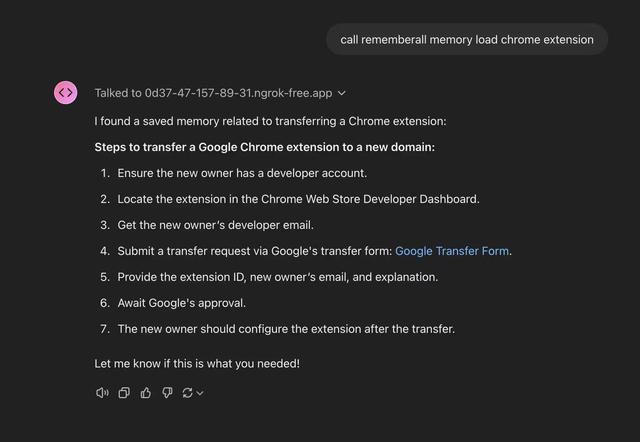
Rememberall
Rememberall ist eine sichere, Open-Source-Lösung für langfristige Erinnerungen, die es KI-Anwendungen und GPT-Modellen ermöglicht, persistente Erinnerungen über Gespräche hinweg durch semantische Suche und vektorbasierte Speicherfunktionen aufrechtzuerhalten.
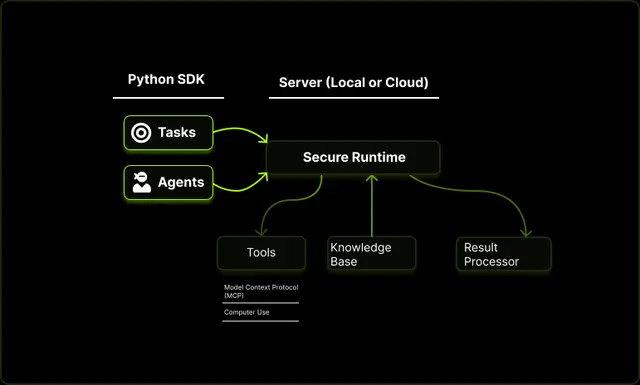
Upsonic
Upsonic ist ein zuverlässigkeitsorientiertes KI-Agenten-Framework mit dockerisierter Server-Client-Architektur, das vertrauenswürdige Agenten-Workflows durch fortschrittliche Funktionen wie Verifizierungsschichten, dreieckige Architektur und Model Context Protocol (MCP)-Integration ermöglicht.